Freedom251 › Appointment Scheduling Software

Zoho Bookings
What Zoho Bookings is
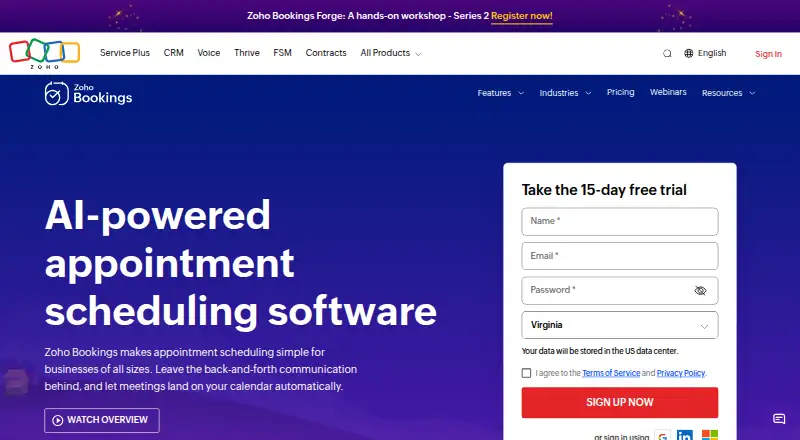
Zoho Bookings is a scheduling platform for appointments and event types including one-on-one, group, collective, and resource-based bookings. It provides booking pages, payment collection, round-robin scheduling, and automated reminders. Google and Outlook calendars can sync in both directions. Teams can manage members with roles and permissions, and workspaces can group event types by location or department. Custom workflows can automate email and SMS communications, CRM updates, and invoice creation. Payments can be collected through Stripe, PayPal, Razorpay, and other major providers. The free plan is for one user and includes one event type and one workspace, plus online meetings, reminders, and two-way calendar sync. Basic costs $8.00 per month per user, while Premium costs $12.00 per month per user; annual billing is listed as saving 25%, while the pricing table says over 25%. A 15-day premium trial does not require card details, and plans can be canceled at any time. Browser access and iOS and Android apps are available. Zoho states that Bookings is GDPR compliant.
Who it suits
It suits individuals or teams scheduling appointments and other event types, particularly those needing calendar sync, reminders, or payment collection. Teams can use member roles and workspaces to organize scheduling.
What it does well
- Free plan includes two-way calendar sync.
- Supports group and resource-based bookings.
- Payments can be collected through listed providers.
- Custom workflows automate communications and updates.
What to know first
- Free plan is limited to one user.
- Free plan includes one event type and workspace.
- Premium costs $12.00 per month per user.
Limits
The free plan is limited to one user, one event type, and one workspace. It includes online meetings, reminders, and two-way calendar sync. The premium trial lasts 15 days.
Plans
| Plan | Billed and limits | Price |
|---|---|---|
| Free | Free for one user · 1 user · 1 event type · 1 workspace | Free |
| Basic | Billed monthly · Unlimited users · Unlimited event types · 1 workspace · 2 calendars per user | $8 a month |
| Premium | Billed monthly · Unlimited users · Unlimited event types · 3 workspaces included · 6 calendars per user | $12 a month |
| Forever Free Plan | — | Free |
| FLEX Plan | — | On request |
As zoho.com lists them, read 20 Sept 2026. The maker's own page has the final word.
Getting started
- Open the Zoho Bookings website in a browser.
- Choose the free plan or begin the 15-day premium trial.
- Set up event types and a client booking page.
- Connect a Google or Outlook calendar for two-way sync.
- Invite team members and organize event types into workspaces as needed.
- Add payment collection or configure workflows as needed.
- Use the iOS or Android app for mobile access.
Overview
Zoho Bookings is appointment scheduling software for solo providers and organizations coordinating appointments across staff, departments, locations, or shared resources. It is a stronger fit for teams that need payment collection and workflow automation than for anyone who simply wants a generous free booking setup.
Customers can book through a client-facing page, with formats for one-to-one appointments, groups, collective bookings, and resources. Administrators can manage staff roles and permissions, while workspaces separate event types by location or department. That breadth suits varied operations, but the free plan’s single-user, single-event-type limits make it a narrow starting point.
Key features
Two-way synchronization with Google and Outlook calendars helps keep availability aligned and reduce double bookings. Automated reminders cover routine follow-up; custom workflows can also trigger email and SMS communication, CRM updates, and invoice creation. These tools are most relevant when scheduling is part of a broader customer or billing process.
Round-robin routing can distribute appointments among team members, and group booking supports sessions with multiple attendees. Payment collection through Stripe, PayPal, Razorpay, and other major providers makes the booking page useful for paid appointments. Enterprise teams can connect with more than 75 Zoho and third-party apps, though that breadth is likely unnecessary for a solo provider.
Mobile apps are available for iOS and Android, alongside browser access. Zoho states that Bookings is GDPR compliant, and its support team is available 24 hours a day, Monday through Friday.
Pricing
The Free plan costs nothing and is designed for one user. Its caps are one event type and one workspace; it includes online meetings, reminders, and two-way calendar sync. That is enough to try basic solo scheduling, but the single event type quickly constrains anyone offering several appointment formats.
Basic costs $8 a month per user, billed monthly, with monthly or yearly billing available. It removes user and event-type limits, but remains at one workspace and allows two calendars per user. It fits teams with straightforward scheduling in a single department or location, but not organizations that need to separate several operations into workspaces.
Premium costs $12 a month per user, billed monthly. It includes unlimited users and event types, three workspaces, and six calendars per user; it is aimed at organizations with multiple locations or departments that need online payments and integrations. The added workspace and calendar capacity makes it the more suitable paid tier for distributed operations, at a higher per-user price.
A FLEX plan uses custom pricing for organizations with tailored requirements. The pricing note gives a paid starting point of $6/user/mo (annual), while the plan prices above are monthly-billed amounts; annual billing saves 25%, with a pricing table describing the saving as over 25%. Compare the annual per-user quote with monthly billing before choosing a tier. A 15-day premium trial requires no credit card, and data and customizations remain after it expires. Plans can be canceled at any time without penalties or further charges.
Platforms
Zoho Bookings supports browser access and mobile apps for Android and iOS. That covers common desktop and phone use, but the published platform range does not include desktop apps.
Who it's for
Choose Zoho Bookings if you need staff scheduling, multiple appointment formats, calendar synchronization, and the option to connect bookings with payments or business workflows. Basic suits teams working within one workspace; Premium is the better fit when departments or locations need separation. Solo users can start free, provided one event type and one workspace are enough. It is a weaker choice for a solo user who needs multiple event types without paying.
Pros and cons
- Pros: The free tier includes two-way calendar sync and reminders, giving a solo user core scheduling tools without a subscription.
- Pros: Group, collective, resource-based, and round-robin scheduling support different appointment operations within one service.
- Pros: Payment collection and workflow automation can connect booking to billing and follow-up instead of leaving those tasks separate.
- Cons: The free plan allows just one user and one event type, limiting it to a basic solo setup.
- Cons: Basic includes only one workspace, so teams organizing by multiple departments or locations need Premium or custom pricing.
- Cons: The annual paid starting price and monthly plan prices use different billing terms, so buyers should compare the actual per-user total for their chosen billing cycle.
Alternatives
For a broader appointment scheduling software shortlist, compare products by the number of staff, calendars, and appointment types your workflow needs. Readers focused on salons and spas can browse salon and spa scheduling software; those arranging meetings can start with meeting scheduling software.
Cal.com is worth considering if you want its free plan’s unlimited event types and calendars, plus 100+ app integrations, for one user. Setmore may suit a small team that wants up to four users on its free plan. Calendly is another option if one event type and one calendar connection cover your free-plan needs.
YouCanBookMe offers a free plan with one calendar connection and one booking page. SimplyBook.me may suit a provider whose needs fit within 50 bookings, one custom feature, and one provider on its free tier. TidyCal is another scheduling option to compare. Appointy may work for a solo operation capped at five services and 100 appointments per month on its free plan. SimplyMeet.me may fit one user who needs up to three meeting types and 50 meetings per month on its free tier.
Verdict
Zoho Bookings is a sound choice for organizations that need more than a booking link: it combines team scheduling, calendar sync, payment collection, and workflows, with Premium adding room to organize multiple locations or departments. The main reason to look elsewhere is its tight free-plan cap; solo providers who need several event types, or teams that want more workspace capacity without moving to a higher tier, should compare alternatives.
Verdict
Zoho Bookings covers individual and team scheduling, with paid tiers adding more workspaces and calendars. Check the free-plan limits and per-user plan prices against your needs.
Questions
Is Zoho Bookings free?
Yes. Its free plan is for one user and includes one event type and one workspace, as well as online meetings, reminders, and two-way calendar sync.
How much do paid plans cost?
Paid pricing starts at $6 per user per month with annual billing. Monthly billing is also available for paid plans.
Is there a free trial?
Yes. A 15-day premium trial is available without credit card details. Data and customizations remain intact after the trial expires.
Which platforms does Zoho Bookings support?
It supports browser access and mobile apps for iOS and Android.
Can it collect booking payments and sync calendars?
Yes. Payments can be collected through Stripe, PayPal, Razorpay, and other major providers. Google and Outlook calendars support two-way synchronization.
Can teams manage multiple locations or departments?
Workspaces can organize event types by location or department. The free plan includes one workspace; the Premium plan includes three.
Facts from Zoho Bookings's own pages
- Annual discount
- Annual billing saves 25%, while the pricing table says over 25%. · zoho.com, 28 Sept 2026
- Automated reminders
- Yes · zoho.com, 20 Sept 2026
- Workflow automation
- Custom workflows can automate email and SMS communication, CRM updates, and invoice creation. · zoho.com, 28 Sept 2026
- Booking pages
- Users can share booking links or embed a booking widget on their websites. · zoho.com, 28 Sept 2026
- Calendar synchronization
- Two-way sync is available for Google and Outlook calendars to avoid double-bookings. · zoho.com, 28 Sept 2026
- Cancellation policy
- Plans can be canceled at any time without penalties or further charges. · zoho.com, 28 Sept 2026
- Business adoption
- Zoho Bookings says it is used by more than 29,000 businesses. · zoho.com, 28 Sept 2026
- Founded
- 1996 · zoho.com, 23 Sept 2026
- Free tier
- A forever-free plan is available for one user with core scheduling features. · zoho.com, 28 Sept 2026
- Free tier limits
- The free plan is for one user and includes online meetings, reminders, and two-way calendar sync. · zoho.com, 28 Sept 2026
- Group booking
- Yes · zoho.com, 20 Sept 2026
- Integration count
- Enterprise teams can connect with more than 75 Zoho and third-party apps. · zoho.com, 28 Sept 2026
- Booking payments
- Yes · zoho.com, 20 Sept 2026
- Payment integrations
- Payments can be collected through Stripe, PayPal, Razorpay, and other major providers. · zoho.com, 28 Sept 2026
- Round-robin scheduling
- Yes · zoho.com, 20 Sept 2026
- Scheduling types
- The platform supports one-on-one, group, collective, and resource-based event types. · zoho.com, 28 Sept 2026
- Compliance status
- Zoho Bookings states that it is GDPR compliant. · zoho.com, 28 Sept 2026
- Paid from
- 6 · zoho.com, 20 Sept 2026
- Supported platforms
- Mobile access is available on iOS and Android, with browser and mobile app support. · zoho.com, 28 Sept 2026
- Support availability
- The support team is available 24 hours a day, Monday through Friday. · zoho.com, 28 Sept 2026
- Team management
- Admins can invite and manage team members with roles and permissions. · zoho.com, 28 Sept 2026
- Trial data
- Data and customizations remain intact after the trial expires. · zoho.com, 28 Sept 2026
- Free trial
- A 15-day premium trial is available without requiring credit card details. · zoho.com, 28 Sept 2026
- Workspace support
- Workspaces organize event types by location or department; the free plan limits workspaces to one. · zoho.com, 28 Sept 2026
Where Zoho Bookings stands on Freedom251
- Appointment Scheduling Software#12 of 138
- Appointment scheduling apps#5 of 30
- Salon and Spa Scheduling Software#7 of 36
- Booking Tools#15 of 33
- Scheduling#14 of 28
- Appointment Management system#13 of 26
- Business Scheduling Software#20 of 32
- Calendar Scheduling#23 of 33
- Meeting Scheduling Software#28 of 35