Freedom251 › Barcode Generators
Zint Barcode Generator
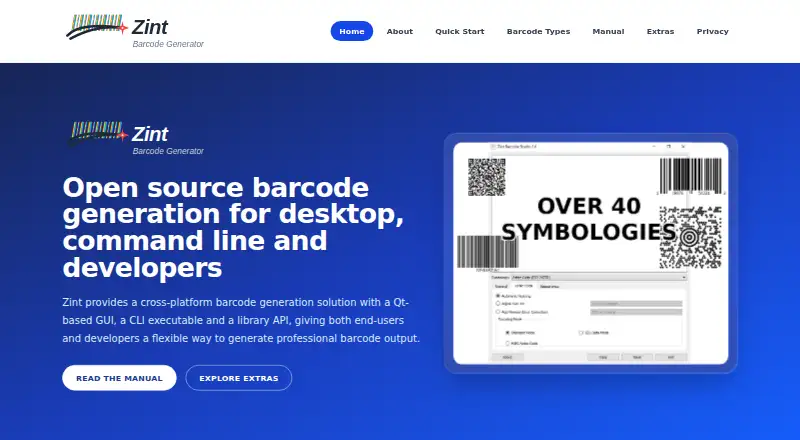
What Zint Barcode Generator is
Zint Barcode Generator is a free, open-source project for creating barcode images through a desktop GUI, command-line tool, or library API. It supports more than 50 symbologies across linear, stacked, postal, and matrix formats, including QR Code, Code 128, EAN, UPC, Data Matrix, and PDF417. Users can configure image size, colour, error correction, and orientation. The library renders BMP, EMF, EPS, GIF, PCX, PNG, TIF, and SVG images. Developers can use the C API in C and C++ programs; the manual also describes Qt and Tcl interfaces. Installation is documented for Windows, macOS, Linux, and BSD, and the Tcl backend can be built on Android. Windows downloads include Barcode Studio and a command-line executable, both of which require the Visual C runtime DLL. macOS instructions cover installing the command-line tool and library with Homebrew; separate source instructions cover building the GUI. Linux users can compile Zint, and need Qt to use Barcode Studio. The gLabels desktop label-design software includes support for Zint libraries. The project directs users to SourceForge and GitHub for releases, source code, issues, discussions, and community support.
Who it suits
Zint suits developers, businesses creating labels or internal tools, researchers, technical users, and people who prefer open-source tools. It offers GUI, command-line, and API routes for barcode generation.
What it does well
- Supports more than 50 barcode symbologies
- Renders images in eight listed formats
- Configurable image size, colour, error correction, and orientation
- Free and open source
What to know first
- Windows executables require the Visual C runtime DLL
- Barcode Studio on Linux requires Qt
- Fresh Windows releases may trigger SmartScreen warnings
Plans
| Plan | Billed and limits | Price |
|---|---|---|
| Zint | Free and open-source barcode generation project; no paid plans stated | Free |
As zint.org.uk lists them, read 8 Oct 2026. The maker's own page has the final word.
Getting started
- Visit the Zint website for project information.
- Choose Barcode Studio, the command-line tool, or the library API for your workflow.
- On Windows, use the available downloads and have the Visual C runtime DLL required by both executables.
- On macOS, follow the manual’s Homebrew instructions for the command-line tool and library, or its source instructions for the GUI.
- On Linux, compile Zint; install Qt to use Barcode Studio.
- Use the project’s SourceForge or GitHub resources for releases, source code, issues, discussions, and community support.
Zint Barcode Generator is an open-source barcode toolkit for desktop users, command-line workflows, and developers embedding generation in software. It is best suited to technical teams, businesses making labels or internal tools, and researchers who need broad symbology support without a license fee. Its main advantage is flexibility across interfaces and output formats; its main drawback is that installation and licensing differ by component and operating system.
Overview
Zint generates barcode images through Barcode Studio, a command-line executable, or a library API. That makes it a better fit for repeatable production and integration than for someone seeking a narrowly focused, appliance-like label editor. The project is free and open source, with no paid plans, account requirement, or subscription commitment.
The library uses the BSD 3-clause license from version 2.5 onward, while the graphical interface and command-line tools use GNU GPL version 3 or later. Teams should check those different terms before distributing software that incorporates Zint components.
Key features
More than 50 symbologies are supported across linear, stacked, postal, and matrix families. QR Code, Code 128, EAN, UPC, Data Matrix, and PDF417 cover common retail, shipping, identification, and application scenarios, while the wider catalog helps organizations avoid maintaining separate generators for less common formats.
Barcode Studio provides a graphical route for occasional creation. The command-line tool is more appropriate for scripts, repeatable jobs, and batch production, while the API supports embedding generation in applications. The C API targets C and C++ programs, and Qt and Tcl interfaces are documented for other development workflows.
Rendered files can be BMP, EMF, EPS, GIF, PCX, PNG, TIF, or SVG. Image size, colour, error correction, and orientation are configurable, giving developers and label teams control over print and downstream processing. Batch printing, data import, and API access are supported. gLabels can use the Zint libraries, which may help users who want barcode generation within a desktop label-design workflow. OkapiBarcode is identified as a Java port and ZintNet as a C# port.
Pricing
| Plan | Price | What it includes |
|---|---|---|
| Zint | free | Free and open-source barcode generation project; no paid plans stated |
The free plan includes the project’s desktop, command-line, and library approaches rather than a reduced feature tier. There are no seat quotas, usage allowances, trial expiry, or renewal charges stated. The trade-off is operational: users manage installation, dependencies, and any licensing obligations themselves instead of receiving a commercial support package or one unified installer experience.
Platforms
Zint is offered for Windows, macOS, Linux, BSD, API use, and self-hosted deployment. Windows downloads include Barcode Studio and the command-line executable, and both require the Visual C runtime DLL. Fresh Windows releases can trigger Microsoft Defender SmartScreen because the binaries are unsigned, so cautious administrators may need an additional trust review.
On macOS, the manual documents installing the command-line tool and library with Homebrew and directs users to source instructions for building the GUI. Linux installation is documented as a compile process; Barcode Studio requires Qt. The Tcl backend can also be built on Android, but the principal documented desktop workflows remain Windows, macOS, Linux, and BSD.
Who it's for
Choose Zint if you are a developer adding barcode creation to an application, a business producing labels or internal tools, a researcher, or a technical user who values open-source software. The API, scripting route, broad format coverage, and configurable image output are especially useful when generation must be automated or embedded.
It is less suitable for buyers who want a turnkey commercial label suite with a single installation path, vendor-managed signing, or a printer-specific workflow. Platform setup and component licenses deserve attention before deployment.
Pros and cons
Pros
- Broad symbology coverage: More than 50 formats, including major retail and 2D standards, support varied labeling and software requirements.
- Three working models: GUI, command line, and API let teams move from manual creation to automation or embedded generation.
- Many export choices: Raster, vector, and document-oriented formats support print and application pipelines.
- No software charge: The project is free, with no account or paid plan requirement.
Cons
- Uneven installation effort: Windows needs the Visual C runtime, macOS GUI builds rely on source instructions, and Linux GUI use requires Qt.
- Unsigned Windows binaries: SmartScreen warnings can complicate rollout and trust approval.
- Split licensing: The BSD library license differs from the GPL licensing of the GUI and CLI.
Alternatives
For a broader label-design directory, see Barcode Labeling Software; for QR-focused tools, see QR Code Generator Software.
- PrintSpirit is a freemium option with a free cloud-based edition, batch printing, storage, and sharing across web and desktop platforms.
- Brother P-touch Editor is free software for select Brother P-touch and QL models, making it the more direct choice for owners of those printers.
- ZebraDesigner offers free basic design and printing for Zebra Link-OS and Link-OS Basic printers, with paid capabilities available.
- Cloudlabel is a freemium service aimed at shared, cloud-based label production with user, label, and print-path allowances.
- Cloudlabels provides a web and iOS workflow with a forever-free tier capped at 20 items and 20 labels per month, plus watermarked 300 DPI exports.
- EASYLABEL is a freemium Windows/web product whose free Start tier is tied to a Tharo printer.
- LabelForge is another free, open-source desktop option for Linux, macOS, and Windows.
- Label Toolkit is a free browser-based label designer with API and web availability.
Verdict
Zint is a strong choice for developers and technical label teams that need extensive barcode coverage, scriptable generation, or an embeddable API at no software cost. Look elsewhere if you prioritize a polished, printer-specific commercial workflow or want installation, signing, and licensing handled as one package.
Verdict
Zint provides several ways to generate barcode images and supports a broad set of formats and output options. Check the operating-system installation requirements, including Windows runtime and Linux Qt requirements, before choosing a workflow.
Questions
Is Zint free?
Yes. The plan is free, and the project is open source.
Which barcode formats does it support?
It supports more than 50 symbologies, including QR Code, Code 128, EAN, UPC, Data Matrix, and PDF417.
Which operating systems can I use it on?
The manual documents installation on Windows, macOS, Linux, and BSD. The Tcl backend can also be built on Android.
What output image formats are available?
The library can render BMP, EMF, EPS, GIF, PCX, PNG, TIF, and SVG images.
What licenses does Zint use?
For versions 2.5 and later, libzint uses the BSD 3-clause license. The GUI and CLI use GNU GPL version 3 or later.
Where can I get releases or community support?
The project points users to SourceForge and GitHub for releases, source code, issues, discussions, and community support.
Facts from Zint Barcode Generator's own pages
- Barcode formats
- Zint supports linear, stacked, postal, and matrix formats, including QR Code, Code 128, EAN, UPC, Data Matrix, and PDF417. · zint.org.uk, 8 Oct 2026
- Customization
- Output options include image size, colour, error correction, and orientation. · zint.org.uk, 8 Oct 2026
- Developer API
- The C API supports C and C++ programs, and the manual also describes Qt and Tcl interfaces. · zint.org.uk, 8 Oct 2026
- Integration
- The gLabels desktop label-design software includes support for the Zint libraries. · zint.org.uk, 8 Oct 2026
- Integrations
- gLabels includes support for the Zint libraries. · zint.org.uk, 8 Oct 2026
- Intended users
- The project describes its intended users as developers, businesses creating labels or internal tools, researchers, technical users, and people who prefer open-source tools. · zint.org.uk, 8 Oct 2026
- License
- For versions 2.5 and later, libzint uses the BSD 3-clause license, while the GUI and CLI use GNU GPL version 3 or later. · zint.org.uk, 8 Oct 2026
- Linux
- The manual documents compiling Zint on Linux and describes installing Qt to use Barcode Studio. · zint.org.uk, 8 Oct 2026
- macOS
- The manual documents installing the command-line tool and library on macOS with Homebrew, and points to source instructions for building the GUI. · zint.org.uk, 8 Oct 2026
- Output formats
- The library can render barcode images as BMP, EMF, EPS, GIF, PCX, PNG, TIF, or SVG. · zint.org.uk, 8 Oct 2026
- Output options
- Image size, colour, error correction, and orientation can be configured. · zint.org.uk, 8 Oct 2026
- Platform availability
- The manual documents installation on Linux, BSD, Windows, and macOS; its Tcl backend can also be built on Android. · zint.org.uk, 8 Oct 2026
- Privacy
- The website may collect technical server-log information for site administration, security, troubleshooting, traffic analysis, and user-experience improvements. · zint.org.uk, 8 Oct 2026
- Purpose
- Zint is an open-source barcode generation project for desktop users, command-line workflows, and software developers. · zint.org.uk, 8 Oct 2026
- Related projects
- The project lists OkapiBarcode as a Java port and ZintNet as a C# port. · zint.org.uk, 8 Oct 2026
- Security and trust
- The manual says fresh Windows releases may trigger a Microsoft Defender SmartScreen warning because the project cannot afford Microsoft application signing. · zint.org.uk, 8 Oct 2026
- Support
- The project points users to SourceForge and GitHub for releases, source code, issues, discussions, and community support. · zint.org.uk, 8 Oct 2026
- Supported formats
- The library supports over 50 barcode symbologies, including QR Code, Code 128, EAN, UPC, Data Matrix, and PDF417. · zint.org.uk, 8 Oct 2026
- Ways to use it
- Zint includes Barcode Studio, a command-line tool, and a library API for adding barcode generation to applications. · zint.org.uk, 8 Oct 2026
- Website accounts
- The website does not require user accounts. · zint.org.uk, 8 Oct 2026
- What it does
- Zint generates barcode images through a desktop GUI, command-line tool, and library API. · zint.org.uk, 8 Oct 2026
- Windows
- Windows downloads include the Barcode Studio executable and command-line executable; the manual says both require the Visual C runtime DLL. · zint.org.uk, 8 Oct 2026
- Windows download note
- The manual says fresh Windows releases may trigger a Microsoft Defender SmartScreen warning because the binaries are unsigned. · zint.org.uk, 8 Oct 2026
Where Zint Barcode Generator stands on Freedom251
- Barcode Generators#4 of 21
- Barcode Labeling Software#19 of 35
- QR Code Generator Software#20 of 30