xpression camera
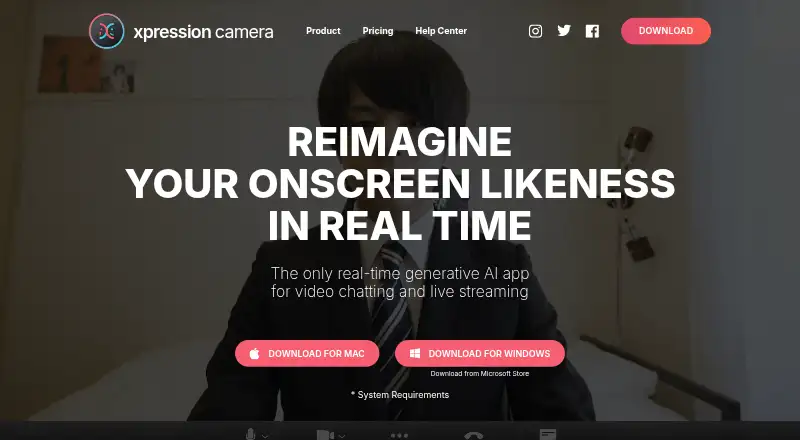
What xpression camera is
xpression camera is a virtual camera app for video chatting, livestreaming, and YouTube video creation. It can use a single photo to change the face shown on screen in real time and reflect facial expressions in videos, GIFs, memes, and other content. Voice2Face animates an image from the user's voice while the user remains off camera. Creator tools include generators for meme, GIF, cinematic, and social content, plus image and video sourcing tools. Users select xpression camera as the webcam in apps such as Zoom or Twitch. Listed platforms are Android, iOS, Windows, and macOS, while the stated computer requirements specify Windows 10 Anniversary Update or newer, or macOS 12.3 or newer, as well as particular processor, memory, graphics, webcam, and display requirements. Recording requires an available microphone even when no audio is intended. Basic is free and includes a seven-day Pro trial. Pro costs $12 a month; Premium costs $49 a month and includes a commercial license.
Who it suits
It suits people creating video chats, livestreams, YouTube videos, or social content with an on-screen image. Voice2Face may suit users who want to remain off camera while animating an image with their voice.
What it does well
- Transforms an on-screen face from a single photo
- Voice2Face animates images from voice
- Creator generators for memes, GIFs, and social content
- Free Basic plan includes a seven-day Pro trial
What to know first
- Recording requires an available microphone
- Computer requirements specify supported OS versions and hardware
- Pro costs $12 a month
- Premium costs $49 a month
Limits
Basic includes default face images, backgrounds, and animations. Pro costs $12 a month and includes one video creation per month, one AI Effect per month, and two AI Chats per day. Premium costs $49 a month and includes a commercial license and unlimited AI effects, AI chats, and video creation.
Plans
| Plan | Billed and limits | Price |
|---|---|---|
| Basic | Personal License · 7-day Pro Trial · Default Face Images · Default Backgrounds · Default Animations | Free |
| Pro | month · No Watermarks · Local Image Importation · Image Searching · Video Recording · All Face Images / Backgrounds / Animations · Voice Only Mode · Video Creation from Text/Audio/Video (1/month) · AI Effect (1/month) · AI Chat (2/day) | $12 a month |
| Pro | year · No Watermarks · Local Image Importation · Image Searching · Video Recording · All Face Images / Backgrounds / Animations · Voice Only Mode · Video Creation from Text/Audio/Video (1/month) · AI Effect (1/month) · AI Chat (2/day) | $129 a year |
| Premium | Lifetime · Commercial License · High-Resolution Enhancement · AI Avatar · Unlimited AI Faces/Backgrounds · Unlimited AI Effect · Unlimited AI Chat · Unlimited Video Creation from Text, Audio and Video Files | $1,499, paid once |
| Pro | Lifetime · No Watermarks · Local Image Importation · Image Searching · Video Recording · All Face Images / Backgrounds / Animations · Voice Only Mode · Video Creation from Text/Audio/Video (1/month) · AI Effect (1/month) · AI Chat (2/day) | $399, paid once |
| Premium | month · Commercial License · High-Resolution Enhancement · AI Avatar · Unlimited AI Faces/Backgrounds · Unlimited AI Effect · Unlimited AI Chat · Unlimited Video Creation from Text, Audio and Video Files | $49 a month |
| Premium | year · Commercial License · High-Resolution Enhancement · AI Avatar · Unlimited AI Faces/Backgrounds · Unlimited AI Effect · Unlimited AI Chat · Unlimited Video Creation from Text, Audio and Video Files | $499 a year |
| SDK | Available for iOS, Android, Windows, and Mac | On request |
As xpressioncamera.com lists them, read 1 Oct 2026. The maker's own page has the final word.
Getting started
- Visit https://xpressioncamera.com/.
- Choose the free Basic plan or a paid plan; Basic includes a seven-day Pro trial.
- Use a supported platform and check the stated operating-system and hardware requirements.
- Make xpression camera the webcam in an app such as Zoom or Twitch.
- Keep an available microphone connected to start recording.
xpression camera is a virtual camera and face-based content-creation app for calls, livestreams and YouTube work. It suits creators who want a transformed on-screen identity or animated photos instead of appearing directly on camera. The main attraction is its combination of live transformation, voice-driven animation and creator generators, balanced by demanding hardware and meaningful free-plan limits.
Overview
A single photo can become the face shown in real time, with the image reflecting the user's facial expressions. That makes xpression camera a specialist identity-transformation tool rather than a conventional webcam utility. It can also turn photos into videos, GIFs, memes and other social material.
Its virtual-camera design fits video chatting, live streaming and YouTube creation. Selecting xpression camera as the webcam in apps such as Zoom or Twitch brings the transformed output into those services. The app's stated privacy purpose is to change the image seen by others so users do not expose their true identities online. EmbodyMe's privacy policy says personal information is not provided to third parties except where permitted by law and describes controls intended to prevent loss, alteration and leakage.
Key features
Voice2Face animates an on-screen image from the user's voice while the user remains off camera. This is useful when a creator wants a visible character without showing a real face, although recording still requires an available microphone even when no audio is intended.
The creator platform combines meme, GIF, cinematic and social generators with image and video sourcing tools. Background replacement and video effects provide additional control over the presentation. Together, these tools make the app more suitable for producing varied social assets than a simple virtual webcam, while users seeking only a clean camera feed may find the broader system unnecessary.
Pricing
The free Basic plan costs nothing and includes a Personal License, a 7-day Pro Trial, default face images, default backgrounds and default animations. It is a way to assess the core transformation, but it does not include the broader Pro or Premium creation entitlements.
Pro costs $12 a month, billed monthly. It removes watermarks, allows local image importation and image searching, adds video recording, and unlocks all face images, backgrounds and animations. It also includes Voice Only Mode, one video creation from text, audio or video per month, one AI Effect per month and two AI Chat uses per day. This is the practical choice for personal creators who need clean output and imported imagery, but the AI and video quotas limit frequent generation.
Premium costs $49 a month, billed monthly, and adds a Commercial License, high-resolution enhancement and AI Avatar. It provides unlimited AI faces and backgrounds, unlimited AI Effect, unlimited AI Chat and unlimited video creation from text, audio and video files. The commercial licence matters for business meetings, monetized videos or livestreams, promotions, events, education and customer service. It is difficult to justify for casual personal use, but the uncapped creation allowances target regular commercial production.
The SDK has custom pricing and is available for iOS, Android, Windows and Mac. A 7-day trial is included with Basic's Pro Trial; paid plans are monthly where stated.
Platforms
xpression camera supports Android, iOS, macOS and Windows. Desktop requirements include Windows 10 Anniversary Update or newer or macOS 12.3 or newer. Minimum hardware includes an Intel Core i5 9400 or AMD Ryzen 5 2600, 8 GB of RAM, AVX2, Intel UHD Graphics 630, a physical webcam and a 1024x768 display. The requirement for a physical webcam and available microphone makes it unsuitable for setups lacking either device, even if the intended recording has no sound.
Who it's for
Choose it for video callers, streamers and YouTube creators who want to replace their visible identity with an animated face, or for makers producing memes, GIFs and other generated content. Pro fits personal creators who need watermark-free recordings and imported images. Premium is aimed at commercial users covered by its licence and at high-volume AI production. It is not the best match for a lightweight webcam feed, silent recording without a microphone, or hardware below the stated minimum.
Pros and cons
Pros
- Real-time transformation from one photo gives calls and streams a distinctive on-screen identity.
- Voice2Face supports animated presentation while the user stays off camera.
- Generators and sourcing tools cover meme, GIF, cinematic and social workflows.
- Pro removes watermarks and adds imported images, recording and the full face, background and animation library.
- Premium includes a commercial licence and unlimited AI creation features.
Cons
- The minimum desktop specification is substantial for a virtual-camera app.
- Recording needs a microphone even when no audio is wanted.
- Basic is restricted to default assets and a 7-day Pro Trial.
- Pro's AI Effect, video-creation and AI Chat allowances are capped.
- Premium's 49.00 USD monthly price is aimed at serious commercial or high-volume use.
Alternatives
DroidCam is the better choice when turning a phone into a webcam matters more than face transformation; its free tier provides 480p SD video without a watermark, while HD and other Pro features require an upgrade.
Animaze suits users seeking an avatar-oriented catalog, with 80-plus free items and a Plus plan that removes the watermark and adds 60 FPS streaming.
Camo Studio is a simpler webcam option, offering free 720p video and below without watermark, ads or spam.
FineCam fits users who want all features in a free tier and can accept a watermark; its 1 Month Plan adds 10 video scenes and 720P/1080P output.
Iriun Webcam is an alternative phone-webcam utility with a free tier, while its Pro version removes the watermark and ads.
SplitCam Multistream is preferable when free multistreaming, scene composition, a virtual camera and AI backgrounds are the priority.
PhotoDirector is a desktop photo and video alternative with a limited free Essential plan.
VCam offers a virtual-camera workspace with a free Starter tier limited to three members, 500MB storage and a watermark.
See more options in Webcam Software.
Verdict
xpression camera is a strong fit for creators and streamers who specifically need a photo-driven, real-time on-screen identity plus voice animation and social-content generators. Choose Pro for watermark-free personal production, or Premium when commercial rights and unlimited AI creation justify the monthly cost. Look elsewhere if you only need a straightforward webcam, lack the required microphone or hardware, or want generous creation features without paid-plan limits.
Verdict
xpression camera combines virtual camera effects with tools for making video and social content. Check the stated operating system and hardware requirements, and note that recording needs a microphone.
Questions
Is xpression camera free?
Yes. Basic costs nothing and includes a seven-day Pro trial.
How much do the paid plans cost?
Pro costs $12 a month, billed monthly. Premium costs $49 a month, billed monthly.
Which platforms does it support?
The listed platforms are Android, iOS, Windows, and macOS. The stated system requirements cover Windows 10 Anniversary Update or newer and macOS 12.3 or newer.
Can I use xpression camera for commercial work?
Premium includes a commercial license. The help center's examples include business meetings, monetized video creation or livestreaming, promotions, events, education, and customer service.
Who makes xpression camera?
EmbodyMe, Inc. lists its establishment as June 2016 and its place as Shinjuku, Tokyo, Japan.
Does recording require a microphone?
Yes. An available microphone is required to start recording, even when no audio is intended.
Facts from xpression camera's own pages
- Commercial use
- The help center defines commercial use to include business meetings, monetized video creation or livestreaming, promotions, events, education and customer service. · xpressioncamera.com, 1 Oct 2026
- Content creation
- It reflects facial expressions on photos to create videos, GIFs, memes and other content. · xpressioncamera.com, 1 Oct 2026
- Creator tools
- The creator platform supports meme, GIF, cinematic and social content generators plus image and video sourcing tools. · xpressioncamera.com, 1 Oct 2026
- Hardware requirement
- Minimum requirements include an Intel Core i5 9400 or AMD Ryzen 5 2600, 8 GB RAM, AVX2, Intel UHD Graphics 630, a physical webcam and 1024x768 display resolution. · xpressioncamera.com, 1 Oct 2026
- Integrations
- The setup guide instructs users to select xpression camera as the webcam in apps such as Zoom or Twitch. · xpressioncamera.com, 1 Oct 2026
- Maker
- EmbodyMe, Inc. lists its establishment as June 2016 and its place as Shinjuku, Tokyo, Japan. · embodyme.com, 1 Oct 2026
- Privacy claim
- The homepage says the app maintains complete privacy by changing the image on screen so users do not expose their true identities online. · xpressioncamera.com, 1 Oct 2026
- Privacy policy
- EmbodyMe's privacy policy says personal information is not provided to third parties except where permitted by law and describes security controls against loss, alteration and leakage. · embodyme.com, 1 Oct 2026
- Real-time transformation
- xpression camera lets users transform into anyone or anything with a face using a single photo in real time. · xpressioncamera.com, 1 Oct 2026
- Recording limitation
- xpression camera requires an available microphone to start recording, even when no audio is intended. · xpressioncamera.com, 1 Oct 2026
- Support
- The help center directs users with questions to [email protected]. · xpressioncamera.com, 1 Oct 2026
- System requirements
- The app supports Windows 10 Anniversary Update or newer and macOS 12.3 or newer. · xpressioncamera.com, 1 Oct 2026
- Virtual camera
- The product is an award-winning virtual camera app for video chatting, live streaming and YouTube video creation. · xpressioncamera.com, 1 Oct 2026
- Voice2Face
- Voice2Face animates an on-screen image from the user's voice while the user stays off camera. · xpressioncamera.com, 1 Oct 2026
Where xpression camera stands on Freedom251
- Webcam Software#24 of 41