LemurCam
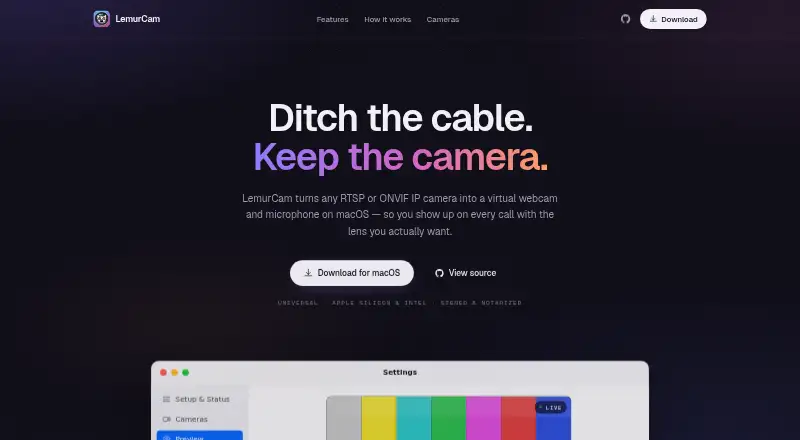
What LemurCam is
LemurCam converts RTSP or ONVIF IP cameras into a virtual webcam and optional microphone on macOS. Mac applications can select it like a normal camera, including Zoom, Meet, Teams, FaceTime, and OBS. Setup uses a pasted RTSP URL or ONVIF discovery to find cameras on a Wi-Fi network. The optional microphone carries camera audio in AAC, G.711, and L16 formats. Streaming runs only while an application or preview is watching, then idles. LemurCam describes a native VideoToolbox pipeline intended to provide 30 fps while using less CPU. Listed camera examples include TP-Link Tapo, Reolink, Hikvision, Dahua, Amcrest, UniFi Protect, Axis, Wyze RTSP, and Annke. Credentials are stored in Keychain. The app is free and open source under the MIT license, supports Apple Silicon and Intel Macs, and is described as signed and notarized.
Who it suits
LemurCam suits Mac users who want to use compatible IP cameras in video-call, streaming, or recording applications. It is intended for systems running macOS 14 Sonoma or later.
What it does well
- Works with RTSP and ONVIF IP cameras
- Virtual camera supports Zoom, Meet, Teams, FaceTime, and OBS
- Optional microphone supports three audio formats
- Free and open source under MIT license
- Supports Apple Silicon and Intel Macs
What to know first
- Requires macOS 14 Sonoma or later
- Only available on macOS
- Camera compatibility depends on RTSP or ONVIF support
Limits
LemurCam's free plan is for macOS 14 Sonoma or later and RTSP or ONVIF IP cameras. The listed platform is macOS.
Plans
| Plan | Billed and limits | Price |
|---|---|---|
| Free and open source | macOS 14 Sonoma or later · RTSP or ONVIF IP cameras | Free |
As lemur.cam lists them, read 9 Oct 2026. The maker's own page has the final word.
Getting started
- Open the LemurCam website on a Mac
- Use a Mac running macOS 14 Sonoma or later
- Paste an RTSP camera URL or run ONVIF discovery on your Wi-Fi network
- Select LemurCam as the camera in a supported Mac app
- Enable the optional LemurCam Microphone when camera audio is needed
Verdict
LemurCam provides a focused way to bring network cameras into ordinary Mac video applications. Its free MIT-licensed distribution and idle-when-unwatched behavior may suit lightweight setups.
Questions
How much does LemurCam cost?
LemurCam is free. The listed free plan costs nothing.
Which operating systems does it support?
It supports macOS 14 Sonoma or later, on both Apple Silicon and Intel Macs.
Can it work with Zoom or Teams?
Yes. Mac apps including Zoom, Meet, Teams, FaceTime and OBS can select LemurCam as a webcam.
How are cameras added?
Paste an RTSP URL or use ONVIF discovery to find cameras on the same Wi-Fi network.
Is LemurCam open source?
Yes. The GitHub repository identifies it as MIT licensed.
Facts from LemurCam's own pages
- Audio
- The optional LemurCam Microphone passes camera audio in AAC, G.711, and L16 formats. · lemur.cam, 9 Oct 2026
- Camera compatibility
- The site lists TP-Link Tapo, Reolink, Hikvision, Dahua, Amcrest, UniFi Protect, Axis, Wyze RTSP, and Annke cameras as examples. · lemur.cam, 9 Oct 2026
- Camera setup
- Users can paste an RTSP URL or use ONVIF discovery to find cameras on their Wi-Fi network. · lemur.cam, 9 Oct 2026
- Credentials
- Camera credentials are stored in Keychain. · lemur.cam, 9 Oct 2026
- Feedback
- The repository README directs users to open an issue for bugs or feature requests. · github.com, 9 Oct 2026
- License
- The GitHub repository identifies LemurCam as MIT licensed. · github.com, 9 Oct 2026
- Mac support
- The app is universal for Apple Silicon and Intel Macs and is described as signed and notarized. · lemur.cam, 9 Oct 2026
- Maker
- The LemurCam site credits Anees Iqbal as its maker. · lemur.cam, 9 Oct 2026
- Maker location
- Anees Iqbal describes himself as a software engineer in France. · aneesiqbal.ai, 9 Oct 2026
- Requirements
- LemurCam requires macOS 14 Sonoma or later. · lemur.cam, 9 Oct 2026
- Streaming behavior
- LemurCam streams only while an app or preview is watching, then idles. · lemur.cam, 9 Oct 2026
- Video pipeline
- The site describes a native VideoToolbox pipeline designed to deliver 30 fps while using less CPU. · lemur.cam, 9 Oct 2026
- Virtual camera
- Mac apps can select LemurCam as an ordinary webcam, including Zoom, Meet, Teams, FaceTime, and OBS. · lemur.cam, 9 Oct 2026
- What it does
- LemurCam turns RTSP or ONVIF IP cameras into a virtual webcam and microphone on macOS. · lemur.cam, 9 Oct 2026
Where LemurCam stands on Freedom251
- Webcam Software#25 of 41