
VCam
What VCam is
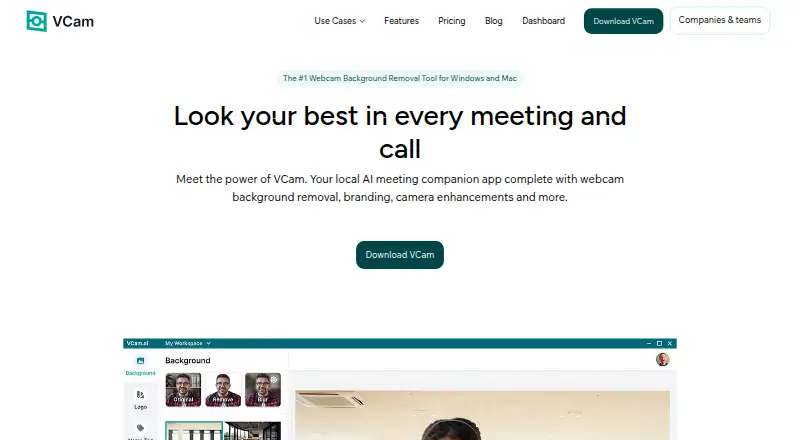
VCam is a locally powered meeting companion for changing webcam backgrounds and enhancing camera video. It can remove, replace, or blur backgrounds, with more than 1,000 virtual backgrounds as well as user uploads, images, video, and Unsplash stock photos. AI auto-framing follows the user’s face, and studio lighting effects brighten the feed. Pause Loop repeats the camera feed during a break, allowing the user to return without disturbing the meeting. Nametags can show a name and job title; four designs are listed, with customization described as coming soon. VCam lists compatibility with Google Meet, Microsoft Teams, Zoom, Discord, OBS Studio, and NCR’s TellerNow. Its virtual camera can be used across multiple platforms at once. The company says processing runs on the user’s device and camera-feed data is not sent to its servers. The free Starter plan has a watermark and up to 500MB of storage. Personal costs $48 a year, and Business costs $72 a year per user. VCam recommends Windows 10 or higher and macOS Ventura 13.1 or higher.
Who it suits
VCam suits people or teams who want webcam background controls and camera effects for listed meeting or streaming apps. Teams can use its Dashboard to share backgrounds, logos, and settings and manage Workspace access.
What it does well
- More than 1,000 virtual backgrounds
- AI auto-framing tracks the user's face
- Virtual camera can serve multiple platforms simultaneously
- Camera-feed data stays off VCam servers, according to the company
What to know first
- Free Starter plan includes a watermark
- Starter storage is limited to 500MB
- Windows 10 or higher is recommended
- macOS Ventura 13.1 or higher is recommended
Plans
| Plan | Billed and limits | Price |
|---|---|---|
| Starter | 3 workspace members · 500MB storage · watermark · Windows & macOS · Basic Support | Free |
| Personal | Save 33% vs monthly billing · 1 user · 2GB storage · no watermark · Windows & macOS · Chat & Email Support | $48 |
| Personal Lifetime | Page also shows $90 · 1 user · 2GB storage · no watermark · Windows & macOS · Chat & Email Support | $59, paid once |
| Business | Save 25% vs monthly billing; charged per user · Unlimited workspace members · 5GB storage · no watermark · priority support · team management · enforced logos/backgrounds · machine licensing · centralized billing | $72 |
| Enterprise | Teams above 500 seats · 10GB storage · SSO (SAML) · on-site deployment · dedicated success manager · tailored contracts/invoicing | On request |
As vcam.ai lists them, read 21 Oct 2026. The maker's own page has the final word.
VCam is a virtual camera for people who want to shape their meeting appearance and apply consistent team branding. It suits individual callers as well as organizations managing shared visual settings, with local camera processing at the center of its appeal.
Overview
VCam combines background controls, framing, lighting, and nametags in a virtual camera that can feed several apps at once. The company says camera processing stays on the user’s device and feed data is not sent to its servers, a useful distinction for privacy-conscious callers. VCam is made by SplitmediaLabs Limited, which says it was established in 2009 and introduced the product in 2018.
Key features
Users can remove, blur, or replace webcam backgrounds, choosing among more than 1,000 virtual backgrounds or uploading their own. Replacement media can be an image, video, or Unsplash stock photo; supported formats are JPEG, PNG, GIF, MP4, and WEBM. That flexibility helps users move from a plain softened backdrop to a branded or more personal scene, though keeping a large collection may press against the storage limits on lower plans.
AI auto-framing tracks the user’s face, and studio lighting brightens the feed. Pause Loop repeats the camera feed during a break and lets the user return without disturbing the meeting. Nametags display a name and job title in four designs, with customization coming soon. Together these features make VCam a broader meeting companion than a background-only utility, although nametag styling is currently limited.
VCam says it works with Google Meet, Microsoft Teams, Zoom, Discord, OBS Studio, and NCR’s TellerNow. Its virtual camera can also be used across multiple platforms simultaneously, including OBS Studio and Discord. The company says its custom model was built with Intel and reports 98.5% accuracy for its latest NPU-optimized models; these are company claims rather than a guarantee of results on every device.
The online Dashboard lets teams share backgrounds, logos, and settings, invite Workspace members, and manage access. Windows 10 or higher and macOS Ventura 13.1 or higher are recommended, which matters for users on older systems.
Pricing
Starter costs nothing and allows up to three Workspace members, 500MB of storage, Windows and macOS, and Basic Support. It includes a watermark, so it is best for trying VCam or a small group that can accept branded output and a tight storage ceiling.
Personal costs $48 a year, billed yearly, with a stated 33% saving versus monthly billing. It covers one user, up to 2GB of storage, Chat & Email Support, Windows and macOS, and no watermark. This is the straightforward choice for an individual who wants clean output and does not need shared team controls.
Personal Lifetime costs $59, paid once, shown alongside $90, and is described as “Pay once, yours forever.” It has the same one-user, 2GB, no-watermark terms and Chat & Email Support as Personal. It may suit someone committed to a single-user setup who prefers a one-time payment, while the annual plan spreads the cost over a year.
Business costs $72 a year per user, billed yearly, with a stated 25% saving versus monthly billing. It includes unlimited Workspace members, up to 5GB of storage, Priority Support, no watermark, member management, enforced team logos and backgrounds, machine licensing, and centralized billing. Those controls make it the better fit for teams standardizing appearances across users, but its per-user charge makes seat count important.
Enterprise has custom pricing for teams above 500 seats. It adds a Dedicated Success Manager, up to 10GB of storage, SSO (SAML), on-site deployment, and tailored contracts and invoicing, making it the tier for very large organizations that need those deployment and purchasing arrangements.
Platforms
VCam supports macOS, Windows, and web. The desktop compatibility recommendations are Windows 10 or higher and macOS Ventura 13.1 or higher.
Who it's for
VCam is a good fit for people who want more than background removal, especially teams that need shared branding, access management, or simultaneous use across meeting and streaming apps. An individual who only needs occasional background changes may find the free watermark and 500MB cap restrictive, while a background-only tool may be a more direct match.
Pros and cons
- Pro: Background replacement supports images, video, and Unsplash photos, with JPEG, PNG, GIF, MP4, and WEBM inputs.
- Pro: Local processing and the stated policy of not sending camera-feed data to servers will appeal to privacy-conscious users.
- Pro: Business adds enforced team branding, member management, machine licensing, and centralized billing.
- Con: Starter includes a watermark and caps storage at 500MB, limiting its appeal for regular professional use.
- Con: Personal is limited to one user and 2GB of storage; teams needing shared controls have to consider Business.
- Con: Nametags have four designs, while customization is still forthcoming.
Alternatives
For a broader starting point, browse Video Background Removal Software, AI Video Background Removers, Virtual Camera Software, or Webcam Software.
- Cutout.Pro is a freemium option across mobile, desktop, web, and API platforms, with an 80-credit monthly subscription at $5 a month; choose it when that credit-based alternative better suits the workflow.
- BackgroundRemover is a free, open-source project that can be installed locally with pip or from source; choose it if local installation and open-source access matter more than VCam’s meeting effects and team controls.
- Bria Video Background Removal has a free tier with 100 generations, cloud-only deployment, queue-based latency, and a 10-request-per-minute limit; it is an alternative for users whose needs fit that generation-based model.
- Pixelcut offers a free plan with limited background removal and upscaling and watermark-free exports; consider it for a mobile or web-oriented image workflow.
- EZ-CorridorKey is a free desktop app for Linux, macOS, and Windows.
- Knockout API is an API and web option with a free allowance of 30 images per month; consider it for an image-processing workflow centered on an API.
- Transparent Background is a free open-source Python package with GUI and webcam support, for users who prefer that package-based approach.
- BGRemove.video is a free web option allowing three successful video removals per 24-hour window, for videos up to 60 seconds and 2GB, with no watermark.
Verdict
Choose VCam if you want a locally processed virtual camera that combines meeting effects with cross-app use and, on Business, enforceable team branding. Its strongest reason to look elsewhere is the cost and storage trade-off: Starter has a watermark and only 500MB, while team controls require a per-user Business plan.
Verdict
VCam offers background controls, camera effects, and team management, with device-side processing according to the company. Consider the free plan’s watermark and storage cap, or the listed paid-plan terms, when choosing a fit.
Facts from VCam's own pages
- Accuracy claim
- The maker reports 98.5% accuracy for its latest NPU-optimized background models developed with Intel. · vcam.ai, 21 Oct 2026
- API change
- The changelog records an overhaul of VCam authentication and API systems in version 2.0.254, but the public help center does not present developer API or SDK reference pages. · vcam.ai, 21 Oct 2026
- Auto-framing
- AI auto-framing tracks movement and pans or zooms to keep the face centered. · vcam.ai, 21 Oct 2026
- Background media
- Users can replace their webcam background with an image, video, or stock photo from Unsplash. · vcam.ai, 3 Oct 2026
- Background removal
- It removes, replaces or blurs webcam backgrounds and offers more than 1,000 virtual backgrounds plus user uploads. · vcam.ai, 21 Oct 2026
- Background sources
- Backgrounds can be images, videos, Unsplash stock photos, Pexels media, YouTube, webpages or solid colors. · vcam.ai, 21 Oct 2026
- Background tools
- VCam can remove, replace, or blur webcam backgrounds and offers over 1,000 virtual backgrounds or the option to upload your own. · vcam.ai, 3 Oct 2026
- Camera enhancements
- VCam offers AI auto-framing that tracks the user's face and studio lighting effects that brighten the video feed. · vcam.ai, 3 Oct 2026
- Company and history
- VCam is made by SplitmediaLabs Limited, which says it was established in 2009 and introduced VCam in 2018. · vcam.ai, 3 Oct 2026
- Company headquarters and size
- LinkedIn lists VCam.ai as a software-development company headquartered in Hong Kong with 11–50 employees. · hk.linkedin.com, 21 Oct 2026
- Compatibility limits
- VCam recommends Windows 10 or higher and macOS Ventura 13.1 or higher. · vcam.ai, 3 Oct 2026
- Documentation and support
- The help center includes quick start, conferencing-app guides, machine-license installation, account/billing and Windows/Mac application articles. · help.vcam.ai, 21 Oct 2026
- Enterprise security
- Enterprise includes SSO using SAML and an on-site deployment option. · vcam.ai, 21 Oct 2026
- Independent rating
- Challenging Voice gives VCam an editorial rating of 3.8 out of 5 and lists no reader reviews. · challengingvoice.com, 21 Oct 2026
- Integrations
- The maker lists Google Meet, Microsoft Teams, Zoom, Discord, OBS Studio, NCR TellerNow and other camera-compatible software. · vcam.ai, 21 Oct 2026
- License
- VCam is proprietary software rather than open source, according to AlternativeTo's licensing classification. · alternativeto.net, 21 Oct 2026
- Limit: Android availability
- AppBrain reports XSplit Connect: Webcam was removed from Google Play and was last available on January 31, 2025. · appbrain.com, 21 Oct 2026
- Limit: CPU and edges
- Windows Central observed more than 60% CPU usage at high quality and flickering around headset edges. · windowscentral.com, 21 Oct 2026
- Limit: resource usage
- A Capterra reviewer says VCam can consume enough processing power to heat the computer and create recording or streaming noise. · capterra.com, 21 Oct 2026
- Limit: segmentation artifacts
- Capterra reviewers report holes or flicker around the subject when using virtual backgrounds. · capterra.com, 21 Oct 2026
- Logo branding
- Teams can add company logos, share branding assets and enforce consistent logos across calls. · vcam.ai, 21 Oct 2026
- Maker history
- SplitmediaLabs says it was established in 2009 and introduced VCam in 2018. · vcam.ai, 21 Oct 2026
- Maker legal name
- The product footer and privacy policy identify the maker as SplitmediaLabs Limited. · vcam.ai, 21 Oct 2026
- Model and accuracy
- VCam says its custom model was built with Intel and reports 98.5% accuracy for its latest NPU-optimized models. · vcam.ai, 3 Oct 2026
Where VCam stands on Freedom251
- Webcam Software#16 of 41
- Virtual Camera Software#15 of 34
- AI Video Background Removers#14 of 29
- Video Background Removal Software#13 of 24