Freedom251 › AI Image Restoration Software
Cutout.Pro
by Cutout.Pro
What Cutout.Pro is
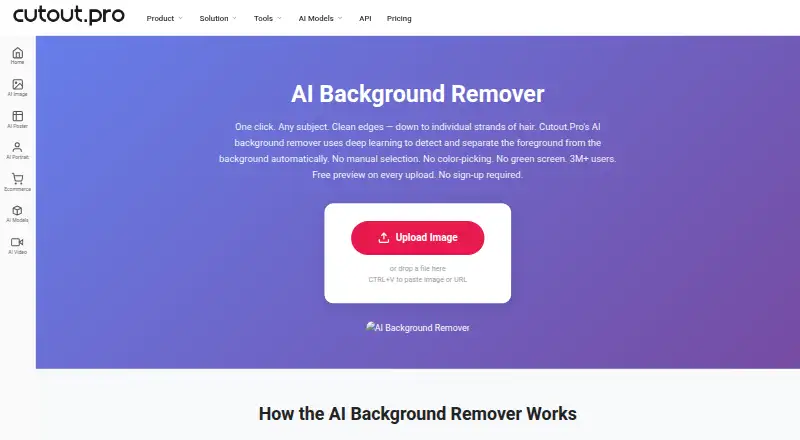
Cutout.Pro removes image backgrounds and can replace them with other backgrounds. It accepts JPG, PNG, WEBP, and BMP files up to 15 MB, with output resolution up to 4096 × 4096 pixels and PNG or JPG exports. An Erase & Restore brush lets users correct background areas left behind or foreground details that were clipped. Batch processing is available, including folder processing in the Windows and Mac desktop app; the service also lists Android, iOS, Linux, web, and API access. Each upload gets a low-resolution, watermark-free preview without an account or credits. One credit is used for an HD image download, and new accounts receive five credits without a credit card. Paid subscriptions include 80 credits per month for $5 a month; pay-as-you-go packages are also listed. Main-platform credit purchases have a 14-day refund guarantee, while credits bought through the Shopify App are non-refundable. The maker says images are processed securely, deleted automatically, and not stored or shared. Cutout.Pro was founded in 2018 and is based in Kowloon, Hong Kong.
Who it suits
Cutout.Pro suits people who need to remove or replace image backgrounds, including users processing folders in the Windows or Mac desktop app. Its API and mobile access may suit workflows beyond desktop use.
What it does well
- Watermark-free preview without an account or credits.
- New accounts receive five credits without a credit card.
- Batch processing supports folders on Windows and Mac.
- Erase & Restore brush for manual corrections.
- Maximum output resolution is 4096 × 4096 pixels.
What to know first
- Maximum file size is 15 MB.
- HD image downloads use credits.
- Shopify App credit purchases are non-refundable.
Limits
The free plan allows 80 images per month, and each HD image download uses one credit. New accounts receive five credits; the paid subscription with 80 credits per month costs $5 a month.
Plans
| Plan | Billed and limits | Price |
|---|---|---|
| Subscription — 80 credits/month | billed monthly · 80 credits/month | $5 a month |
| Subscription — 170 credits/month | billed monthly · 170 credits/month | $9.90 a month |
| Subscription — 300 credits/month | billed monthly · 300 credits/month | $16.90 a month |
| Subscription — 550 credits/month | billed monthly · 550 credits/month | $29 a month |
| Subscription — 1000 credits/month | billed monthly · 1000 credits/month | $49 a month |
| Subscription — 1450 credits/month | billed monthly · 1450 credits/month | $69 a month |
| Pay as you go — 30 credits | 30 credits | $4.99 a month |
| Pay as you go — 300 credits | 300 credits | $39 a month |
The first 8 of 26 plans, as cutout.pro lists them, read 23 Sept 2026. The maker's own page has the final word. Every plan
Getting started
- Open the Cutout.Pro background remover website
- Upload a JPG, PNG, WEBP, or BMP image up to 15 MB for a free preview
- Create an account to receive five credits without a credit card
- Use one credit to download an HD image
- Choose a subscription or pay-as-you-go credit package for further downloads
- Install the Windows or Mac desktop app for folder batch processing, or use the service on another supported platform
Overview
Cutout.Pro is a freemium image tool for removing or replacing backgrounds, with desktop apps and an API alongside its web service. It suits people processing product photos or other image batches who want a preview before paying and a brush for correcting cutouts. Its credit model is flexible, but the 15 MB upload cap and one-credit-per-HD-download rule matter when estimating throughput.
Key features
Cutout.Pro accepts JPG, PNG, WEBP, and BMP images up to 15 MB and 4096 × 4096 pixels, and exports PNG or JPG. Background replacement extends it beyond a simple transparent cutout; the Erase & Restore brush can repair missed background or clipped subject areas. Those correction tools are useful when automated edges need attention, though they do not remove the need to check the result.
Each upload gets a low-resolution, watermark-free preview without an account or credits. That is a practical way to decide whether a result is worth downloading, but the preview is not the HD deliverable. One credit buys one HD image download. New accounts receive five credits without requiring a card.
Batch processing and API access support larger or connected workflows. The Windows and Mac desktop apps can process folders in batches, a useful fit for repeated catalog work. Cutout.Pro says images are processed securely, deleted automatically, and neither stored nor shared.
Pricing
The free plan offers previews and five signup credits; it is best for evaluating the output or downloading a few HD images, not sustained production. Paid access uses credits, which can be bought in volume packages and used at the buyer’s own pace. Subscription credits can roll over up to five times the monthly budget, helping accommodate uneven workloads.
Monthly subscriptions range from 80 credits for $5 a month to 170 for $9.90 a month, 300 for $16.90 a month, 550 for $29 a month, 1000 for $49 a month, and 1450 for $69 a month. Since each HD download consumes a credit, the smallest tier is suited to light regular use; higher tiers fit growing monthly volume, but unused subscription credits have a rollover ceiling.
Pay-as-you-go packages include 30 credits for $4.99 a month, 300 for $39 a month, 900 for $79 a month, 3000 for $199 a month, 30000 for $1,399 a month, and 5000000 for $37,500 a month. These suit less predictable demand because credits can be used at the buyer’s own pace. Main-platform credit purchases have a 14-day refund guarantee; credits purchased through the Shopify App are non-refundable.
Platforms
Cutout.Pro supports web, iOS, Android, Windows, Mac, and Linux, as well as API access. Folder-based desktop batch processing is specifically supported on Windows and Mac. That range covers individual users and integrations, though the strongest stated batch workflow is confined to the two desktop platforms.
Who it's for
Cutout.Pro is a sensible choice for sellers, creators, and teams who need background removal and replacement, occasional manual cleanup, or repeated folder processing. The free preview and signup credits lower the cost of judging suitability. Users handling files over 15 MB, needing export formats beyond PNG and JPG, or looking for a free high-volume workflow should look elsewhere.
Pros and cons
- Pro: Watermark-free previews require no account or credits, so users can assess a cutout before committing.
- Pro: The correction brush and background replacement offer useful control beyond automatic removal alone.
- Pro: Desktop folder batching, API access, and multiple device platforms accommodate different workflows.
- Con: Each HD download costs a credit, and the five-credit signup grant is limited for ongoing work.
- Con: Uploads are capped at 15 MB, which can rule out larger source files.
- Con: Shopify App credit purchases have no refund guarantee, unlike main-platform purchases.
Alternatives
For a different fit, consider Slazzer, which offers a free forever plan for personal use and evaluation with two credits, alongside monthly credits and API, Linux, Mac, and Windows support. Pixelcut is a mobile and web alternative whose free plan includes limited background removal and upscale with watermark-free export. Photoroom may suit teams looking for plans with monthly AI-credit and export allowances, including a stated option for up to 50 seats.
PhotoScissors is worth comparing if a free trial or smaller credit packs are preferable; its plans include 10, 50, and 200 image credits at stated prices. remove.bg is an API-focused alternative with free access and pay-as-you-go or subscription credits. Don's Tools Background Remover offers a free option supporting up to 150 images at once. Knockout API provides a free recurring allowance of 30 images per month and a metered pay-as-you-go option. EraseBG is another free alternative for web and mobile users.
Readers comparing broader categories can browse AI Background Removers, AI Object Removal Tools, Video Background Removal Software, Image Background Removal Software, AI Background Generators, and Green Screen Software.
Verdict
Choose Cutout.Pro if you need background removal and replacement with previews, correction tools, and a path from occasional downloads to desktop batches or API use. Its main advantage is that flexibility; its main drawback is that sustained HD output consumes credits, while the file-size cap can exclude larger images. For light evaluation, start with previews and signup credits; for regular work, match a paid package to the number of HD downloads you expect.
Verdict
Cutout.Pro offers background removal, replacement, batch processing, and a correction brush, with previews available before spending credits. Note the file-size limit and the different refund terms for Shopify App purchases.
Questions
Is Cutout.Pro free?
It has a free plan and provides a low-resolution, watermark-free preview for each upload without an account or credits. New accounts receive five credits without a credit card.
How much does a paid plan cost?
The subscription with 80 credits per month costs $5 a month. Other subscriptions and pay-as-you-go credit packages are also listed.
Which image formats and sizes does it support?
Supported inputs are JPG, PNG, WEBP, and BMP, up to 15 MB. Maximum output resolution is 4096 × 4096 pixels, and exports are PNG or JPG.
Which platforms can I use?
Cutout.Pro supports Android, iOS, Linux, macOS, web, and Windows, and it offers API access.
Does it support batch processing?
Yes. Batch processing is available, and the Windows and Mac desktop app can process folders.
Can I get a refund for credits?
Main-platform credit purchases have a 14-day refund guarantee. Credits purchased through the Shopify App are non-refundable.
Facts from Cutout.Pro's own pages
- API access
- Yes · cutout.pro, 23 Sept 2026
- Batch processing
- Yes · cutout.pro, 23 Sept 2026
- Company founded
- Cutout.Pro was founded in 2018. · cutout.pro, 27 Sept 2026
- Credit usage
- One credit equals one HD image download. · cutout.pro, 27 Sept 2026
- Credit-based pricing
- Buy credits in volume packages and use them at your own pace. · cutout.pro, 27 Sept 2026
- Desktop batch processing
- The Windows and Mac desktop app supports batch processing across folders. · cutout.pro, 27 Sept 2026
- Export formats
- PNG,JPG · cutout.pro, 23 Sept 2026
- Maximum file size
- The maximum file size is 15 MB. · cutout.pro, 27 Sept 2026
- Founded
- 2018 · cutout.pro, 28 Sept 2026
- Free signup credits
- New accounts receive 5 credits and do not require a credit card. · cutout.pro, 27 Sept 2026
- Free plan
- Yes · cutout.pro, 23 Sept 2026
- Free preview
- Every upload gets a low-resolution, watermark-free preview without an account or credits. · cutout.pro, 27 Sept 2026
- Headquarters
- Kowloon, Hong Kong · cutout.pro, 28 Sept 2026
- Input formats
- Supported inputs are JPG, PNG, WEBP, and BMP. · cutout.pro, 27 Sept 2026
- Manual refinement
- An Erase & Restore brush can correct missed background or clipped foreground areas. · cutout.pro, 27 Sept 2026
- Maximum output resolution
- 4096 · cutout.pro, 23 Sept 2026
- Monthly image allowance
- 80 · cutout.pro, 23 Sept 2026
- Refund guarantee
- Main-platform credit purchases have a 14-day refund guarantee. · cutout.pro, 27 Sept 2026
- Replacement backgrounds
- Yes · cutout.pro, 23 Sept 2026
- Maximum resolution
- Maximum resolution is 4096 × 4096 pixels. · cutout.pro, 27 Sept 2026
- Image privacy
- Images are processed securely, deleted automatically, and not stored or shared. · cutout.pro, 27 Sept 2026
- Shopify refunds
- Credits purchased through the Shopify App are non-refundable. · cutout.pro, 27 Sept 2026
- Paid from
- 5 · cutout.pro, 23 Sept 2026
- Supported platforms
- The service is compatible with iOS, Android, Mac, Windows, Linux, and web. · cutout.pro, 27 Sept 2026
Where Cutout.Pro stands on Freedom251
- AI Image Restoration Software#1 of 30
- Passport Photo Maker Software#1 of 29
- AI Image Enhancers#1 of 28
- AI Background Generators#1 of 23
- AI Video Upscalers#2 of 32
- Background removers#5 of 70
- AI Background Removers#7 of 94
- AI Image Upscalers#3 of 28
- AI Photo Colorization Software#3 of 26
- AI Video Stabilization Software#4 of 33
- Video Background Removal Software#3 of 24
- AI Video Background Removers#4 of 29
- Image Background Removal Software#4 of 28
- Green Screen Software#6 of 30
- AI Object Removal Tools#5 of 24
- Image Upscaling Software#28 of 99
- Photo Editing Software#53 of 160