Freedom251 › AI Background Removers

Slazzer
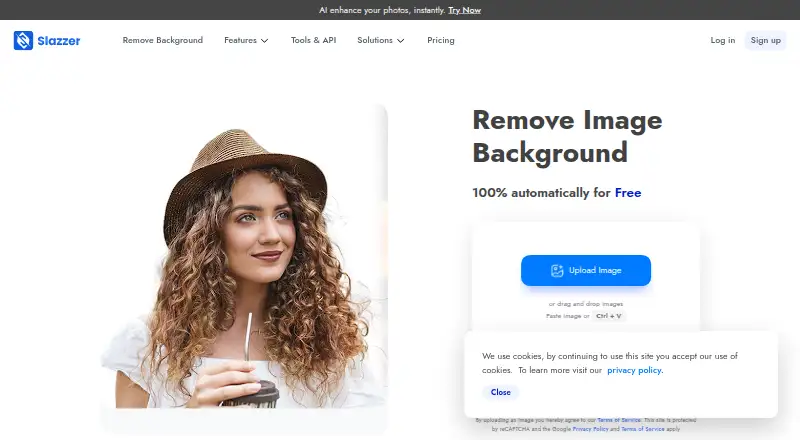
What Slazzer is
Slazzer removes image backgrounds automatically, including around complex edges. It also supports replacement backgrounds and batch processing, so it can be used for individual images or larger sets. Uploads accept JPG, JPEG, and PNG files up to 12 megabytes; exports include PNG, JPG, JPEG, and WEBP. A REST API can add background removal to websites and apps, processing up to 500 images per minute, with higher limits available on request. Apps are available for Windows, Mac, and Linux, alongside mobile and design-tool integrations; plugins or extensions are listed for Photoshop, Figma, and Sketch. The free plan is for personal use and evaluation and includes 2 credits. Website previews up to 0.25 megapixels are unlimited and free, while previews through Apps and API use 0.20 credit. Subscription credits can roll over up to six times the monthly budget, and top-up credits last two years after purchase. The listed maximum output resolution is 6250, with a monthly image allowance of 100.
Who it suits
Slazzer suits people who need background removal for images, including users who want batch processing or an API for a website or app. Its free plan is for personal use and evaluation.
What it does well
- Automatically removes backgrounds, including complex edges.
- Supports replacement backgrounds and batch processing.
- REST API processes up to 500 images per minute.
- Exports PNG, JPG, JPEG, and WEBP.
- Free plan includes 2 credits.
What to know first
- Free plan is limited to personal use and evaluation.
- Apps and API previews cost 0.20 credit each.
- Free plan includes only 2 credits.
Limits
The free plan is for personal use and evaluation and includes two credits. Website previews up to 0.25 megapixels are unlimited and free; previews through Apps and API cost 0.20 credit.
Plans
| Plan | Billed and limits | Price |
|---|---|---|
| Free plan | 2 free credits | Free |
| Subscription — 100 credits | 100 credits per month | On request |
| Subscription — 300 credits | 300 credits per month | On request |
| Subscription — 1,000 credits | 1,000 credits per month | On request |
| Subscription — 1,800 credits | 1,800 credits per month | On request |
| Subscription — 5,000 credits | 5,000 credits per month | On request |
| Subscription — 10,000 credits | 10,000 credits per month | On request |
| Subscription — 20,000 credits | 20,000 credits per month | On request |
The first 8 of 29 plans, as slazzer.com lists them, read 28 Sept 2026. The maker's own page has the final word. Every plan
Getting started
- Visit https://www.slazzer.com/.
- Use the website for free previews up to 0.25 megapixels.
- Choose a Windows, Mac, or Linux app if you want a desktop route.
- Use a Photoshop, Figma, or Sketch plugin or extension if that fits your workflow.
- For website or app integration, use the REST API.
- Select the free plan, a monthly subscription, or a credit top-up based on the needed allowance.
Overview
Slazzer is an automatic image-background remover for people editing individual images as well as teams processing batches or adding removal to their own software. It suits users who want desktop apps, design-tool integrations, or an API alongside background replacement. The trade-off is a small free credit allowance and custom pricing for subscriptions.
Key features
Slazzer automatically separates subjects from backgrounds, including around complex edges, and supports replacement backgrounds and batch processing. That mix is useful for repeated product or design work, though the free credits are better suited to evaluation than ongoing production.
Exports include PNG, JPG, JPEG, and WEBP, with a maximum output resolution of 6250. Uploads accept JPG, JPEG, and PNG files up to 12 MB. Commercial use is supported, and the monthly image allowance is 100.
Website previews up to 0.25 megapixels are unlimited and free. Previews through apps and the API cost 0.20 credit, so users who need to assess many images without spending credits should use the website preview workflow where it fits.
Apps are available for Windows, Mac, and Linux, with plugins or extensions for Photoshop, Figma, and Sketch. The REST API can integrate background removal into websites and apps, processing up to 500 images per minute, with higher limits available on request. Enterprise plans include support, multiple API keys, custom training, and an account manager.
Pricing
Slazzer uses a freemium model. The Free plan costs nothing, is free forever, and is intended for personal use and evaluation. It includes 2 free credits; unlimited free website previews are limited to 0.25 megapixels. This is enough to assess the service, but not a large free production quota.
Subscriptions are offered at 100, 300, 1,000, 1,800, 5,000, 10,000, 20,000, and 50,000 credits per month, all with custom pricing. The range gives occasional and high-volume users different monthly allowances, but published prices are needed to compare their cost. Subscription credits can roll over up to six times the monthly budget, and plans can be upgraded, downgraded, or cancelled at any time.
One-time top-ups come in 10, 50, and 200 credits, also with custom pricing. These suit users who need credits outside a subscription cadence; top-up credits remain available for two years after purchase. App and API previews cost 0.20 credit each, which matters when budgeting credits for those workflows.
Platforms
Alongside Windows, Mac, and Linux apps, Slazzer supports mobile and design-tool integrations. Its Photoshop, Figma, and Sketch plugins or extensions let users work through familiar design tools, while the REST API targets developers integrating removal into websites and apps. The API's rate of up to 500 images per minute suits high-throughput work; higher limits can be requested.
Who it's for
Slazzer is a good fit for designers, sellers, and teams that need batch processing, replacement backgrounds, or a path from desktop editing to API integration. Its free website previews lower the barrier to trying individual images, while the small credit grant makes sustained app or API use a paid-credit decision. Users who only need a browser workflow or a larger free allowance may prefer alternatives with different platform and quota trade-offs.
Pros and cons
- Pros: Batch processing, background replacement, and complex-edge removal cover more than basic single-image cutouts.
- Pros: Apps for three desktop operating systems, design-tool integrations, and an API support varied workflows.
- Pros: Free website previews are unlimited up to 0.25 megapixels, and subscriptions allow rollover and flexible plan changes.
- Cons: The free plan includes only 2 credits and is limited to personal use and evaluation.
- Cons: Every subscription and top-up price is custom pricing, making cost comparison difficult before purchase.
- Cons: App and API previews use 0.20 credit each, unlike qualifying website previews.
Alternatives
For a wider set of options, browse AI Background Removers, Image Background Removal Software, or Green Screen Software.
- Cutout.Pro is worth considering if you want mobile support and a published 80-credit monthly subscription for $5 a month.
- Pixelcut is an option if you want a free plan that includes limited background removal, limited upscale, and watermark-free free exports.
- LocalBG may suit users who prefer self-hosting and unlimited image processing, provided one-at-a-time processing and no bulk processing are acceptable.
- Don's Tools Background Remover is a free alternative with batch processing of up to 150 images at once.
- Knockout API is an API-focused alternative with a free recurring allowance of 30 images per month.
- RemoveBackgrounds.ai is a free web and mobile option that supports batches of up to 30 images.
- Erase.bg offers a free starter plan with 3 credits and 3 downloads for personal use.
- Zawa AI Background Remover (formerly X-Design) is another freemium option with API support.
Verdict
Choose Slazzer if you need background removal across desktop apps, design tools, batches, or an API, especially when replacement backgrounds and commercial use matter. Its broad workflow support is the central reason to choose it; the main reason to look elsewhere is the limited free credit grant and custom subscription pricing.
Verdict
Slazzer combines automatic background removal with batch processing, replacement backgrounds, and API access. Its free plan includes 2 credits, with unlimited free website previews limited to 0.25 megapixels.
Questions
Does Slazzer have a free plan?
Yes. The free plan is listed as free and is described as free forever for personal use and evaluation. It includes two credits.
What paid plans are available?
Monthly subscription options list 100, 300, 1,000, 1,800, 5,000, 10,000, 20,000, or 50,000 credits. Top-ups are listed as 10, 50, or 200 credits; prices are not provided for these options.
Which platforms does Slazzer support?
Apps are available for Windows, Mac, and Linux, with mobile and design-tool integrations. Plugins or extensions are available for Photoshop, Figma, and Sketch.
Can I use Slazzer commercially?
Yes. Commercial use is supported.
Does Slazzer offer an API?
Yes. Its REST API integrates background removal into websites and apps and can process up to 500 images per minute, with higher limits available on request.
What do enterprise plans include?
Enterprise plans include support, multiple API keys, custom training, and an account manager.
Facts from Slazzer's own pages
- API access
- Yes · slazzer.com, 23 Sept 2026
- API processing
- The API can process up to 500 images per minute, with higher limits on request. · slazzer.com, 28 Sept 2026
- API integration
- The REST API integrates background removal into websites and apps. · slazzer.com, 28 Sept 2026
- Background removal
- The service automatically removes image backgrounds and handles complex edges. · slazzer.com, 28 Sept 2026
- Batch processing
- The desktop application supports dragging and dropping thousands of images at once. · slazzer.com, 28 Sept 2026
- Commercial use
- Commercial use requires a top-up plan or a monthly subscription with at least 300 credits. · slazzer.com, 28 Sept 2026
- Top-up expiry
- Top-up credits remain available for two years after purchase. · slazzer.com, 28 Sept 2026
- Credit rollover
- Subscription credits can roll over up to six times the monthly budget. · slazzer.com, 28 Sept 2026
- Enterprise support
- Enterprise plans include support, multiple API keys, custom training, and an account manager. · slazzer.com, 28 Sept 2026
- Export formats
- PNG,JPG,JPEG,WEBP · slazzer.com, 23 Sept 2026
- Free credits
- The free plan includes 2 free credits. · slazzer.com, 28 Sept 2026
- Free plan
- Yes · slazzer.com, 23 Sept 2026
- Free previews
- Website previews up to 0.25 megapixels are unlimited and free. · slazzer.com, 28 Sept 2026
- Maximum output resolution
- 6250 · slazzer.com, 23 Sept 2026
- Monthly image allowance
- 100 · slazzer.com, 23 Sept 2026
- Preview cost
- Preview images cost 0.20 credit through Apps and API. · slazzer.com, 28 Sept 2026
- Replacement backgrounds
- Yes · slazzer.com, 23 Sept 2026
- Plan changes
- Subscriptions can be upgraded, downgraded, or cancelled at any time. · slazzer.com, 28 Sept 2026
- Supported apps
- Plugins or extensions are available for Photoshop, Figma, and Sketch. · slazzer.com, 28 Sept 2026
- Supported formats
- Uploads support JPG, JPEG, and PNG files up to 12 megabytes. · slazzer.com, 28 Sept 2026
- Supported platforms
- Apps are available for Windows, Mac, and Linux, plus mobile and design-tool integrations. · slazzer.com, 28 Sept 2026
Where Slazzer stands on Freedom251
- AI Background Removers#6 of 94
- Image Background Removal Software#13 of 28
- Green Screen Software#15 of 30