Freedom251 › AI Background Removers

PhotoScissors
What PhotoScissors is
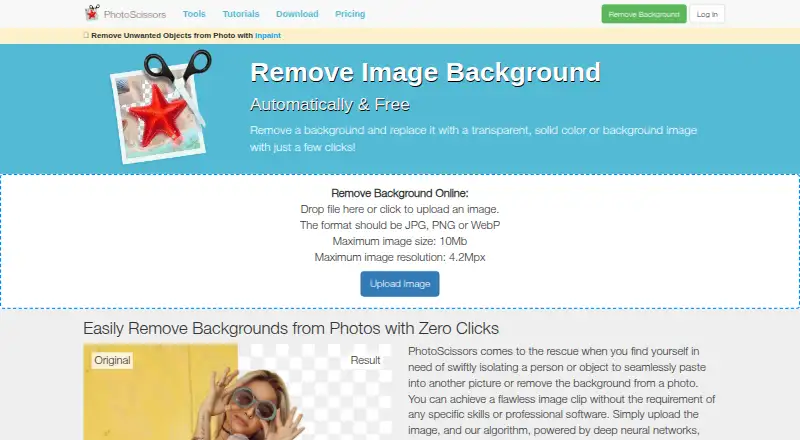
PhotoScissors removes photo backgrounds to isolate people or objects, create cutouts or place subjects against replacement backgrounds. Its online tool automatically processes uploaded images using deep neural networks, while manual markers let users identify areas to keep or remove for group-by-color processing. The site describes a Hair tool for semi-transparent subjects such as hair and a transparent marker for retaining foreground and background textures on transparent objects. Online uploads accept JPG, PNG or WebP files up to 10 MB and 4.2 megapixels; free downloads are standard definition. Windows and Mac desktop versions add bulk background removal and offline processing, with no image-size or file-size limits listed on the upload page. The API can add background removal to an app or website, accepting JPG or PNG images with output resolution up to 4 megapixels. PhotoScissors is offered for Windows, Mac and iOS; desktop requirements are Windows 8 or later and Mac OS 10.14 or later. Credit plans list 10 images for $4.99 a month, 50 for $9.99 a month and 200 for $19.99 a month. A desktop license covers unlimited processing for one year and requires internet activation.
Who it suits
PhotoScissors suits people who need to isolate subjects, replace backgrounds or make cutouts, as well as developers adding background removal to an app or site. Desktop versions add bulk and offline processing.
What it does well
- Online tool automatically removes backgrounds.
- Manual markers can select areas to keep or remove.
- Desktop versions support bulk and offline processing.
- Free standard-definition downloads are available.
- API accepts JPG and PNG images.
What to know first
- Online uploads are limited to 10 MB.
- Online uploads are limited to 4.2 megapixels.
- Free downloads are standard definition.
- Desktop license requires internet activation.
Limits
The online uploader accepts files up to 10 MB and 4.2 megapixels, and free downloads are in standard definition. The API accepts JPG or PNG with output resolution up to 4 megapixels. Monthly credit plans specify 10 images for $4.99 a month, 50 for $9.99 a month, or 200 for $19.99 a month.
Plans
| Plan | Billed and limits | Price |
|---|---|---|
| 200 credits | 200 Credits | $19.99 | 10¢ / image · 1 credit = 1 image · Credits valid for one year from the date of the last purchase | $19.99, paid once |
| Desktop version | $29.99 for a one-year license; page shows ~~$99.99~~ $29.99 · Unlimited offline image processing · Windows or Mac | $29.99 a year |
| 1,000 credits | 1 000 Credits | ~~$39.99~~ $29.99 | 3¢/ image · 1 credit = 1 image · Credits valid for one year from the date of the last purchase | $29.99, paid once |
| 10 credits | 10 Credits | $4.99 | 50¢/ image · 1 credit = 1 image · Credits valid for one year from the date of the last purchase | $4.99, paid once |
| 50 credits | 50 Credits | $9.99 | 20¢/ image · 1 credit = 1 image · Credits valid for one year from the date of the last purchase | $9.99, paid once |
As photoscissors.com lists them, read 30 Sept 2026. The maker's own page has the final word.
Getting started
- Open photoscissors.com to use the online tool.
- Upload a JPG, PNG, or WebP image within the online limits.
- Mark areas to keep or remove, or let the automatic tool process the image.
- Download the result; free downloads are in standard definition.
- For desktop use, download the Windows or Mac version and meet its system requirements.
- For app or website integration, use the API with JPG or PNG images.
Verdict
PhotoScissors offers automatic and manual background removal online, plus desktop bulk processing and an API. Check the online upload limits and the output or license terms that fit your workflow.
Questions
Is PhotoScissors free?
Yes. It has a free plan, and the pricing page offers free downloads in standard definition.
What does PhotoScissors cost?
The listed credit plans are $4.99 a month for 10 images, $9.99 a month for 50 images, and $19.99 a month for 200 images.
Which platforms does PhotoScissors support?
It is offered for Windows, Mac, and iOS, and also has an online tool and an API. Desktop requirements are Windows 8 or later and Mac OS 10.14 or later.
Can I process images in batches or offline?
The Windows and Mac desktop versions support bulk background removal and offline processing. Their license covers unlimited image processing for one year and needs an internet connection for activation.
What are the online upload limits?
The online uploader accepts JPG, PNG, or WebP files up to 10 MB and 4.2 megapixels.
What does the API accept?
The API accepts JPG or PNG images and supports output resolution up to 4 megapixels.
Facts from PhotoScissors's own pages
- API
- The API integrates background removal into an app or website and accepts JPG or PNG images with output resolution up to 4 megapixels. · photoscissors.com, 30 Sept 2026
- API access
- Yes · photoscissors.com, 20 Sept 2026
- Automatic removal
- The online tool uses deep neural networks to automatically remove image backgrounds after upload. · photoscissors.com, 30 Sept 2026
- Batch processing
- Yes · photoscissors.com, 20 Sept 2026
- Color selection
- Users can mark areas to remove or preserve, and the program processes those areas using its group-by-color feature. · photoscissors.com, 30 Sept 2026
- Desktop features
- The Windows and Mac desktop versions support bulk background removal and offline processing, with no image-size or file-size limits listed on the upload page. · photoscissors.com, 30 Sept 2026
- Free output
- The pricing page offers free downloads of images in standard definition (SD). · photoscissors.com, 30 Sept 2026
- Free plan
- Yes · photoscissors.com, 20 Sept 2026
- Hair and transparency
- The site says its Hair tool handles semi-transparent objects such as hair, and its transparent marker tool preserves foreground and background textures on transparent objects. · photoscissors.com, 30 Sept 2026
- Image privacy
- The privacy policy says uploaded images are transferred over a secured connection, used only to remove the background and provide a download, and are not shared with third parties or published. · photoscissors.com, 30 Sept 2026
- Online upload limits
- The online uploader accepts JPG, PNG, or WebP files up to 10 MB and 4.2 megapixels. · photoscissors.com, 30 Sept 2026
- Platforms and requirements
- PhotoScissors is offered for Windows, Mac, and iOS; the download page lists Windows 8 or later and Mac OS 10.14 or later as system requirements. · photoscissors.com, 30 Sept 2026
- Purchase terms
- A desktop license covers unlimited image processing for one year, requires an internet connection for activation, and the pricing page says purchases are not refundable or exchangeable. · photoscissors.com, 30 Sept 2026
- Purpose
- PhotoScissors removes photo backgrounds to isolate people or objects, replace backgrounds, or create cutouts. · photoscissors.com, 30 Sept 2026
- Support
- Support is provided by email, and the site asks users to include the product version and operating system when reporting problems. · photoscissors.com, 30 Sept 2026
Where PhotoScissors stands on Freedom251
- AI Background Removers#11 of 94
- Background removers#18 of 70
- Image Background Removal Software#8 of 28