
FineCam
What FineCam is
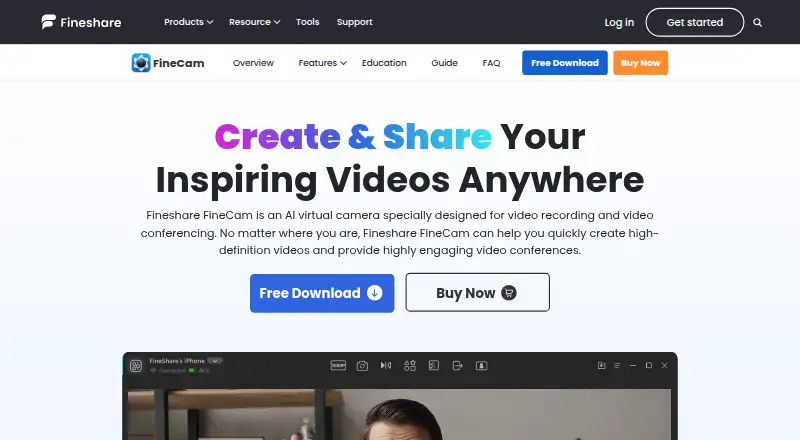
FineCam is an AI-powered webcam and virtual camera for video recording and conferencing. It can turn a smartphone into an HD webcam over Wi-Fi or USB, and connect phones, digital cameras, DSLRs, action cameras, external webcams, and integrated webcams. Background tools include AI removal, applied backgrounds, and an AI background generator. FineCam can share iPhone and iPad screens, slides, webpages, YouTube videos, application windows, videos, and photos. Recording options include segment recording, video remixing, multi-camera capture, and simultaneous recording from multiple sources. FineShare presents it for online teaching, meetings, product demonstrations, telemedicine, content creation, and live streaming. Compatible services listed include Zoom, Microsoft Teams, Twitch, OBS, Adobe Premiere Pro, and more than 800 communication tools. The free version includes all features but adds a watermark to output. The 1 Month Plan costs $9.95 a month, the 1 Year Plan costs $29.99 a year, and the Lifetime Plan costs $49.99, paid once. Annual and lifetime plans list 4K video quality; the FAQ says output can reach 1080p.
Who it suits
FineCam may suit people recording or conferencing with multiple cameras, sharing varied screen content, or producing live streams. Listed use cases also include online teaching, telemedicine, and product demonstrations.
What it does well
- Turns a smartphone into an HD webcam over Wi-Fi or USB.
- Supports multiple camera types.
- Can share screens, slides, webpages, and media.
- Supports multi-camera and simultaneous-source recording.
- Works with Zoom, Teams, Twitch, OBS, and Premiere Pro.
What to know first
- Free output includes a watermark.
- The FAQ says output can reach 1080p.
- The monthly plan lists 720P/1080P, not 4K.
Limits
The Free plan includes all features but adds a watermark to output. The 1 Month Plan costs $9.95 a month and allows 10 video scenes, 720P/1080P, one computer and three mobile devices; annual and lifetime plans list 4K.
Plans
| Plan | Billed and limits | Price |
|---|---|---|
| Free | all features · watermark | Free |
| 1 Year Plan | Annual auto-renewing subscription · 50 video scenes · 720P/1080P/4K · 2 computers/20 mobile devices · 24/7 free support | $29.99 a year |
| Lifetime Plan | One-time purchase · Unlimited video scenes · 720P/1080P/4K · 2 computers/50 mobile devices · 24/7 free priority support | $49.99, paid once |
| 1 Month Plan | Monthly auto-renewing subscription · 10 video scenes · 720P/1080P · 1 computer/3 mobile devices · 24/7 free support | $9.95 a month |
As fineshare.com lists them, read 30 Sept 2026. The maker's own page has the final word.
Getting started
- Visit the FineCam website.
- Install FineCam for Windows or macOS, or use the separate Android app; iOS 13 and above is listed for downloads.
- Connect a phone by Wi-Fi or USB, or connect another supported camera.
- Choose the Free plan or a paid plan based on its scene, device and resolution allowances.
- Use FineCam with a listed conferencing, streaming or editing tool.
FineCam is a virtual camera and recording tool for people who want to combine cameras, backgrounds and shared media in calls or video productions. It is best suited to presenters and creators building a flexible multi-source setup. Its breadth is a strength, but a watermark on the free version and device caps on paid plans may rule it out for some users.
Overview
FineCam can turn a phone into an HD webcam over Wi-Fi or USB, and connect phones, digital cameras, DSLRs, action cameras, external webcams and built-in webcams. There is no stated limit on connected cameras, so it can accommodate multi-camera setups without making camera count the first constraint.
Resolution needs a closer look: the FAQ says output can reach 1080p, while annual and lifetime plans specify 4K video quality. That makes the higher tiers the relevant options for buyers seeking 4K, though the difference between those statements is worth clarifying before purchase.
Key features
Backgrounds and scene composition
AI background removal, creative backgrounds and an AI background generator give presenters ways to change the look of a recording or call. Scene composition and multi-camera capture add useful flexibility for lessons, demos and streams. Paid plans set scene quotas, so a production that relies on many saved scenes will need to account for that limit.
Sharing and recording
FineCam can share iPhone and iPad screens, slides, webpages, YouTube videos, application windows, videos and photos. Segment recording, video remixing and simultaneous recording from different sources make it more than a virtual-camera feed: it can support both live presentations and assembled recordings. FineShare says it works with Zoom, Microsoft Teams, Twitch, OBS, Adobe Premiere Pro and more than 800 communication tools.
Pricing
The free plan costs nothing and includes all features, but puts a watermark on output. That is useful for evaluating the full toolset, but not a clean-output option for finished work.
- 1 Month Plan: $9.95 a month, billed monthly with automatic renewal. It allows 10 video scenes, 720P/1080P quality, one computer and three mobile devices, with 24/7 free customer support. It suits short-term use or a smaller setup, but gives up 4K and the larger scene and device allowances of longer plans.
- 1 Year Plan: $29.99 a year, billed annually with automatic renewal. It includes 50 video scenes, 720P/1080P/4K quality, two computers and 20 mobile devices, plus 24/7 free customer support. It is the practical middle ground for recurring use, particularly when 4K matters.
- Lifetime Plan: $49.99, paid once. It provides unlimited video scenes, 720P/1080P/4K quality, two computers and 50 mobile devices, with 24/7 free and priority support. It fits a settled setup that will use FineCam long term, though it does not increase the computer allowance over the annual plan.
Both paid subscriptions renew automatically, so users who only need FineCam temporarily should account for cancellation after the intended term. The one-month plan has the smallest device and scene allowances; the annual plan costs less than three months at the monthly rate, while lifetime pricing avoids recurring billing.
Platforms
FineCam is supported on Windows and macOS, with downloads listed for Windows 7, 8, 10 and 11, macOS 11 and above, and iOS 13 and above; an Android app is also available. The paid plans' separate computer and mobile-device limits matter for households or teams that expect to move between several devices.
Who it's for
FineShare presents FineCam for online teaching, meetings, product demos, telemedicine, content creation and live streaming. Its camera variety and screen-sharing options suit presenters who need to switch between themselves, a device screen and other media. Those seeking a watermark-free free tool, or needing more than two computers on an individual paid plan, should look elsewhere.
Pros and cons
- Pro: Broad camera support and no stated camera-count limit make multi-view setups possible without a published cap on sources.
- Pro: Sharing, scene composition and recording tools cover both live presentation and recorded content workflows.
- Con: The free version watermarks output, limiting its usefulness for polished public-facing work.
- Con: Paid tiers cap computers and mobile devices, and the monthly plan lacks 4K quality.
- Con: The FAQ's 1080p ceiling and the 4K wording on annual and lifetime plans leave a resolution distinction buyers may want to resolve.
Alternatives
Choose Camo Studio if a watermark-free free tier is more important than FineCam's broader scene and recording toolkit: its free Camo plan provides 720p (HD) and below without a watermark, ads or spam.
PRISM Live Studio is another freemium option, with free and paid plans for users comparing live-streaming software.
CutWire Prism is a free option for users who prefer software with no account, trial or feature tiers.
OBS Studio is worth considering when a free tool with no watermarks or usage limitations, including commercial use, matters more than FineCam's phone-webcam and background features.
PhotoDirector offers a free plan with limited features for users looking for photo-focused software rather than FineCam's camera and conferencing workflow.
VCam may suit users comparing virtual-camera software with a free, watermarked Starter plan limited to three workspace members and 500MB storage.
Webcamoid is a free, open-source alternative for users who want GPL-3.0-or-later software.
mimoLive is an alternative for users who want to compare a free, watermarked plan with a Studio option that removes the watermark.
For broader comparisons, see Virtual Camera Software and Webcam Software.
Verdict
FineCam is a strong fit for presenters and creators who need multiple camera sources, background controls, media sharing and recording in one workflow. The free version makes it possible to explore the full feature set, but its watermark keeps it from serving as a clean-output free solution. Choose a paid plan for watermark-free use, weighing the monthly plan's lower device and scene limits against the annual tier's 4K quality and the lifetime plan's larger mobile allowance.
Verdict
FineCam offers camera, background, sharing, and recording tools, with a free version that adds a watermark. The plan details list 4K quality on annual and lifetime plans, while the FAQ states output can reach 1080p.
Questions
Does FineCam have a free plan?
Yes. The Free plan includes all features, with a watermark on output.
What do the paid plans cost?
The 1 Month Plan is $9.95 a month, the 1 Year Plan is $29.99 a year, and the Lifetime Plan is $49.99, paid once.
Which platforms are supported?
FineCam is listed for Windows and macOS, with downloads for Windows 7/8/10/11 and macOS 11 and above. iOS 13 and above and a separate Android app are also listed.
Can I use a phone as a webcam?
Yes. FineCam can turn a smartphone into an HD webcam using Wi-Fi or USB.
Which integrations are named?
FineShare lists Zoom, Microsoft Teams, Twitch, OBS, Adobe Premiere Pro and more than 800 communication tools.
Who makes FineCam?
FineShare makes FineCam.
Facts from FineCam's own pages
- AI background generator
- FineCam advertises generation of customized backgrounds for calls and recordings. · fineshare.com, 15 Oct 2026
- API and extensibility
- Techjockey lists API integration as a FineCam capability and lists documentation and videos as training formats. · techjockey.com, 15 Oct 2026
- Background AI
- Its background tools use AI to remove, blur or replace backgrounds and can work without a green screen. · fineshare.com, 15 Oct 2026
- Background hardware limit
- Green-screen-free background processing requires Windows 10 or macOS 11+, a compatible DirectX 12 GPU and does not support ARM64 Surface Pro X systems. · fineshare.com, 15 Oct 2026
- background tools
- FineCam provides AI background removal, creative background application, and an AI background generator. · fineshare.com, 30 Sept 2026
- Camera compatibility
- FineCam says it can connect phones, digital cameras, DSLRs, action cameras, external webcams and integrated webcams without a stated camera-count limit. · fineshare.com, 15 Oct 2026
- camera support
- FineCam can connect phones, digital cameras, DSLR cameras, action cameras, external webcams, and integrated webcams, with no stated limit on connected cameras. · fineshare.com, 30 Sept 2026
- Company founding
- LinkedIn lists Fineshare as founded in 2022. · linkedin.com, 15 Oct 2026
- Company headquarters
- LinkedIn lists Fineshare headquarters in Hong Kong. · linkedin.com, 15 Oct 2026
- Company legal and size
- LinkedIn identifies Fineshare as a privately held software-development company with 11–50 employees. · linkedin.com, 15 Oct 2026
- Content sharing
- The product supports sharing iPhone screens, application windows, YouTube videos, webpages, presentations, videos and photos in real time. · g2.com, 15 Oct 2026
- Desktop camera mode
- Desktop camera mode positions webcam footage on the screen so users can record screen and camera content together. · fineshare.com, 15 Oct 2026
- Documentation and support
- FineShare provides getting-started, installation, webcam, recording, virtual-background, branding, billing and troubleshooting guides plus email support and a Discord link. · fineshare.com, 15 Oct 2026
- Free capabilities
- The FAQ says free use includes camera controls, filters, background effects, phone webcam mode, snapshots, recording and virtual camera output. · fineshare.com, 15 Oct 2026
- Free restrictions
- The free edition adds a watermark and limits export length to five minutes, while Pro removes the watermark and export limit. · fineshare.com, 15 Oct 2026
- free version
- The free version includes all features but adds a watermark to output. · fineshare.com, 30 Sept 2026
- Independent rating
- Techjockey displays FineCam at 4.6 out of 5 from 5 ratings. · techjockey.com, 15 Oct 2026
- Integrations
- FineCam is described as working with Zoom, Microsoft Teams, OBS, Google Meet, Loom and other software that accepts virtual cameras. · g2.com, 15 Oct 2026
- Licence
- The EULA grants a limited, revocable, non-exclusive proprietary licence; it reserves intellectual-property rights to Fineshare and is not an open-source licence. · fineshare.com, 15 Oct 2026
- Limit: latency and virtual-camera failures
- Apple reviewers reported choppy video, high latency and cases where OBS detected the virtual camera but could not activate it. · apps.apple.com, 15 Oct 2026
- Limit: resource use
- G2 reviewers report that the application can be heavy and slow, freeze after idle periods, take time to relaunch and drain device batteries. · g2.com, 15 Oct 2026
- Limit: security warning
- An Apple reviewer reported receiving a PC warning that downloading FineCam could harm the computer; the developer replied that the program was safe and had been submitted to security platforms. · apps.apple.com, 15 Oct 2026
- Limit: subscription cancellation
- Recent Trustpilot complaints repeatedly allege that cancelling subscriptions through the website is difficult or does not work. · trustpilot.com, 15 Oct 2026
- Limit: uninstall and missing controls
- A G2 reviewer reported that uninstalling left camera components behind and said the product lacked a desired zoom capability. · g2.com, 15 Oct 2026
Where FineCam stands on Freedom251
- Webcam Software#6 of 41
- Virtual Camera Software#6 of 34