Freedom251 › Virtual Camera Software

CutWire Prism
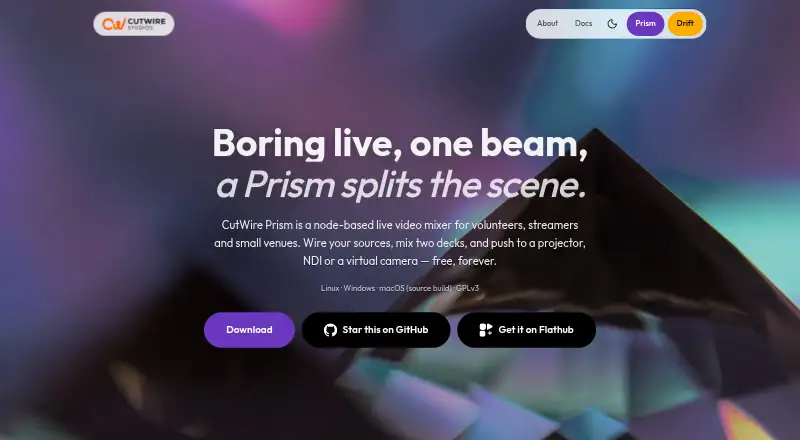
What CutWire Prism is
CutWire Prism is a free, open-source node-based mixer for live video, designed for volunteers, streamers, and small venues. It mixes two decks with a crossfader, AUTO and CUT controls, per-deck speed, and multiple transitions. Sources can include video files, images, slideshows, cameras, screen capture, shaders, HTML, text, Lua, NDI, and a phone camera connected by QR. A Remove BG process uses MediaPipe segmentation to remove webcam backgrounds without a green screen. Prism supports Lua 5.4 scripts and GLSL fragment shaders, including audio-reactive presets. The mixed program can be sent to a projector window, NDI, a virtual camera, or a recording. It can appear as a virtual camera in OBS, Zoom, or a browser, and OBS can control it over WebSocket. One-click controls provide blackout, pausing the current frame, and a Stay Tuned overlay. Prism is available for Linux and Windows; macOS requires a source build and has no virtual camera output. The maker describes it as early and under active development.
Who it suits
Prism suits volunteers, streamers, and small venues producing live video, including school events, churches, theatres, community AV, and local sports broadcasts. It may also fit users who want Lua scripting, shaders, or OBS integration.
What it does well
- Free and open source under GPLv3.
- Mixes two decks with multiple transitions.
- Supports varied media, camera, and screen sources.
- Outputs to NDI, virtual camera, projector, or recording.
- Includes one-click blackout and frame-pause controls.
What to know first
- macOS requires a source build.
- Virtual camera output is unavailable on macOS.
- The maker describes the project as early and under active development.
Limits
The free plan has no feature tiers and is free forever. On macOS, Prism requires a source build and virtual camera output is unavailable.
Plans
| Plan | Billed and limits | Price |
|---|---|---|
| Free | Free forever · no account · no trial · no feature tiers | Free |
As cutwire.org lists them, read 4 Oct 2026. The maker's own page has the final word.
Getting started
- Open the CutWire Prism website
- Choose Linux or Windows, or build from source for macOS
- Start using the free plan; no account is required
- Add video, images, cameras, or another supported source
- Send the mix to a projector window, NDI, virtual camera, or recording
CutWire Prism is a free, open-source live video mixer built around two decks and a node-based workflow. It best suits volunteer crews, streamers, and small venues that need varied video inputs and several ways to send a program out. Its broad toolkit is compelling at no cost, but active development and a source-build requirement on macOS make it a less straightforward choice for some setups.
Overview
Prism combines live switching with source composition: operators can mix two decks, shape scenes, and route the result to a projector, NDI, virtual camera, or recording. That range suits event production where a crew may need to combine slides, cameras, and screen content without paying for software. Its early, actively developed status is a real trade-off for events where reliability and predictable setup matter most.
Key features
The two-deck mixer includes a crossfader, AUTO and CUT controls, per-deck speed, and multiple transitions. Those controls cover core live switching, while the node-based approach and support for scene composition give users room to build more involved arrangements.
Inputs span video files, images, slideshows, cameras, screen capture, shaders, HTML, text, Lua, NDI, and a phone camera connected by QR code. The breadth is useful for mixed-format events; it also makes Prism more than a simple webcam utility.
A Remove BG process uses MediaPipe segmentation to remove a webcam background without a green screen. Lua 5.4 scripts and GLSL fragment shaders, including audio-reactive presets, offer customization for users comfortable working with them. Audio routing and background effects are supported as well.
For output, Prism can send the mixed program to a projector window, NDI, a virtual camera, or a recording. It can appear as a camera in OBS, Zoom, or a browser, and OBS can control it over WebSocket. One-click Blackout, pause-current-frame, and Stay Tuned controls provide useful fallback options during a live show.
Pricing
Prism’s Free plan costs nothing and is free forever, with no account, trial, or feature tiers. Scene composition, background effects, and audio routing are included. There is no paid tier to unlock those capabilities; the main costs are practical ones, including setup on macOS and the risks of software still under active development.
Platforms
Prism supports Linux and Windows directly. macOS requires a source build, and virtual camera output is unavailable on macOS. That makes it a stronger fit for Linux or Windows event setups, especially when virtual-camera output is needed.
Who it's for
Prism is aimed at school and college events, churches, theatres, community AV, small concerts, clubs, streamers, and local sports broadcasts. It makes sense for operators who want flexible live mixing without a license fee and can work with a node-based tool. For a macOS user who needs virtual-camera output, or a crew unwilling to take on early-stage software, it is the wrong fit.
CutWire says Prism has no telemetry; its privacy policy says website analytics may collect anonymized page views. Support is available through documentation, public GitHub issues, and email, with Discord identified as the fastest option during a show. The project invites bug reports, consistent with its active-development status.
Pros and cons
- Pros: The free, GPLv3-licensed software has no feature tiers, and its inputs range from slideshows and screen capture to NDI and a QR-connected phone camera.
- Pros: Projector, NDI, virtual-camera, and recording outputs, plus OBS control over WebSocket, give event crews several practical routing options.
- Pros: Blackout, frame pause, and Stay Tuned controls offer immediate ways to manage a live interruption.
- Cons: macOS users must build from source and cannot use virtual-camera output, narrowing its usefulness on that platform.
- Cons: The project is under active development and invites bug reports, so it is a less secure choice for crews that need a mature, dependable show workflow.
Alternatives
- OBS Studio is a sensible alternative for users seeking free software on Linux, macOS, or Windows with no watermarks or usage limits.
- Camo Studio fits users focused on a camera workflow across Android, iOS, macOS, and Windows; its free Camo plan supports 720p and below without a watermark, ads, or spam.
- FineCam may suit users who want a free plan with all features but can accept a watermark; its listed one-month plan costs $9.95 a month and renews monthly.
- PRISM Live Studio is another freemium choice across mobile and desktop platforms, with a free Basic plan and a Plus plan at $9.99 a month.
- PhotoDirector offers a limited-feature free plan on macOS and Windows for users whose needs align with that scope.
- VCam may fit users seeking a workspace-based camera tool; its free Starter plan has a three-member limit, up to 500MB storage, and a watermark.
- Webcamoid is a free, open-source option on Android, Linux, macOS, and Windows.
- CamLooper is a free Linux and Windows option that permits commercial use and is supported by in-app ads.
- Virtual Camera Software is a broader category to browse when virtual-camera tools are the priority.
Verdict
Choose CutWire Prism if you run live events or streams on Linux or Windows and want a no-cost mixer that can handle varied sources, multiple outputs, and live-show fallbacks. Its breadth without feature-tier restrictions is the strongest reason to choose it. Look elsewhere if you need virtual-camera output on macOS or cannot accommodate a project that is still under active development.
Verdict
Prism combines two-deck mixing, varied source inputs, and multiple output options at no cost. Mac users face a source-build requirement and lack virtual camera output, while the project is still under active development.
Questions
How much does CutWire Prism cost?
Prism is free forever under its Free plan.
Does Prism require an account or offer a free trial?
No account is required, and there is no free trial.
Which operating systems does Prism support?
It is available for Linux and Windows. macOS requires a source build.
Can Prism work with OBS, Zoom, or a browser?
Prism can appear as a virtual camera in OBS, Zoom, or a browser. OBS can also control it over WebSocket.
Is CutWire Prism open source?
Yes. Prism is released under the GPLv3 license.
How can users get support?
Support is available through documentation, public GitHub issues, and email. The support page says Discord is the fastest option during a show.
Facts from CutWire Prism's own pages
- AI background removal
- A Remove BG process uses MediaPipe segmentation to remove a webcam background without a green screen. · cutwire.org, 4 Oct 2026
- Development status
- The maker describes Prism as early and under active development and invites users to report bugs. · cutwire.org, 4 Oct 2026
- Integrations
- Prism can appear as a virtual camera in OBS, Zoom, or a browser, and OBS can control it over WebSocket. · cutwire.org, 4 Oct 2026
- Intended users
- The maker describes Prism for school and college events, churches, theatres, community AV, small concerts, clubs, streamers, and local sports broadcasts. · cutwire.org, 4 Oct 2026
- License
- Prism is free and open source under GPLv3. · cutwire.org, 4 Oct 2026
- macOS limitation
- Virtual camera output is unavailable on macOS. · cutwire.org, 4 Oct 2026
- Mixing
- It mixes two decks with a crossfader, AUTO and CUT controls, per-deck speed, and multiple transitions. · cutwire.org, 4 Oct 2026
- Outputs
- The mixed program can go to a projector window, NDI, a virtual camera, or a recording. · cutwire.org, 4 Oct 2026
- Panic controls
- One-click controls include Blackout, pausing the current frame, and a Stay Tuned overlay. · cutwire.org, 4 Oct 2026
- Privacy
- CutWire says Prism has no telemetry; its privacy policy says website analytics may collect anonymized page views. · cutwire.org, 4 Oct 2026
- Product
- CutWire Prism is a node-based live video mixer for volunteers, streamers, and small venues. · cutwire.org, 4 Oct 2026
- Scripting and shaders
- Prism supports Lua 5.4 scripts and GLSL fragment shaders, including audio-reactive presets. · cutwire.org, 4 Oct 2026
- Sources
- Sources include video files, images, slideshows, cameras, screen capture, shaders, HTML, text, Lua, NDI, and a phone camera via QR. · cutwire.org, 4 Oct 2026
- Support
- Support is available through documentation, public GitHub issues, and email at [email protected]; the support page says Discord is fastest during a show. · cutwire.org, 4 Oct 2026
- Supported platforms
- Prism is available for Linux and Windows, while macOS requires a source build. · cutwire.org, 4 Oct 2026
Where CutWire Prism stands on Freedom251
- Virtual Camera Software#5 of 34