Freedom251 › Interactive Lesson Makers

Xerte
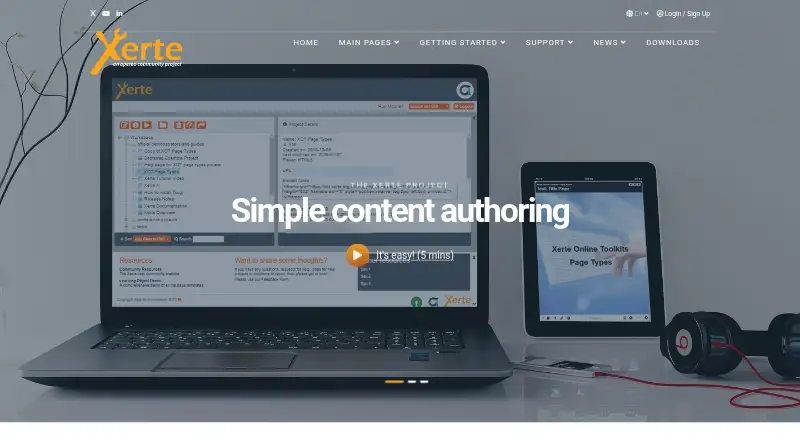
What Xerte is
Xerte is a browser-based authoring suite for building interactive learning materials. Teachers and tutors can put lessons together with forms and templates, and developers can adapt appearance and behaviour with JavaScript and CSS. The Xerte Online Toolkit includes more than 70 templates for interactive learning. Its projects produce responsive, standards-compliant HTML5 content for modern browsers and devices, with keyboard access, a colour-contrast changer, and compatibility with text-to-speech and most screen-reader tools.
Authors can export projects as standalone ZIP files for deployment on a web server or as SCORM packages for compatible learning platforms. Xerte also supports SCORM, LTI, and xAPI connections to learning technologies; xAPI reporting needs a configured Learning Record Store. The software is free and open source, but requires web-server installation. A typical setup uses Linux, Apache, MySQL or MariaDB, and PHP; Windows servers with IIS can also be configured. The project describes online organisational installation as the usual way to access Xerte’s benefits, while setting it up locally with XAMPP is more technical. Community forums are the main support channel, and commercial providers offer hosting, installation, troubleshooting, upgrades, development, and training.
Who it suits
Xerte suits teachers, tutors, and organisations delivering teaching and learning that want to create interactive materials. It can also suit developers who want to customise learning content with JavaScript and CSS, provided they can arrange web-server installation.
What it does well
- Includes over 70 templates for interactive learning.
- Creates responsive HTML5 content for browsers and devices.
- Exports projects as ZIP files or SCORM packages.
- Lists keyboard access, contrast adjustment, and assistive-technology compatibility.
- Supports SCORM, LTI, and xAPI connections.
What to know first
- Requires installation on a web server.
- Local XAMPP setup is described as more technical.
- Community forum support is voluntary.
- Downloads require an account and login.
Limits
The free software requires installation on a web server. xAPI reporting requires a configured Learning Record Store; commercial hosting and support are separate.
Plans
| Plan | Billed and limits | Price |
|---|---|---|
| Xerte | Free and open-source software · requires installation on a web server · commercial hosting and support are separate | Free |
| Xerte Online Toolkits | No software or licence fee · self-hosting and maintenance required | Free |
As xerte.org.uk lists them, read 8 Oct 2026. The maker's own page has the final word.
Getting started
- Visit the Xerte website.
- Create an account and log in to access community downloads.
- Install Xerte on a web server using the described Linux, Apache, MySQL or MariaDB, and PHP stack, or configure a Windows server with IIS.
- Build learning materials with forms and templates, or customise them with JavaScript and CSS.
- Export the project as a ZIP file or SCORM package for deployment.
Overview
Xerte is a free, browser-based suite for making interactive learning materials. It suits educators and organisations that want flexible authoring and learning-platform exports and can manage their own server. Its templates and open-ended customisation are useful strengths, but installation and upkeep make it a poor fit for teams seeking a hosted service.
Teachers and tutors are its intended users, and it is used across schools, colleges, universities and other organisations delivering teaching. Authors build through forms and templates; developers can adjust appearance and behaviour with JavaScript and CSS. That gives mixed-skill teams room to work, though the browser-based editor still depends on a server installation.
Key features
The Xerte Online Toolkit includes more than 70 templates for interactive learning, alongside assessment building. This gives educators varied starting points for activities without requiring developers to create every interaction. The template collection is an authoring toolkit, not a ready-made content library.
Content publishes as responsive, standards-compliant HTML5 for modern browsers and devices. Projects can be exported as standalone ZIP files for web-server deployment or as SCORM packages for compatible learning platforms. SCORM, LTI and xAPI support give organisations several routes into learning technology systems; xAPI reporting depends on a configured Learning Record Store.
Keyboard access, a colour contrast changer, and compatibility with text-to-speech and most screen-reader tools make accessibility part of the authoring offer. These features matter for teams building materials for varied learners, though they do not remove the need to assess each finished course for its audience.
Pricing
Xerte costs nothing. It is free and open-source software, with no free trial because the free plan is the product’s stated pricing model. The plan includes interactive content, assessment building, SCORM export, responsive output, team collaboration and a content library. It requires installation on a web server; commercial hosting and support are separate.
That makes the free plan a strong fit for organisations able to provide technical administration and authoring capacity. There is no paid in-product tier described; organisations that need installation help, hosting, troubleshooting, upgrades, custom development or training can turn to community-connected companies offering commercial services.
Platforms
Xerte is available for web and self-hosted use, with platform support listed for Android, iOS, Linux and Windows. The practical distinction is deployment: the maker describes the standard setup as Linux with Apache, MySQL or MariaDB, and PHP, while Windows servers with IIS can also be configured. Local XAMPP installation is more technical, and the maker says the benefits generally come from an organisation-wide online installation.
Public-facing installations should not contain the initial-installation setup folder. A May 2026 security notice identifies updated versions 3.15.5 and 3.14.6, so administrators need to account for version maintenance and secure deployment.
Who it's for
Xerte is best for schools, colleges, universities and other teaching organisations that want to create interactive materials in-house and have the capacity to install and maintain a shared web service. It also suits teams that value standards-based exports and developer customisation alongside form-driven authoring.
It is less suitable for an individual who wants to start authoring immediately without server setup, or an organisation that expects guaranteed support through a paid service from the project. Community forums are the primary support route, and support is voluntary; commercial help is available separately.
Pros and cons
- Pros: Free, open-source authoring with over 70 interactive templates and assessment building gives educators substantial scope to create learning materials.
- Pros: Responsive HTML5, ZIP and SCORM exports, plus SCORM, LTI and xAPI support, give organisations options for publishing and connecting content.
- Pros: Keyboard access, contrast adjustment and compatibility with assistive reading tools support more accessible course design.
- Cons: A web-server installation is required, and local XAMPP setup is more technical; teams without server administration will face a real deployment hurdle.
- Cons: Community support is voluntary, so organisations needing dependable assistance should budget for separate commercial services.
- Cons: xAPI reporting requires a configured Learning Record Store, adding setup work for teams that need that reporting.
Alternatives
ProProfs Training Maker is worth considering for teams that want a free hosted option with a stated cap of 10 learners and all features included, or a free trial before choosing a paid plan.
Adapt Learning is another free, open-source authoring tool and framework for teams comparing self-hosted learning authoring options.
BranchTrack is an alternative with a free plan for readers considering another freemium authoring product.
eXeLearning offers free, open-source authoring for those who want online or desktop use.
Lumi Education may suit users who want a free tier with unlimited contents and HTML, SCORM and H5P export, subject to a 15 MB upload limit per file.
Mindsmith offers a free plan with unlimited content and sharing, including link, embed and SCORM sharing; its free allocation includes 450 AI credits at signup as a one-time allowance.
ActivePresenter is a desktop option for Windows and macOS, though its free edition is for trial and non-commercial use and can watermark outputs that use non-free features.
Open eLearning is a free, open-source authoring tool for readers who prefer a desktop product for Linux, macOS or Windows.
For more options, browse Course Authoring Software and Interactive Lesson Makers.
Verdict
Choose Xerte if your education organisation wants a free authoring suite with interactive templates, accessible design features and flexible learning-platform exports, and can run it on a web server. Its main advantage is the combination of broad authoring tools and standards-based output without a software charge. Look elsewhere if you need a hosted setup without installation or guaranteed community support.
Verdict
Choose Xerte if you need a free authoring suite with interactive templates, HTML5 output, and learning-platform exports. It fits organisations able to install and maintain it on a web server. Look elsewhere if you need a hosted setup without server installation or guaranteed community support.
Questions
Is Xerte free?
Yes. Xerte is free and open-source software; the listed plan is free.
Does Xerte have a free trial?
No. The listed facts say there is no free trial.
Which platforms does Xerte support?
The listed platforms are Android, iOS, Linux, self-hosted, web, and Windows.
Can Xerte content be exported?
Yes. Projects can be exported as standalone ZIP files or SCORM packages.
What learning technology integrations does Xerte support?
It supports SCORM, LTI, and xAPI. xAPI reporting requires a configured Learning Record Store.
How can users get help with Xerte?
Community forums are the primary support channel, and commercial providers offer services such as hosting, installation, troubleshooting, upgrades, development, and training.
Facts from Xerte's own pages
- Accessibility
- The project says accessibility was developed with accessibility specialists and people with special needs. · xerte.org.uk, 15 Oct 2026
- AI release
- Version 3.15, released December 31, 2025, added optional generative-AI features while leaving AI disabled by default. · xerte.org.uk, 15 Oct 2026
- Audience
- The project describes Xerte as aimed at teachers and tutors, and says it is used in universities, colleges, schools, and other organisations delivering teaching and learning. · xerte.org.uk, 8 Oct 2026
- Authoring
- Authors assemble content using forms and templates, while developers can use JavaScript and CSS to customise functionality and appearance. · xerte.org.uk, 8 Oct 2026
- Authoring workflow
- The editor uses forms, reusable templates and selectable themes, including organisation-created themes. · xerte.org.uk, 15 Oct 2026
- Changelog
- The 3.15 changelog records security fixes, an xmlseclibs upgrade for CVE-2026-32313, theme-upload fixes and mobile and tracking fixes. · xerte.org.uk, 15 Oct 2026
- Collaborative authoring
- Teams can share projects in a workspace, publish them to learners, and export standalone ZIP or SCORM packages. · xerte.org.uk, 15 Oct 2026
- Commercial services
- The maker lists community-connected companies offering commercial help with hosting, installation, troubleshooting, upgrades, custom development, and training. · xerte.org.uk, 8 Oct 2026
- Community stewardship
- The project moved from University of Nottingham stewardship into the Apereo Foundation, with a governance board and Apache licensing. · xerte.org.uk, 15 Oct 2026
- Deployment
- Xerte requires installation on a web server; the site describes a standard Linux, Apache, MySQL or MariaDB, and PHP stack, with Windows servers and IIS also configurable. · xerte.org.uk, 8 Oct 2026
- Developer control
- Authors with technical skills can use HTML, CSS and JavaScript, while installations can add page types and templates. · xerte.org.uk, 15 Oct 2026
- Documentation
- Documentation includes student, teacher and system-administrator sections, installation guides and developer material, with the project acknowledging that developer documentation is still being improved. · xertedocs.readthedocs.io, 15 Oct 2026
- Download access
- The community downloads page says users must create an account and log in to download files. · xerte.org.uk, 8 Oct 2026
- Enterprise usage
- The project says Nottingham had hosted Xerte since 2008 and had created more than 20,000 projects. · xerte.org.uk, 15 Oct 2026
- Export
- Projects can be exported as standalone ZIP files for web-server deployment or as SCORM packages for compatible learning platforms. · xerte.org.uk, 8 Oct 2026
- External media
- The documentation says projects can incorporate YouTube and Flickr content. · xerte.org.uk, 15 Oct 2026
- GoodFirms listing
- GoodFirms describes Xerte as a full e-learning authoring suite and lists on-premises deployment for Windows, Mac and Linux. · goodfirms.co, 15 Oct 2026
- GoodFirms pricing
- GoodFirms records the pricing type and payment frequency as free. · goodfirms.co, 15 Oct 2026
- GoodFirms review availability
- GoodFirms shows no submitted reviews and an unclaimed Xerte profile. · goodfirms.co, 15 Oct 2026
- Hosting limit
- The maker says the benefits generally come from an online installation for an organisation, and that local XAMPP setup is more technical. · xerte.org.uk, 8 Oct 2026
- HTML5 delivery
- Published content uses standards-compliant HTML5 and responsive layouts for modern browsers and devices. · xerte.org.uk, 15 Oct 2026
- Independent comparison score
- The ResearchGate study scored Xerte 8.83 across 15 criteria, below eXeLearning at 10.38 and above H5P at 7.74. · researchgate.net, 15 Oct 2026
- Installation burden
- The project says installation normally needs a web server and system-administrator or IT support. · xerte.org.uk, 15 Oct 2026
- Integrations
- The site describes SCORM, LTI, and xAPI support for integrating with learning technologies; xAPI reporting requires a configured Learning Record Store. · xerte.org.uk, 8 Oct 2026
Where Xerte stands on Freedom251
- Interactive Lesson Makers#3 of 31
- Course Authoring Software#3 of 28