Freedom251 › Course Authoring Software

BranchTrack
What BranchTrack is
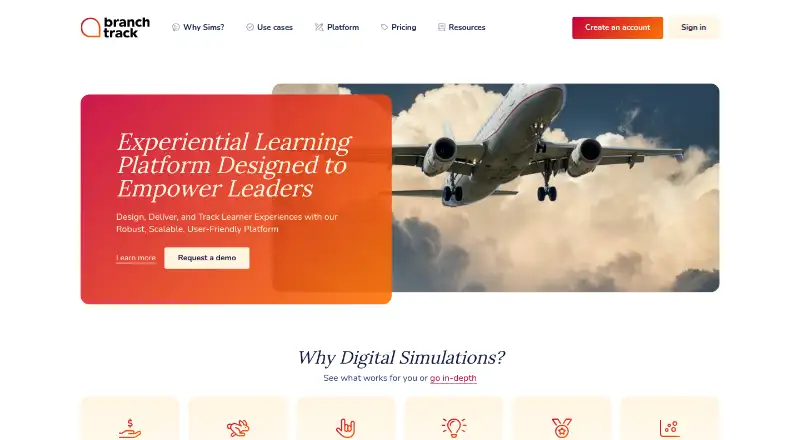
BranchTrack is an experiential learning platform for creating, delivering, and tracking digital simulations. Its browser-based visual editor lets users build branching scenarios without technical skills or prior experience. Simulations can include characters, locations, custom assets, files, images, videos, and voice overs. The platform records learner actions and outcomes, which can help teams refine simulations and give personalized feedback. For delivery, it supports SCORM 1.2 and 2004, xAPI, and direct links that track progress. Simulations can also be embedded in courses made with tools such as Articulate Storyline, Rise, Adobe Captivate, Lectora, Elucidat, Gomo, and Easygenerator. Live sessions with Zoom and Teams can include scoreboards and feedback in real time. Learner experiences adapt to phones and tablets, and the platform supports mobile publishing and WCAG 2.0 accessibility. Teams can share projects, gather feedback, track changes, and invite subject matter experts to playtest. The Free plan costs nothing and includes one simulation; Professional is $83 a year and Team is $299 a year, both billed annually.
Who it suits
It suits instructional designers, L&D managers, training facilitators, subject matter experts, and business unit managers creating digital simulations. Teams that need learner tracking or course-platform delivery may also find its formats relevant.
What it does well
- Visual editor supports branching scenarios.
- Tracks learner actions and outcomes.
- Supports SCORM, xAPI, and direct links.
- Can embed simulations in named course tools.
- Learner experience adapts to phones and tablets.
What to know first
- Free plan includes one simulation.
- Professional and Team are annual-only plans.
- Free excludes Insights analytics and team collaboration.
Limits
The Free plan allows one simulation and does not include Insights analytics, team collaboration, license management, password policies, or an SLA. Professional allows 10 simulations and does not include team collaboration, license management, password policies, or an SLA.
Plans
| Plan | Billed and limits | Price |
|---|---|---|
| Free | Forever · 1 simulation · unlimited scenario depth · unlimited reviewers · SCORM/xAPI export · mobile publishing · community support | Free |
| Team | Annual only · 50 simulations · Insights · team collaboration · license management · password policies · SLA | $299 a month |
| Professional | Annual only · 10 simulations · Insights excluded · team collaboration excluded · license management excluded · priority response | $83 a month |
| Enterprise | Contact sales · Experiential learning at scale · scalable and secure deployment | On request |
As branchtrack.com lists them, read 15 Oct 2026. The maker's own page has the final word.
Getting started
- Visit the BranchTrack website.
- Choose the Free plan or review the annual Professional and Team plans.
- Create a simulation in the browser-based visual editor.
- Add scenario content such as characters, locations, assets, images, video, or voice overs.
- Deliver through SCORM, xAPI, a direct link, or an integration with a listed course tool.
BranchTrack is an experiential learning platform for building, delivering, and tracking digital simulations. It suits instructional designers and training teams that want learners to practise decisions through branching scenarios. Its strongest case is the combination of flexible authoring and multiple delivery routes; the one-simulation free tier and annual-only paid plans make scaling a paid commitment.
Overview
A browser-based visual editor lets authors build branching scenarios without technical skills or prior experience, and every plan allows unlimited scenario depth. That makes it possible to develop elaborate decision paths without a depth cap, but the number of simulations is tightly capped on the lower tiers. Learner-action and outcome data can support simulation improvements and personalized feedback, though Free excludes Insights analytics.
Key features
Scenario authoring
Characters, locations, custom assets, files, images, video, and voice-overs give authors several ways to shape a simulation. Unlimited reviewers on every plan can gather feedback without using up a reviewer allowance. Team collaboration is a separate paid-plan distinction: sharing projects, collecting feedback, tracking changes, and inviting subject matter experts to playtest are included with Team, not Free or Professional.
Delivery and learner experience
SCORM 1.2 and 2004, xAPI, and direct links give training teams several ways to publish simulations and track learner progress. Authors can also embed simulations in courses built with Articulate Storyline, Rise, Adobe Captivate, Lectora, Elucidat, Gomo, and Easygenerator. Zoom and Teams live sessions include real-time scoreboards and feedback, which makes the platform relevant to facilitated practice as well as self-paced learning.
The learner experience adapts to phones and tablets, and the platform supports mobile publishing. BranchTrack says it supports WCAG 2.0 accessibility. Its security measures include HTTPS access and monitoring for vulnerabilities or attacks; its privacy policy is based on EU GDPR and Latvian data protection law.
Pricing
BranchTrack is freemium. Free costs nothing, billed Forever, and permits one simulation with unlimited scenario depth and reviewers. It is suitable for a small pilot or a single scenario, but omits Insights analytics, team collaboration, license management, password policies, and an SLA.
Professional costs $83 a year, billed Annual only, and raises the limit to 10 simulations while retaining unlimited scenario depth and reviewers. It is the step up for an individual author or small training operation that needs more projects, but it still lacks team collaboration, license management, password policies, and an SLA. The pricing note gives the paid entry point as $83/mo (annual); Professional's stated plan price is $83 a year.
Team costs $299 a year, billed Annual only, and allows 50 simulations with unlimited scenario depth and reviewers. It adds team collaboration, license management, password policies, and an SLA, making it the fit for teams that need shared workflows and those controls. Enterprise has custom pricing: contact sales for experiential learning at scale. Free includes training videos and community support; Professional and Team list priority response, and Team also includes an SLA.
Platforms
BranchTrack supports web, Android, and iOS. Responsive learner experiences and mobile publishing help extend scenarios to phones and tablets.
Who it's for
The platform is aimed at instructional designers, L&D managers, training facilitators, subject matter experts, and business unit managers. It is most compelling for teams building decision-based practice that needs learner tracking, LMS delivery, or facilitated sessions. Readers who need a broad catalogue on a free plan, or team collaboration without moving beyond Professional, should look elsewhere.
Pros and cons
- Pros: Unlimited scenario depth on every plan supports complex branching without a depth-based upgrade.
- Pros: SCORM, xAPI, direct links, and integrations with several course-authoring tools give teams flexible delivery options.
- Pros: Team adds collaboration, license management, password policies, and an SLA alongside a 50-simulation allowance.
- Cons: Free is limited to one simulation and lacks Insights analytics, so it cannot serve as a substantial free catalogue or analytics-led workflow.
- Cons: Professional remains limited to 10 simulations and excludes collaboration and several management controls.
- Cons: Both paid tiers are annual only, which is a poor fit for buyers seeking monthly billing.
Alternatives
ProProfs Training Maker is worth considering for a free plan that supports up to 10 learners and includes all features; it also offers a free trial. Choose Adapt Learning if a free, open-source authoring tool and framework is the priority. Xerte is another free, open-source option, though it requires installation on a web server and commercial hosting and support are separate. eXeLearning suits readers who want free and open-source authoring for online or desktop use.
Lumi Education offers unlimited contents on its free plan, with a 15 MB per-file upload limit and HTML, SCORM, and H5P export. Mindsmith may suit readers seeking AI-assisted content: its free plan provides 450 AI credits at signup, unlimited content and sharing, and link, embed, and SCORM sharing. ActivePresenter is a desktop alternative for macOS and Windows; its free edition is for trial and non-commercial use, with watermarks on outputs using non-free features. Open eLearning is a free, open-source authoring tool under GNU GPL v3.0+ for Linux, macOS, and Windows.
For a broader comparison of course-authoring options, browse Course Authoring Software.
Verdict
BranchTrack is a strong fit for instructional designers and learning teams that need branching simulations, learner tracking, and flexible LMS or live-session delivery. Unlimited scenario depth and the Team plan’s collaboration and management controls are its clearest advantages. Look elsewhere if you need a large free catalogue, monthly paid billing, or team collaboration at the lower paid tier.
Verdict
BranchTrack combines scenario authoring, learner tracking, and multiple delivery options for experiential learning. Review the simulation limits and plan-specific features, particularly if you need analytics or team collaboration.
Questions
Does BranchTrack have a free plan?
Yes. The Free plan costs nothing, billed Forever, and includes one simulation.
How much do the paid plans cost?
Professional is $83 a year and Team is $299 a year; both are billed annually. Enterprise pricing is available by contacting sales.
Which platforms does BranchTrack support?
BranchTrack lists Android, iOS, and web. Learner experiences adapt to phones and tablets.
Can BranchTrack deliver content through an LMS?
It supports SCORM 1.2 and 2004, xAPI, and direct links for delivering simulations and tracking learner progress.
Which tools can embed BranchTrack simulations?
Listed integrations include Articulate Storyline, Rise, Adobe Captivate, Lectora, Elucidat, Gomo, and Easygenerator.
Who makes BranchTrack?
The maker is BranchTrack SIA, registered in Latvia.
Facts from BranchTrack's own pages
- Accessibility
- BranchTrack states that its simulations support WCAG 2.0 accessibility. · branchtrack.com, 15 Oct 2026
- AI feature
- The AI Co-pilot can generate visuals, narration and translations during production. · branchtrack.com, 15 Oct 2026
- API and extensibility
- The LMS page says direct-link activity can be tracked through BranchTrack proprietary APIs; public REST API or SDK documentation was not found on the reviewed maker pages. · branchtrack.com, 15 Oct 2026
- Asset library
- The platform includes reusable character and location assets plus support for uploaded custom media. · branchtrack.com, 15 Oct 2026
- Authoring
- Its browser based visual editor lets users create branching scenarios without technical skills or prior experience. · branchtrack.com, 3 Oct 2026
- Authoring-tool integrations
- Embeds are documented for Articulate Storyline, Rise, Adobe Captivate and Lectora, among other tools. · branchtrack.zammad.com, 15 Oct 2026
- Collaboration
- Paid Team capabilities let organizations create teams, share projects and control access. · branchtrack.com, 15 Oct 2026
- Company legal entity
- The privacy policy identifies the controller as BranchTrack SIA, registration number 50103777981, in Latvia. · branchtrack.com, 15 Oct 2026
- Company profile
- LinkedIn lists BranchTrack as an e-learning public company headquartered in Riga with 2–10 employees. · linkedin.com, 15 Oct 2026
- Content ownership
- Terms say customers retain rights to content they create and BranchTrack receives no royalties. · branchtrack.com, 15 Oct 2026
- Direct links and embeds
- Published simulations can be shared by direct URL or embedded with an iframe while cloud edits update the published version. · branchtrack.zammad.com, 15 Oct 2026
- Documentation
- The help center covers simulation building, delivery, advanced code/reporting and AI Co-pilot topics. · branchtrack.zammad.com, 15 Oct 2026
- Founded
- LinkedIn lists the company as founded in 2014. · linkedin.com, 15 Oct 2026
- Funding record
- LinkedIn's Crunchbase panel shows three funding rounds and a last seed round dated April 15, 2016 for US$277.7K. · linkedin.com, 15 Oct 2026
- Headquarters
- Latvia · branchtrack.com, 28 Sept 2026
- Integrations
- Simulations can be embedded in Articulate Storyline, Rise, Adobe Captivate, Lectora, Elucidat, Gomo, and Easygenerator courses. · branchtrack.com, 3 Oct 2026
- Intended users
- The maker identifies instructional designers, L&D managers, training facilitators, subject matter experts, and business unit managers as users. · branchtrack.com, 3 Oct 2026
- Learner analytics
- Insights provides data about learner actions and outcomes for improvement and feedback. · branchtrack.com, 15 Oct 2026
- Learner insights
- The platform tracks learner actions and outcomes to provide data for improving simulations and giving personalized feedback. · branchtrack.com, 3 Oct 2026
- Limit: annual billing
- A reviewer complained that plans required annual billing rather than monthly plans. · capterra.com, 15 Oct 2026
- Limit: editing workflow
- Review feedback mentions inability to edit comments in review mode and inability to select multiple scenes for moving a branch. · capterra.com, 15 Oct 2026
- Limit: internet dependency
- A reviewer listed the need for internet access as a drawback of the browser-based product. · capterra.com, 15 Oct 2026
- Limit: no undo
- The knowledge base states that the editor has no Undo button. · branchtrack.zammad.com, 15 Oct 2026
- Limit: pricing
- A Capterra reviewer called the price cost-prohibitive for wider adoption. · capterra.com, 15 Oct 2026
Where BranchTrack stands on Freedom251
- Course Authoring Software#5 of 28