Freedom251 › Course Authoring Software

ActivePresenter
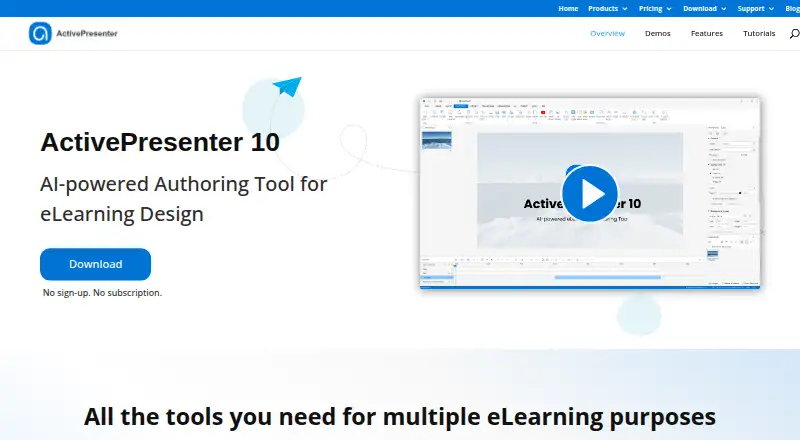
What ActivePresenter is
ActivePresenter is an eLearning authoring tool for screen recording, video editing, and course creation on macOS and Windows. It supports slide-based courses, interactive simulations, assessments, and video-based courses. Its recorder can capture screen video, simulations, webcam footage, microphone audio, and system audio; editing tools include cutting, cropping, splitting, joining, speed and volume changes, and freeze frames. Projects can be exported as HTML5, video, images, and Office documents, with SCORM and xAPI output for LMS use. Projects can also be published directly to uPresenter LMS. Listed AI tools include image generation, text-to-speech, automatic captions, writing assistance, and project translation, and they require credits. The Free Edition has an unlimited trial period but is for trial and non-commercial use; outputs using non-free features may carry a watermark, and some third-party-service features are unavailable. Standard and Pro licenses are perpetual, one-time purchases licensed per machine; Standard is $249, paid once and Pro is $499, paid once. Pro EDU is $249, paid once and requires educational eligibility and approval. Paid licenses include one year of free upgrades to new major versions.
Who it suits
It suits course creators who need screen recording, editing, interactive content, or LMS-compatible exports on macOS or Windows. The Free Edition is for trial and non-commercial use; commercial use requires a paid license.
What it does well
- Exports SCORM and xAPI packages.
- Records screen, webcam, microphone, and system audio.
- Supports interactive simulations and assessments.
- Paid licenses are perpetual one-time purchases.
- Includes email support, forum, manuals, and tutorials.
What to know first
- Free Edition is for trial and non-commercial use.
- Free outputs using non-free features may be watermarked.
- AI tools require credits.
- Pro EDU requires educational eligibility and approval.
Limits
The Free Edition is limited to trial and non-commercial use, may watermark outputs that use non-free features, and leaves some third-party-service features unavailable. AI tools require credits. Standard and Pro licenses are for one machine at a time; Pro EDU requires educational eligibility and approval.
Plans
| Plan | Billed and limits | Price |
|---|---|---|
| Free edition | Trial and non-commercial use · watermark on outputs using non-free features · no time limit · some AI-dependent features unavailable | Free |
| ActivePresenter Standard | per license · Commercial use · screen recording · audio/video editing · AI tools · PowerPoint import · video/PDF/Office/HTML5/SCORM/xAPI export · uPresenter publishing · perpetual license · one machine at a time | $249, paid once |
| ActivePresenter Pro EDU | per license · Pro edition at education price · eligibility approval required | $249, paid once |
| ActivePresenter Pro | per license · Commercial use · screen recording · audio/video editing · AI tools · PowerPoint import · video/PDF/Office/HTML5/SCORM/xAPI export · uPresenter publishing · perpetual license · one machine at a time | $499, paid once |
As atomisystems.com lists them, read 15 Oct 2026. The maker's own page has the final word.
Getting started
- Visit the ActivePresenter website.
- Choose the Free Edition or a paid license.
- For Pro EDU, confirm educational eligibility and approval.
- Use the macOS or Windows version.
- Create course content and publish it as an available export or to uPresenter LMS.
Verdict
ActivePresenter combines recording, editing, course authoring, and LMS-oriented exports. Its free edition is limited to trial and non-commercial use, while paid licenses are one-time purchases with machine-based licensing.
Questions
Is ActivePresenter free?
Yes. The Free Edition costs nothing and is intended for trial and non-commercial use.
How much do the paid plans cost?
ActivePresenter Standard is $249, paid once, Pro EDU is $249, paid once, and Pro is $499, paid once. Pro EDU requires educational eligibility and approval.
Which platforms does it support?
ActivePresenter is available for macOS and Windows.
Can it publish courses to learning management systems?
It exports SCORM and xAPI packages for use with major LMS platforms. Projects can also be published directly to uPresenter LMS.
Does ActivePresenter have a free trial?
Yes. The Free Edition has an unlimited trial period, with trial and non-commercial use terms.
Who makes ActivePresenter?
The maker's headquarters are in Hanoi, Vietnam.
Facts from ActivePresenter's own pages
- AI agent integration
- ActivePresenter 10.5 added MCP Connect so trusted AI agents can inspect or edit projects. · atomisystems.com, 15 Oct 2026
- AI credits
- AI tools require credits, and additional credits can be purchased by owners of a paid license. · atomisystems.com, 5 Oct 2026
- AI data handling
- The EULA says optional generative-AI use sends content to designated technology providers, while Atomi says it will not use that content to train or improve AI models without express consent. · atomisystems.com, 15 Oct 2026
- AI features
- The feature set includes image generation, AI text-to-speech, automatic captions, AI writing, project and text translation, image background removal and image text extraction. · atomisystems.com, 15 Oct 2026
- AI tools
- Its listed AI features include image generation, text-to-speech, auto captions, AI writing, and project auto-translation. · atomisystems.com, 5 Oct 2026
- API and extensibility
- A JavaScript API reference is included in the ActivePresenter 10 user manual starting at page 320, with examples such as prez.object(). · talk.atomisystems.com, 15 Oct 2026
- Company headquarters
- Atomi lists its registered headquarters at No. 281, Group 1, Phu Dien ward, Hanoi, Vietnam, with an office in Viet A Building on Duy Tan Street. · atomisystems.com, 15 Oct 2026
- Company legal name
- Crunchbase lists the legal name as Atomi Systems, Inc., a private for-profit company. · crunchbase.com, 15 Oct 2026
- Company reach
- LinkedIn says ActivePresenter has exceeded 10 million downloads across 80 countries and regions. · linkedin.com, 15 Oct 2026
- Company size
- LinkedIn lists Atomi Systems Inc. as privately held with 11–50 employees. · linkedin.com, 15 Oct 2026
- Course content
- It supports slide-based courses, interactive simulations, assessments, and video-based courses. · atomisystems.com, 5 Oct 2026
- Documentation and support
- Atomi provides a user manual, tutorials, FAQ, community forum and direct support email, and its contact page invites forum questions. · atomisystems.com, 15 Oct 2026
- Editing
- Audio and video editing includes cutting, cropping, splitting, joining, playback-speed and volume changes, and freeze frames. · atomisystems.com, 5 Oct 2026
- Headquarters
- Hanoi, Vietnam · atomisystems.com, 28 Sept 2026
- Integration
- Projects can be published directly to uPresenter LMS, and SCORM or xAPI packages can be used with major LMS platforms. · atomisystems.com, 5 Oct 2026
- Interactive objects
- Authoring includes flex boxes, handwriting evaluation, themes, templates, timeline markers, multi-state objects, sliders, dropdowns, timers and enhanced quizzes. · atomisystems.com, 15 Oct 2026
- Licence
- The EULA grants a limited, non-exclusive, non-transferable proprietary licence; the software is licensed rather than sold and may not be reverse engineered except for narrowly stated personal-use debugging. · atomisystems.com, 15 Oct 2026
- License terms
- Paid licenses are perpetual, cost one time, are licensed per machine, and include one year of free upgrades to new major versions. · atomisystems.com, 5 Oct 2026
- Limit: animation quality and price
- A Capterra reviewer says the product is relatively expensive and that some transitions and animations look dated. · capterra.com, 15 Oct 2026
- Limit: learning curve
- Reviewers report that the interface can be difficult to learn and that some controls and workflows are too manual or advanced. · getapp.co.uk, 15 Oct 2026
- Limit: stability
- Trustpilot reviewers reported repeated crashes and lost work, while GetApp feedback mentions lag or non-responsiveness during editing. · trustpilot.com, 15 Oct 2026
- LMS compatibility
- ActivePresenter packages SCORM and xAPI content for compliant LMS platforms and documents tracking of status, scores, attempts, time and question responses. · atomisystems.com, 15 Oct 2026
- macOS audio dependency
- Recording system audio on macOS requires BlackHole 2ch. · atomisystems.com, 15 Oct 2026
- Media editing
- The editor provides inline image editing, blur and spotlight, zoom-and-pan, green-screen compositing, audio effects and transitions. · atomisystems.com, 15 Oct 2026
Where ActivePresenter stands on Freedom251
- Course Authoring Software#4 of 28