Freedom251 › Google Workspace Teacher Resources Software

BookWidgets
What BookWidgets is
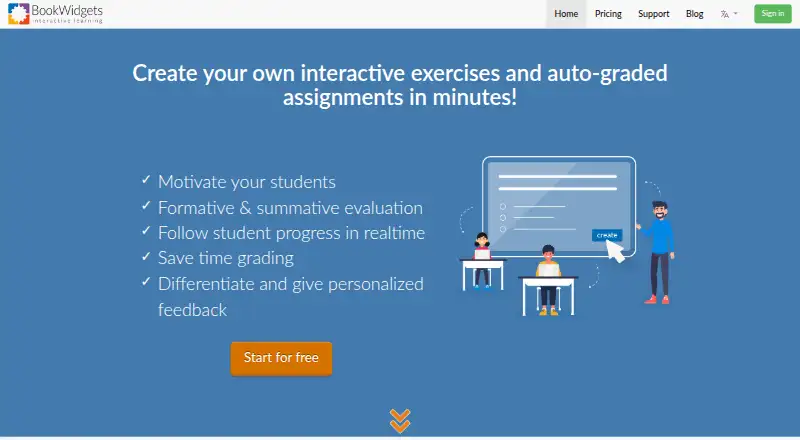
BookWidgets is a teacher tool for building digital exercises and activities, sharing them with students, and assessing their work. Its library has over 40 widget types, including quizzes, worksheets, games, and interactive activities. Quiz, Video Quiz, Worksheet, and Split Worksheet activities provide 36 question types, with 30 available for automatic grading. Teachers can use activities for formative or summative assessment, track student progress, and collect, review, grade, and return work with feedback. Integrations include Google Classroom, Microsoft Teams, Canvas, Moodle, Schoology, Blackboard, Brightspace, itslearning, and Smartschool. Through a connected learning management system, teachers can monitor students in real time and synchronize grades. Students can access shared activities by web link, LMS, QR code, or short code without logging in to BookWidgets. It offers a free plan and a free 30-day trial with unlimited widget creation. Without an active subscription, users cannot create or edit widgets, and LMS integrations stop working.
Who it suits
BookWidgets suits teachers who want to create varied digital activities, assess student work, and use LMS integrations. It may also suit schools that need formative or summative assessment and feedback workflows.
What it does well
- Over 40 widget types for varied activities.
- 36 question types, including 30 automatically graded.
- Real-time monitoring and grade synchronization through connected LMSs.
- Students can access activities without a BookWidgets login.
- Free plan and 30-day trial with unlimited widget creation.
What to know first
- Creating or editing widgets requires an active subscription.
- LMS integrations stop working without an active subscription.
- Submitted student work is kept for at least six years unless removed.
Limits
The free plan is listed for collecting, reviewing, and grading student work. The free 30-day trial includes unlimited widget creation; without an active subscription, users cannot create or edit widgets and LMS integrations cease to work.
Plans
| Plan | Billed and limits | Price |
|---|---|---|
| Free plan | Collect, review, and grade student work | Free |
As bookwidgets.com lists them, read 3 Oct 2026. The maker's own page has the final word.
Getting started
- Open the BookWidgets website.
- Choose the free plan or start the free 30-day trial.
- Create widgets using the activity library.
- Share activities by web link, QR code, short code, or a connected LMS.
- Use a connected LMS to monitor students and synchronize grades.
Overview
BookWidgets is a teacher-focused platform for building digital exercises and activities, then collecting and assessing student work. It suits educators who want activity creation and grading tied to classroom workflows; its main trade-off is that creating and editing stop without an active subscription.
Key features
Activities and assessment
The library spans more than 40 widget types, including quizzes, worksheets, games, and interactive activities. Quiz, Video Quiz, Worksheet, and Split Worksheet formats offer 36 question types, 30 of them automatically graded. That range supports both formative checks during instruction and summative assessment, while automatic grading can reduce routine marking. Teachers can monitor progress, review and grade submissions, and return work with feedback.
BookWidgets also supports multimedia content, branching paths, live lesson delivery, and learner analytics. Students can open activities through a web link, QR code, short code, or LMS without signing in to BookWidgets. In a connected LMS, teachers can monitor students in real time and synchronize grades, and students can be logged in to widgets automatically. The range of delivery options is useful for mixed classroom workflows, though the LMS benefits depend on maintaining a subscription.
Integrations, privacy, and accessibility
Integrations include Google Classroom, Microsoft Teams, Canvas, Moodle, Schoology, Blackboard, Brightspace, itslearning, and Smartschool. LTI 1.0 support extends integration to learning management systems, content management systems, and websites. The privacy policy says personal data is stored in the European Economic Area and processed under GDPR, with technical and organizational safeguards and a breach response plan. The VPAT describes keyboard shortcuts, alternative text, high-contrast mode, and regular assistive-technology compatibility testing.
Submitted student work is retained for at least six years unless manually deleted or the associated account is removed. Schools should weigh that retention period against their own data practices.
Pricing
BookWidgets has a free plan priced at $0, for collecting, reviewing, and grading student work. It is a way to handle those tasks without a stated charge, but it does not remove the central subscription constraint: without an active subscription, users cannot create or edit widgets, and LMS integrations stop working.
A free 30-day trial offers unlimited widget creation, with support available by contacting the company. This gives teachers a window to assess the creation workflow before committing, but it is temporary. Paid subscription prices are custom pricing. The pricing page invites questions by email at [email protected].
Platforms
BookWidgets is available on the web and iOS. Students can access shared activities without a BookWidgets login, which keeps participation separate from teacher account access.
Who it's for
BookWidgets is a strong fit for teachers who want to create varied activities, automatically grade many question types, and manage submissions and feedback within an LMS-connected workflow. Its privacy and accessibility provisions may also matter to schools evaluating classroom software. It is less suitable for educators who need to keep creating or editing activities after a subscription ends, or who cannot accept student work being retained for at least six years under the stated default.
Pros and cons
Pros
- Broad activity and question range: More than 40 widget types and 36 question types support varied exercises, with 30 question types eligible for automatic grading.
- Classroom workflow coverage: Teachers can review, grade, and return work, while connected LMS use adds real-time monitoring and grade synchronization.
- Low-friction student access: Links, QR codes, short codes, and LMS sharing let students use activities without a BookWidgets login.
- Accessibility and privacy measures: The stated accessibility features and EEA data storage with GDPR processing provide concrete considerations for school adoption.
Cons
- Subscription-dependent creation: Without an active subscription, users cannot create or edit widgets, and LMS integrations cease to work.
- Long student-work retention: Submissions remain for at least six years unless manually removed or the account is removed, a term schools should review carefully.
- Paid-plan cost requires a quote: Paid subscription pricing is custom, so buyers must contact the company to assess budget fit.
Alternatives
Deck.Toys is worth considering for teachers seeking a freemium option with a defined free classroom allowance: its free plan permits two classrooms per teacher, three private decks, up to 40 students per classroom, seven-day classroom data retention, and two assigned decks per classroom.
eXeLearning is a better match for those who prioritize free, open-source authoring and want online or desktop use across Linux, macOS, Windows, and web environments.
Mindsmith may suit users looking for an AI-assisted content option with a free tier that includes 450 one-time AI credits, unlimited content and sharing, and link, embed, and SCORM sharing.
Easygenerator offers a free account limited to one course after its 14-day trial; its Pro plan is $116 a month, billed at $1,399 annually, with taxes possibly applying. That makes it an option for buyers who prefer a published Pro price and can work within a one-course free tier.
H5P is a free and open technology alternative for teams comfortable using self-hosted plugins under the MIT license; it also offers a Premium plan for three to ten authors.
LAMS suits organizations willing to install, configure, and maintain GPL-licensed software themselves to avoid software fees.
ScenarioSplice is an alternative for users seeking unlimited scenarios and assignment links, cohorts, a full editor, AI drafting assistance, and aggregate class results on its free plan.
LessonFlow is another free option, positioned for teachers seeking a free-forever tool across subjects and K–12.
For more options, browse Interactive Lesson Makers.
Verdict
Choose BookWidgets if you are a teacher who wants one tool for varied activity creation, assessment, feedback, and LMS-connected grade workflows. Its breadth and student access options are compelling; the subscription requirement for ongoing creation and the six-year minimum student-work retention are the main reasons to look elsewhere.
Verdict
BookWidgets combines activity creation, assessment, feedback, and LMS workflows in one teacher-focused tool. Check the subscription limitation and student-work retention period against your needs.
Questions
Is there a free plan?
Yes. The Free plan is listed as free and includes collecting, reviewing, and grading student work.
Does BookWidgets offer a trial?
Yes. Its free 30-day trial includes unlimited widget creation, and users can contact the company for support during the trial.
Which platforms does BookWidgets support?
The listed platforms are web and iOS.
Which LMS integrations are listed?
Integrations include Google Classroom, Microsoft Teams, Canvas, Moodle, Schoology, Blackboard, Brightspace, itslearning, and Smartschool.
Do students need a BookWidgets account to open activities?
Students do not log in to BookWidgets. Teachers can share activities through a web link, LMS integration, QR code, or short code.
How does BookWidgets describe its privacy and security practices?
Its privacy policy says personal data is stored on servers in the European Economic Area and describes processing under the GDPR. It also describes technical and organizational safeguards and a breach response plan.
Facts from BookWidgets's own pages
- Accessibility
- The VPAT describes keyboard shortcuts, alternative text, high-contrast mode, and regular assistive-technology compatibility testing. · bookwidgets.com, 3 Oct 2026
- Activity library
- Teachers can choose from over 40 widget types, including quizzes, worksheets, games, and interactive activities. · api.bookwidgets.com, 3 Oct 2026
- Activity templates
- The widget library offers over 40 widget types. · api.bookwidgets.com, 2 Oct 2026
- Assessment
- Teachers can use the activities for formative and summative assessment. · api.bookwidgets.com, 2 Oct 2026
- Assessment and feedback
- Teachers can monitor student progress and collect, review, grade, and return student work with feedback. · bookwidgets.com, 3 Oct 2026
- Company
- The company page lists Kidimedia's mailing address in Kortenberg, Belgium, and a BookWidgets office in Lummen, Belgium. · api.bookwidgets.com, 3 Oct 2026
- Company location
- The privacy policy identifies Kidimedia BV as a Belgian company with a registered seat in Kortenberg, Belgium. · bookwidgets.com, 2 Oct 2026
- Headquarters
- Lummen, Belgium · bookwidgets.com, 28 Sept 2026
- Integrations
- BookWidgets lists integrations with Google Classroom, Microsoft Teams, Smartschool, Canvas, Schoology Learning, Blackboard, Itslearning, and D2L Brightspace. · api.bookwidgets.com, 3 Oct 2026
- Integration standard
- BookWidgets says it supports integration with learning management systems, content management systems, and websites through the LTI 1.0 standard. · kb.bookwidgets.com, 2 Oct 2026
- LMS capabilities
- When shared through a connected LMS, teachers can monitor students in real time and synchronize grades; students can be automatically logged in to widgets. · bookwidgets.com, 2 Oct 2026
- LMS integrations
- BookWidgets lists integrations including Google Classroom, Microsoft Teams, Canvas, Moodle, Schoology, Blackboard, Brightspace, itslearning, and Smartschool. · bookwidgets.com, 2 Oct 2026
- LTI support
- BookWidgets says it supports integration with learning management systems, content management systems, and websites through the LTI 1.0 standard. · kb.bookwidgets.com, 3 Oct 2026
- Privacy
- The privacy policy says personal data is processed under applicable data protection law, including GDPR, and that platform data is stored on servers in the European Economic Area. · bookwidgets.com, 3 Oct 2026
- Purpose
- BookWidgets is an internet-based content creation and evaluation tool for teachers to create interactive activities and auto-graded assignments. · bookwidgets.com, 3 Oct 2026
- Question types
- Quiz, Video Quiz, Worksheet, and Split Worksheet activities offer 36 question types, 30 of which can be automatically graded. · api.bookwidgets.com, 3 Oct 2026
- Security
- The privacy policy says the company uses technical and organizational measures to protect personal data and has a breach response plan. · bookwidgets.com, 2 Oct 2026
- Security measures
- The privacy policy says BookWidgets uses technical and organizational measures against unauthorized processing, loss, destruction, or access, and has a breach response plan. · bookwidgets.com, 3 Oct 2026
- Student access
- The VPAT says students do not log in to BookWidgets; teachers share activities through a web link, LMS integration, QR code, or short code. · bookwidgets.com, 2 Oct 2026
- Student work retention
- Submitted student work is kept for at least six years unless it is manually removed or the associated account is removed. · bookwidgets.com, 3 Oct 2026
- Subscription limitation
- Without an active subscription, users cannot create or edit widgets, and LMS integrations cease to work. · kb.bookwidgets.com, 2 Oct 2026
- Support
- The pricing page directs users who need help during the trial to contact BookWidgets for support. · api.bookwidgets.com, 3 Oct 2026
- Trial
- BookWidgets offers a free 30-day trial with the ability to create as many widgets as desired. · api.bookwidgets.com, 3 Oct 2026