Freedom251 › Google Workspace Academic Software
CK-12 FlexBook 2.0
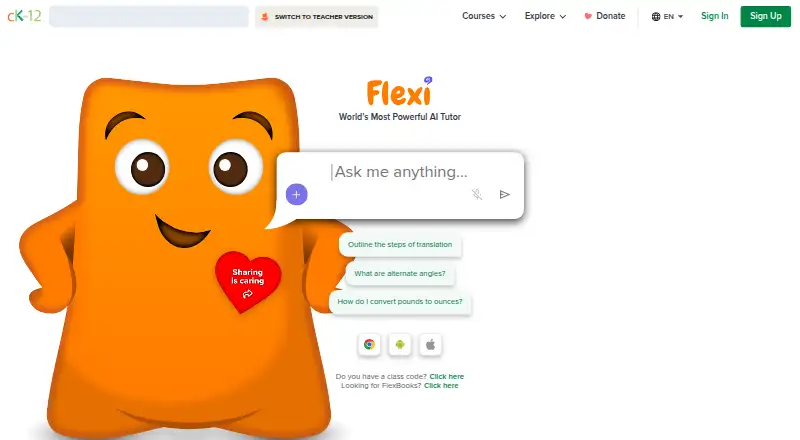
What CK-12 FlexBook 2.0 is
CK-12 FlexBook 2.0 provides free, customizable digital textbooks for K–12 subjects including science, math, and social studies. Lessons can combine text with PLIX interactives, simulations, adaptive practice, and related learning materials. Adaptive Practice draws questions from a library of more than 150,000 and adjusts the selections based on student answers. Teachers can assign lessons, interactives, videos, and practice to whole classes or differentiated groups, then review student progress reports. Educators can reorder chapters and add or edit material in a customized FlexBook. The platform works in a browser on laptops, desktops, Chromebooks, tablets, and mobile devices; standalone Simulations and PLIX Interactives need a tablet-size screen or larger. Users can download PDFs of FlexBooks they create or customize, but interactive material may not render and CK-12-created PDFs are not downloadable. CK-12 says it is still converting all core content to FlexBook 2.0. It lists Google Classroom, Canvas, Schoology, Kiddom, Clever, and ClassLink as SSO or LMS partners. Reader settings include font size, background color, and line spacing.
Who it suits
It is designed for K–12 educators and students who want customizable digital textbooks and classroom assignments. Teachers can use differentiated groups and progress reports, while learners can access material through a browser on a range of devices.
What it does well
- Free customizable textbooks cover multiple K–12 subjects.
- Adaptive Practice adjusts questions to student answers.
- Teachers can assign work and view progress reports.
- Educators can reorder chapters and edit content.
- Reader settings include font size and line spacing.
What to know first
- Standalone simulations and PLIX require a tablet-size screen or larger.
- Interactive content may not render in downloaded PDFs.
- CK-12-created PDFs are not downloadable.
- Not all core content has been converted to FlexBook 2.0.
Limits
The free plan provides online customizable textbooks, with content varying by subject and book. Some core content is still being converted; interactive content may not render in PDFs, and CK-12-created PDFs are not downloadable.
Plans
| Plan | Billed and limits | Price |
|---|---|---|
| FlexBook 2.0 | Free online customizable digital textbook; content varies by subject and book | Free |
| CK-12 FlexBook 2.0 | No charge · Free access for students, teachers, schools and districts · online FlexBooks, interactive lessons, practice and teacher tools | Free |
As ck12.org lists them, read 7 Oct 2026. The maker's own page has the final word.
Getting started
- Visit ck12.org.
- Open FlexBook 2.0 in a browser on a supported device.
- Customize a FlexBook by reordering chapters or adding and editing content.
- Assign lessons, interactives, videos, or adaptive practice to a class or differentiated groups.
- Use a listed SSO or LMS partner, such as Google Classroom or Canvas, if applicable.
CK-12 FlexBook 2.0 is a free platform for customizable K–12 digital textbooks, lessons, and practice. It suits educators who want to adapt course material and track class progress, and students who benefit from interactive lessons. Its breadth of teaching tools is appealing, though not every core book has been converted and some interactives need a larger screen.
Overview
FlexBooks cover K–12 subjects including science, math, and social studies. Lessons can combine reading with PLIX interactives, simulations, adaptive practice, and related learning materials. That range lets educators pair instruction with activities and practice, while the content available varies by subject and book.
Educators can reorder chapters and add or edit material in a customized FlexBook. This makes FlexBook 2.0 a useful fit for teachers shaping a text around their course. CK-12 is still converting its core content, so educators should confirm that the books they need are in FlexBook 2.0 before making it the foundation of a course.
Key features
Practice and classroom assignments
Adaptive Practice draws from a library of more than 150,000 questions and adjusts its selections in response to student answers. It gives learners practice that can respond to their performance, rather than a fixed sequence. Teachers can assign lessons, interactives, videos, and practice to an entire class or differentiated groups, then review student progress reports.
Access and accessibility
The platform works in a browser on laptops, desktops, Chromebooks, tablets, and mobile devices. Standalone Simulations and PLIX Interactives require a tablet-size screen or larger, which can limit their usefulness for students relying on smaller phones. Readers can adjust font size, background color, and line spacing; lesson text also supports text-to-speech and Google Translate.
Users can download PDFs of FlexBooks they create or customize. Interactive content may not render in a PDF, and CK-12-created PDFs are not downloadable, so offline access is more useful for adapted books than for the full interactive experience.
Integrations and support
CK-12 lists Google Classroom, Canvas, Schoology, Kiddom, Clever, and ClassLink as SSO or LMS partners. Users can contact CK-12 Support by starting a ticket or sending an email.
Pricing
FlexBook 2.0 — free. The free plan provides an online customizable digital textbook, with content varying by subject and book. It includes the core combination of editable books, lessons, interactive activities, adaptive practice, and teacher assignment tools, with no paid plan needed for the stated offering.
The main trade-off is availability: some core books have yet to be converted to FlexBook 2.0. PDF downloads also do not preserve all interactive content, and CK-12-created PDFs cannot be downloaded. This plan is a strong option for educators whose required books are already available and whose learners can access suitable screens.
Platforms
FlexBook 2.0 is available on Android, iOS, and the web. CK-12 says its browser experience works on laptops, desktops, Chromebooks, tablets, and mobile devices. Standalone simulations and PLIX activities need a tablet-size screen or larger.
Who it's for
FlexBook 2.0 is designed for K–12 educators and students. It is especially suitable for teachers who want to customize a textbook, assign different materials to groups, and follow student progress. Students can use its readings and activities for science, math, social studies, and other covered subjects. It is a weaker fit when a required text has not been converted or when learners mainly use small-screen phones for standalone interactive work.
CK-12 says it uses administrative, technological, and physical safeguards and encrypts information transmissions using SSL or similar technologies. It also says it does not sell student information or use or disclose it for behavioral advertising to students.
Pros and cons
- Pros: Free access combines customizable textbooks with lessons, interactives, simulations, and adaptive practice, giving teachers several ways to support a topic.
- Pros: Teachers can assign materials to classes or differentiated groups and review student progress reports.
- Pros: Font, background, and line-spacing settings let readers adjust lesson presentation, with text-to-speech and translation support also available for lesson text.
- Cons: Core content conversion is still in progress, so some books may not be available in FlexBook 2.0.
- Cons: Standalone PLIX Interactives and Simulations need a tablet-size screen or larger, limiting access on smaller phones.
- Cons: PDFs may lose interactive content, and CK-12-created PDFs are not downloadable.
Alternatives
Consider K–12 Curriculum Platforms or Open Educational Resource Platforms to compare broader sets of curriculum and open resources. For a focus on books, see Digital Textbook Platforms; for science-focused options, browse Science Learning Software.
MobyMax is another option, with a limited-access free educator version and a paid Family plan. Khan Academy offers a free plan and paid school and district licensing. Choose Amplify Classroom if free interactive K–12 math, literacy, and science lessons, a Teacher Dashboard, and Polypad virtual manipulatives suit your needs; its individual educator plan offers only partial content customization.
EL Education Curriculum is a free alternative for educators seeking language arts resources, with an account required for some. Eureka Math offers free PreK–12 PDF curriculum in student and teacher editions, while its Digital Suite is custom pricing. Illustrative Mathematics provides a full TK–12 curriculum online at no cost, with downloadable and printable teacher and student PDFs and no time limit. Oak National Academy offers free access without paywalls or package tiers. OpenSciEd offers curriculum downloads at no cost for educators or parents, with registration required.
Verdict
Choose CK-12 FlexBook 2.0 if you teach K–12 and want a free, adaptable textbook platform that pairs lessons with interactive activities, responsive practice, and progress reporting. Its strongest case is the combination of customization and classroom assignment tools at no cost. Look elsewhere if a core book you need has not yet been converted, or if your learners need standalone interactives to work on phone-size screens.
Verdict
FlexBook 2.0 brings editable textbooks, interactive lessons, adaptive practice, and teacher assignment tools together at no cost. Check whether the needed content is already available in FlexBook 2.0 and whether learners have suitable screens for standalone interactives.
Questions
Is CK-12 FlexBook 2.0 free?
Yes. The FlexBook 2.0 plan is free.
What subjects and grades does it cover?
FlexBooks are customizable digital textbooks for K–12 subjects, including science, math, and social studies. The plan’s content varies by subject and book.
Which devices can use FlexBook 2.0?
It works in a browser on laptops, desktops, Chromebooks, tablets, and mobile devices. Standalone Simulations and PLIX Interactives require a tablet-size screen or larger.
Can teachers customize and assign materials?
Educators can reorder chapters and add or edit content. Teachers can assign lessons, interactives, videos, and adaptive practice to classes or differentiated groups and view progress reports.
Can I download a FlexBook as a PDF?
Users can download PDFs of FlexBooks they create or customize. Interactive content may not render, and CK-12-created PDFs are not downloadable.
Which classroom systems does CK-12 list?
CK-12 lists Google Classroom, Canvas, Schoology, Kiddom, Clever, and ClassLink as SSO or LMS partners.
Facts from CK-12 FlexBook 2.0's own pages
- Accessibility
- CK-12’s 2024 VPAT states that the FlexBooks 2.0 platform meets AA conformance across the criteria covered by the report. · static.ck12.org, 15 Oct 2026
- Adaptive practice
- Each FlexBook lesson can provide adaptive practice with standards-aligned questions, hints and step-by-step solutions. · info.ck12.org, 15 Oct 2026
- Audience
- FlexBooks are designed for educators and students and cover K–12 topics. · help.ck12.org, 7 Oct 2026
- Availability limit
- CK-12 says it has converted many of its most-used books to FlexBook 2.0 and is still working to convert all core content. · help.ck12.org, 7 Oct 2026
- Bulk assignment
- Teachers can assign multiple concepts to students in one operation. · help.ck12.org, 15 Oct 2026
- Children’s privacy
- For school-contract student accounts, CK-12 treats student records as controlled by and owned by the contracting school and provides parent rights to review or delete child information. · help.ck12.org, 15 Oct 2026
- Commercial-use restriction
- The curriculum license prohibits commercial use, AI or machine-learning training, automated derivative creation and redistribution through third-party services without permission. · help.ck12.org, 15 Oct 2026
- Company founded
- LinkedIn lists CK-12 Foundation’s founding year as 2007. · linkedin.com, 15 Oct 2026
- Company type
- LinkedIn identifies CK-12 Foundation as a nonprofit in primary and secondary education with 51–200 employees. · linkedin.com, 15 Oct 2026
- Customization
- Teachers can customize and create FlexBooks, chapters and sections and add existing CK-12 content. · help.ck12.org, 15 Oct 2026
- Device access
- CK-12 says FlexBooks are usable on smartphones, Chromebooks, tablets, laptops and desktops. · info.ck12.org, 15 Oct 2026
- Funding
- CK-12 says it is a 501(c)(3) funded through donations, grants and philanthropic support. · help.ck12.org, 15 Oct 2026
- Google Classroom limitation
- Google Classroom co-teachers cannot view CK-12 assignment reports through CK-12’s co-teacher functionality. · help.ck12.org, 15 Oct 2026
- Headquarters
- CK-12 lists its headquarters at 4300 Bohannon Drive, Suite 200, Menlo Park, California. · help.ck12.org, 15 Oct 2026
- Integrated modalities
- The platform places PLIX activities, simulations, adaptive practice and related modalities inside lessons. · help.ck12.org, 15 Oct 2026
- Integrations
- CK-12 lists Google Classroom, Canvas, Schoology, Kiddom, Clever and ClassLink as SSO or LMS partners. · info.ck12.org, 15 Oct 2026
- Lesson content
- FlexBook 2.0 lessons combine text, PLIX interactives, simulations, adaptive practice, and related learning materials. · help.ck12.org, 7 Oct 2026
- Lesson format
- Lessons combine reading with embedded videos, interactives and practice while keeping the table of contents and toolbar on the same page. · help.ck12.org, 15 Oct 2026
- License
- Curriculum Materials use CK-12’s own license allowing copying, distribution and modification only for defined educational purposes, with attribution and license notices. · help.ck12.org, 15 Oct 2026
- Limit: AI image handling
- Apple App Store reviewers said Flexi sometimes fails to interpret worksheet images accurately, despite otherwise useful explanations and study tools. · apps.apple.com, 15 Oct 2026
- Limit: navigation and setup
- Teacher reviewers reported clunky navigation, cumbersome class setup and difficulty finding or using class codes. · commonsense.org, 15 Oct 2026
- Limit: quiz quality
- Common Sense’s kid-review summary reports confusing or disconnected quizzes, inconsistent marking and insufficient explanations. · commonsensemedia.org, 15 Oct 2026
- Limit: technical reliability
- A customer-complaint review page reports user complaints about pages not loading, slow performance, sign-in problems and malfunctioning assessments or assignments. · sikayetvar.com, 15 Oct 2026
- LMS roster sync
- For Canvas, Schoology and Google Classroom classes, enrollment is managed in the LMS and synchronized into CK-12. · help.ck12.org, 15 Oct 2026
Where CK-12 FlexBook 2.0 stands on Freedom251
- Google Workspace Academic Software#1 of 18
- Google Workspace Teacher Resources Software#2 of 33
- Digital Textbook Platforms#2 of 28
- Science Learning Software#2 of 25
- K-12 Curriculum Platforms#3 of 29
- Open Educational Resource Platforms#4 of 27