Freedom251 › Google Workspace Academic Software

Nearpod
What Nearpod is
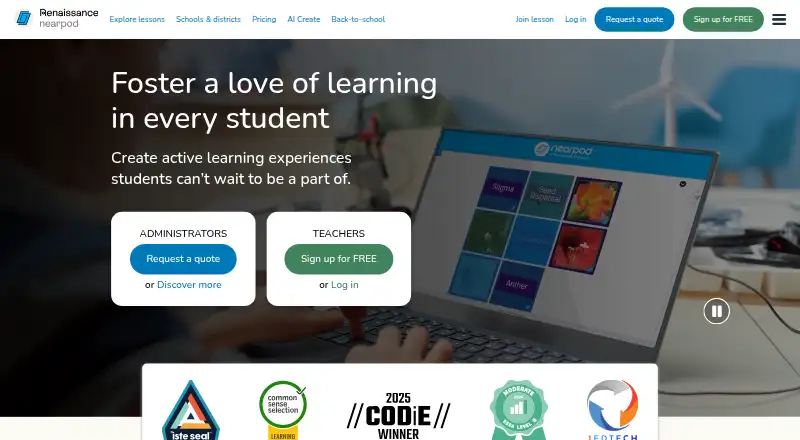
Nearpod is a lesson creation and delivery platform that helps educators involve students through activities, media, and assessments. Teachers can start from scratch or use PowerPoints, Google Slides, PDFs, videos, and YouTube videos, then add tools such as Draw It, Polls, Drag & Drop, VR Field Trips, and PhET simulations. Lessons can be delivered live with participation, at each student’s pace, or at the front of the class. Its Library contains more than 22,000 customizable, standards-aligned lessons, videos, and activities, including K–12 content. Teachers can review live feedback and post-session reports on student understanding and work. AI Create can generate interactive lessons, activities, and multiple-choice questions, with plan availability varying by feature. Nearpod supports Android, iOS, Linux, macOS, Windows, and the web, and lessons can be embedded in an LMS through a link. Listed integrations include Google Classroom, Microsoft Teams, Clever, ClassLink, and LTI 1.3 platforms such as Canvas, Schoology, and Blackboard. Silver is free; Gold costs $159 a year and Platinum costs $397 a year.
Who it suits
Nearpod suits educators creating interactive lessons for students, including K–12 classes. Individual teachers can use educator plans, while schools and districts can request a license and implementation support.
What it does well
- Lessons support more than 20 assessment and media features.
- Library offers 22,000+ customizable teaching resources.
- Three lesson delivery modes are available.
- Works across major desktop, mobile, and web platforms.
What to know first
- Silver has 300 MB storage and 40 joins per lesson.
- Gold costs $159 a year.
- Platinum costs $397 a year.
Limits
Silver includes 300 MB of storage and 40 student joins per lesson. Gold provides 1 GB and 75 joins; Platinum provides 5 GB and 90 joins. School or District plans list unlimited storage and 250 joins per lesson.
Plans
| Plan | Billed and limits | Price |
|---|---|---|
| Silver | Free forever · 300 MB storage · 40 student joins per lesson · core features | Free |
| Gold | $159/year · 1 GB storage · 75 student joins per lesson · AI Create Question Generator · Google Slides add-on · Drag & Drop · Sub Plans | $159 a year |
| Platinum | $397/year · 5 GB storage · 90 student joins per lesson · student notes · all Gold features | $397 a year |
| School or District | Request a quote · Unlimited storage · 250 student joins per lesson · LMS/LTI/rostering integrations · dedicated Customer Success Manager | On request |
| School & District | Request a quote · Unlimited storage · 250 student joins per lesson · LMS/LTI/rostering · admin reporting · dedicated Customer Success Manager | On request |
As nearpod.com lists them, read 14 Oct 2026. The maker's own page has the final word.
Getting started
- Visit the Nearpod website.
- Start with the free Silver plan or select a paid plan.
- Create a lesson or upload a PowerPoint, Google Slides file, PDF, video, or YouTube video.
- Choose Live Participation, Student-Paced, or Front of Class delivery.
- Use Nearpod through a supported browser or device, or embed a lesson link in an LMS.
Nearpod is a teaching platform for creating interactive lessons and delivering them in several classroom formats. It suits K–12 educators who want instruction, activities, and student feedback in one workflow. It is less compelling for classes that outgrow the individual plans’ student-join caps.
Overview
Teachers can build lessons from scratch or adapt PowerPoints, Google Slides, PDFs, videos, and YouTube videos. Lessons can run live, at students’ own pace, or from the front of the room, so the same platform can support different classroom routines. That flexibility comes with practical constraints: individual plans cap storage and student joins per lesson, which may matter as classes and teaching materials grow.
Key features
Nearpod combines more than 20 formative assessment and dynamic media options, including Draw It, Polls, Drag & Drop, VR Field Trips, and PhET simulations. This gives teachers options beyond presenting slides, with activities to prompt student work and check understanding. The Nearpod Library adds more than 22,000 customizable, standards-aligned lessons, videos, and activities, making it a useful starting point for educators who want to adapt existing material rather than build every lesson from scratch.
Teachers can see real-time feedback and review post-session reports on student understanding and work. AI Create can generate interactive lessons, activities, and multiple-choice questions, though access differs by plan: Gold includes the question generator, while AI Create is listed with school and district plans. It is worth checking which capability matches your needs before choosing a tier.
Nearpod supports integrations such as Google Classroom, Microsoft Teams, Google and Microsoft SSO, Clever, ClassLink, and LTI 1.3 platforms including Canvas, Schoology, and Blackboard. Lessons can also be embedded in any LMS through a lesson link, and the service works on any device, browser, or operating system with an internet connection. School and district licenses include a dedicated Customer Success Manager, and implementation includes staff training.
Pricing
Nearpod is freemium, with a free Silver plan and paid individual plans billed annually. The individual tiers primarily raise storage and student-join limits, while adding features at higher levels.
- Silver: free. It includes core features, 300 MB of storage, and 40 student joins per lesson. This is a sensible starting point for educators with modest storage needs and classes within that cap.
- Gold: $159 a year, billed $159/year. It raises storage to 1 GB and joins to 75 per lesson, and adds the AI Create Question Generator, Google Slides add-on, Drag & Drop, multiple sessions, and Sub Plans. It fits teachers who need those additions or exceed Silver’s limits, but still has a per-lesson cap.
- Platinum: $397 a year, billed $397/year. It includes all Gold features, 5 GB of storage, 90 joins per lesson, and student notes. Choose it when Gold’s storage or join allowance is too tight, though it still limits attendance per lesson.
- School or District: custom pricing, billed by quote. It includes unlimited storage, 250 student joins per lesson, LMS/LTI/rostering integrations, and a dedicated Customer Success Manager. This is the clearest fit for institutions needing larger lesson capacity and centralized integrations.
The plan caps are important to compare with class size: Silver’s 40 joins, Gold’s 75, and Platinum’s 90 can rule out an individual tier for larger groups. The school or district plan raises that limit to 250, rather than removing it.
Platforms
Nearpod supports Android, iOS, Linux, macOS, web, and Windows. Its web presentation platform and browser-based access across devices and operating systems make it usable without tying lessons to one desktop platform, provided there is an internet connection.
Who it's for
Nearpod is aimed at individual educators as well as schools and districts, with Library content spanning K–12 lessons, activities, and videos. It is a strong fit for teachers who want to build or adapt lessons, combine presentation with student participation, and review responses. Educators seeking only a basic presentation tool may not need its assessment, media, and reporting breadth; larger classes should consider whether an institutional license is appropriate.
Renaissance says educational institutions control the collection, use, retention, and disclosure of student information in its software products, and that it acts on institutional instructions for parental inquiries. Its Privacy Compliance and Information Security & Compliance programs undergo annual SOC 2 Type 2 examinations. Renaissance’s privacy page describes Nearpod certification as coming soon.
Pros and cons
Pros
- Flexible lesson inputs and delivery: Teachers can adapt common classroom materials and choose live, student-paced, or front-of-class delivery.
- Broad activity and content choices: More than 20 assessment and media options plus a library of 22,000+ customizable, standards-aligned items can support varied lessons.
- Feedback in the teaching workflow: Real-time feedback and post-session reports help teachers review student work and understanding.
- Institutional support and integration: School and district licenses include a Customer Success Manager, with staff training during implementation and LMS/rostering integration options.
Cons
- Individual plans have firm capacity limits: Silver, Gold, and Platinum cap joins at 40, 75, and 90 per lesson, respectively, and storage at 300 MB, 1 GB, and 5 GB.
- Higher capacity requires a higher tier: Gold and Platinum increase both the annual cost and the limits, while even Platinum remains capped at 90 joins.
- AI availability differs by plan: Gold includes the question generator, while AI Create is listed with school and district plans.
Alternatives
Choose Poll Everywhere if a smaller audience is suitable: its free Intro plan allows 40 attendees, or 700 for 30 days. AhaSlides is another option for presentations with interactive activities; its free plan supports up to 50 participants, five quiz questions, and three poll questions per presentation. EngageSlide may suit a small live audience, with up to 10 participants on its free plan. StreamAlive offers unlimited free sessions but allows up to five participants per session. Decka allows 50 people per activity and two live sessions a month on its free plan. LessonUp is an alternative for teachers seeking interactive lesson features with saved lesson results on its free account. Socrative offers a free plan with five quizzes, one room, and 50 students per activity. ClassPoint may suit educators who want to add questions and basic gamification to PowerPoint, with its Basic plan capped at 25 participants.
Browse Interactive Presentation Software, Interactive Lesson Makers, or Interactive Classroom Software to compare more options by category.
Verdict
Nearpod is a good choice for K–12 teachers who want lesson creation, interactive activities, multiple delivery modes, and feedback together. Its library and material-import options can reduce lesson preparation, while its reports give teachers ways to review student work. The main reason to look elsewhere is capacity: individual plans top out at 90 joins per lesson, and larger groups or institutional integrations point toward the custom-priced school or district plan.
Verdict
Nearpod brings lesson building, interactive activities, delivery options, and session feedback together for educators. The free plan has storage and student-join limits, while higher tiers raise those limits and add features.
Questions
Is Nearpod free?
Yes. Silver is free and includes core features, 300 MB of storage, and 40 student joins per lesson.
How much do the paid plans cost?
Gold is $159/year and Platinum is $397/year. School or District pricing is available by quote.
What platforms does Nearpod support?
Nearpod supports Android, iOS, Linux, macOS, web, and Windows. It says the service works with any device, browser, or operating system with an internet connection.
Does Nearpod integrate with learning platforms?
Listed integrations include Google Classroom, Microsoft Teams, Google and Microsoft SSO, Clever, ClassLink, and LTI 1.3 platforms such as Canvas, Schoology, and Blackboard. A lesson can also be embedded in any LMS through a lesson link.
What do the paid educator plans add?
Gold includes 1 GB storage, 75 joins per lesson, an AI Create Question Generator, a Google Slides add-on, Drag & Drop, multiple sessions, and Sub Plans. Platinum includes Gold features, 5 GB storage, 90 joins per lesson, and student notes.
What do school and district licenses include?
The listed plan includes unlimited storage, 250 student joins per lesson, LMS, LTI, and rostering integrations, and a dedicated Customer Success Manager. Its price is available by quote.
Facts from Nearpod's own pages
- AI
- AI Create can generate interactive lessons, activities, and multiple-choice questions; the pricing page lists the question generator with Gold and AI Create with school and district plans. · nearpod.com, 7 Oct 2026
- AI authoring
- AI Create can generate interactive lessons, activities, and multiple-choice questions from prompts or existing material. · nearpod.com, 14 Oct 2026
- Assessment insights
- Teachers can use real-time feedback and post-session reports to review student understanding and work. · nearpod.com, 7 Oct 2026
- Audience
- Nearpod offers individual educator plans and school or district licenses, and its Library content includes K–12 lessons, activities, and videos. · nearpod.com, 7 Oct 2026
- Collaboration
- Collaborate Board supports shared prompts with text, images, audio, video, and GIF responses, with optional anonymous display. · nearpod.com, 14 Oct 2026
- Company founded and headquarters
- LinkedIn lists Nearpod as founded in 2012, headquartered in Dania Beach, Florida, and employing 201–500 people. · linkedin.com, 14 Oct 2026
- Content library
- Nearpod advertises more than 22,000 standards-aligned lessons, videos, and activities in its library. · nearpod.com, 14 Oct 2026
- Delivery modes
- Nearpod supports Live Participation, Student-Paced, and Front of Class lesson delivery. · nearpod.com, 7 Oct 2026
- Developer extensibility
- Public product pages document LTI 1.3, LMS connections, Google Classroom and Microsoft Teams workflows, a Google Slides add-on, and browser/device access; they do not present a public SDK. · nearpod.com, 14 Oct 2026
- Documentation and support
- Nearpod provides FAQs, a knowledge base, chat, email/help-desk and phone support, plus webinars, videos, documentation, and live online training. · getapp.com, 14 Oct 2026
- Formative assessment
- The platform provides more than 20 assessment and media activities, including quizzes, polls, open-ended questions, Draw It, Matching Pairs, Fill in the Blanks, Collaborate Board, Interactive Video, and Time to Climb. · nearpod.com, 14 Oct 2026
- Founded
- 2012 · nearpod.com, 23 Sept 2026
- Funding history
- TechCrunch reported in February 2021 that Nearpod had raised more than $30 million in venture capital before its acquisition. · techcrunch.com, 14 Oct 2026
- Gamification
- Time to Climb turns multiple-choice questions into a competitive game in which students race up a mountain. · nearpod.com, 14 Oct 2026
- Google Slides integration
- The Nearpod add-on lets Gold, Platinum, and School or District users add Nearpod activities and content directly inside Google Slides. · nearpod.com, 14 Oct 2026
- Integrations
- Nearpod supports LTI 1.3 with Canvas, Schoology, and Blackboard, plus assignments through Google Classroom and Microsoft Teams. · nearpod.com, 14 Oct 2026
- Interactive lessons
- Teachers can build interactive lessons from PowerPoint, PDF, Google Slides, video, and other content. · nearpod.com, 14 Oct 2026
- Interactive video
- Teachers can add multiple-choice or open-ended questions at points within uploaded or YouTube videos. · nearpod.com, 14 Oct 2026
- Learning activities
- Lessons can use more than 20 formative assessments and dynamic media features, including Draw It, Polls, Drag & Drop, VR Field Trips, and PhET simulations. · nearpod.com, 7 Oct 2026
- Lesson creation
- Teachers can build lessons from scratch or upload PowerPoints, Google Slides, PDFs, videos, and YouTube videos. · nearpod.com, 7 Oct 2026
- Library
- The Nearpod Library includes 22,000+ ready-to-teach, customizable, standards-aligned lessons, videos, and activities. · nearpod.com, 7 Oct 2026
- License model
- Renaissance terms describe its downloadable tools as copyrighted works and prohibit redistribution, reverse engineering, and decompilation, indicating proprietary software rather than open source. · nearpod.com, 14 Oct 2026
- Limit: connectivity and bugs
- Reviewers report recurring student connection problems that sometimes require refreshing, while Trustpilot includes a complaint that students could not see results because of bugs. · getapp.com, 14 Oct 2026
- Limit: internet dependency
- A TrustRadius reviewer says students need internet access because presentations are not downloadable. · trustradius.com, 14 Oct 2026
Where Nearpod stands on Freedom251
- Google Workspace Academic Software#4 of 18
- Educational Software#6 of 26
- Interactive Presentation Software#8 of 30
- Interactive Lesson Makers#9 of 31
- Google Workspace Teacher Resources Software#10 of 33
- Interactive Classroom Software#9 of 27
- Google Workspace Creative Tools#10 of 27