Freedom251 › Audience Response Systems

EngageSlide
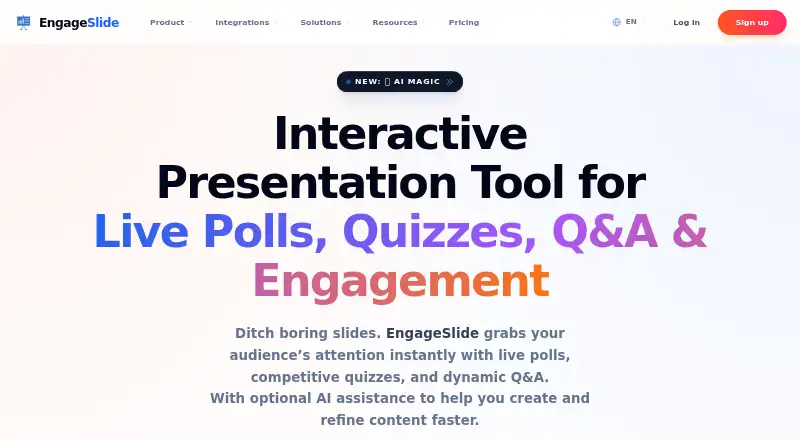
What EngageSlide is
EngageSlide is a presentation tool for involving an audience with live polls, quizzes, Q&A, word clouds and other interactive slides. Participants can join by QR code or link without installing an app or creating an account. Presenters see responses as they arrive, including charts and word clouds, and can use a smartphone to control slides, view private speaker notes and manage Q&A. Listed integrations include PowerPoint, Google Slides, Microsoft Teams and Miro; Teams supports polls, word clouds and quizzes during meetings. AI tools can draft outlines, slide content and audience activities, then summarize responses. EngageSlide says prompts and slide context may be sent to OpenAI, while private audience responses and personal information are not used to train models. Presentation insights can be exported to PDF or Excel. It is available on web, Android, iOS and Windows, with a browser extension and a Windows desktop companion for PowerPoint. The free plan supports up to 10 live participants. Basic is $4.79 per month billed annually and supports 100; Pro is $8.99 per month billed annually and supports 5,000.
Who it suits
EngageSlide suits educators, meeting presenters and event or conference organizers who want audience participation during presentations. Its participant limits and integrations may help teams choose a plan for their setting.
What it does well
- Join by QR code or link without an account.
- Responses appear in real time.
- Smartphone remote includes speaker notes and Q&A.
- Exports insights to PDF or Excel.
- Integrates with PowerPoint, Google Slides and Teams.
What to know first
- Free plan allows up to 10 live participants.
- Paid monthly rates are billed annually.
- AI prompts and slide context may go to OpenAI.
Plans
| Plan | Billed and limits | Price |
|---|---|---|
| Free | Up to 10 live participants · Unlimited audiences per month · All slide types · Live chat and email support | Free |
| Pro | $107.88 per year (= $8.99/month, billed annually) · 5,000 live participants · Custom logo and branding · Priority support · Advanced analytics · Team collaboration · Remote Control | $107.88 a year |
| Basic | $57.48 per year (= $4.79/month, billed annually) · 100 live participants · PDF and Excel export · Priority support · Advanced analytics · Team collaboration | $57.48 a year |
| Enterprise | Flexible participant limits · Custom features · SSO · Company-wide branding · White label · Dedicated account manager | On request |
As engageslide.com lists them, read 28 Sept 2026. The maker's own page has the final word.
Overview
EngageSlide is a presentation tool for educators, meeting hosts and event organizers who want audiences to respond during a live session. Its combination of polls, quizzes, Q&A and presenter controls is useful, but the free tier’s 10-person cap makes it a limited option for larger groups.
Key features
Participants join by scanning a QR code or opening a link, with no app installation or account required. That is a practical advantage for classes, conferences and meetings where a quick start matters. Presenters can add polls, quizzes, word clouds, Q&A and reactions, and see responses arrive in real time as charts or word clouds. Live Q&A helps manage audience questions, while PDF and Excel exports let teams retain presentation insights.
A smartphone can control slides, display private speaker notes and manage live Q&A. That gives presenters a way to move around while retaining session controls, though remote control is reserved for Pro. EngageSlide also integrates with PowerPoint, Google Slides and Microsoft Teams, and mentions Miro. In Teams, polls, word clouds and quizzes run inside meetings. A Windows desktop companion supports the PowerPoint integration, while a Chrome extension supports animated content in Google Slides.
AI can draft outlines and slide content, generate polls, quizzes and word-cloud questions, and summarize audience responses. Prompts and slide context may be sent to OpenAI; private audience responses and personal information are not used to train models. Data is encrypted in transit using TLS, and AI subprocessors must maintain SOC2 and GDPR compliance. Organizations deciding whether to use the AI features should weigh that prompt and slide-context sharing against those stated protections.
Pricing
EngageSlide uses a freemium model. Free costs nothing and includes all slide types, unlimited audiences per month, live chat and email support, but limits each live session to 10 participants. It suits small groups and trial sessions, not a typical class or event that exceeds that cap.
Basic costs $4.79 a month, billed annually. It raises the limit to 100 live participants and adds PDF and Excel exports, advanced analytics, team collaboration and priority support. It is the practical entry point for larger meetings, though it does not include the remote control listed with Pro.
Pro costs $8.99 a month, billed annually. It supports 5,000 live participants and includes custom logo and branding, advanced analytics, team collaboration and remote control. This is the better fit for large events or presenters who need mobile controls, but the annual billing term is important for buyers who want a short commitment.
Enterprise has custom pricing and flexible participant limits, custom features, Single Sign-On, company-wide branding, a white-label solution and a dedicated account manager. It is aimed at organizations needing administrative or branding options beyond the fixed plans.
Platforms
EngageSlide is available on web, Android, iOS and Windows, with a browser extension. Its presentation integrations widen its use beyond the web presentation platform, while the desktop companion is specifically for Windows PowerPoint users.
Who it's for
Educators, business meeting hosts and event or conference presenters are the clearest fit. It works best when the group benefits from live participation and can stay within the selected plan’s audience limit. For larger sessions, Free is too restrictive; Basic suits groups up to 100, while Pro covers substantially larger audiences.
Pros and cons
- Low-friction audience access: QR-code and link joining need no app or account, which reduces setup for participants.
- Broad live interaction: Polls, quizzes, word clouds, Q&A and reactions give presenters several ways to collect responses during a session.
- Useful presenter and export tools: Smartphone controls, speaker notes, Q&A management and PDF or Excel exports support presenting and follow-up, but remote control requires Pro.
- Sharp free-plan ceiling: Free is capped at 10 live participants, so even modest classes or meetings may need a paid plan.
- AI involves sharing session material: Prompts and slide context may go to OpenAI, a consideration for users handling sensitive content.
- Paid plans are billed annually: The monthly prices shown for Basic and Pro carry an annual billing term, which is less suitable for buyers seeking month-to-month flexibility.
Alternatives
Poll Everywhere is worth considering for those who prefer its 40-person free audience limit; its free plan also allows 700 for 30 days, and it has a free trial.
livepoll.io is a stronger candidate when session size is the priority: its free plan supports up to 1,000 participants per session, with unlimited questions and sessions.
Nearpod may fit classroom users who prefer a lesson-oriented product, with a free Silver plan that includes 300 MB storage and 40 student joins per lesson.
AhaSlides offers a free plan for up to 50 participants, with five quiz questions, three poll questions and unlimited presentations per month; consider it if those caps fit your sessions.
StreamAlive is another freemium option, with a free plan supporting unlimited sessions but only five participants per session.
Decka has a free plan with 50 people per activity, two live sessions a month and 200 people a month, making it an option for buyers comparing free-session allowances.
LessonUp is an alternative for users who want a free account with interactive features and saved lesson results.
Socrative offers a free plan with five quizzes, one room, 50 students per activity and 30-day report history.
Browse more options in Interactive Presentation Software or Audience Response Systems.
Verdict
EngageSlide is a good fit for educators, meeting hosts and event presenters who want varied live interactions, low-friction audience joining and useful presenter controls. Its strongest reason to choose is the combination of interactive slide types, real-time response views and presentation integrations. Look elsewhere if a free session must exceed 10 participants, or if you need remote control without moving to Pro.
Verdict
EngageSlide combines live audience activities with presenter controls and presentation integrations. Check the participant limit and annual billing terms, and consider its stated AI data handling if using those features.
Facts from EngageSlide's own pages
- AI data handling
- The AI disclosure says user-provided prompts and slide context may be sent to OpenAI, while private audience responses and personal information are not used to train the models. · engageslide.com, 28 Sept 2026
- AI features
- EngageSlide's AI can generate presentation outlines, slide content, polls, quizzes, and word cloud questions, and summarize audience responses. · engageslide.com, 28 Sept 2026
- AI security
- The AI disclosure states that data is encrypted in transit using industry-standard TLS and that AI subprocessors must maintain SOC2 and GDPR compliance. · engageslide.com, 28 Sept 2026
- Audience limit
- 100 · engageslide.com, 19 Sept 2026
- Audience participation
- Audience members can join by scanning a QR code or using a link, without installing an app or creating an account. · engageslide.com, 28 Sept 2026
- Browser extension
- The Google Slides page says the EngageSlide Chrome Extension integrates with the browser to support animated content. · engageslide.com, 28 Sept 2026
- Data exports
- EngageSlide says users can export presentation insights to PDF or Excel. · engageslide.com, 28 Sept 2026
- Desktop companion
- The PowerPoint integration page says a lightweight EngageSlide Desktop companion is available for Windows PCs. · engageslide.com, 28 Sept 2026
- Free plan
- Yes · engageslide.com, 19 Sept 2026
- Integrations
- The pricing page lists integrations with PowerPoint, Google Slides, and Microsoft Teams, and also mentions Miro. · engageslide.com, 28 Sept 2026
- Intended users
- The site describes use for educators, business meetings, and events or conferences. · engageslide.com, 28 Sept 2026
- Interactive slides
- The product offers live polls, quizzes, word clouds, Q&A, and other interactive slide types. · engageslide.com, 28 Sept 2026
- Live feedback
- Presenters can view responses in real time, including as charts and word clouds. · engageslide.com, 28 Sept 2026
- Live Q&A
- Yes · engageslide.com, 19 Sept 2026
- Plan limits
- The pricing page lists 10 live participants for Free, 100 for Basic, and 5,000 for Pro; Enterprise has flexible participant limits. · engageslide.com, 28 Sept 2026
- Presenter remote
- A smartphone can control slides, show private speaker notes, and manage live Q&A. · engageslide.com, 28 Sept 2026
- Purpose
- EngageSlide is an interactive presentation tool for live polls, quizzes, Q&A, and audience engagement. · engageslide.com, 28 Sept 2026
- Paid from
- 4.79 · engageslide.com, 19 Sept 2026
- Support
- The Free plan includes live chat and email support; Basic, Pro, and Enterprise list priority support. · engageslide.com, 28 Sept 2026
- Teams integration
- The Microsoft Teams integration provides polls, word clouds, and quizzes inside Teams meetings. · engageslide.com, 28 Sept 2026
Where EngageSlide stands on Freedom251
- Audience Response Systems#6 of 118
- Interactive Presentation Software#3 of 30