Freedom251 › Audience Response Systems
StreamAlive
by StreamAlive
What StreamAlive is
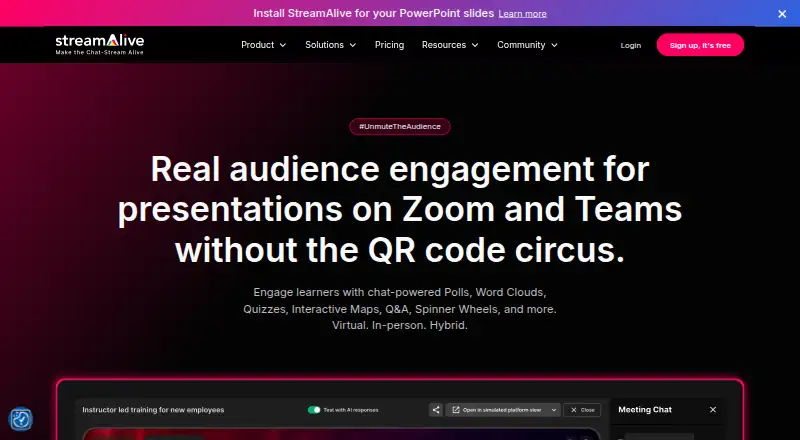
StreamAlive turns audience chat into live visual interactions during presentations, meetings, and streams. It offers polls, word clouds, maps, tiles, spinner wheels, quizzes, Q&A, and emoji interactions; on supported virtual platforms, participants can respond in the meeting or stream chat. Apps or add-ins are available for PowerPoint and Google Slides, alongside apps for Teams, Zoom, Miro, and StreamDeck. Listed integrations include Microsoft Teams, Zoom, Google Meet, YouTube Live, Twitch, Kick, Restream, StreamYard, LinkedIn Live, Webex, Vimeo, and Airmeet. Some integrations, including LinkedIn Live and Webex, use a free Chrome extension to read chat. AI features can create interactions, summarize responses, and identify and categorize questions. Post-session analytics are available on the Free plan. The Free plan allows unlimited sessions for up to five participants per session. Starter costs $20 a month, billed annually, and allows ten sessions per month; sessions with fewer than five participants do not count toward that limit. Pro access can be requested for two sessions or 14 days, whichever comes first, before returning automatically to Free.
Who it suits
StreamAlive suits presenters, trainers, educators, facilitators, and people running webinars or live streams who want audience chat to drive interactive activities. It also fits teams presenting through supported meeting, streaming, or slide platforms.
What it does well
- Offers polls, quizzes, Q&A, and other interactions.
- Works with PowerPoint and Google Slides.
- Free plan includes post-session analytics.
- AI can summarize responses and categorize questions.
- Says it encrypts data in transit and at rest.
What to know first
- Free plan allows up to five participants per session.
- Starter limits sessions to ten per month.
- Some integrations require a Chrome extension to read chat.
Limits
The Free plan allows unlimited sessions but caps each session at five participants. Starter costs $20 a month billed annually and includes ten sessions per month; sessions with fewer than five participants do not count toward the limit.
Plans
| Plan | Billed and limits | Price |
|---|---|---|
| Starter | billed annually · 10 sessions per month · Audiences of any size · Branding · 50+ preset themes · Chat support | $20 a month |
| Pro | billed annually · Unlimited sessions · Advanced branding · Custom colors and fonts · Saved themes · Priority chat and email support | $60 a month |
| Scale | billed annually · Unlimited sessions · SSO and SCIM provisioning · Shared templates and folders · Guided onboarding and support · Unlimited AI tokens | $150 a month |
| Scale (annual) | Billed as $1800 per year · Unlimited sessions · Audiences of any size · SSO and SCIM provisioning · Unlimited AI tokens · Guided onboarding and support | $150 a month |
| Pro (monthly) | Pay Monthly · Unlimited sessions · Audiences of any size · 72,000 AI tokens/year · Priority chat and email support | $150 a month |
| Starter (annual) | Billed as $240 per year · 10 sessions per month · Audiences of any size · 36,000 AI tokens/year · Chat support | $20 a month |
| Scale (monthly) | Pay Monthly · Unlimited sessions · Audiences of any size · SSO and SCIM provisioning · Unlimited AI tokens · Guided onboarding and support | $375 a month |
| Starter (monthly) | Pay Monthly · 10 sessions per month · Audiences of any size · 36,000 AI tokens/year · Chat support | $50 a month |
The first 8 of 10 plans, as streamalive.com lists them, read 19 Sept 2026. The maker's own page has the final word. Every plan
Getting started
- Visit https://www.streamalive.com/.
- Choose a supported platform or presentation app.
- Use the Free plan or request Pro access for the trial.
- For integrations that use it, install the free Chrome extension.
Overview
StreamAlive converts audience chat into visual interactions for presentations, meetings, webinars, and live streams. It suits trainers, facilitators, educators, professional presenters, and streamers who want participation to stay inside the chat their audience already uses. Its broad integration coverage is the main attraction, while the free tier is practical only for very small sessions.
Key features
Hosts can run polls, word clouds, maps, tiles, spinner wheels, quizzes, Q&A, emoji interactions, and live audience reactions. Participants on supported services respond by typing in meeting or stream chat, avoiding a separate response portal. That makes the product a good fit when joining another app would interrupt the event.
PowerPoint and Google Slides apps or add-ins support slide-led sessions. Separate apps cover Microsoft Teams, Zoom, Miro, and StreamDeck. StreamAlive also connects with Google Meet, YouTube Live, Twitch, Kick, Restream, StreamYard, LinkedIn Live, Webex, Vimeo, and Airmeet. LinkedIn Live and Webex are among the integrations that use a free Chrome extension to read chat, so those setups add a browser-extension dependency.
AI can create interactions, summarize responses, and identify and categorize questions from chat. Post-session analytics are included on the Free plan, giving small groups a way to review participation without paying. StreamAlive says it runs on AWS with a Virtual Private Cloud, encrypts data in transit and at rest, performs regular audits and assessments, and monitors systems continuously with intrusion-detection and prevention systems.
Pricing
StreamAlive uses a freemium model. The Free plan costs nothing, billed monthly, and allows unlimited sessions but only up to five participants per session. It includes all interaction types, post-session analytics, and community support. That cap makes it suitable for demonstrations, one-to-one coaching, or tiny groups, not normal webinars or classes.
| Plan | Price and terms | What you get |
|---|---|---|
| Starter | $20 a month, billed annually ($240 per year); $50 a month when paid monthly | 10 sessions per month, audiences of any size, branding, 50+ preset themes, chat support, and 36,000 AI tokens per year |
| Pro | $60 a month, billed annually ($720 per year); $150 a month when paid monthly | Unlimited sessions, audiences of any size, advanced or custom branding, custom colors and fonts, saved themes, 72,000 AI tokens per year, and priority chat and email support |
| Scale | $150 a month, billed annually ($1,800 per year); $375 a month when paid monthly | Unlimited sessions, audiences of any size, SSO and SCIM provisioning, shared templates and folders, guided onboarding and support, and unlimited AI tokens |
Starter sessions with fewer than five participants do not count toward its 10-session monthly allowance. Starter and Pro are provisioned for up to 1,000 participants per session; Scale is provisioned for up to 5,000, although StreamAlive describes live tests with audiences above 45,000. Annual billing substantially lowers the monthly equivalent, while monthly billing preserves flexibility at a higher rate. A Pro trial can be requested for two sessions or 14 days, whichever comes first, after which the account returns automatically to Free.
Platforms
StreamAlive is offered through an extension, macOS, web, and Windows. Its presentation and meeting add-ins make it relevant to desktop-led events, while chat integrations extend it to major meeting and streaming services.
Who it's for
Choose StreamAlive for training organizations, educators, facilitators, presenters, webinar hosts, and streamers who need varied interaction formats tied to live chat. Starter fits occasional events with broad audiences; Pro is aimed at frequent hosts needing unlimited sessions and deeper branding; Scale is the enterprise choice when SSO, SCIM, shared workspaces, onboarding, and unlimited AI usage matter.
Pros and cons
Pros
- Many interaction types cover quick polls, visual summaries, quizzes, questions, and reactions.
- Participants can respond in existing meeting or stream chat on supported platforms.
- PowerPoint, Google Slides, meeting, streaming, and collaboration integrations support varied workflows.
- Post-session analytics are included on Free.
- Scale adds SSO and SCIM, shared templates, guided support, and unlimited AI tokens.
Cons
- Free sessions are capped at five participants, limiting real events.
- Starter limits hosts to 10 sessions per month.
- Monthly paid pricing is considerably higher than annual billing.
- Some integrations require a Chrome extension, adding a browser-dependent setup step.
Alternatives
Interactive Presentation Software and Audience Response Systems round up broader categories if you want to compare formats beyond chat-driven interactions.
Poll Everywhere is a stronger fit when mobile apps and a free audience limit of 40 are priorities. livepoll.io suits sessions needing up to 1,000 participants on its free plan with unlimited questions and sessions. Nearpod is oriented toward classroom lessons, with 40 student joins on its free Silver plan. AhaSlides offers unlimited free presentations, capped at 50 participants, five quiz questions, and three poll questions.
EngageSlide is worth considering for small groups, with 10 live participants on Free. Decka targets activity limits such as 50 people per activity and two live sessions a month on Free. LessonUp is designed around interactive lessons. Socrative is a classroom assessment option with five quizzes, one room, and 50 students per activity on Free.
Verdict
StreamAlive is a strong choice for presenters and live-event hosts who want chat-native participation, varied visual activities, and integrations across slides, meetings, and streams. Choose it when those connections and post-session analytics justify moving beyond the five-person Free cap. Look elsewhere if you need a generous free audience, classroom-first tooling, or lower-cost monthly access.
Verdict
StreamAlive offers a wide range of chat-based activities and presentation integrations, with analytics on its Free plan. Check participant and session limits against the size and frequency of your events.
Questions
Does StreamAlive have a free plan?
Yes. The Free plan allows unlimited sessions with up to five participants per session, and includes post-session analytics.
How much does Starter cost?
Starter costs $20 a month when billed annually. It includes ten sessions per month.
Is there a free trial?
Yes. A user can request Pro access for two sessions or 14 days, whichever comes first, then returns to the Free plan automatically.
Which platforms and integrations does it support?
It offers apps or add-ins for PowerPoint and Google Slides, and apps for Teams, Zoom, Miro, and StreamDeck. Listed integrations include Microsoft Teams, Zoom, Google Meet, YouTube Live, Twitch, Kick, Restream, StreamYard, LinkedIn Live, Webex, Vimeo, and Airmeet.
What audience interactions are available?
Listed interaction types include polls, word clouds, maps, tiles, spinner wheels, quizzes, Q&A, and emoji interactions.
Who makes StreamAlive?
StreamAlive is the maker. It was founded in 2022 and is headquartered at 8 Battalion Drive, Basking Ridge, NJ 07920, United States.
Facts from StreamAlive's own pages
- AI features
- StreamAlive describes AI features for creating interactions, summarizing responses, and identifying and categorizing questions from chat. · streamalive.com, 2 Oct 2026
- Analytics
- The product includes post-session analytics, and the pricing page lists that feature on the Free plan. · streamalive.com, 2 Oct 2026
- Audience participation
- For supported virtual platforms, audiences can participate by typing in the meeting or stream chat. · streamalive.com, 2 Oct 2026
- Browser extension
- Some integrations, including LinkedIn Live and Webex, use a free Chrome extension that reads the chat stream. · streamalive.com, 2 Oct 2026
- Founded
- 2022 · streamalive.com, 28 Sept 2026
- Free plan
- Yes · streamalive.com, 19 Sept 2026
- Headquarters
- 8 Battalion Drive, Basking Ridge, NJ 07920, United States · streamalive.com, 28 Sept 2026
- Intended users
- The company describes the product for trainers, facilitators, professional presenters, training organizations, educators, and people running webinars or live streams. · streamalive.com, 2 Oct 2026
- Interactions
- Its listed interaction types include polls, word clouds, maps, tiles, spinner wheels, quizzes, Q&A, and emoji interactions. · streamalive.com, 2 Oct 2026
- Live Q&A
- Yes · streamalive.com, 19 Sept 2026
- Meeting and streaming integrations
- The integrations page lists Microsoft Teams, Zoom, Google Meet, YouTube Live, Twitch, Kick, Restream, StreamYard, LinkedIn Live, Webex, Vimeo, and Airmeet. · streamalive.com, 2 Oct 2026
- Plan limits
- The pricing page says Starter includes 10 sessions per month and that sessions with fewer than five participants do not count toward that limit. · streamalive.com, 2 Oct 2026
- Presentation tools
- StreamAlive offers apps or add-ins for PowerPoint and Google Slides, plus apps for Teams, Zoom, Miro, and StreamDeck. · streamalive.com, 2 Oct 2026
- Product
- StreamAlive turns audience chat responses into live visual interactions during presentations, meetings, and streams. · streamalive.com, 2 Oct 2026
- Provisioning
- The pricing page says Starter and Pro are provisioned for up to 1,000 participants per session and Scale for up to 5,000, while noting live tests with audiences exceeding 45,000. · streamalive.com, 2 Oct 2026
- Security
- StreamAlive says it runs on AWS using a Virtual Private Cloud and encrypts data in transit and at rest. · streamalive.com, 2 Oct 2026
- Security monitoring
- The security page says StreamAlive conducts regular audits and assessments and monitors systems around the clock using intrusion detection and prevention systems. · streamalive.com, 2 Oct 2026
- Paid from
- 20 · streamalive.com, 19 Sept 2026
- Trial
- A user can request Pro access for two sessions or 14 days, whichever comes first, and then returns to the Free plan automatically. · streamalive.com, 2 Oct 2026
Where StreamAlive stands on Freedom251
- Audience Response Systems#13 of 118
- Virtual Town Hall Software#8 of 35
- Interactive Presentation Software#15 of 30