Freedom251 › Interactive Lesson Makers
ScenarioSplice
What ScenarioSplice is
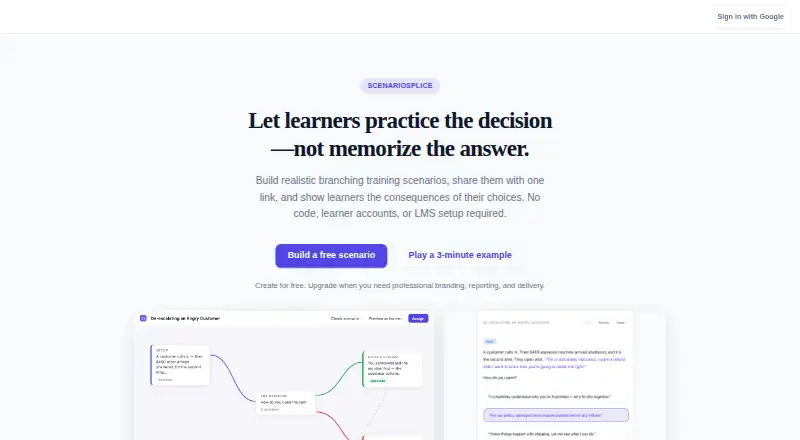
ScenarioSplice is a web-based, no-code authoring tool for building self-paced training scenarios where learners make choices and encounter consequences. Authors arrange connected pages as a decision tree using a visual editor with drag, zoom, rearrange, and edit controls. Each page can carry a correct, partial, incorrect, or informational tag, with color-coded learner feedback and aggregate class results. Optional AI can draft or rewrite page text and suggest choices; authors decide whether to accept each suggestion.
After validation, a scenario can be published as an unlisted link, which its author can revoke. Links can be shared through an LMS, email, Slack, internal training portals, Canvas, Google Classroom, and Schoology. Learners participate in a browser on desktop computers, laptops, tablets, or phones, without an app install or account. Class analytics include completion rates, results by feedback tag, drop-off pages, and common paths, using anonymous interaction data. Authors can export scenarios as JSON. The free plan includes unlimited scenarios, assignment links, cohorts, the full editor, AI drafting assistance, images, and aggregate class results. Professional costs $19 a month and adds custom branding, a reusable brand kit, CSV results export, and private access-code sharing. The product supports quiz scenarios but has no dedicated quiz mode with shuffling, numbering, or a running score.
Who it suits
ScenarioSplice suits teachers, instructional designers, trainers, and health or public-health educators who teach through decision-making scenarios. It is also a fit for organizations sharing self-paced training by link and reviewing anonymous class-level outcomes.
What it does well
- Build branching decision trees in a visual editor.
- Free plan includes unlimited scenarios and assignment links.
- Optional AI drafts and revises text and suggests choices.
- Share links through LMSs, email, Slack, and named classroom platforms.
- Anonymous class analytics include completion, outcomes, drop-offs, and paths.
- Learners can participate in a browser without an account.
What to know first
- No dedicated quiz mode for shuffling, numbering, or running scores.
- Single-file HTML export is described as coming in a subsequent release.
- CSV results export and private access-code sharing require Professional.
Limits
The free plan includes ScenarioSplice attribution. CSV results export and private access-code sharing are available on Professional at $19 a month. A single-file HTML export is described as coming in a subsequent release; JSON export is available at any time.
Plans
| Plan | Billed and limits | Price |
|---|---|---|
| Free | Unlimited scenarios · unlimited assignment links · cohorts · full editor · AI drafting assist · images · aggregate Class results · ScenarioSplice attribution | Free |
| Professional | Billed monthly. Cancel any time. · Custom branding · reusable brand kit · CSV results export · private access-code sharing | $19 a month |
| Organization | Multiple facilitators · shared scenario library · multiple brand kits · organization reporting · custom domain · priority support | On request |
As scenariosplice.com lists them, read 30 Sept 2026. The maker's own page has the final word.
Getting started
- Open scenariosplice.com in a web browser.
- Sign in as an author using Google OAuth.
- Build a scenario from connected pages in the visual editor.
- Validate the scenario and publish it as an unlisted link.
- Share the link through an LMS, email, Slack, a training portal, Canvas, Google Classroom, or Schoology.
- Learners open the link in a browser on a desktop, laptop, tablet, or phone.
Verdict
Choose ScenarioSplice to create branching, self-paced training and review aggregate learner outcomes, including on its free plan. Look elsewhere if your training depends on a dedicated quiz mode with shuffling, numbering, or a running score.
Questions
Is there a free plan?
Yes. Free costs nothing and includes unlimited scenarios and assignment links, cohorts, the full editor, AI drafting assistance, images, aggregate class results, and ScenarioSplice attribution.
What does Professional cost?
Professional costs $19 a month, billed monthly, and can be canceled at any time. It adds custom branding, a reusable brand kit, CSV results export, and private access-code sharing.
What platforms can authors and learners use?
ScenarioSplice is web-based. Learners use a browser on desktops, laptops, tablets, or phones without installing an app or creating an account.
Can scenarios be shared through an LMS?
Yes. Authors can share links through LMSs, email, Slack, internal training portals, Canvas, Google Classroom, and Schoology.
What export options are available?
Authors can export scenarios as JSON at any time. Single-file HTML export is described as coming in a subsequent release.
Who makes ScenarioSplice, and how can I contact support?
The listed contact for product questions, feedback, accessibility issues, and deletion requests is [email protected].
Facts from ScenarioSplice's own pages
- Accessibility
- The product aims for WCAG 2.1 Level AA and documents keyboard navigation, ARIA labels, contrast, screen-reader support, focus management, reduced motion, and semantic HTML. · scenariosplice.com, 30 Sept 2026
- AI drafting
- Optional AI tools draft page text, rewrite text, and suggest decision choices, with every suggestion requiring author acceptance or rejection. · scenariosplice.com, 30 Sept 2026
- Analytics
- Class results show completion rate, outcomes by feedback tag, drop-off pages, and common paths, while learners remain anonymous. · scenariosplice.com, 30 Sept 2026
- Audience
- The maker describes the product for classroom teachers, instructional designers, corporate trainers, nurse educators, public-health professionals, and others teaching decisions. · scenariosplice.com, 30 Sept 2026
- Editor
- The visual editor uses connected pages that authors can drag, zoom, rearrange, and edit as a decision tree. · scenariosplice.com, 30 Sept 2026
- Export limit
- Authors can export scenarios as JSON at any time, while a single-file HTML export is described as coming in a subsequent release. · scenariosplice.com, 30 Sept 2026
- Feedback
- Pages can be tagged correct, partial, incorrect, or informational, with color-coded learner feedback and aggregate class results. · scenariosplice.com, 30 Sept 2026
- Integrations
- Scenarios can be delivered by pasted links in LMSs, email, Slack, internal training portals, Canvas, Google Classroom, and Schoology. · scenariosplice.com, 30 Sept 2026
- Learner access
- Learners play in a browser on desktops, laptops, tablets, and phones without installing an app or creating an account. · scenariosplice.com, 30 Sept 2026
- Privacy
- ScenarioSplice states that it collects no personally identifiable information from learners and records only anonymous aggregate interaction events. · scenariosplice.com, 30 Sept 2026
- Product
- ScenarioSplice is a no-code authoring tool for branching training scenarios in which learners make decisions and see consequences. · scenariosplice.com, 30 Sept 2026
- Quiz limitation
- ScenarioSplice supports quiz use cases but has no dedicated quiz mode with shuffling, numbering, or a running score. · scenariosplice.com, 30 Sept 2026
- Security and vendors
- Author sign-in uses Google OAuth, AI requests go through OpenRouter without prompt retention after response generation, and Cloudflare hosts the application and database. · scenariosplice.com, 30 Sept 2026
- Sharing
- Assign validates scenarios, publishes them as unlisted links, and lets authors revoke links at any time. · scenariosplice.com, 30 Sept 2026
- Support
- Product questions, feedback, accessibility issues, and deletion requests can be sent to [email protected]. · scenariosplice.com, 30 Sept 2026
Where ScenarioSplice stands on Freedom251
- Interactive Lesson Makers#18 of 31