Freedom251 › Google Workspace Teacher Resources Software

Pear Deck
What Pear Deck is
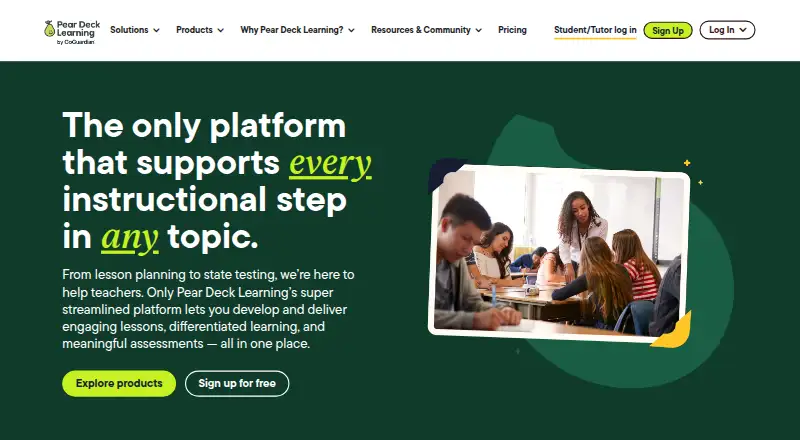
Pear Deck helps teachers create and deliver interactive lessons through the Pear Deck Learning platform. Classroom activities can be collaborative, with real-time feedback on student understanding; the product also supports live polls and quizzes. Teachers can use ready-to-teach materials or create lesson packages with customizable lessons, practice sets, and tests differentiated for student groups. Content Orchard includes more than 1,000 certified math and ELA lessons for grades 2–12, as well as standards-aligned content, templates, and activities. Listed integrations include Google Slides, Google Classroom, PowerPoint, Microsoft Teams, Canvas, and Schoology. Teachers can sign in with Google or Microsoft, and Google Classroom can roster students and assign lessons. Teacher Free costs nothing and includes interactive lessons and questions, Student-Paced mode, templates, anonymous student joining, and classroom tools. Teacher Premium is $149 a year with an educator discount and adds a dashboard, drawing and draggable responses, Reflect & Review, and teacher feedback. Flashcard Factory and Audio to Slides are available only on Google Apps for Education. The company says it is FERPA compliant and does not sell, trade, or rent student personal information.
Who it suits
Pear Deck is for educators and schools that want interactive lessons, student responses, and classroom activities. Its school and district features may also suit administrators who need dashboards and usage data.
What it does well
- Supports live polls and quizzes.
- Offers more than 1,000 certified math and ELA lessons.
- Integrates with Google Slides and major LMS platforms.
- Schools and districts control student information.
- Free Teacher plan is available.
What to know first
- Flashcard Factory and Audio to Slides require Google Apps for Education.
- Teacher Premium is $149 a year with an educator discount.
- Schools and districts pricing is custom.
Limits
Teacher Free does not include the Teacher Premium additions: Teacher Dashboard, drawing and draggable responses, Reflect & Review, and Teacher Feedback. Flashcard Factory and Audio to Slides are available only on Google Apps for Education.
Plans
| Plan | Billed and limits | Price |
|---|---|---|
| Teacher Free | Interactive lessons and questions · Student-Paced mode · ready-to-teach lessons and templates · anonymous student joining · Google and Microsoft classroom tools | Free |
| Teacher Premium | $149*/year (*with educator discount) · Teacher Free features · Teacher Dashboard · Drawing and Draggable responses · Reflect & Review · Teacher Feedback | $149 a year |
| Schools & Districts | Custom · Teacher Premium features · District Library · certified math and ELA lessons for grades 3–12 · onboarding and implementation support · Canvas and Schoology LMS integrations | On request |
As peardeck.com lists them, read 9 Oct 2026. The maker's own page has the final word.
Getting started
- Go to https://www.peardeck.com/.
- Use the web version or the extension.
- Sign in with Google or Microsoft.
- Start with Teacher Free, or choose Teacher Premium at $149 a year.
- Use Google Classroom to roster students and assign lessons, if desired.
Verdict
Pear Deck combines interactive lesson tools with ready-to-teach content and a free Teacher plan. Schools evaluating it should check plan-specific features and whether its integrations fit their classroom setup.
Questions
Does Pear Deck have a free plan?
Yes. Teacher Free is listed as free and includes interactive lessons and questions, Student-Paced mode, ready-to-teach lessons and templates, anonymous student joining, and Google and Microsoft classroom tools.
How much does Teacher Premium cost?
Teacher Premium is $149 a year, billed at $149 per year with an educator discount.
Which platforms does Pear Deck support?
Pear Deck is available as an extension and on the web. The presentation platform is web.
Which tools does Pear Deck integrate with?
Listed integrations are Google Slides, Google Classroom, PowerPoint, Microsoft Teams, Canvas, and Schoology.
Can schools and districts use Pear Deck?
Yes. The Schools & Districts plan is custom-priced and includes Teacher Premium features, a District Library, certified math and ELA lessons for grades 3–12, onboarding and implementation support, and Canvas and Schoology LMS integrations.
How does Pear Deck handle student information?
Pear Deck Learning says it is FERPA compliant and does not sell, trade, or rent student personal information. Schools and districts own and control that information and can request its deletion at any time.
Facts from Pear Deck's own pages
- Account access
- Pear Deck supports sign-on with Google or Microsoft, and its pricing page says Google Classroom can be used to roster students and assign lessons. · peardeck.com, 9 Oct 2026
- Audience
- Pear Deck is presented for educators, schools, and districts, with school and district features including administrator dashboards and usage data. · peardeck.com, 9 Oct 2026
- Certification
- Pear Deck Learning products are 1EdTech TrustEd Apps certified. · peardeck.com, 9 Oct 2026
- Content library
- Content Orchard includes more than 1,000 certified math and ELA lessons for grades 2–12, standards-aligned content, templates, and activities. · peardeck.com, 9 Oct 2026
- Data safeguards
- The company says it uses TLS encryption in transit and restricts access to personal student information on a need-to-know basis. · peardeck.com, 9 Oct 2026
- Engagement
- The product supports collaborative classroom activities and real-time feedback on student understanding. · peardeck.com, 9 Oct 2026
- Integrations
- The product page lists Google Slides, Google Classroom, PowerPoint, Microsoft Teams, Canvas, and Schoology integrations. · peardeck.com, 9 Oct 2026
- Lesson generation
- Instant lesson packages can include customizable lessons, practice sets, and tests differentiated for multiple student groups. · peardeck.com, 9 Oct 2026
- Plan limit
- Flashcard Factory and Audio to Slides are available only on Google Apps for Education. · peardeck.com, 9 Oct 2026
- Privacy
- Pear Deck Learning says it is FERPA compliant and does not sell, trade, or rent student personal information. · peardeck.com, 9 Oct 2026
- Product
- Pear Deck helps teachers create and deliver interactive lessons on any topic as part of the Pear Deck Learning platform. · peardeck.com, 9 Oct 2026
- School data control
- Schools and districts own and control their personal student information and can request its deletion at any time. · peardeck.com, 9 Oct 2026
Where Pear Deck stands on Freedom251
- Google Workspace Teacher Resources Software#14 of 33
- Google Workspace Academic Software#8 of 18
- Interactive Lesson Makers#17 of 31
- Google Workspace Office Tools#11 of 20
- Interactive Presentation Software#17 of 30
- Google Workspace Creative Tools#17 of 27
- Interactive Classroom Software#18 of 27