Freedom251 › Google Workspace Teacher Resources Software

Lumio
What Lumio is
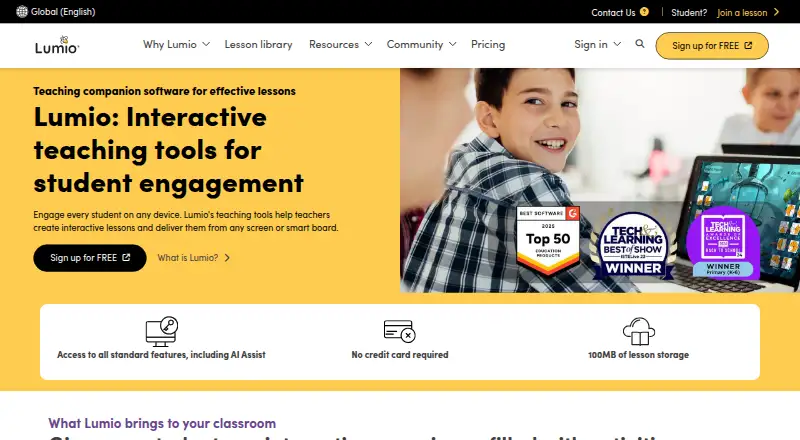
Lumio is a browser based teaching tool for making interactive lessons and sharing them from a screen or smart board. AI Assist can turn a prompt into teaching materials, including a complete lesson. Teachers can run classes live or asynchronously, then review student work during and after a session. Lessons can include games, collaborative workspaces, formative assessments, polls, class discussions, and digital manipulatives. Teachers can also import, combine, and edit PDF, Google Slides, PowerPoint, and SMART Notebook files.
Lumio runs in a browser on any device; it does not require a SMART Board or a software download. Its audience includes K–12 and higher education teachers, as well as professional development. The free plan has a combined limit of 20 files or sessions and 100 MB of lesson storage. Standard costs $59 a year and provides unlimited lesson storage for individual educators. Spark is a custom, quote required plan for schools and districts. Integrations include Google and Microsoft sign in, rostering through ClassLink or Google or Microsoft groups, and LTI connections to Canvas, Schoology, and D2L Brightspace. Lesson content partners include Desmos Graphing Calculator, PhET simulations, Epic!, and Tynker.
Who it suits
Lumio suits educators who want to build interactive lessons, teach live or asynchronously, and review student work. It is described for K–12, higher education, and professional development, with Spark available for schools and districts.
What it does well
- AI Assist can generate teaching materials and complete lessons from prompts.
- Classes can run live or asynchronously, with student work review.
- Activities include polls, quizzes, discussions, games, and collaborative workspaces.
- Imports and edits PDF, Google Slides, PowerPoint, and SMART Notebook files.
- Works in a browser on any device without a SMART Board or download.
What to know first
- The free plan caps combined files or sessions at 20 and storage at 100 MB.
- Standard costs $59 a year.
- Spark requires a custom quote.
Limits
The free plan allows 20 files or sessions combined within 100 MB of storage. Once the storage limit is reached, users cannot add more. Standard provides unlimited lesson storage and costs $59 a year.
Plans
| Plan | Billed and limits | Price |
|---|---|---|
| Standard | USD /year · Unlimited lesson storage · best for individual educators | $59 a year |
| Free | USD /year · 100MB lesson storage · for individual educators | On request |
| Spark | Custom · for schools and districts · quote required | On request |
As smarttech.com lists them, read 29 Sept 2026. The maker's own page has the final word.
Getting started
- Open the Lumio website in a browser on a device.
- Choose the Free plan for individual educators or review Standard at $59 a year.
- For a school or district plan, request a Spark quote.
- Sign in with Google or Microsoft, or use the listed rostering and LMS integrations.
- Import supported lesson files or create teaching materials with AI Assist.
- Deliver a lesson live or asynchronously and review student work.
Verdict
Choose Lumio if you want browser based lesson creation, interactive activities, and live or asynchronous delivery. Standard is aimed at individual educators who need unlimited lesson storage; schools and districts can request a Spark quote. The free plan may be limiting once its 20 file or session and 100 MB combined allowance is used.
Questions
Is there a free plan?
Yes. The free plan is for individual educators and includes 100 MB of lesson storage, with a combined limit of 20 files or sessions.
How much does Standard cost?
Standard costs $59 a year and includes unlimited lesson storage for individual educators.
What does Spark cost?
Spark is a custom plan for schools and districts, and requires a quote.
What devices can run Lumio?
Lumio works in a browser on any device. It does not require a SMART Board or a software download.
Which classroom and content integrations are listed?
Sign-in options include Google and Microsoft; rostering includes ClassLink, Google, or Microsoft groups; and LTI integrations include Canvas, Schoology, and D2L Brightspace. Content partners include Desmos Graphing Calculator, PhET simulations, Epic!, and Tynker.
Facts from Lumio's own pages
- AI lesson creation
- AI Assist can generate interactive teaching materials from a prompt, including complete lessons. · smarttech.com, 29 Sept 2026
- Audience
- Lumio is described as suitable for K–12, higher education, and professional development. · smarttech.com, 29 Sept 2026
- Browser use
- Lumio works in a browser on any device without requiring a SMART Board or a software download. · smarttech.com, 29 Sept 2026
- Class delivery
- Teachers can deliver lessons live or asynchronously and review student work during and after a class session. · smarttech.com, 29 Sept 2026
- Content partners
- Lumio describes lesson content integrations with Desmos Graphing Calculator, PhET simulations, Epic!, Tynker, and other education providers. · smarttech.com, 29 Sept 2026
- File import
- Teachers can import, combine, and edit PDF, Google Slides, PowerPoint, and SMART Notebook files. · smarttech.com, 29 Sept 2026
- Founded
- 1987 · smarttech.com, 23 Sept 2026
- Free plan limit
- The free plan allows 20 files or sessions combined, counted as 100 MB; users cannot add more after reaching the storage limit. · support.smarttech.com, 29 Sept 2026
- Headquarters
- Calgary, Alberta, Canada · smarttech.com, 23 Sept 2026
- Integrations
- The pricing page lists sign-in with Google and Microsoft, teacher rostering with ClassLink, Google, or Microsoft groups, and LTI integrations for Canvas, Schoology, and D2L Brightspace. · smarttech.com, 29 Sept 2026
- Interactive activities
- Lumio includes games, collaborative workspaces, formative assessments, polls, class discussions, and digital manipulatives. · smarttech.com, 29 Sept 2026
- Privacy
- SMART says European customers can use its products in compliance with GDPR and choose to have product user data stored and processed in the EU. · smarttech.com, 29 Sept 2026
- Purpose
- Lumio helps teachers create interactive lessons and deliver them from any screen or smart board. · smarttech.com, 29 Sept 2026
- Security
- SMART says customer data is hosted in AWS and Google Cloud data centers with ISO 27001 and SOC 2/3 certifications. · smarttech.com, 29 Sept 2026
- Security audits
- SMART says it performs internal security audits quarterly and an annual third-party audit that includes penetration testing of Lumio. · smarttech.com, 29 Sept 2026
- Support and training
- The plans page lists onboarding, live and on-demand webinars, and online coursework and certifications; Spark includes a dedicated Customer Success Manager. · smarttech.com, 29 Sept 2026
Where Lumio stands on Freedom251
- Google Workspace Teacher Resources Software#16 of 33
- Interactive Classroom Software#17 of 27
- Photo Storage Services#50 of 71