Freedom251 › Interactive Lesson Makers
LessonFlow
What LessonFlow is
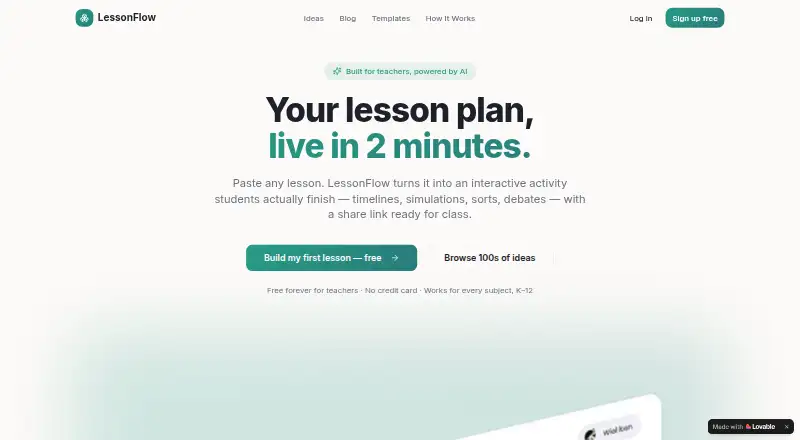
LessonFlow turns teachers’ lesson plans into interactive activities for students. Teachers can paste lesson text, upload a PDF, or import a document; its AI extracts objectives, concepts, and possible assessment opportunities to help shape an activity. Suggested formats include timelines, simulations, and branching narratives, and teachers can adjust variables, prompts, and scoring before publishing a student-ready share link. Activities can be delivered live, and lessons can be exported to Google Classroom. Real-time analytics track completion, engagement, and interaction depth. The library is labeled as containing 10 interactive templates, and the product is presented for K–12 subjects including English, math, science, social studies, world languages, health and PE, and the arts. Lesson creation requires no coding, according to the maker. LessonFlow runs on the web and includes multimedia content, interactive activities, branching paths, and learner analytics. Its Free plan costs nothing, described as free forever for teachers across every subject and K–12, with no credit card required.
Who it suits
LessonFlow suits K–12 teachers who want to turn lesson materials into interactive activities across subjects. It may also fit teachers who need student share links, live delivery, or engagement analytics.
What it does well
- Accepts pasted text, PDFs, and imported documents
- Offers timelines, simulations, and branching narratives
- Exports lessons to Google Classroom
- Tracks completion and interaction depth in real time
- Free forever for teachers; no credit card
What to know first
- Web platform only
- Template library contains 10 templates
Limits
The Free plan is described as free forever for teachers, across subjects and K–12, with no credit card required. The template library is labeled as containing 10 interactive templates.
Plans
| Plan | Billed and limits | Price |
|---|---|---|
| Free | Free forever for teachers · no credit card · every subject · K–12 | Free |
As lessonflows.org lists them, read 1 Oct 2026. The maker's own page has the final word.
Getting started
- Open the LessonFlow website.
- Use the Free plan, which requires no credit card.
- Paste lesson text, upload a PDF, or import a document.
- Fine-tune the recommended activity’s variables, prompts, and scoring.
- Publish the activity and share its student link, or export the lesson to Google Classroom.
Verdict
LessonFlow combines AI-assisted activity creation with customization, sharing, and classroom analytics. Its free plan and broad subject coverage make it relevant to teachers seeking interactive lesson formats.
Questions
Is LessonFlow free?
Yes. Its Free plan is free forever for teachers and does not require a credit card.
What platforms does LessonFlow support?
LessonFlow is available on the web.
What can teachers use as lesson input?
Teachers can paste text, upload a PDF, or import a document.
Can activities be shared with students?
Yes. Published activities provide a student-ready share link.
Does LessonFlow work with Google Classroom?
Lessons can be exported to Google Classroom.
Does lesson creation require coding?
The maker says lesson creation requires no coding.
Facts from LessonFlow's own pages
- Activity formats
- Recommended formats include timelines, simulations, and branching narratives. · lessonflows.org, 1 Oct 2026
- AI workflow
- Its AI extracts objectives, concepts, and assessment opportunities from uploaded lessons. · lessonflows.org, 1 Oct 2026
- Analytics
- LessonFlow tracks completion, engagement, and interaction depth in real time. · lessonflows.org, 1 Oct 2026
- Assignment
- Published activities provide a student-ready share link. · lessonflows.org, 1 Oct 2026
- Audience
- LessonFlow is built for teachers and is described as working for every subject in K–12. · lessonflows.org, 1 Oct 2026
- Coding
- The maker says lesson creation requires no coding. · lessonflows.org, 1 Oct 2026
- Customization
- Teachers can fine-tune variables, prompts, and scoring. · lessonflows.org, 1 Oct 2026
- Inputs
- Teachers can paste text, upload a PDF, or import a document. · lessonflows.org, 1 Oct 2026
- Integration
- Lessons can be exported to Google Classroom. · lessonflows.org, 1 Oct 2026
- Purpose
- LessonFlow turns lesson plans into interactive activities for students. · lessonflows.org, 1 Oct 2026
- Subjects
- The product is presented for English, math, science, social studies, world languages, health and PE, the arts, and more. · lessonflows.org, 1 Oct 2026
- Templates
- The template library is labeled as containing 10 interactive templates. · lessonflows.org, 1 Oct 2026
Where LessonFlow stands on Freedom251
- Interactive Lesson Makers#16 of 31