Freedom251 › AI Wireframe Generators
WireDSL
What WireDSL is
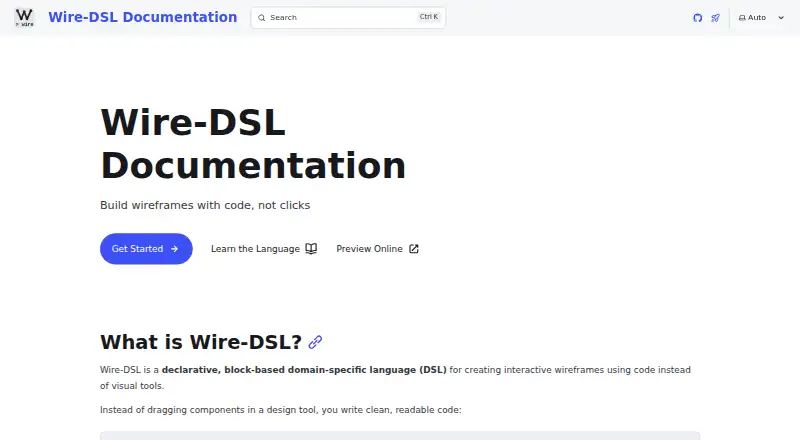
WireDSL is a free, open-source, code-first tool for creating interactive wireframes, including dashboards, forms, and design systems. Its block-based language supports clickable prototypes and can render designs to SVG, PNG, or PDF. The documentation lists 30 built-in components for interface elements such as text, inputs, buttons, navigation, data, and media, plus five layout containers: Stack, Grid, Split, Panel, and Card.
You can write and preview wireframes in the browser editor, which provides real-time validation and exports without installation, or use the CLI to validate and render .wire files. A VS Code extension offers syntax highlighting, error detection, autocomplete, formatting, and a live preview pane. The MCP server supplies documentation, validation, and rendering tools for Claude Desktop, ChatGPT, Cursor, and Windsurf. The public server needs no installation or authentication; self-hosting is also documented. The code-driven editor previews standard screen sizes, and designs with 100 or more components may slow down its preview.
Who it suits
WireDSL suits people building interactive, code-based wireframes for dashboards, forms, and design systems. It may also fit teams that want version-control workflows or AI-assisted wireframing tools.
What it does well
- Free plan and open-source license.
- Exports SVG, PNG, and PDF.
- 30 built-in components and five layout containers.
- Browser editor provides live preview and validation.
- VS Code extension includes autocomplete and error detection.
What to know first
- The web editor is code-driven.
- Preview is limited to standard screen sizes.
- 100 or more components may slow preview.
Limits
The free Wire-DSL plan is listed as free. The web editor preview uses standard screen sizes and may slow down for wireframes with 100 or more components.
Plans
| Plan | Billed and limits | Price |
|---|---|---|
| Wire-DSL | Open source · CLI, web editor, and VS Code extension | Free |
As wire-dsl.org lists them, read 9 Oct 2026. The maker's own page has the final word.
Getting started
- Open the WireDSL website and use the browser editor without installing software.
- Install the CLI from npm as @wire-dsl/cli to validate and render .wire files.
- Add the documented VS Code extension for editing with syntax support and live preview.
- Connect a supported AI tool to the public MCP server, or follow the documentation to self-host it.
WireDSL is a declarative, block-based toolkit for building interactive wireframes in code. It fits developers and design teams that want reviewable interface files, reusable components, and Git-based collaboration. The free, open-source package is compelling for structured product work, but less suitable for people who need a freeform visual canvas or very large previews.
Overview
WireDSL turns screen and interaction definitions into code that can be validated, rendered, and compared in version control. It supports clickable prototypes and exports SVG, PNG, and PDF, giving teams usable outputs for reviews, documentation, and handoff. Dashboards, forms, and design systems are natural applications because their repeated structures benefit from consistent, diff-friendly source files.
The central trade-off is authoring by code. That approach improves repeatability and makes GitHub-based review practical, while requiring designers and stakeholders to work with a declarative format instead of directly moving objects on a canvas.
Key features
Components and layouts
The documented component set contains 30 built-in elements covering text, inputs, buttons, navigation, data, media, and other interface needs. Stack, Grid, Split, Panel, and Card provide five defined layout containers. Custom components allow teams to extend this vocabulary for their own design systems rather than forcing every project into the built-in set.
Editors and delivery
The browser editor gives live preview, real-time validation, and SVG or PNG export without installation. The CLI, distributed through npm as @wire-dsl/cli, validates and renders .wire files, making it suitable for scripted or repeatable workflows. The VS Code extension adds syntax highlighting, error detection, autocomplete, formatting, and a live preview pane, so developers can stay in their normal editor.
AI and collaboration
The MCP server connects WireDSL tools for documentation, validation, and rendering to Claude Desktop, ChatGPT, Cursor, and Windsurf. Its public hosted endpoint requires no installation or authentication, while self-hosting is also documented. Syntax is designed to support generating wireframes from natural-language prompts, and the project describes built-in accessibility practices as part of the design approach.
Version-control-friendly files and documented GitHub integration make changes easier to review than screenshots or opaque project files. The web preview is limited to standard screen sizes, however, and the documentation warns that wireframes with 100 or more components may slow preview performance.
Pricing
| Plan | Price | Includes |
|---|---|---|
| Wire-DSL | free | Open source; CLI, web editor, and VS Code extension |
There is one free plan, with no free trial because the product itself is free. It includes the core delivery paths rather than reserving the CLI or extension for paid users. The MIT license also permits open-source use. There are no published seat fees, usage quotas, or renewal charges to weigh against the $0.00 price.
Platforms
WireDSL supports API, browser, Linux, macOS, Windows, and self-hosted use, with an editor extension available for supported development environments. The hosted MCP server removes setup for AI-assisted workflows; self-hosting is an option for teams that want to operate that service themselves.
Who it's for
Choose WireDSL if your team is comfortable expressing interfaces as code and wants wireframes that belong in GitHub review, automated validation, or repeatable rendering. It is particularly well matched to developers, design-system teams, and product groups building dashboards or forms where reusable structures matter.
Look elsewhere if your process depends on unconstrained visual exploration, arbitrary canvas sizes, or stakeholders who need to edit screens without learning a DSL. The standard-size preview and code-led editor impose real workflow limits, and very large wireframes can make the browser preview less responsive.
Pros and cons
Pros
- Code-first, diff-friendly files: interface changes can fit normal version-control and GitHub review workflows.
- Broad output options: clickable prototypes can be rendered to SVG, PNG, or PDF for different review and handoff needs.
- Useful developer tooling: the CLI and VS Code extension provide validation, rendering, completion, formatting, and live preview.
- Extensible structure: 30 built-in components, five layout containers, and custom components cover a structured design-system workflow.
- Accessible AI entry points: hosted MCP access works without installation or authentication and connects to several AI clients.
- No software charge: the open-source MIT-licensed plan includes the main tools at no cost.
Cons
- Not a visual canvas: code-driven editing is a barrier for teams expecting drag-and-drop wireframing.
- Constrained preview: the web editor previews standard screen sizes rather than arbitrary dimensions.
- Large-file slowdown: wireframes with 100 or more components may slow the browser preview.
- Developer-oriented setup: the CLI, DSL, and editor extension favor technical users over casual collaborators.
Alternatives
AI Wireframe Generators is the broader starting point when you want to compare AI-focused wireframing tools rather than adopt a single code-first system.
Genspark Design is a freemium, cross-platform option with a free allowance of 100 credits per day; its Plus plan adds 10,000 credits per month and 50 GB of AI Drive storage.
Jenova UI/UX Prototype Generator suits users wanting AI prototype generation across desktop, mobile, web, and API platforms; its free tier has limited usage and Plus costs $20 a month billed monthly.
Kaiju Hub AI is preferable when you need a freemium workspace with explicit free caps of five active projects, wireframes, block groups, plugins, and one marketing campaign.
Miro is the better choice for a conventional collaborative canvas, with a free plan covering three editable boards, 7,000-plus templates, and 250-plus integrations.
pen.dev offers a free developer-oriented plan with five agent days, 25 image and SVG generations, and one concurrent agent each month; its Pro plan is $16 a month.
Whimsical fits teams wanting visual boards and documents; its free tier allows 50 board objects and 50 document blocks per month, with watermarked exports and seven-day version history.
WireMD is another free, MIT-licensed open-source option for users who want a similarly cost-free tool.
Figma Make is a freemium choice on macOS and the web, with AI-credit-based Starter and Professional Full seat plans.
Verdict
WireDSL is a strong choice for developers and design-system teams that want interactive wireframes as maintainable, version-controlled code, with capable CLI, browser, VS Code, export, and AI integrations at no software cost. Choose another tool when visual, unconstrained canvas editing is central to your process or when very large wireframes must remain fluid in preview.
Verdict
WireDSL combines a code-first wireframing workflow with a browser editor, CLI, and VS Code extension. Consider the code-driven editor and possible slowdown on large wireframes when deciding whether it fits your process.
Questions
How much does WireDSL cost?
The Wire-DSL plan is listed as free, and the pricing model is free.
Is WireDSL open source?
Yes. The project describes WireDSL as open source, and its GitHub repository identifies the license as MIT.
What can I export?
Wireframes can be rendered to SVG, PNG, and PDF. The browser editor offers SVG and PNG export.
Which platforms are listed?
The listed platforms are API, extension, Linux, macOS, self-hosted, web, and Windows.
Which AI tools does its MCP server support?
The project lists Claude Desktop, ChatGPT, Cursor, and Windsurf. The server provides documentation, validation, and rendering tools.
What does the browser editor require?
It works without installation. The public MCP server also requires no installation or authentication.
Facts from WireDSL's own pages
- Accessibility
- The project describes built-in accessibility best practices as a design feature. · wire-dsl.org, 9 Oct 2026
- Accessibility and AI
- The project describes built-in accessibility practices and syntax designed to support generating wireframes from natural-language prompts. · wire-dsl.org, 9 Oct 2026
- AI integration
- The MCP server supports Claude Desktop, ChatGPT, Cursor, and Windsurf, with tools for documentation, validation, and rendering. · wire-dsl.org, 9 Oct 2026
- CLI
- The CLI can validate and render .wire files and is installable from npm as @wire-dsl/cli. · wire-dsl.org, 9 Oct 2026
- Components
- The documentation lists 30 built-in components covering text, inputs, buttons, navigation, data, media, and other interface elements. · wire-dsl.org, 9 Oct 2026
- Editor extension
- The site lists a VS Code extension with syntax highlighting and IntelliSense. · wire-dsl.org, 9 Oct 2026
- Editor limitation
- The web editor is code-driven, its preview is limited to standard screen sizes, and wireframes with 100 or more components may slow down preview. · wire-dsl.org, 9 Oct 2026
- Exports
- Wire-DSL can render wireframes to SVG, PNG, and PDF. · wire-dsl.org, 9 Oct 2026
- Hosted MCP
- The public MCP server requires no installation or authentication, and the documentation also describes self-hosting it. · wire-dsl.org, 9 Oct 2026
- Integrations
- The project describes GitHub version-control workflows and an MCP server at mcp.wire-dsl.org/mcp. · wire-dsl.org, 9 Oct 2026
- Intended users
- The project presents dashboards, forms, and design systems as use cases and provides a code-first workflow for building wireframes. · wire-dsl.org, 9 Oct 2026
- Layouts
- The five documented layout containers are Stack, Grid, Split, Panel, and Card. · wire-dsl.org, 9 Oct 2026
- License
- The official site says Wire-DSL is open source; its GitHub repository identifies the license as MIT. · wire-dsl.org, 9 Oct 2026
- Limit
- The web editor documentation says very large wireframes with 100 or more components may slow down the preview. · wire-dsl.org, 9 Oct 2026
- Purpose
- Wire-DSL is a declarative, block-based language for creating interactive wireframes with code. · wire-dsl.org, 9 Oct 2026
- Support
- The site points users to documentation, GitHub issues, discussions, and a contributing guide for community support. · wire-dsl.org, 9 Oct 2026
- Version control
- The documentation describes the code-first workflow as version-control and diff friendly, and lists GitHub integration as version-control ready. · wire-dsl.org, 9 Oct 2026
- VS Code
- The project documents a VS Code extension with syntax highlighting, error detection, autocomplete, formatting, and a live preview pane. · wire-dsl.org, 9 Oct 2026
- Web editor
- The browser-based editor provides live preview, real-time validation, and SVG or PNG export without installation. · wire-dsl.org, 9 Oct 2026
Where WireDSL stands on Freedom251
- AI Wireframe Generators#20 of 34