Freedom251 › Disk Space Analyzers
WinDirStat
by WinDirStat
What WinDirStat is
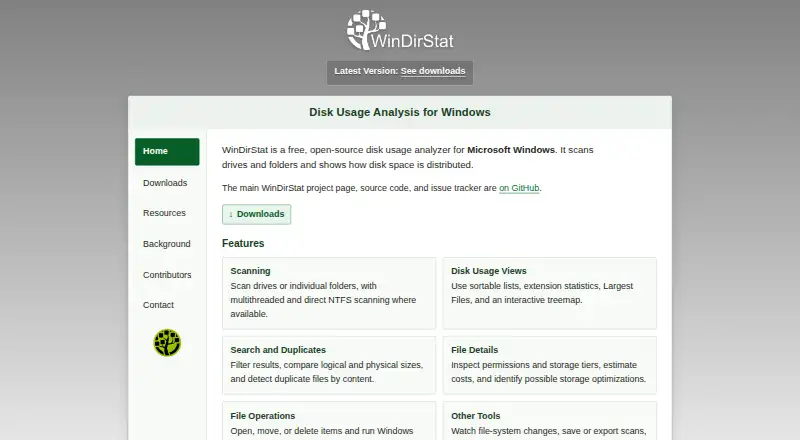
WinDirStat is a free, open-source disk usage analyzer and cleanup tool for Windows. It scans files and folders across drives, network shares, and MTP devices, then organizes results in a file tree, extension list, treemap, flame graph, or sunburst. You can compare logical and physical sizes and search by file name, size, type, or owner; comparing content hashes can help locate duplicates. The software can save and reopen scan snapshots, export CSV or JSON reports, and automate scans. Cleanup tools are included, and it attempts to recover deleted files from local NTFS, exFAT, and FAT drives. Its Storage Analytics estimates monthly savings for configurable storage tiers based on file sizes and modification ages, but does not move files or configure a storage service. It can scan and export permission entries, but does not calculate a user's effective access across group memberships. WinDirStat is available at no charge for personal or commercial use under GPL version 3 or later.
Who it suits
It suits Windows users who want to inspect disk usage, find large or duplicate files, or export scan results. It can also help administrators review permission entries, though it does not calculate effective access across group memberships.
What it does well
- Multiple views include treemap, flame graph, and sunburst.
- Searches by name, size, type, or owner.
- Exports CSV or JSON reports.
- Available free for personal and commercial use.
What to know first
- Windows only; other versions are unsupported.
- Permission reports omit effective access across group memberships.
- Storage Analytics does not move files or configure storage services.
Limits
The project supports Windows 7, 8, 8.1, 10, 11, and Windows Server 2008 R2 through 2025; other versions are unsupported. Permission reports do not calculate a particular user's effective access through all group memberships.
Plans
| Plan | Billed and limits | Price |
|---|---|---|
| WinDirStat | Free software for personal or commercial use · Windows | Free |
As windirstat.net lists them, read 11 Oct 2026. The maker's own page has the final word.
Getting started
- Visit the WinDirStat website.
- Choose a Windows x64, x86, or ARM64 installer, portable ZIP or 7z archive, or Microsoft Store package.
- Install or open the chosen package on Windows.
- Scan a drive, folder, network share, or MTP device.
Overview
WinDirStat is a Windows utility for analyzing disk use and cleaning up storage. It is a strong fit for people who want to investigate space across drives, folders, network shares, or MTP devices without paying for the software. Its broad set of views and reporting tools is useful for deeper investigations, though users seeking a simpler single-view utility or another operating system should look elsewhere.
Key features
WinDirStat can present scan results as a file tree, extension list, treemap, flame graph, or sunburst, and compare logical and physical sizes. This variety helps users move from an overview to particular files and types, and can make differing size measurements easier to interpret. It is more analytical depth than a quick folder check requires, but suits users diagnosing where storage has gone.
Scans cover drives, folders, network shares, and MTP devices. Elevated scanning enables accelerated scans on local NTFS drives. Search by name, size, type, or owner narrows results, and comparing file-content hashes can help identify duplicates. Together, these features support targeted cleanup rather than relying solely on visual inspection.
Users can save and reopen scan snapshots, export CSV or JSON reports, and automate scans, which makes repeat checks and sharing results practical. The program can also scan and export permission entries, but does not calculate a particular user's effective access across group memberships; it is therefore not a complete access-audit tool.
Storage Analytics estimates monthly savings for configurable storage tiers based on file sizes and modification ages. It helps assess potential savings, but does not move files or configure a storage service. Cleanup tools are included, and WinDirStat attempts to recover deleted files from local NTFS, exFAT, and FAT drives; that recovery capability is not a reason to treat it as a dedicated backup or recovery solution.
Pricing
WinDirStat is free software for personal and commercial use, distributed under the GNU GPL version 3 or later. Its free plan is the product itself, not a trial, so there is no paid tier to weigh against reduced features or a trial deadline. The download page offers Windows x64, x86, and ARM64 installers, portable ZIP and 7z archives, and a Microsoft Store package.
Platforms
WinDirStat is developed for and tested on Windows 7, 8, 8.1, 10, 11, and Windows Server 2008 R2 through 2025; other versions are unsupported. Its Windows focus is a firm limitation for households or teams working across operating systems. Users needing Linux or macOS support should choose a platform-compatible alternative.
Who it's for
WinDirStat suits Windows users who need to locate large files, understand file-type usage, compare storage measurements, or produce repeatable reports. Its search, snapshots, exports, and scan automation can also serve support staff handling recurring storage investigations. People who only need a quick, uncomplicated visual summary may find the multiple views and analysis tools unnecessary, while administrators needing effective-access calculations should use a tool built for that audit task.
Pros and cons
- Pros: Multiple visual views and logical-versus-physical size comparison help explain storage use from different angles.
- Pros: Broad scan targets, flexible search, and duplicate comparison support focused investigations and cleanup.
- Pros: Snapshots, CSV and JSON exports, and scan automation make recurring analysis more useful.
- Pros: Free use for personal or commercial settings avoids a license cost.
- Cons: Windows-only support rules it out for users who need a native Linux or macOS utility.
- Cons: Permission exports do not calculate effective access across group memberships, limiting their value for access audits.
- Cons: Storage Analytics estimates savings but does not move files or configure storage tiers.
Alternatives
TreeSize is worth considering for Windows users who want a freemium alternative with a free plan and free trial; its listed Free plan is for private, non-commercial use. For Linux users, Filelight is a free, open-source option that also supports Windows. WizTree is another freemium choice for Windows and macOS users; its listed Individual Supporter Code costs $25 a month, is a perpetual personal-use license, and does not expire.
Mac users can consider OmniDiskSweeper, a free macOS utility. Linux users can also consider Disk Usage Analyzer, a free Linux desktop tool for disk-usage scanning. FolderSizes offers a freemium Windows option, with a Personal Edition license at $30, paid once for personal and home-network use; it is unavailable to organizations and includes lower-priority support. Disk Analyzer Pro is a freemium option for macOS and Windows whose free personal edition includes local-drive usage reports, file and folder deletion, and duplicate-file reports. Windows users who want local scans alongside cleanup and storage recommendations can consider SizeTrend, whose core local-analysis features remain free.
For more options, browse the disk space analyzers directory.
Verdict
Choose WinDirStat if you use Windows and want a free, capable way to investigate storage with multiple views, search, exports, and cleanup tools. Its strongest case is the breadth of analysis without a personal or commercial license cost. Look elsewhere if you need native support outside Windows or a report that determines a user's effective access through group memberships.
Verdict
WinDirStat combines several ways to inspect storage with search, reporting, and cleanup tools. Its scope is Windows, and its permission reports do not resolve a user's effective access across group memberships.
Questions
How much does WinDirStat cost?
The listed plan is free. It may be used free of charge for personal or commercial purposes.
Which platforms does it support?
WinDirStat is for Windows. The project lists Windows 7, 8, 8.1, 10, 11, and Windows Server 2008 R2 through 2025 as supported.
Is WinDirStat open source?
Yes. It is distributed under the GNU GPL version 3 or later.
What download options are available?
The download page lists x64, x86, and ARM64 installers, portable ZIP and 7z archives, and a Microsoft Store package.
Can WinDirStat export scan results?
Yes. It can export CSV or JSON reports and save and reopen scan snapshots.
Can WinDirStat recover deleted files?
It attempts to recover deleted files from local NTFS, exFAT, and FAT drives.
Facts from WinDirStat's own pages
- Cleanup and recovery
- The product offers cleanup tools and attempts to recover deleted files from local NTFS, exFAT, and FAT drives. · windirstat.net, 11 Oct 2026
- Compatibility
- The project says it is developed for and tested on Windows 7, 8, 8.1, 10, 11, and Windows Server 2008 R2 through 2025, while other versions are unsupported. · windirstat.net, 11 Oct 2026
- Disk usage views
- It presents scan results in a file tree, extension list, treemap, flame graph, or sunburst and can compare logical and physical sizes. · github.com, 11 Oct 2026
- Downloads
- The download page lists Windows x64, x86, and ARM64 installers, portable ZIP and 7z archives, and a Microsoft Store package. · windirstat.net, 11 Oct 2026
- Exportable reports
- Yes · windirstat.net, 23 Sept 2026
- File-type breakdown
- Yes · windirstat.net, 23 Sept 2026
- Founded
- 2003 · windirstat.net, 28 Sept 2026
- Free plan
- Yes · windirstat.net, 23 Sept 2026
- License
- WinDirStat is distributed under the GNU GPL version 3 or later and may be used free of charge in personal or commercial settings. · windirstat.net, 11 Oct 2026
- Origin
- Bernhard Seifert wrote WinDirStat after finding no equivalent to KDE's KDirStat for Microsoft Windows, and Oliver Schneider and Bryan Berns later took responsibility for the project. · windirstat.net, 11 Oct 2026
- Permissions
- It can scan and export permission entries, but its report does not calculate a particular user's effective access through all group memberships. · github.com, 11 Oct 2026
- Desktop platforms
- Windows · windirstat.net, 23 Sept 2026
- Purpose
- WinDirStat is a free, open-source disk usage analyzer and cleanup assistant for Microsoft Windows. · windirstat.net, 11 Oct 2026
- Reports and automation
- WinDirStat can save and reopen scan snapshots, export CSV or JSON reports, and automate scans. · windirstat.net, 11 Oct 2026
- Scanning
- It scans drives, folders, network shares, and MTP devices, with elevated scanning enabling accelerated scans on local NTFS drives. · github.com, 11 Oct 2026
- Scan scope
- files_folders · windirstat.net, 23 Sept 2026
- Search and duplicates
- Users can search by name, size, type, or owner and compare file content hashes to find duplicates. · windirstat.net, 11 Oct 2026
- Security contact
- Security issues or private security questions can be emailed to the WinDirStat Team; other issues and translation errors should be reported through GitHub Issues. · windirstat.net, 11 Oct 2026
- Storage analytics
- Storage Analytics estimates monthly savings for configurable storage tiers using file sizes and modification ages; it does not move files or configure a storage service. · github.com, 11 Oct 2026
- Support
- The project provides a user guide and wiki, GitHub issue reporting, a subreddit, and a project blog. · windirstat.net, 11 Oct 2026
- Treemap view
- Yes · windirstat.net, 23 Sept 2026
Where WinDirStat stands on Freedom251
- Disk Space Analyzers#20 of 105
- Disk Cleanup Software#14 of 22