Freedom251 › Disk Space Analyzers
TreeSize
What TreeSize is
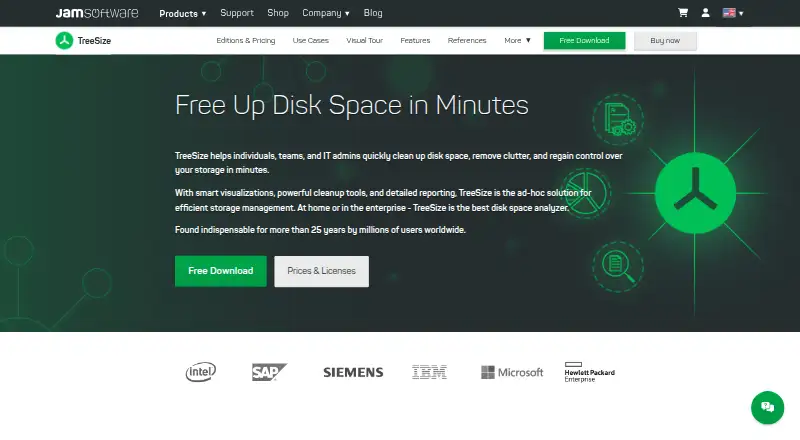
TreeSize helps Windows users see how storage is being used across files and folders. It can analyze local drives, network shares, cloud storage, USB drives, SD cards, and external hard drives, with treemap views and file-type breakdowns. Depending on edition, scan results can be exported to PDF, Excel, CSV, HTML, or SQLite. Cleanup options include deleting, moving, bulk renaming, archiving, finding duplicates, and deduplicating files. Professional adds command-line controls, scheduled scans, task scheduling, and automated reports, and can scan Windows servers. TreeSize Free is restricted to private, non-commercial use on Windows desktop and is not for Windows Servers. Personal and Professional have 14-day trials; SpaceObServer Enterprise has a 45-day trial. Personal is listed at 20.40 € per user billed annually, and Professional starts at 40.80 € per user billed annually. Editions operate on-premise; the maker says data stays on the computer or site and is not shared with third parties.
Who it suits
TreeSize suits Windows users who need to locate large or duplicate files, review storage across drives, or export scan reports. Professional is suited to IT professionals managing storage in-house, while the Consultant license is intended for work across multiple clients.
What it does well
- Scans local, network, cloud, and removable storage.
- Treemap views and file-type breakdowns are available.
- Exports include PDF, Excel, CSV, HTML, and SQLite.
- Professional supports scheduled scans and automated reporting.
What to know first
- TreeSize Free is for private, non-commercial use only.
- TreeSize Free cannot be used on Windows Servers.
- Personal and Professional trials last 14 days.
Limits
TreeSize Free is limited to private, non-commercial use on Windows desktop systems and cannot be used on Windows Servers. Personal and Professional trials last 14 days; SpaceObServer Enterprise trials last 45 days.
Plans
| Plan | Billed and limits | Price |
|---|---|---|
| TreeSize Free | Shown as EUR 0 per free on our read (localised); USD price not displayed to our checker · For private, non-commercial use | Free |
| TreeSize Personal | billed annually at 20.40 € per user · Top largest files filter · Duplicate-file search and deduplication · Compare disk usage over time | On request |
| TreeSize Professional | billed annually from 40.80 € per user · Disk space analysis · Duplicate and large file finder · Command-line and task-scheduler options · Custom PDF, Excel, and HTML exports | On request |
| TreeSize Consultant License | billed annually at 240.00 € per user · Use across multiple clients · Portable use · Reusable reporting and automation | On request |
| TreeSize Personal Perpetual | — | On request |
| SpaceObServer Enterprise | billed annually at 504.00 € per instance | On request |
As jam-software.com lists them, read 27 Sept 2026. The maker's own page has the final word.
Getting started
- Visit the JAM Software TreeSize website.
- Choose TreeSize Free for private, non-commercial Windows desktop use, or review the listed paid editions.
- Install and run the Windows Desktop edition.
- Start a 14-day trial of Personal or Professional, or a 45-day trial of SpaceObServer Enterprise, if appropriate.
- Scan the storage targets you need to analyze.
Overview
TreeSize is a Windows desktop tool for seeing how files and folders consume storage. It is most compelling for users who need to investigate more than a local drive or turn scans into recurring reports. Its breadth is useful, but the edition matters: Free is restricted to private, non-commercial desktop use and cannot scan Windows Servers.
All editions run on-premise; JAM Software says data stays on the computer or site and is not shared with third parties. That suits people and organizations that prefer storage analysis to remain in their own environment.
Key features
Find what is using space
TreeSize scans files and folders across local drives, network shares, cloud storage, USB drives, SD cards, and external hard drives. Treemap views make relative space consumption visible, while file-type breakdowns help identify which kinds of content account for it. External and network targets extend its usefulness beyond a single PC, though Windows Server scanning requires Professional rather than Free.
Reports and repeatable scans
Depending on edition, results can be exported to PDF, Excel, CSV, HTML, and SQLite. Professional adds custom PDF, Excel, and HTML exports alongside command-line parameters, task scheduling, scheduled scans, and automated reporting. That is a meaningful step up for IT staff who need repeatable reporting, but more than a casual user may need.
Cleanup tools
TreeSize can delete, move, bulk-rename, and archive files, and includes duplicate finding and deduplication. These actions let users go from identifying storage pressure to addressing it in the same tool. Users should still choose actions carefully: the product’s ability to modify files makes it more than a read-only visualizer.
Integrations and privacy
The comparison includes SharePoint, Google Drive, Amazon S3, Microsoft Azure, Outlook, Linux via SSH, and mobile MTP/WebDAV. The range can help teams examine storage beyond Windows disks, although support depends on edition. JAM Software says the product has been used for more than 25 years by millions of users worldwide.
Pricing
TreeSize uses a freemium model. TreeSize Free costs nothing and is limited to private, non-commercial use on Windows Desktop; it cannot be used on Windows Servers. That is a sensible no-cost starting point for personal scans, but not an option for business use or server work.
TreeSize Personal is billed annually at 20.40 € per user and includes a 14-day free trial. It adds a largest-files filter, duplicate-file search and deduplication, and comparison of disk usage over time. Advanced users, freelancers, and smaller businesses who need those tools can choose it, but it does not replace Professional’s server scanning and automation capabilities.
TreeSize Professional is billed annually from 40.80 € per user, with a 14-day free trial. It combines disk-space analysis and duplicate and large-file finding with command-line and task-scheduler options and custom PDF, Excel, and HTML exports. It is the more appropriate tier for IT professionals managing storage in-house, especially when Windows Server scans or recurring reports matter. Certain Professional plans offer unlimited user licenses.
The Consultant License is billed annually at 240.00 € per user and has a 14-day free trial. It covers use across multiple clients, portable use, and reusable reporting and automation, making it the targeted choice for consultants and service providers rather than a single organization. Personal also has a perpetual model; no price is stated for that option.
SpaceObServer Enterprise is billed annually at 504.00 € per instance and offers a 45-day free trial. Intended for businesses managing large or distributed networks, it is a separate enterprise choice rather than a per-user TreeSize license. Contact JAM Software for licensing advice when choosing between these tiers.
Platforms
The desktop editions run on Windows Desktop. TreeSize can inspect varied storage targets, but those targets do not change its listed desktop platform. Professional supports Windows Server scanning; Free does not.
Who it's for
TreeSize Free fits private Windows users who want a no-cost look at local storage. Personal suits advanced individual users, freelancers, and smaller businesses that need larger-file and duplicate analysis or usage comparisons. Professional is better for IT teams that need server scans, exports, and scheduled reporting. Consultants working across clients have a dedicated license, while organizations managing large or distributed networks can consider SpaceObServer Enterprise.
It is less suitable for anyone seeking a desktop edition outside Windows, or a free option for commercial or Windows Server use.
Pros and cons
- Pros: Broad storage targets, including network and cloud storage, make it useful beyond local-drive cleanup.
- Pros: Treemaps, file-type breakdowns, and multiple export formats offer different ways to interpret and share scan results.
- Pros: Professional’s scheduling and automated reporting support repeatable IT work, while Consultant licensing covers multiple clients.
- Pros: On-premise operation and the stated no-third-party-sharing policy suit privacy-conscious users.
- Cons: Free is for private, non-commercial Windows desktop use and cannot scan Windows Servers, so business users must move to a paid edition.
- Cons: Capabilities vary by edition, so buyers must match their needs for server scanning, integrations, exports, and automation to the appropriate tier.
- Cons: The listed desktop platform is Windows, limiting its fit for users who need a native desktop app on another operating system.
Alternatives
WizTree is worth considering if macOS support matters alongside Windows; it is freemium with a free plan, and its $25 a month Individual Supporter Code is a perpetual personal-use license whose purchase supports development.
Filelight is a free option for Linux or Windows users who want an alternative without a paid tier.
WinDirStat is another free Windows option for readers who do not need TreeSize’s paid editions.
FolderSizes may suit personal and home-network users who prefer a perpetual license: its Personal Edition costs $30, paid once, is unavailable to organizations, and includes lower-priority support.
SizeTrend is a Windows freemium alternative whose free tier keeps core local-analysis features free, including local drive and folder scans and an overview with cleanup and storage recommendations.
eDirStat is a free alternative for readers who need Linux or macOS as well as Windows; its Mac App Store plan is for macOS 12.0 or later and Apple M1 chips or later.
Disk Usage Analyzer is a free option for Linux users.
Disk Analyzer Pro is a freemium alternative for macOS or Windows users; its free personal edition includes local-drive usage reports, unwanted-file and folder deletion, and duplicate-file reports.
Browse more options in our Disk Space Analyzers directory.
Verdict
TreeSize is a strong choice for Windows users who need to understand storage across varied targets and, in Professional, turn that analysis into scheduled reports or Windows Server scans. Its on-premise operation and range of editions add useful flexibility. Look elsewhere if you need a desktop app outside Windows, or if your work requires commercial or server use without a paid edition.
Verdict
TreeSize combines storage analysis with reporting and cleanup options, with capabilities varying by edition. Check the edition limits and billing details against your needs, particularly if you need server scanning or commercial use.
Questions
Is TreeSize free?
TreeSize Free is listed as free and is for private, non-commercial use on Windows desktop systems. It cannot be used on Windows Servers.
What does TreeSize cost?
Personal is billed annually at 20.40 € per user, Professional from 40.80 € per user, and the Consultant license at 240.00 € per user. SpaceObServer Enterprise is billed annually at 504.00 € per instance.
Which platforms does TreeSize support?
The listed desktop editions run on Windows Desktop. TreeSize Free cannot be used on Windows Servers, while Professional supports scanning Windows servers.
Does TreeSize offer free trials?
Personal and Professional offer 14-day free trials. SpaceObServer Enterprise offers a 45-day trial.
Does TreeSize send data to third parties?
JAM Software says its editions operate on-premise, data stays on the computer or site, and no data is shared with third parties.
What storage can TreeSize scan?
It can analyze local drives, network shares, cloud storage, USB drives, SD cards and external hard drives.
Facts from TreeSize's own pages
- Automation features
- Professional supports command-line parameters, task scheduling, scheduled scans, and automated reporting. · jam-software.com, 27 Sept 2026
- Billing options
- Personal, Professional, Consultant, and Enterprise pricing is shown with annual billing; Personal also has a perpetual model. · jam-software.com, 27 Sept 2026
- Cleanup features
- TreeSize supports deleting, moving, bulk renaming, archiving, duplicate finding, and deduplication. · jam-software.com, 27 Sept 2026
- Company history
- JAM Software says TreeSize has been used for more than 25 years by millions of users worldwide. · jam-software.com, 27 Sept 2026
- Desktop platform
- The listed desktop editions run on Windows Desktop. · jam-software.com, 27 Sept 2026
- Exportable reports
- Yes · jam-software.com, 23 Sept 2026
- External drive scans
- Yes · jam-software.com, 23 Sept 2026
- File-type breakdown
- Yes · jam-software.com, 23 Sept 2026
- Free plan
- Yes · jam-software.com, 23 Sept 2026
- Free tier limits
- TreeSize Free is for private, non-commercial Windows desktop use and is not usable on Windows Servers. · jam-software.com, 27 Sept 2026
- Storage integrations
- The comparison lists SharePoint, Google Drive, Amazon S3, Microsoft Azure, Outlook, Linux via SSH, and mobile MTP/WebDAV. · jam-software.com, 27 Sept 2026
- Desktop platforms
- Windows · jam-software.com, 23 Sept 2026
- Report exports
- Scan results can be exported to PDF, Excel, CSV, HTML, and SQLite depending on edition. · jam-software.com, 27 Sept 2026
- Scan scope
- files_folders · jam-software.com, 23 Sept 2026
- Security model
- All editions operate on-premise, and the page says data never leaves the computer or site. · jam-software.com, 27 Sept 2026
- Server support
- TreeSize Professional supports scanning Windows servers; TreeSize Free cannot be used on Windows Servers. · jam-software.com, 27 Sept 2026
- Storage targets
- TreeSize can analyze local drives, network shares, cloud storage, USB drives, SD cards, and external hard drives. · jam-software.com, 27 Sept 2026
- Support contact
- The page directs visitors to contact JAM Software for product questions and licensing advice. · jam-software.com, 27 Sept 2026
- Team licensing
- Unlimited user licenses are available with certain Professional plans, while Consultant licenses cover multiple clients. · jam-software.com, 27 Sept 2026
- Third-party sharing
- The page states that no data is shared with third parties, including during development. · jam-software.com, 27 Sept 2026
- Treemap view
- Yes · jam-software.com, 23 Sept 2026
- Trial period
- TreeSize Personal and Professional offer 14-day free trials; SpaceObServer Enterprise offers 45 days. · jam-software.com, 27 Sept 2026
Where TreeSize stands on Freedom251
- Disk Space Analyzers#10 of 105
- Disk Cleanup Software#12 of 22