Freedom251 › Disk Space Analyzers
QDirStat
by QDirStat
What QDirStat is
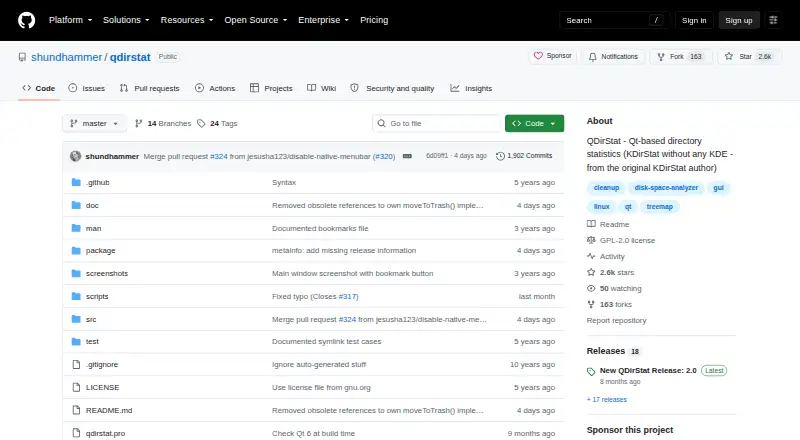
QDirStat is a free graphical application for examining disk usage and cleaning up files. It presents directory and file sizes in a tree and colored treemap, with extra views for file types, size histograms, file age, and free, used, and reserved space on mounted filesystems. Users can select several items and run configurable cleanup actions, including sending items to the trash or deleting them. On Linux distributions using dpkg, rpm, or pacman, its Packages view shows installed packages and their files. An Unpackaged Files view helps identify files in system directories that do not belong to installed packages. The project targets Linux, BSD, and Unix-like systems on X11-based desktops. Third parties provide macOS binaries and Homebrew distribution, with macOS-specific support handled through the distributor. There is no native Windows version; the project points to Docker as an option for non-Linux systems. A Perl script can collect data on a headless server for desktop viewing, but cleanup actions on cached data run on the desktop. QDirStat is GPL V2 software.
Who it suits
QDirStat suits people who want a graphical breakdown of disk use and configurable cleanup actions on Linux, BSD, or Unix-like X11 desktops. Its server cache workflow can also serve remote servers and large directories that change infrequently.
What it does well
- Shows disk use in a tree and colored treemap.
- Includes file-type, size, and age views.
- Cleanup actions include trashing or deleting items.
- Packages view supports dpkg, rpm, or pacman.
- Free software under GPL V2.
What to know first
- There is no native Windows version.
- macOS binaries and Homebrew distribution are third-party.
- Cached server data cleanup runs on the desktop.
- Cache files may expose directory contents.
Limits
The software is free under GPL V2. When viewing a server cache, cleanup actions run on the desktop machine rather than on the server.
Plans
| Plan | Billed and limits | Price |
|---|---|---|
| QDirStat | Free Open Source Software · GPL V2 | Free |
As github.com lists them, read 11 Oct 2026. The maker's own page has the final word.
Getting started
- Open the QDirStat project website.
- Choose a supported Linux, BSD, Unix-like, or macOS distribution route.
- Install or obtain QDirStat for your system.
- Scan a directory, mounted filesystem, or external drive.
- For headless server data, use the supplied Perl script to create a cache file, then open it on a desktop.
Verdict
QDirStat offers detailed disk-use views and configurable cleanup without a listed price. Its platform coverage is strongest for Linux, BSD, and Unix-like X11 desktops; Windows has no native version.
Questions
How much does QDirStat cost?
QDirStat is free open-source software under GPL V2.
Which systems does QDirStat support?
It targets Linux, BSD, and Unix-like systems on X11 desktops. macOS binaries and Homebrew distribution are linked through third parties; there is no native Windows version.
What can QDirStat show about disk use?
It shows directory and file sizes in a tree and treemap, along with file-type usage, size histograms, file-age statistics, and mounted-filesystem capacity.
Can it show installed package files?
Yes. Its Packages view supports Linux distributions using dpkg, rpm, or pacman, and displays installed packages and their files.
Can I inspect a headless server?
A supplied Perl script can collect directory data into a cache file for viewing on a desktop. Cleanup actions on that cached data run on the desktop.
What license does QDirStat use?
QDirStat is GPL V2 software and is described as Qt-based without KDE libraries or infrastructure.
Facts from QDirStat's own pages
- Analysis
- Additional views include disk usage by file type, file size histograms, file age statistics, and free, used, and reserved space per mounted filesystem. · github.com, 11 Oct 2026
- Application sizes
- Yes · github.com, 23 Sept 2026
- Cleanup
- Users can select multiple items and run configurable cleanup actions, including moving items to the trash or deleting them. · github.com, 11 Oct 2026
- File-type breakdown
- Yes · github.com, 23 Sept 2026
- Founded
- 2015 · github.com, 28 Sept 2026
- Free plan
- Yes · github.com, 23 Sept 2026
- Intended users
- The project describes cache files as useful for remote servers and for large directories that change infrequently, including archives. · github.com, 11 Oct 2026
- License and dependencies
- QDirStat is GPL V2 software and is described as Qt-based without KDE libraries or infrastructure. · github.com, 11 Oct 2026
- Linux and Unix support
- The project lists Linux, BSD, and Unix-like systems as target platforms and says it runs on X11-based desktops. · github.com, 11 Oct 2026
- macOS support
- The project links to third-party macOS binaries and Homebrew distribution; macOS-specific support is directed to the binary distributor’s issue tracker. · github.com, 11 Oct 2026
- Package integration
- The Packages view supports Linux distributions using dpkg, rpm, or pacman and shows installed packages and their files. · github.com, 11 Oct 2026
- Desktop platforms
- Linux,BSD,Unix-like systems; macOS · github.com, 23 Sept 2026
- Purpose
- QDirStat is a graphical application for seeing where disk space is used and helping clean it up. · github.com, 11 Oct 2026
- Scan scope
- files_folders_apps · github.com, 23 Sept 2026
- Security consideration
- The project warns that cache files may expose directory contents and should be protected as confidentially as the original server directories. · github.com, 11 Oct 2026
- Server workflow
- A supplied Perl script can collect directory data on a headless server into a cache file that can be copied to a desktop and viewed in QDirStat. · github.com, 11 Oct 2026
- Server workflow limit
- When viewing server cache data, built-in cleanup operations run on the desktop machine rather than the server. · github.com, 11 Oct 2026
- System inspection
- Its Unpackaged Files view helps find files in system directories that do not belong to installed software packages. · github.com, 11 Oct 2026
- Treemap view
- Yes · github.com, 23 Sept 2026
- Views
- It shows directory and file sizes in a tree view and a colored treemap. · github.com, 11 Oct 2026
- Windows limitation
- There is no native Windows version and the project says there are currently no plans for one; it points to Docker as an option for non-Linux systems. · github.com, 11 Oct 2026
Where QDirStat stands on Freedom251
- Disk Space Analyzers#6 of 105
- Disk Cleanup Software#5 of 22