Freedom251 › Disk Cleanup Software
gdu
What gdu is
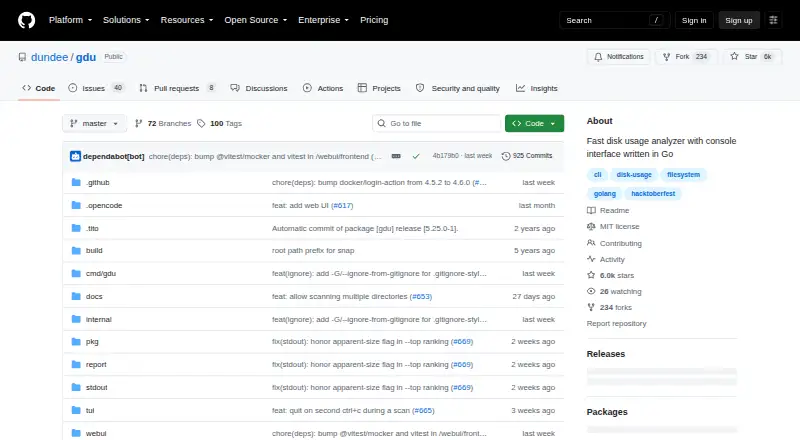
gdu is a free disk usage analyzer written in Go, with a console interface for inspecting files and folders. It is intended primarily for SSDs, where it can use parallel processing fully, and it also works with HDDs. Choose interactive or non-interactive console operation, export scan results as JSON, or serve a browser-based interface. The browser view includes a donut chart, sortable table, size bars, breadcrumb navigation, and a treemap.
Gdu can scan external drives, export reports, and save analysis data for reloading with SQLite or BadgerDB. An option enables browsing ZIP, JAR, TAR, TAR.GZ, TAR.BZ2, and TAR.XZ archives. Installation options include Homebrew, Winget, Scoop, Snap, Conda, and Go, and the project documents Docker usage. It is available for Linux, macOS, and Windows, as well as through its browser interface, and is distributed under the MIT license. The web UI has no authentication and exposes file names and sizes to clients that can reach its port; the project recommends binding it to localhost. Reveal and delete actions require a loopback-origin request with a random token generated for each server run, and the --no-delete flag prevents deletion operations. The GitHub profile identifies maintainer Daniel Milde and lists Prague.
Who it suits
gdu suits people who want to inspect disk usage from a console or a browser interface, including users scanning external drives. Its JSON export, saved scan data, and archive browsing option also serve workflows that need those specific capabilities.
What it does well
- Offers interactive and non-interactive console modes.
- Browser interface includes a treemap and sortable table.
- Can scan external drives and export reports.
- Saves analysis data with SQLite or BadgerDB.
- Supports browsing several ZIP and TAR archive formats.
- MIT-licensed software.
What to know first
- Does not show application sizes.
- Does not provide a file-type breakdown.
- The browser interface has no authentication.
Plans
| Plan | Billed and limits | Price |
|---|---|---|
| Free | MIT-licensed software | Free |
As github.com lists them, read 5 Oct 2026. The maker's own page has the final word.
Getting started
- Visit the gdu GitHub project.
- Choose an installation route such as Homebrew, Winget, Scoop, Snap, Conda, or Go.
- Alternatively, follow the project's documented Docker usage.
- Run gdu in interactive or non-interactive console mode, or serve its browser interface.
- Export results as JSON or reports, or save scan data with SQLite or BadgerDB.
Verdict
Choose gdu if you want a free, Go-based disk usage analyzer with console and browser interfaces, report export, and external-drive scanning. Its browser interface exposes file names and sizes to reachable clients, so the project recommends binding it to localhost. Look elsewhere if application-size or file-type breakdowns are essential.
Questions
How much does gdu cost?
The listed Free plan costs nothing. The project distributes gdu under the MIT license.
Which platforms are listed?
Linux, macOS, Windows, and web are listed. The project also documents installation options and Docker usage.
Does gdu have a browser interface?
Yes. It includes a donut chart, sortable table, size bars, breadcrumb navigation, and a treemap.
Can it scan external drives or archives?
External-drive scans are supported. An option enables browsing ZIP, JAR, TAR, TAR.GZ, TAR.BZ2, and TAR.XZ archives.
Is gdu open source?
It is distributed under the MIT license, which grants use, modification, and redistribution subject to its conditions.
Who maintains gdu?
The project's GitHub profile identifies Daniel Milde as maintainer and lists Prague.
Facts from gdu's own pages
- Application sizes
- No · github.com, 23 Sept 2026
- Archive support
- An option enables browsing ZIP, JAR, TAR, TAR.GZ, TAR.BZ2, and TAR.XZ archives. · github.com, 5 Oct 2026
- Deletion controls
- The project documents a --no-delete flag that prevents deletion operations. · github.com, 5 Oct 2026
- Exportable reports
- Yes · github.com, 23 Sept 2026
- External drive scans
- Yes · github.com, 23 Sept 2026
- File-type breakdown
- No · github.com, 23 Sept 2026
- Free plan
- Yes · github.com, 23 Sept 2026
- Integrations
- The project lists installation options including Homebrew, Winget, Scoop, Snap, Conda, and Go, and also documents Docker usage. · github.com, 5 Oct 2026
- Interfaces
- Gdu supports interactive, non-interactive, and JSON export modes, and can serve a browser-based interface. · github.com, 5 Oct 2026
- License
- The software is distributed under the MIT license, which grants use, modification, and redistribution subject to its stated conditions. · github.com, 5 Oct 2026
- Maintainer
- The GitHub profile identifies the maintainer as Daniel Milde and lists Prague. · github.com, 5 Oct 2026
- Desktop platforms
- Linux,macOS,Windows · github.com, 23 Sept 2026
- Purpose
- Gdu is a fast disk usage analyzer with a console interface, written in Go. · github.com, 5 Oct 2026
- Saved scans
- Analysis data can be saved and reloaded using SQLite or BadgerDB. · github.com, 5 Oct 2026
- Scanning
- It is intended primarily for SSDs, where it can fully use parallel processing; HDDs also work. · github.com, 5 Oct 2026
- Scan scope
- files_folders · github.com, 23 Sept 2026
- Treemap view
- Yes · github.com, 23 Sept 2026
- Web actions
- Web UI reveal and delete actions require a loopback-origin request with a random token generated for each server run. · github.com, 5 Oct 2026
- Web interface
- The browser UI includes a donut chart, sortable table, size bars, breadcrumb navigation, and a treemap. · github.com, 5 Oct 2026
- Web security
- The web UI has no authentication and exposes file names and sizes to clients that can reach its port; the project recommends keeping it bound to localhost. · github.com, 5 Oct 2026
Where gdu stands on Freedom251
- Disk Cleanup Software#2 of 22
- Disk Space Analyzers#18 of 105