Freedom251 › Disk Space Analyzers

OmniDiskSweeper
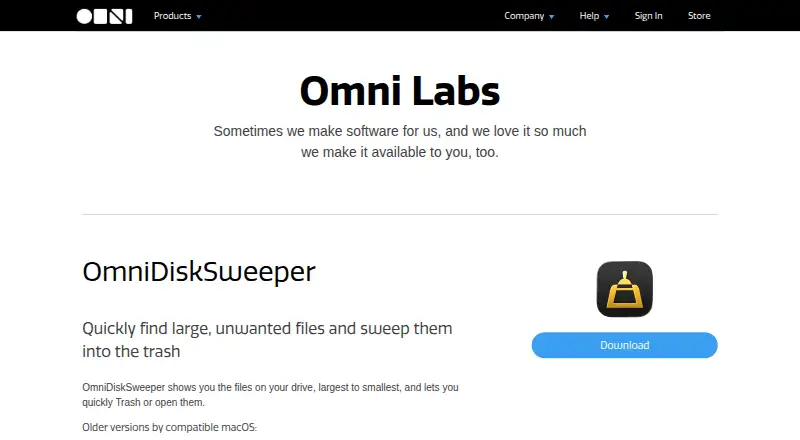
What OmniDiskSweeper is
OmniDiskSweeper is a free macOS utility from The Omni Group that displays files on a drive in descending size order. This makes it easier to spot large files and folders, then open them or send them to the Trash. It can scan external drives as well as other drives. Trash is the standard removal action; holding Option while deleting allows direct deletion instead. Omni says the app is compatible with macOS 26, and that compatible update makes the whole app accessible with VoiceOver. The product page also offers older releases for macOS 10.4 through 10.13. The freeware download does not require a form or personal details. Omni says it updates this utility less often than its other titles, although it does continue to receive updates. The company says it does not share data collected from its apps or websites with social media or advertising services. Support is available by email and phone on weekdays, 10am–5pm Pacific Time. The Omni Group is employee-owned and was founded in Seattle; it was established in 1993 and is headquartered in Seattle, Washington.
Who it suits
OmniDiskSweeper suits Mac users who want to find large files on internal or external drives and choose whether to open or remove them. Its VoiceOver accessibility and older macOS downloads may also matter to users with those needs.
What it does well
- Free macOS utility with no download form or personal information required.
- Lists drive contents from largest to smallest.
- Can scan external drives.
- Trash is the default; Option allows direct deletion.
- macOS 26-compatible update makes the app accessible with VoiceOver.
What to know first
- Available for macOS only.
- Omni says it is updated less frequently than its other titles.
Plans
| Plan | Billed and limits | Price |
|---|---|---|
| Free | macOS utility | Free |
As omnigroup.com lists them, read 12 Oct 2026. The maker's own page has the final word.
Getting started
- Visit Omni's website and open the OmniDiskSweeper product page.
- Download the freeware; no form or personal information is required.
- Use it on a macOS drive, including an external drive, to view files by size.
OmniDiskSweeper is a free macOS utility that sorts a drive’s files from largest to smallest. It suits Mac users who want to find space-consuming files on internal or external drives and decide whether to open them or send them to the Trash. Its focused scope and VoiceOver accessibility are useful strengths, but it is not an option for other operating systems.
Overview
The app turns a drive’s contents into a size-ordered view, making large files easier to identify than by browsing folders one at a time. From there, users can open items or remove them. That direct approach works well for targeted cleanup; it is not a broader cleanup suite.
Removal normally sends files to the Trash, leaving a recovery step before they are permanently removed. Holding Option instead deletes directly, a faster but less forgiving choice. Omni says OmniDiskSweeper was tested for compatibility with macOS 26, and the compatible update makes the entire app accessible with VoiceOver.
Key features
- Largest-first file view: Sorting files by size helps users focus cleanup on items most likely to matter for storage, rather than hunting through folders.
- Internal and external drives: The utility can scan external drives as well as internal storage, which is useful when managing more than the Mac’s built-in disk.
- Open or remove items: Users can inspect a file by opening it or send it to the Trash. Direct deletion is available with the Option key, but skips the usual recovery buffer.
- VoiceOver accessibility: The macOS 26-compatible update makes the entire app accessible with VoiceOver, an important advantage for users who rely on that screen reader.
- Older macOS downloads: The product page lists older versions for macOS 10.4 through 10.13, providing a route for users on those older systems.
Omni says the app receives updates, though less frequently than its other titles. That is a reasonable trade-off for a narrowly focused free utility, but readers who prioritize frequent updates may prefer another option.
Pricing
OmniDiskSweeper has one plan: Free — free, for the macOS utility. There is no paid tier or free trial; the full offering costs nothing. Omni says the freeware download requires no form or personal information, so there is no signup step to get started.
Platforms
OmniDiskSweeper runs on macOS and scans files and folders on internal or external drives. It does not suit Windows or Linux users. The macOS 26 compatibility update adds VoiceOver accessibility across the app, while older downloads cover macOS 10.4 through 10.13.
Who it's for
Choose it if you use a Mac and want a free, direct way to locate large files on one of your drives, then open them or remove them. The size-ordered view is particularly apt for users who already know they want to review large items rather than run a general cleanup process. VoiceOver accessibility also makes it a stronger fit for screen-reader users.
Look elsewhere if you need a Windows or Linux utility, or if frequent updates are a priority. OmniDiskSweeper’s focused file-and-folder scanning is not a substitute for a broader maintenance tool.
Pros and cons
Pros
- Free with no signup form: The download costs nothing and does not require personal information, keeping access straightforward.
- Large files are easy to prioritize: The largest-to-smallest ordering makes the app useful for focused storage cleanup.
- Works with external drives: Users can scan removable storage as well as their Mac’s internal drive.
- VoiceOver accessibility: The macOS 26-compatible update makes the whole app accessible with VoiceOver.
Cons
- Mac-only: Windows and Linux users need a different tool.
- Updates are less frequent than for Omni’s other titles: Users seeking a more actively updated utility may want to compare alternatives.
- Direct deletion skips the Trash: Option-key deletion is less forgiving than the default removal behavior.
Alternatives
For a wider range of options, browse Disk Space Analyzers. Consider these alternatives when their platform or plan better fits your needs:
- TreeSize is a Windows freemium option with a free plan and free trial; choose it if you need a Windows tool and want to try it before committing.
- Filelight is free, open-source software for Linux and Windows, with no free trial. Choose it if you want a free option on either of those platforms.
- WizTree supports macOS and Windows and has a free plan. Its Individual Supporter Code costs $25 a month; the code does not expire and includes a perpetual license for personal use. Choose it if you want an alternative that also supports Windows and are willing to purchase a supporter code.
- WinDirStat is free for personal or commercial use on Windows, so it is a fit for Windows users seeking a no-cost option.
- Disk Usage Analyzer is a free Linux desktop utility for disk-usage scanning; choose it if you use Linux.
- FolderSizes is a Windows freemium option. Its Personal Edition costs 30.00 USD once for personal and home-network use, is unavailable to organizations, and includes lower-priority support. Choose it if those personal-use terms suit you.
- Disk Analyzer Pro has a free personal edition for macOS and Windows, with local-drive usage reports, unwanted-file and folder deletion, and duplicate-file reports. Choose it if you want those reporting and duplicate-file features.
- SizeTrend is a Windows freemium option with free local analysis, drive and folder scans, and storage recommendations. Choose it if you use Windows and want analysis paired with cleanup recommendations.
Verdict
OmniDiskSweeper is a sensible choice for Mac users who want a free, accessible way to spot large files on internal or external drives and decide what to do with them. Its size-first focus keeps the task clear, and the Trash default avoids making removal irreversible by default. The main reason to look elsewhere is platform support: this is a macOS utility, not a cross-platform solution.
Verdict
Choose OmniDiskSweeper if you want a free Mac utility for locating large files on internal or external drives, with the option to open items or remove them. Its size-ordered view and VoiceOver accessibility are useful considerations. Look elsewhere if you need a platform other than macOS.
Questions
How much does OmniDiskSweeper cost?
It is free. The listed plan is free.
Which platforms does it support?
OmniDiskSweeper is listed for macOS. Omni says it is compatible with macOS 26 and lists older versions for macOS 10.4 through 10.13.
Can it scan external drives?
Yes. OmniDiskSweeper can scan external drives.
How does deleting work?
The default action sends items to the Trash. Holding Option allows direct deletion instead.
Is OmniDiskSweeper accessible with VoiceOver?
Omni says the update compatible with macOS 26 makes the entire app accessible with VoiceOver.
How can I contact support?
Omni lists email and phone support Monday through Friday, 10am–5pm Pacific Time.
Facts from OmniDiskSweeper's own pages
- Accessibility
- The update compatible with macOS 26 makes the entire app accessible with VoiceOver. · omnigroup.com, 12 Oct 2026
- Current compatibility
- Omni says OmniDiskSweeper was tested for compatibility with macOS 26. · support.omnigroup.com, 12 Oct 2026
- Founded
- 1993 · omnigroup.com, 28 Sept 2026
- Free download
- Omni says the freeware download does not require a form or personal information. · omnigroup.com, 12 Oct 2026
- Free plan
- Yes · omnigroup.com, 23 Sept 2026
- Headquarters
- Seattle, Washington, United States · omnigroup.com, 28 Sept 2026
- Maker
- The Omni Group describes itself as employee-owned and founded in Seattle, Washington. · omnigroup.com, 12 Oct 2026
- Older macOS downloads
- The product page lists older versions for macOS 10.4 through 10.13. · omnigroup.com, 12 Oct 2026
- Desktop platforms
- macos · omnigroup.com, 23 Sept 2026
- Privacy policy
- Omni says it does not share data gathered from its apps or websites with social media or advertising services. · omnigroup.com, 12 Oct 2026
- Purpose
- OmniDiskSweeper shows files on a drive from largest to smallest so users can find large, unwanted files and move them to the Trash or open them. · omnigroup.com, 12 Oct 2026
- Removal behavior
- Trash is the default behavior; holding the Option key allows direct deletion instead. · omnigroup.com, 12 Oct 2026
- Scan scope
- files_folders · omnigroup.com, 23 Sept 2026
- Support
- Omni lists support by email and phone, Monday through Friday, 10am–5pm Pacific Time. · support.omnigroup.com, 12 Oct 2026
- Update cadence
- Omni says the app is not updated as frequently as its other titles, though it does receive updates. · omnigroup.com, 12 Oct 2026
Where OmniDiskSweeper stands on Freedom251
- Disk Space Analyzers#21 of 105