Freedom251 › Remote Video Support Software
Visual Assistance
What Visual Assistance is
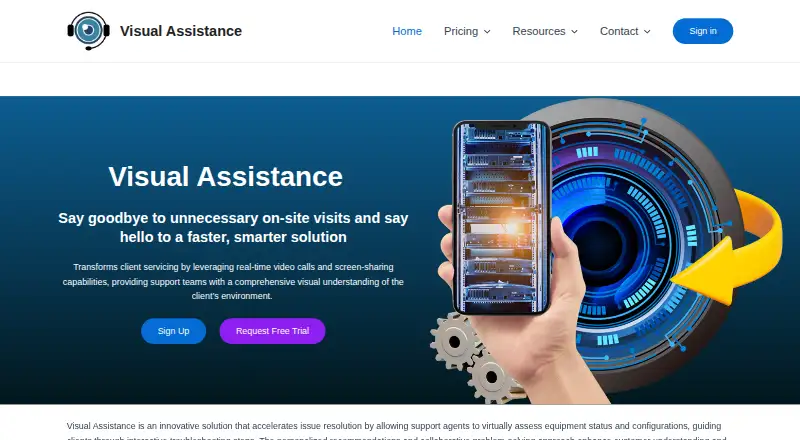
Visual Assistance is a browser-based tool for live visual communication between businesses and their customers. A company user can start a support session from a Windows or macOS computer and invite a customer by entering a mobile number; the customer gets an SMS containing a unique link and joins in a smartphone browser without installing an app. Sessions combine live camera streaming with messaging, screen capture, and annotation, making it possible to discuss what a customer sees in real time. Company users need Chrome 72 or later or Edge 79 or later. Customers can join from iOS or Android smartphones using Safari 12 or later, Chrome 72 or later, or Edge 79 or later; the customer camera is limited to the rear camera. Video, audio, and messages are encrypted in transit. The service says it does not retain session video, audio, pictures, or messages, while SMS history and company phone-book contacts remain accessible. Business billing is 75 NZD a month or 800 NZD a year, and a 10-day trial is offered. The project-based Enterprise Plan can be deployed within a customer’s infrastructure and offers session tracking and advanced customization. Visual Assistance is based in Auckland, New Zealand.
Who it suits
It suits businesses that need to guide customers, inspect something remotely, or provide technical support through live visual communication. It is also relevant to organizations seeking an Enterprise deployment within their own infrastructure.
What it does well
- Customers join by SMS link without downloading an app.
- Sessions include live camera, messaging, screen capture, and annotation.
- Video, audio, and messages are encrypted in transit.
- A 10-day trial is offered.
- Enterprise offers on-premise deployment and session tracking.
What to know first
- Customers can use only the rear camera during sessions.
- Business billing starts at 75 NZD a month.
- Enterprise pricing requires contacting sales.
Limits
The Business Plan is 75 NZD a month with monthly billing or 800 NZD a year with annual billing. A 10-day trial is offered. Enterprise is project-based and requires contacting sales for pricing.
Plans
| Plan | Billed and limits | Price |
|---|---|---|
| Business Plan (monthly billing) | monthly billing · Not stated | 75 NZD a month |
| Business Plan (annual billing) | annual billing; approx. NZD 67 / month · Not stated | 800 NZD a year |
| Enterprise Plan | Project-based solution; contact sales for more information · Session recording · SMS customization · on-premise deployment · advanced customization | On request |
As visual-assistance.com lists them, read 7 Oct 2026. The maker's own page has the final word.
Getting started
- Open the Visual Assistance website.
- Choose a Business Plan billing option or contact sales about the project-based Enterprise Plan.
- Start a session from a Windows or macOS computer using Chrome 72+ or Edge 79+.
- Enter the customer’s mobile number to send an SMS session link.
- Have the customer open the link on an iOS or Android smartphone in a supported browser.
Verdict
Choose Visual Assistance if your business needs customers to join visual support sessions from a smartphone browser without installing software. Look elsewhere if customers need to use their front camera, or if the listed business pricing does not fit your budget.
Questions
How much does Visual Assistance cost?
The Business Plan costs 75 NZD a month with monthly billing or 800 NZD a year with annual billing. Enterprise pricing is available by contacting sales.
Is there a free plan or trial?
There is no free plan. A 10-day trial is offered.
Which devices can company users and customers use?
Company users can start sessions from Windows or macOS computers. Customers can join from iOS or Android smartphones.
Does a customer need to install an app?
No. Customers join from a smartphone browser using a unique link sent by SMS.
What does the Enterprise Plan include?
It is a project-based solution deployable within the customer’s infrastructure, with session tracking and advanced customization. Sales provides pricing.
How does Visual Assistance handle session data?
Video, audio, and messages are encrypted in transit. The service says it does not store session video, audio, pictures, or messages; SMS history and company phone-book contacts remain accessible.
Facts from Visual Assistance's own pages
- Browser requirements
- The FAQ lists Chrome 72+ or Edge 79+ for company users, and Safari 12+, Chrome 72+ or Edge 79+ for clients. · visual-assistance.com, 7 Oct 2026
- Camera limit
- Clients can only use the rear camera during a session, according to the FAQ. · visual-assistance.com, 7 Oct 2026
- Enterprise deployment
- The Enterprise Plan is described as a project-based solution deployable within the customer’s own infrastructure, with session tracking and advanced customization. · visual-assistance.com, 7 Oct 2026
- Headquarters
- Auckland, New Zealand · visual-assistance.com, 28 Sept 2026
- Intended users
- The FAQ identifies businesses needing real-time visual communication for technical support, remote inspection or customer guidance as its intended users. · visual-assistance.com, 7 Oct 2026
- Live support
- Sessions support live camera streaming, messaging, screen capture and annotation. · visual-assistance.com, 7 Oct 2026
- No client installation
- Clients join from a smartphone browser without downloading an app. · visual-assistance.com, 7 Oct 2026
- Payments
- The privacy policy says payment details are processed exclusively by Stripe and Visual Assistance does not store payment card details. · visual-assistance.com, 7 Oct 2026
- Purpose
- Visual Assistance is a browser-based remote support tool for real-time visual communication between businesses and customers. · visual-assistance.com, 7 Oct 2026
- Security
- Video, audio and messages are encrypted in transit using industry-standard protocols. · visual-assistance.com, 7 Oct 2026
- Session data
- The service says it does not store call sessions, including video, audio, pictures or messages; SMS history and company phone book contacts remain accessible. · visual-assistance.com, 7 Oct 2026
- Session invitations
- Company users can enter a client’s mobile number to send an SMS containing a unique session link. · visual-assistance.com, 7 Oct 2026
- Support
- Support is available Monday to Friday, 9:00 AM to 5:00 PM (GMT+8), excluding public holidays, and aims to respond within one business day. · visual-assistance.com, 7 Oct 2026
- Supported devices
- Company users can initiate sessions from Windows or macOS computers, while clients can join from iOS or Android smartphones. · visual-assistance.com, 7 Oct 2026
Where Visual Assistance stands on Freedom251
- Remote Video Support Software#6 of 14
- Video Customer Support Software#14 of 26