Freedom251 › Remote Video Support Software
Salesforce Visual Remote Assistant
Visit Salesforce Visual Remote Assistant Alternatives Pricing
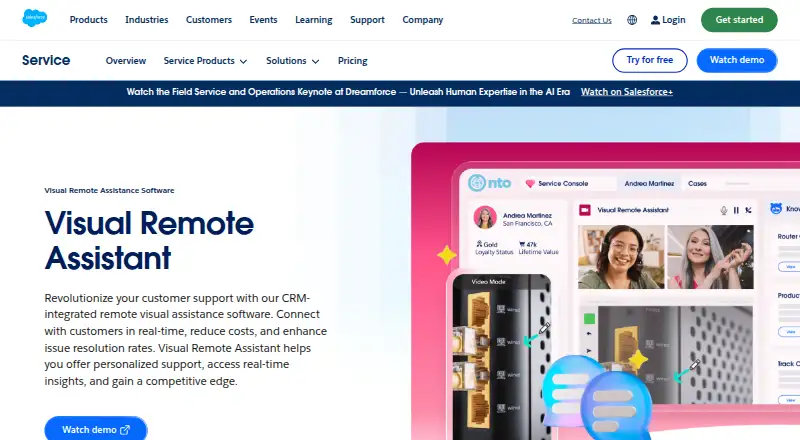
What Salesforce Visual Remote Assistant is
Salesforce Visual Remote Assistant is a paid customer-service tool for providing visual help remotely. It runs on web, Android, and iOS, with a listed customer platform of web_mobile. Screen sharing lets participants share what they see, while visual annotation supports marking up that shared view. Video recording is also available. Salesforce lists a Visual Remote Assistant plan at $50 a month per user, billed annually, and requires an annual contract. The plan includes real-time interactive guidance, intelligent engagement, and quick setup with fast ROI. There is no free plan. Salesforce was founded in 1999 and is headquartered in San Francisco, California, United States. The product is therefore aimed at support interactions where an agent needs to guide a customer visually across web or mobile channels. Buyers can consider whether screen sharing, annotations, and recordings fit their service process, while accounting for the per-user billing and annual commitment stated for the plan.
Who it suits
It suits customer-service teams that provide remote visual guidance through web, Android, or iOS. The tool is relevant when screen sharing, annotations, and video recording are part of support interactions.
What it does well
- Works on web, Android, and iOS
- Screen sharing for remote assistance
- Visual annotation capabilities
- Video recording supported
- Includes real-time interactive guidance
What to know first
- $50 per user monthly price
- Billed annually with annual contract required
- No free plan
Plans
| Plan | Billed and limits | Price |
|---|---|---|
| Visual Remote Assistant | Annual contract required · Per user · Annual contract required | $50 a month |
As salesforce.com lists them, read 14 Nov 2026. The maker's own page has the final word.
Verdict
Visual Remote Assistant focuses on visual customer support through screen sharing, annotation, and recording across web and mobile. Its annual contract and per-user pricing are key considerations for service teams.
Facts from Salesforce Visual Remote Assistant's own pages
- Augmented reality
- Agents use video, screenshots, and on-screen annotations, including arrows drawn with augmented reality, to guide troubleshooting. · salesforce.com, 14 Nov 2026
- Desktop sharing
- Desktop sharing lets teams guide customers through actions while keeping sensitive information confidential. · salesforce.com, 14 Nov 2026
- Founded
- 1999 · salesforce.com, 4 Oct 2026
- Headquarters
- San Francisco, California, United States · salesforce.com, 4 Oct 2026
- How a session starts
- An agent or technician sends a secure SMS or email link, and the customer joins a two-way video stream in a mobile browser with no app, login, or password. · salesforce.com, 14 Nov 2026
- Integrations
- It is used with Contact Center, Field Service and Operations, and Sales Cloud, and sessions can show Field Service customer, asset, and work-order details. · salesforce.com, 14 Nov 2026
- License prerequisites
- Setup requires Service Cloud or Field Service licenses, Lightning Experience, Visual Remote Assistant licenses bought through an account executive, and the managed package. · trailhead.salesforce.com, 14 Nov 2026
- Live video
- Agents connect with customers and employees through live video without a download. · salesforce.com, 14 Nov 2026
- Low bandwidth
- Salesforce says remote visual assistance is designed to keep working on low or variable bandwidth by reducing video quality to still frames if needed. · salesforce.com, 14 Nov 2026
- Notable limit
- Visual Remote Assistant is not available in a Trailhead Playground, and the published edition requires an annual contract. · trailhead.salesforce.com, 14 Nov 2026
- Recording
- Sessions can be recorded automatically so teams can review missed details, performance, and call quality. · salesforce.com, 14 Nov 2026
- Security and privacy
- Customers approve terms and conditions and grant camera access for the call, and the join link is described as secure. · trailhead.salesforce.com, 14 Nov 2026
- Support
- The pricing page lists a Standard Success Plan in all licenses, Premier Success with 24/7 support for business-stopping issues, and Signature Success by contacting an account executive. · salesforce.com, 14 Nov 2026
- Trial offer
- The product and pricing pages offer a 30-day Service Cloud trial with no credit card and no installations. · salesforce.com, 14 Nov 2026
- Visual Flows
- Visual Flows automate tasks, use optical character recognition to open knowledge articles, and can add a CSAT survey after each session. · salesforce.com, 14 Nov 2026
- What it does
- Visual Remote Assistant is CRM-integrated software for real-time visual support that helps reduce costs and improve issue resolution. · salesforce.com, 14 Nov 2026
- Who it is for
- It is aimed at contact-center agents, field technicians, and sales teams in manufacturing, healthcare, equipment services, utilities, and contact centers. · salesforce.com, 14 Nov 2026
Where Salesforce Visual Remote Assistant stands on Freedom251
- Remote Video Support Software#4 of 14
- Video Customer Support Software#11 of 26