
Vikunja
by Vikunja
What Vikunja is
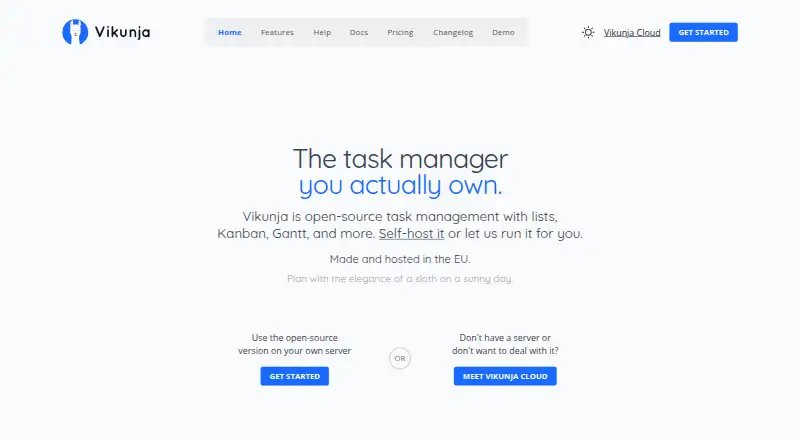
Vikunja is an open-source task and project management app for personal to-do lists and shared work. It runs on web, Windows, macOS, Linux, iOS, and Android, and can also be self-hosted. Tasks can be organized as lists, Kanban boards, Gantt charts, or tables, with due dates, reminders, repeating schedules, subtasks, labels, priorities, assignments, attachments, and relations. Projects can be shared with another user or a team, assigned tasks, or shared through a link that does not require an account. CalDAV integration is included, along with migration support for Todoist, Trello, and Microsoft To-Do. The self-hosted core is free under AGPLv3; hosting, maintenance, updates, and backups are managed by the user. Vikunja Cloud is hosted at Hetzner locations in Germany and Finland. Cloud plans include Personal at €4 per month, Family at €10 per month for up to five users, and Organization at €5 per month per user. A 14-day trial is listed. The mobile app supports only the very basic features, according to the installation documentation.
Who it suits
Vikunja can suit individuals managing personal lists and teams that share projects, assign work, and collaborate. Self-hosting is an option for users prepared to manage their own server, maintenance, updates, and backups.
What it does well
- Tasks have reminders, recurring schedules, and subtasks.
- Four task views include Kanban and Gantt.
- Projects can be shared through account-free links.
- CalDAV integration and three migration options.
- Self-hosted core is free under AGPLv3.
What to know first
- Mobile app supports only very basic features.
- Self-hosted users manage maintenance, updates, and backups.
- Paid cloud plans start at €4 per month.
Limits
The free Self-hosted plan includes the core features and unlimited tasks and projects, but the server, maintenance, updates, and backups are self-managed. Personal includes 10GB of attachment storage; Family supports up to five users; Organization includes 50GB of attachment storage.
Plans
| Plan | Billed and limits | Price |
|---|---|---|
| Personal | 4€ / month; 40€ when billed yearly (-20%) · 10GB attachment storage · unlimited lists, tasks, reminders, share links, relations, and filters | €4 a month |
| Family | 10€ / month for up to 5 users; 99€ when billed yearly (-17.5%) · Up to 5 users · shared household projects · includes Personal features | €10 a month |
| Organization | 5€ / month per user; 50€ when billed yearly (-20%) · Unlimited teams · 50GB attachment storage · priority email support · centralized team billing | €5 a month |
| Self-hosted | Free, forever · Unlimited tasks and projects · core features included · self-managed server, maintenance, updates, and backups | Free |
| Pro | Now in private beta; not yet available for Cloud accounts · Self-hosted plans from Homelab to Enterprise · admin panel · audit logs on Business, Scale, and Enterprise · time tracking | On request |
As vikunja.io lists them, read 7 Oct 2026. The maker's own page has the final word.
Getting started
- Open the Vikunja website.
- Choose a Cloud plan or the free self-hosted core.
- For self-hosting, prepare to manage the server, maintenance, updates, and backups.
- Install the app on a supported platform or open the web app.
- Create tasks and projects, then share projects with users, a team, or a link.
Vikunja is a task and project manager for people who want to choose how they organize work, from personal lists to shared team projects. Its strongest case is the combination of flexible views and a free, self-hosted core; the main trade-off is that mobile supports only basic features.
Overview
Vikunja accommodates both individual to-do lists and collaborative project work. Users can choose among four task views and add detailed planning tools, rather than being locked into a single way of working. The free self-hosted option is appealing to people willing to run their own server, but it comes with responsibility for maintenance, updates, and backups. Those who prefer not to manage infrastructure can use paid cloud plans.
Key features
Lists, Kanban boards, Gantt charts, and tables give users different ways to follow work, from a straightforward task queue to a project timeline. Tasks can include due dates, reminders, repeating schedules, subtasks, labels, priorities, attachments, relations, and assignments. That breadth can serve detailed personal planning as well as dividing work across a team.
Projects can be shared with another user or a team. A project link can also let people participate without creating an account, a useful option for occasional collaborators, while assignments and shared projects support ongoing team work. CalDAV integration connects Vikunja with calendar workflows; migration support is provided for Todoist, Trello, and Microsoft To-Do.
The self-hosted core is licensed under AGPLv3. For cloud users, Vikunja says its service is hosted at Hetzner locations in Germany and Finland. The maker says production access uses two-factor authentication, team access is limited to job needs, and automated security scanning is used. Releases are signed with GPG, with instructions for verifying downloads.
Pricing
Vikunja uses a freemium model, with a 14-day trial and paid cloud plans from €4/mo. The free self-hosted plan is billed Free, forever and includes unlimited tasks and projects with core features. It suits people prepared to manage their own server, maintenance, updates, and backups; it is not a hosted, hands-off option.
- Personal: €4 a month, or 40€ when billed yearly (-20%). It includes 10GB of attachment storage and unlimited lists, tasks, reminders, share links, relations, and filters. This is the cloud option for an individual who wants those features without server upkeep.
- Family: €10 a month for up to 5 users, or 99€ when billed yearly (-17.5%). It includes shared household projects and Personal features, making it the plan for a small household rather than a larger team.
- Organization: €5 a month per user, or 50€ when billed yearly (-20%). It adds unlimited teams, 50GB of attachment storage, priority email support, and centralized team billing. Per-user billing makes the total depend on team size.
- Pro: custom pricing; the plan is in private beta and not yet available for Cloud accounts. Self-hosted plans range from Homelab to Enterprise; the stated additions include an admin panel, audit logs on Business, Scale, and Enterprise, and time tracking.
Personal includes email and community support, while Organization includes priority email support. The yearly prices are given as billed yearly; no further renewal terms are stated.
Platforms
Vikunja supports web, Windows, macOS, Linux, iOS, Android, API, and self-hosted use. Its desktop app is an Electron application for Linux and Windows. The mobile app supports only Vikunja's very basic features, so people who rely on a full task-management experience from a phone should look elsewhere or use another platform.
Who it's for
Vikunja is a good fit for people who want flexible task views, detailed task controls, and a choice between managing their own installation and paying for cloud hosting. It can also suit teams that share projects and assign work, with Organization providing team billing and priority email support. It is a weaker choice for mobile-first users, and self-hosting is best for people comfortable maintaining a server.
Pros and cons
- Pro: Four task views and a wide set of task tools let individuals and teams adapt the app to different kinds of work.
- Pro: Free self-hosting includes unlimited tasks and projects, avoiding a hosted subscription for users who can manage their own upkeep.
- Pro: Project sharing, assignments, and account-free share links accommodate both team members and occasional collaborators.
- Con: Self-hosters must handle maintenance, updates, and backups themselves.
- Con: The mobile app is limited to basic features, reducing its appeal for people who need full functionality on the go.
Alternatives
Choose TickTick if its free plan's basic task, reminder, sync, and list features, with a cap of 9 lists and 99 tasks per list, better match a bounded personal setup. Any.do is another freemium option, with a free Personal plan offering unlimited personal tasks and lists. Choose Super Productivity if you want all features on all its supported platforms without premium tiers.
Nozbe may suit a small group willing to work within its free plan's limits of 3 users and 3 active projects. SingularityApp is worth considering if a basic plan capped at 10 projects and one device fits your needs. Choose Routine if its free plan's 3 integrations, 3 custom databases, and 250 AI credits are a better fit. Superlist may suit users comfortable with 5 private and shared lists and 25MB uploads on its free plan. Tasks.org is an alternative with a free plan that does not require an account or internet connection.
For broader comparisons, browse To-do list apps or Task Management Software.
Verdict
Choose Vikunja if you want flexible task and project management with the option to run a free, self-hosted core or pay for cloud hosting. Its views, task tools, and sharing options make it a capable choice for personal planning and collaborative projects. Look elsewhere if full-featured mobile use is essential or if you do not want to take on server upkeep.
Verdict
Vikunja offers multiple task views, detailed task tools, and project sharing across a range of platforms. Choose self-hosting if you want the free core and can manage its upkeep; the mobile app has a limited feature set.
Questions
Is Vikunja open source?
Yes. Its self-hosted core is licensed under AGPLv3 and is free to use.
What do the plans cost?
Personal costs €4 a month, Family costs €10 a month for up to five users, and Organization costs €5 a month per user. Yearly billing is listed at 40€, 99€, and 50€ respectively.
Which platforms can I use?
Vikunja lists web, Windows, macOS, Linux, iOS, Android, and self-hosted availability. The desktop app is available for Linux and Windows.
Does Vikunja have a free plan or trial?
The Self-hosted plan is free forever. A 14-day trial is also listed.
Can projects be shared with people who do not have Vikunja accounts?
Yes. A project can be shared through a link that does not require the recipient to have an account.
What integrations and migrations does it support?
Vikunja includes CalDAV integration and migration support for Todoist, Trello, and Microsoft To-Do.
Facts from Vikunja's own pages
- Calendar sync
- Yes · vikunja.io, 21 Sept 2026
- Cloud hosting
- Vikunja Cloud is hosted at Hetzner locations in Germany and Finland. · vikunja.io, 7 Oct 2026
- Collaboration
- Users can share projects with another user or a team, assign tasks, or share a project link that does not require an account. · vikunja.io, 7 Oct 2026
- Desktop availability
- The desktop app is an Electron application available for Linux and Windows. · vikunja.io, 7 Oct 2026
- Free plan
- Yes · vikunja.io, 21 Sept 2026
- Headquarters
- Lübeck, Germany · vikunja.io, 28 Sept 2026
- Integrations
- Vikunja includes CalDAV integration and migration support for Todoist, Trello, and Microsoft To-Do. · vikunja.io, 7 Oct 2026
- License
- The self-hosted core is licensed under AGPLv3 and is free to use. · vikunja.io, 7 Oct 2026
- Maker and location
- The imprint identifies the maker as Konrad Langenberg Software at an address in Lübeck, Germany. · vikunja.io, 7 Oct 2026
- Mobile limitation
- The mobile app supports only the very basic features of Vikunja, according to the installation documentation. · vikunja.io, 7 Oct 2026
- Product
- Vikunja is an open-source, self-hostable task and project management app. · vikunja.io, 7 Oct 2026
- Recurring tasks
- Yes · vikunja.io, 21 Sept 2026
- Release verification
- Vikunja says all releases are signed using GPG and documents how to verify downloaded releases. · vikunja.io, 7 Oct 2026
- Security practices
- The maker says production access uses two-factor authentication, team access is limited to job needs, and automated security scanning is used. · vikunja.io, 7 Oct 2026
- Subtasks
- Yes · vikunja.io, 21 Sept 2026
- Support
- The Organization Cloud plan includes priority email support, while Personal includes email and community support. · vikunja.io, 7 Oct 2026
- Supported platforms
- web,windows,macos,linux,ios,android,self_hosted · vikunja.io, 21 Sept 2026
- Task reminders
- Yes · vikunja.io, 21 Sept 2026
- Task tools
- Tasks support due dates, reminders, repeating schedules, subtasks, labels, priorities, assignments, attachments, and relations. · vikunja.io, 7 Oct 2026
- Task views
- Tasks can be viewed as lists, Kanban boards, Gantt charts, or tables. · vikunja.io, 7 Oct 2026
- Who it serves
- The maker describes use cases ranging from personal to-do lists to teams that share projects, assign tasks, and collaborate. · vikunja.io, 7 Oct 2026
Where Vikunja stands on Freedom251
- To-do list apps#8 of 150
- Task Management Software#40 of 59