Freedom251 › Video Repair Software
VidRepair
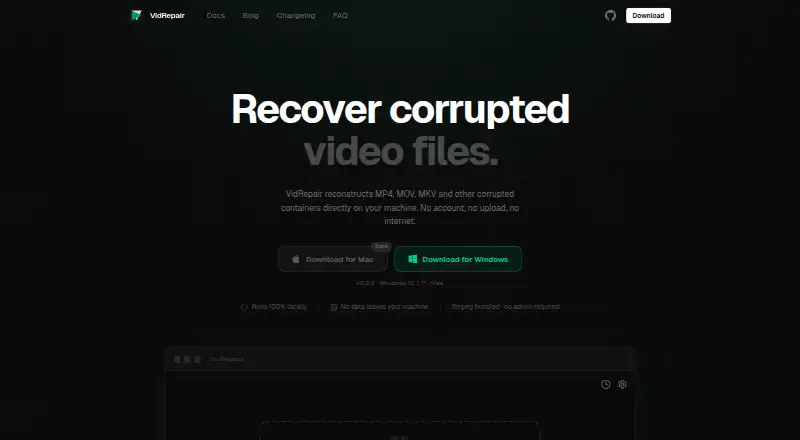
What VidRepair is
VidRepair is a Windows application for repairing corrupted video containers, including MP4, MOV, 3GP, MKV, WebM, AVI, FLV, and WMV. It automatically tries up to nine recovery strategies, stopping when one creates a valid, playable output. For some cases, a healthy clip from the same camera and settings can support reconstruction of missing container metadata, though a reference file is not required. You can preview a repair before saving and queue multiple files for sequential processing; a failure does not stop the rest of the queue. The app reads the source and writes repaired files to a folder you choose. The maker says processing stays local, with no uploads, account, or internet connection required. It keeps details of the last 50 repairs on the device and checks each output with ffprobe before marking it successful. The free plan costs nothing, with all features and strategies. A commercial license is €29, paid once. The current download is for Windows 10/11; the Mac download is marked as coming soon.
Who it suits
VidRepair suits Windows users who need to attempt local repairs on common video containers, especially when they can queue multiple files or preview outputs. It may help when a healthy clip from the same camera and settings is available to assist metadata reconstruction.
What it does well
- Free plan includes all features and strategies.
- Supports eight listed video container formats.
- Queues files without stopping after a failed repair.
- Processes locally without requiring an account or internet.
- Offers preview before saving repaired output.
What to know first
- Current download is for Windows 10/11 only.
- Cannot recover overwritten media or physically damaged storage.
- Cannot repair encrypted or DRM-protected files.
- Some corruption may fall outside its strategies.
Limits
The Free plan includes all features and strategies, with no tier limit or trial period. Repairs cannot recover overwritten media data, physically damaged storage, encrypted or DRM-protected files, or corruption the available strategies do not address.
Plans
| Plan | Billed and limits | Price |
|---|---|---|
| Free | All features and strategies · no tiers or trial · optional contribution | Free |
| Commercial license | on the honor system · For studios and professionals | €29, paid once |
As vidrepair.com lists them, read 2 Oct 2026. The maker's own page has the final word.
Getting started
- Visit https://vidrepair.com/.
- Download the current Windows 10/11 app.
- Open the app and select the corrupted video file or queue multiple files.
- If useful for metadata reconstruction, provide a healthy clip from the same camera and settings.
- Choose the directory for repaired output and preview the result before saving.
Overview
VidRepair is a desktop utility for attempting to repair damaged video containers, with automatic recovery and the option to preview an output before saving it. It is a strong first choice for Windows users who want a no-cost repair attempt without uploading their files. Its practical limits are equally clear: it cannot bring back overwritten media or fix every kind of corruption.
Key features
The app tries up to nine recovery strategies in sequence and stops once one produces a valid, playable output. That automatic approach suits users who do not know what caused a file to break, but success still depends on whether the damage matches a recovery strategy. It supports MP4, MOV, 3GP, MKV, WebM, AVI, FLV, and WMV containers.
A healthy clip from the same camera and settings can enable a strategy for reconstructing missing container metadata. A reference clip is not required to begin, which keeps the workflow useful when none is available; the reference-based method is relevant only to that particular kind of metadata damage.
Multiple files can be queued for sequential repair, and a failed attempt on one file does not stop the rest. This is helpful for processing a set of clips without restarting the queue, though repairs do not run in parallel. VidRepair checks each output with ffprobe before marking it successful, and preview before saving gives users a chance to inspect the result.
Processing takes place locally. The app reads the source and writes repaired output to a directory the user chooses; the maker says files are not uploaded and no account or internet connection is required. A local history keeps details of the last 50 repairs, including strategy, codec, resolution, and outcome. The source code is available on GitHub, and the app is built with Tauri, Rust, and React.
Pricing
The Free plan costs nothing and includes all features and strategies, with no tiers or trial. That makes it a practical first stop for individuals who need to attempt repairs without a subscription or per-file charge. An optional contribution is available.
The Commercial license costs €29, paid once for studios and professionals, billed on the honor system. It is a one-time option for users who want to support the project commercially; the Free plan already includes the full feature set, so the commercial license does not unlock additional repair strategies.
Platforms
The current download supports Windows 10/11. VidRepair is not yet an option for Mac users, and its Mac download is marked as coming soon. Support is directed through a GitHub issue or email.
Who it's for
VidRepair fits Windows users with corrupted files in one of its supported containers, especially those who want local processing, a batch queue, and a free attempt before considering paid tools. It is less suitable when footage has been overwritten, the storage itself is physically damaged, or the file is encrypted, DRM-protected, or affected by corruption its strategies do not address.
Pros and cons
- Pro: The free plan includes every feature and strategy, so users can try the full repair workflow without a tier cap.
- Pro: Local processing, no account requirement, and user-chosen output folders keep the repair workflow on the user's machine.
- Pro: Queueing continues after an individual failure, which helps when several clips need attention.
- Con: Repair attempts cannot restore overwritten media or overcome physical storage damage.
- Con: Windows 10/11 is the only current download, leaving Mac users without a version today.
- Con: Recovery depends on its strategies; encrypted or DRM-protected files and other unsupported corruption are out of reach.
Alternatives
Video Repair Software is the broader category to browse when VidRepair's Windows-only scope or recovery limits do not fit.
IntactFile is a better fit for someone who needs a web, Linux, or Mac option, or wants repair access across video, documents, archives, and photos; its free plan allows three repairs per day, with file-size caps by type.
RepairMyVideo suits users who prefer a web workflow and can use its free beta, which includes analysis, repair, preview, and download with direct uploads up to 25 GB.
Restore.Media is worth considering when a per-file paid recovery model and broad platform availability are acceptable; its automatic recovery costs $4.99, paid once, with price varying by repaired file size and a free full-length low-resolution preview.
EaseUS Video Repair is an alternative for users seeking a monthly license across desktop and web platforms, but its Repair Pro plan costs $39.95 a month and auto-renews.
Fix.Video is another paid option for users who want a repair bundle sold by file count, including a 10-file plan for $59, paid once.
Kernel Video Repair may suit users who prefer a paid desktop license for two computers, with no file-size limit and a 30-day money-back guarantee; it costs $29, paid once.
VideoRepair is another alternative to consider.
KwaFlux Video File Repair is a Windows alternative with a paid monthly license and a free trial.
Verdict
Choose VidRepair if you use Windows and want a free, local attempt at repairing a supported video container, with preview and output checks built into the workflow. Look elsewhere if you need a Mac version, if the media data is gone, or if the corruption falls outside the app's recovery strategies.
Verdict
VidRepair offers a free, local way to attempt repairs across several video container formats, with batch queuing and output checks. It cannot restore overwritten media, physically damaged storage, or every kind of corruption, and the current download is limited to Windows 10/11.
Questions
Is VidRepair free?
Yes. The Free plan costs nothing and includes all features and strategies. Contributions are optional.
Is there a paid license?
A Commercial license costs 29.00 EUR once and is described for studios and professionals.
Which platforms are supported?
The current download is for Windows 10/11. The site labels its Mac download as coming soon.
Does VidRepair upload my files?
The maker says processing is fully local and files are not uploaded. The app does not require an account or internet connection.
Which video formats can it repair?
The listed container formats are MP4, MOV, 3GP, MKV, WebM, AVI, FLV, and WMV.
Is VidRepair open source?
Its source code is available on GitHub. The app is built with Tauri (Rust) and React.
Facts from VidRepair's own pages
- Batch repair
- Multiple files can be queued and repaired sequentially, and a failure on one file does not stop the queue. · vidrepair.com, 2 Oct 2026
- Data handling
- VidRepair only reads the source file and writes repaired output to a directory chosen by the user. · vidrepair.com, 2 Oct 2026
- Limitations
- The docs say it cannot recover media data that has been overwritten, physically damaged storage, encrypted or DRM-protected files, or corruption its strategies do not address. · vidrepair.com, 2 Oct 2026
- Local history
- The app stores the last 50 repairs locally with strategy, codec, resolution, and outcome. · vidrepair.com, 2 Oct 2026
- Output checks
- Each repaired file is checked with ffprobe before it is marked successful. · vidrepair.com, 2 Oct 2026
- Platform
- The current download is for Windows 10/11; the site labels its Mac download as coming soon. · vidrepair.com, 2 Oct 2026
- Privacy
- The maker says processing is fully local, files are not uploaded, and the app does not require an account or internet connection. · vidrepair.com, 2 Oct 2026
- Purpose
- VidRepair repairs corrupted video containers such as MP4, MOV, and MKV locally on the user's machine. · vidrepair.com, 2 Oct 2026
- Reference clips
- A healthy clip from the same camera and settings can enable a recovery strategy for reconstructing missing container metadata. · vidrepair.com, 2 Oct 2026
- Repair methods
- It tries up to nine recovery strategies in sequence and stops when one produces a valid, playable output. · vidrepair.com, 2 Oct 2026
- Source and technology
- The source code is available on GitHub, and the app is built with Tauri (Rust) and React. · vidrepair.com, 2 Oct 2026
- Support
- The site directs users to open a GitHub issue or email support. · vidrepair.com, 2 Oct 2026
- Supported formats
- The docs list MP4, MOV, 3GP, MKV, WebM, AVI, FLV, and WMV as supported container formats. · vidrepair.com, 2 Oct 2026
Where VidRepair stands on Freedom251
- Video Repair Software#14 of 26