Freedom251 › Tax Deduction Tracking Software

TripLog
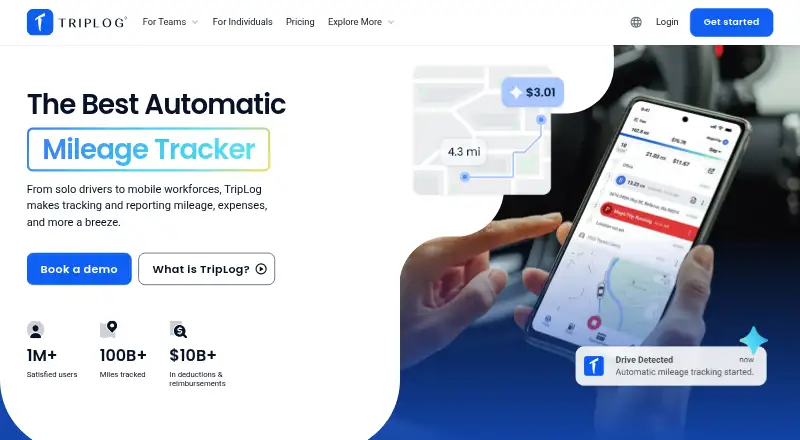
What TripLog is
TripLog is mileage and expense software for individuals, workers, and organizations. Its free Basic plan includes unlimited automatic GPS mileage tracking and basic expense management. Drivers can label trips as business or personal, or set work hours to categorize trips automatically. Expense features include receipt scanning, transaction categorization, and reporting. TripLog provides tax-compliant mileage reports; Basic users can use an annual seven-day Premium Pass to access an annual report. The Premium plan is $59.99 per year, listed as $4.99 per month, and includes unlimited reporting, automatic expense tracking, and integrations. Business reimbursement options include cents-per-mile, FAVR, car allowance, and company vehicle programs. Integrations include payroll, accounting, sales, expense, and calendar services, plus US and Canadian bank or credit card accounts. It runs on Android, iOS, and the web. Company administrators can configure privacy options for personal trips and expenses, unsubmitted trips, and vehicle speed. TripLog says customer data is stored and processed in the United States or another region according to customer requirements.
Who it suits
TripLog suits individuals tracking work mileage and expenses, as well as employers managing reimbursement programs. Its listed users include gig drivers, realtors, owner-operators, company car drivers, and workers in home healthcare and construction.
What it does well
- Free Basic plan includes unlimited automatic GPS mileage tracking.
- Classify trips or categorize them using work hours.
- Receipt scanning and transaction categorization are available.
- Company plans support several reimbursement program types.
- Available on Android, iOS, and the web.
What to know first
- Premium costs $59.99 per year.
- The annual report requires Basic users to use a seven-day Premium Pass.
- TripLog Drive and Beacon are separately priced one-time devices.
Limits
Basic includes basic expense management, and an annual report is available through an annual seven-day Premium Pass. Integrations, automatic expense tracking, and unlimited reporting are included with Premium, listed at $59.99 per year or $4.99 per month.
Plans
| Plan | Billed and limits | Price |
|---|---|---|
| Basic | Free forever · Unlimited automatic GPS mileage tracking · basic expense management | Free |
| TripLog Beacon | Each · USB-powered Bluetooth beacon · automatic trip tracking using phone GPS | $19.99, paid once |
| Time add-on | Per month · Premium only · GPS-accurate location · in-app notifications | $4 a month |
| Premium | Paid annually as $59.99; $4.99 per month · Unlimited reporting · automatic expense tracking · integrations | $59.99 a year |
| TripLog Drive | Each · Dedicated GPS mileage log device · trip classification button | $79.99, paid once |
As triplog.net lists them, read 2 Oct 2026. The maker's own page has the final word.
Getting started
- Visit the TripLog website.
- Choose the free Basic plan or a paid plan.
- Install TripLog on Android or iOS, or use the web version.
- Set work hours or classify trips as business or personal.
- Connect applicable integrations if using Premium.
TripLog combines mileage capture with expense management, reporting, and employer reimbursement programs for drivers and organizations. It suits contractors, gig workers, fleets, and businesses that need work trips separated from personal driving. Its free tier is unusually capable for automatic mileage, while paid plans matter when reporting, integrations, or richer expense automation become essential.
Overview
TripLog records mileage, expenses, time, location, and related financial data across individual and company use cases. Automatic tracking is available without a subscription, and users can classify journeys as business or personal or apply work-hour rules for automatic categorization. That makes it practical for people whose mileage logs must support tax filing or reimbursement rather than simply recalling distances later.
The service also covers company programs, including cents-per-mile, FAVR, car allowance, and company-vehicle arrangements. Businesses can connect it to payroll, accounting, travel, CRM, and financial systems. Individuals who only need a lightweight mileage diary may find this breadth more than they require.
Key features
Mileage capture and classification
Basic provides unlimited automatic GPS mileage tracking, and TripLog describes six trip-tracking methods for individual users. Drives can be labeled business or personal, while configurable work hours help automate that distinction. Vehicle profiles, mileage reports, and expense export support tax and reimbursement workflows.
TripLog offers two hardware options for automatic capture. TripLog Beacon is a one-time Bluetooth purchase that uses the phone's GPS, while TripLog Drive is a dedicated GPS mileage device with a trip-classification button. They are useful for drivers who want a physical trigger or separate logging device, but they add upfront cost to a service that already tracks trips through the phone.
Expenses, reports, and integrations
Receipt scanning, transaction categorization, expense tracking, and reporting extend the product beyond mileage. Tax-compliant mileage reports are available, although Basic users receive an annual seven-day Premium Pass to access an annual report rather than unlimited reporting. Premium includes unlimited reporting and automatic expense tracking.
Integrations include ADP, SAP Concur, UKG, QuickBooks Online, Salesforce, Emburse, Paylocity, Paychex, Outlook, Google Calendar, and US and Canadian bank or credit-card accounts. That range is a meaningful advantage for organizations trying to feed mileage and expense data into existing systems, while a solo user may not benefit from most of it.
Administration, privacy, and security
Company administrators can configure controls that hide personal trips and expenses, unsubmitted trips, and vehicle speed from admins. TripLog says it achieved SOC 2 Type II compliance and stores and processes customer data in the United States or another region when the customer requires it. Support is provided through a contact form and email.
Pricing
Basic: free, billed free forever. It includes unlimited automatic GPS mileage tracking and basic expense management. This is the sensible starting point for individuals who mainly need ongoing mileage capture, but reporting access is narrower than on Premium.
Time add-on: $4 a month, billed monthly. It is Premium-only and adds GPS-accurate location and in-app notifications. It suits Premium users who need more precise location data or alerts, not free-plan users seeking a small upgrade.
Premium: $59.99 a year, paid annually ($4.99 per month). It adds unlimited reporting, automatic expense tracking, and integrations. This is the strongest fit for professionals and businesses that need recurring reports and connected financial workflows; Basic users give up those unlimited and automated capabilities.
TripLog Beacon: $19.99 as a one-time purchase. TripLog Drive: $79.99 as a one-time purchase. Beacon is a lower-cost phone-assisted option, while Drive is dedicated hardware with a classification button.
Platforms
TripLog is available on Android, iOS, and the web, giving mobile users trip capture and browser users access to broader management and reporting workflows.
Who it's for
TripLog identifies small and large businesses, nonprofits, owner-operators, company-car drivers, gig drivers, realtors, and home-healthcare and construction workers among its customers. It is best for users who need mileage evidence tied to expenses, tax reports, or reimbursement policy. Companies with varied vehicle programs and existing payroll or accounting systems are particularly well served. It is less compelling for someone who wants only occasional manual mileage entries.
Pros and cons
- Pro: Unlimited automatic GPS mileage tracking on the free Basic plan removes a major usage barrier for frequent drivers.
- Pro: Business/personal classification, work-hour rules, vehicle profiles, and tax-compliant reports support defensible reimbursement and tax records.
- Pro: Expense scanning, categorization, automatic tracking, and broad integrations can consolidate travel administration.
- Pro: Reimbursement support covers cents-per-mile, FAVR, car allowance, and company vehicles.
- Con: Basic does not provide unlimited reporting; its annual report requires a seven-day Premium Pass.
- Con: The Time add-on requires Premium, and hardware purchases add cost when phone-based tracking is sufficient.
Alternatives
Expensify is the better choice when receipt scanning, expense reports, categories, and mileage tracking need to work across Android, iOS, macOS, web, and Windows, with a free Submit plan.
Driversnote suits users who want unlimited trips and reports, log editing, a public API, and an iBeacon included with its yearly subscription at $11.00 per month.
Everlance is worth considering for a free plan with 30 automatically detected trips per month and unlimited manual start-and-stop tracking.
Hurdlr is preferable when free mileage tracking is paired with manual finance tracking, real-time tax estimates, and report export.
MileIQ offers a free tier capped at 40 drives per month, making it a simpler option for lighter mileage volume.
Brex is an alternative for companies focused on card and entity programs rather than a dedicated mileage-and-expense workflow.
MileLog provides automatic drive detection, basic classification, CSV export, and 15 free cloud trips per month.
MyCarTracks is another option for vehicle and fleet tracking.
Browse more options in Mileage Tracking Software.
Verdict
Choose TripLog if you need unlimited free automatic mileage tracking that can grow into expense automation, tax reporting, integrations, and formal company reimbursement. Look elsewhere if you only need a minimal mileage log or if Basic's limited reporting cannot meet your filing or reimbursement schedule.
Verdict
TripLog combines mileage records, expense tools, and business reimbursement options across mobile and web platforms. Check the plan details and privacy controls against your needs before choosing it.
Questions
Is there a free plan?
Yes. Basic is free forever and includes unlimited automatic GPS mileage tracking and basic expense management.
How much does Premium cost?
Premium is $59.99 per year, also listed as $4.99 per month.
Which platforms does TripLog support?
TripLog is available on Android, iOS, and the web.
Can it create mileage reports?
Yes. TripLog offers tax-compliant mileage reports. Basic users can access an annual report with an annual seven-day Premium Pass.
What integrations does it offer?
Listed integrations include ADP, SAP Concur, UKG, QuickBooks Online, Salesforce, Emburse, Paylocity, Paychex, Outlook, Google Calendar, and US and Canadian bank or credit card accounts.
Facts from TripLog's own pages
- Automatic tracking
- The individual mileage page describes unlimited automatic mileage tracking as free and offers six trip tracking methods. · triplog.net, 2 Oct 2026
- Company reimbursement
- The company offering supports cents-per-mile, FAVR, car allowance, and company vehicle programs. · triplog.net, 2 Oct 2026
- Data location
- TripLog states that customer data is stored and processed in the United States or an alternate region based on the customer's requirement. · triplog.net, 2 Oct 2026
- Expenses
- TripLog supports expense tracking, receipt scanning, transaction categorization, and reporting. · triplog.net, 2 Oct 2026
- Integrations
- TripLog lists integrations including ADP, SAP Concur, UKG, QuickBooks Online, Salesforce, Emburse, Paylocity, Paychex, Outlook, Google Calendar, and US and Canadian bank or credit card accounts. · triplog.net, 2 Oct 2026
- Privacy controls
- Company admins can configure options to hide personal trips and expenses, unsubmitted trips, and vehicle speed from admins. · help.triplog.net, 2 Oct 2026
- Product
- TripLog tracks mileage, expenses, time, location, and other financial data for individuals, employers, contractors, and employees. · triplog.net, 2 Oct 2026
- Reports
- TripLog offers tax-compliant mileage reports, and Basic users can use an annual 7-day Premium Pass to access an annual report. · triplog.net, 2 Oct 2026
- Security
- TripLog announced that it achieved SOC 2 Type II compliance. · updates.triplog.net, 2 Oct 2026
- Support
- TripLog says it is dedicated to customer service and provides a contact form and support email. · triplog.net, 2 Oct 2026
- Trip classification
- Users can classify drives as business or personal and set work hours to automatically categorize trips. · triplog.net, 2 Oct 2026
- Who it serves
- TripLog identifies customers including small and large businesses, nonprofits, owner-operators, company car drivers, gig drivers, realtors, and home healthcare and construction workers. · triplog.net, 2 Oct 2026
Where TripLog stands on Freedom251
- Tax Deduction Tracking Software#11 of 49
- Mileage Tracking Software#14 of 43
- Expense Tracking#14 of 28