Freedom251 › Tax Deduction Tracking Software

Driversnote
What Driversnote is
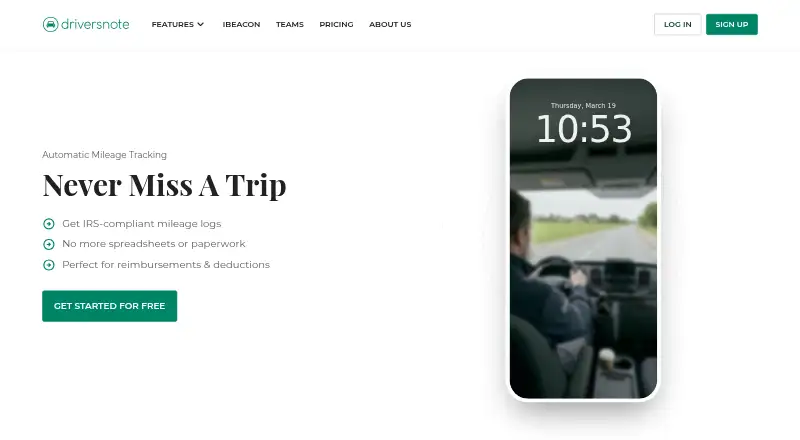
Driversnote helps individuals and teams record business mileage for reimbursement or tax deductions. Its phone motion detection can log trips automatically, and users can mark them as business or personal. Add work hours to enable automatic trip classification. Reports can be sent through the app or saved as PDF or Excel files. An optional Bluetooth iBeacon in a vehicle can start and stop tracking when a driver enters or leaves. The Free plan includes reporting for up to 15 trips per month; subscription plans allow unlimited trips and reports. Pro includes an edit log and public API. Teams adds report collection, review and approval, tags, notes, reminders, custom rates and audit tools. Managers see submitted trips only, and personal details can be censored in team reports. Driversnote says it records location only while driving and that users own their trip data. It is available on Android, iOS, web and API. Pro costs $11 a month; Teams costs $11 a month for teams of 2–10 users. Driversnote was founded in 2013 and is headquartered in Copenhagen, Denmark.
Who it suits
Driversnote suits individuals who document business mileage for reimbursement or tax deductions, as well as teams that need trip reporting and review. Its Free plan may suit people logging no more than 15 trips per month.
What it does well
- Motion detection can log trips automatically.
- Reports can be saved as PDF or Excel.
- Teams includes report review, approval and audit tools.
- Personal details can be censored in team reports.
- Free plan includes up to 15 trips monthly.
What to know first
- Free reporting is limited to 15 trips monthly.
- Pro costs $11 a month.
- Teams costs $11 a month for 2–10 users.
Limits
The Free plan allows reports for up to 15 trips per month. Subscription plans allow unlimited trips and reports.
Plans
| Plan | Billed and limits | Price |
|---|---|---|
| Free | 0 USD/ mo · Automatic mileage tracking · iOS, Android and web · reports for up to 15 trips | Free |
| Pro | 11 USD/ mo · Unlimited trips and reports · Edit log · Public API · iBeacon free with yearly subscription | $11 a month |
| Teams | 11 USD per license / mo · 2-10 users · Unlimited trips and reports · Admin report collection and validation · Public API · iBeacon free with yearly subscription | $11 a month |
| Teams + | Custom · 11+ users · SSO · Public API · Tailored onboarding · Dedicated Customer Success Manager | On request |
As driversnote.com lists them, read 15 Oct 2026. The maker's own page has the final word.
Getting started
- Visit the Driversnote website.
- Choose the Free, Pro, Teams, or Teams + plan that fits your use.
- Use Driversnote on Android, iOS, or web; API access is also available.
- Enable trip logging with phone motion detection.
- Classify trips as business or personal, or add work hours for automatic classification.
- Create and send a report in the app or save it as PDF or Excel.
- Optionally use a vehicle iBeacon to start and stop tracking when entering or leaving the vehicle.
Overview
Driversnote is mileage-tracking software for people and organizations that document business driving for reimbursement or tax deductions. It suits drivers who want automatic trip capture and exportable reports, and teams that need a process for reviewing submitted mileage.
Its strongest case is combining trip logging with business-personal classification and reports that can be saved or sent; the main compromise is the Free plan’s 15-trip monthly reporting cap.
Key features
Phone motion detection automatically logs trips, which can reduce the need to start a record manually. Drivers can classify each trip as business or personal, or add work hours to enable automatic classification. An optional Bluetooth iBeacon can start and stop tracking when a driver enters or leaves the vehicle, offering another way to trigger capture.
Users can create reports in the app, send them through it, or save them as PDF or Excel files. Reimbursement rates, vehicle profiles, and expense export support mileage record-keeping. Accounting integrations are available with Wave in Canada and the U.S. and Dinero in Denmark, so organizations using other accounting tools may need to handle report files separately.
Teams adds report collection, review and approval, tags, notes, reminders, custom rates, and audit tools. Managers see only submitted trips, and personal details can be censored in team reports. Driversnote says it records location only while users are driving and that users own their trip data. Its privacy policy describes safeguards and identifies Google Cloud as a hosting sub-processor.
Pricing
Driversnote uses a freemium model, with paid plans from 11 USD per user per month. The Free plan has no published price and allows reports for up to 15 trips per month; it includes iOS, Android, and web access. That cap may suit occasional business drivers, but is restrictive for regular mileage documentation.
Pro costs $11 a month and includes unlimited trips and reports, edit log, public API, and a free iBeacon with a yearly subscription. It is the clearest fit for an individual who has outgrown the Free cap and wants an editable record and API access.
Teams costs $11 a month for teams of 2–10 users. It includes unlimited trips and reports, admin report collection and validation, public API, and a free iBeacon with a yearly subscription. Its review controls make it more suitable than Pro when a manager needs to validate employees’ mileage.
Teams + has custom pricing for organizations with 11 or more users. It includes unlimited trips and reports, SSO, public API, tailored onboarding, and a dedicated Customer Success Manager. Subscription plans allow unlimited trips and reports, unlike Free. The pricing page lists 24/7 support for Free, Pro, and Teams; Teams + adds dedicated customer success support.
Platforms
Driversnote is available on Android, iOS, and the web, and offers an API. That combination covers mobile trip capture and browser-based reporting, with API access included in the paid plans described above.
Who it's for
Driversnote is a strong fit for individuals who regularly need business-mileage records and for small teams that need submitted trips reviewed before reporting. Its privacy controls may matter to organizations that want managers to see submitted trips without exposing personal details in team reports. Occasional drivers can start with Free, but should consider a paid plan if they routinely exceed 15 reportable trips a month.
It is less compelling for organizations that depend on accounting integrations beyond Wave in Canada and the U.S. or Dinero in Denmark, or for groups above 10 users that do not need Teams +’s SSO and onboarding package.
Pros and cons
- Pros: Automatic trip logging and optional iBeacon capture reduce reliance on manual trip starts.
- Pros: PDF and Excel reports, app-based sending, and business-personal classification support common mileage documentation workflows.
- Pros: Teams provides review and approval controls, while managers see only submitted trips and can censor personal details in team reports.
- Cons: Free reporting is capped at 15 trips per month, limiting its usefulness for frequent business drivers.
- Cons: Accounting integrations cover Wave in Canada and the U.S. and Dinero in Denmark, rather than a broad set of tools.
- Cons: Teams is scoped to 2–10 users; organizations with 11 or more need custom-priced Teams +.
Alternatives
Consider Mileage Tracking Software to compare other mileage-tracking options. Expensify is worth considering if you want receipt scanning alongside mileage tracking and expense reports on a free plan. Everlance may suit drivers who want 30 automatically detected trips per month per user on its free Basic plan, plus unlimited manual trip tracking.
Hurdlr is an alternative with unlimited semi-automatic mileage tracking and real-time tax estimates on its Free plan. MileIQ offers automatic mileage tracking and auto-generated reports, with 40 free drives each month. TripLog may suit users looking for unlimited automatic GPS mileage tracking and basic expense management on a free plan.
Brex is another freemium option. MileLog offers automatic drive detection, basic classification, and CSV export, with up to 15 free cloud trips per month. MyCarTracks is another freemium alternative.
Verdict
Choose Driversnote if you need automatic business-mileage capture, exportable reports, and—on Teams—a defined review and approval workflow. Its strongest limitation is the Free plan’s 15-trip cap; regular drivers will need a paid plan, while organizations outside the 2–10-user Teams range should weigh the custom-priced Teams + tier against their need for SSO and dedicated onboarding.
Verdict
Driversnote combines automatic trip logging with business-personal classification and exportable mileage reports. Teams adds review and approval controls, while the Free plan is capped at 15 trips per month.
Questions
Is Driversnote free?
Yes. The Free plan allows reporting for up to 15 trips per month.
How much do the paid plans cost?
Pro is listed at $11 a month. Teams is also listed at $11 a month for teams of 2–10 users.
Which platforms does Driversnote support?
It is available on Android, iOS, web, and API.
Can it export mileage reports?
Reports can be saved as PDF or Excel and sent through the app.
Does Driversnote integrate with accounting software?
Driversnote says it integrates with Wave in Canada and the U.S., and Dinero in Denmark.
What does Teams include?
Teams includes report collection, review and approval, tags, notes, reminders, custom rates, and audit tools.
Facts from Driversnote's own pages
- API permissions
- An API key inherits the permissions of the account that created it, so team reports require an administrator or manager key. · api.driversnote.com, 15 Oct 2026
- API resources
- API documentation covers trips, reports, teams, locations and vehicles, with example queries and mutations. · api.driversnote.com, 15 Oct 2026
- Audience
- Driversnote describes the product as serving individuals and teams who need to document business mileage for reimbursement or tax deductions. · driversnote.com, 29 Sept 2026
- Automatic tracking
- The app uses phone motion detection or an iBeacon to start and stop trip recording. · driversnote.com, 15 Oct 2026
- Automatic trip logging
- The app uses phone motion detection to automatically log trips. · driversnote.com, 29 Sept 2026
- Classification
- Users can classify trips as business or personal, and adding work hours enables automatic classification. · driversnote.com, 29 Sept 2026
- Company founding
- LinkedIn lists Driversnote as founded in 2014, while the company’s About page says it started in 2013. · linkedin.com, 15 Oct 2026
- Company headquarters
- LinkedIn lists headquarters in København K, Capital Region of Denmark. · linkedin.com, 15 Oct 2026
- Company legal name
- Crunchbase identifies the legal entity as Driversnote ApS. · crunchbase.com, 15 Oct 2026
- Company size
- LinkedIn and Crunchbase place the company in the 11-50 employee range. · linkedin.com, 15 Oct 2026
- Founded
- 2013 · driversnote.com, 28 Sept 2026
- Headquarters
- Copenhagen, Denmark · driversnote.com, 28 Sept 2026
- iBeacon
- The optional Bluetooth iBeacon in a vehicle starts and stops trip tracking when a driver enters or leaves the vehicle. · driversnote.com, 29 Sept 2026
- iBeacon limitation
- The iBeacon requires the phone to be present with Bluetooth enabled and cannot be paired through the phone’s normal Bluetooth settings. · driversnote.com, 15 Oct 2026
- Integrations
- Driversnote says it integrates with Wave in Canada and the United States and Dinero in Denmark. · driversnote.com, 15 Oct 2026
- Licence
- Driversnote’s terms describe a hosted software service operated by Driversnote ApS and do not publish an open-source licence. · driversnote.com, 15 Oct 2026
- Limit: battery and tracking
- GetApp users report battery drain, resource-heavy tracking and occasional inaccurate or incomplete automatic tracking. · getapp.com, 15 Oct 2026
- Limit: cancellation and billing complaints
- Trustpilot reviewers report unexpected subscription charges, difficulty cancelling and disputes over refunds or access to previously tracked data. · trustpilot.com, 15 Oct 2026
- Limit: feature gaps
- A Timeero review says Driversnote lacks time tracking, payroll integrations, geofencing and commuter-exclusion controls for field teams. · timeero.com, 15 Oct 2026
- Limits
- The Free plan allows reports for up to 15 trips per month, while subscription plans allow unlimited trips and reports. · driversnote.com, 29 Sept 2026
- Limit: subscription cost
- G2 reviewers say recurring subscription charges are difficult for small businesses and require careful return-on-investment evaluation. · g2.com, 15 Oct 2026
- Manual tracking
- Users can start and stop trips manually, add forgotten trips later, and record odometer readings. · driversnote.com, 15 Oct 2026
- Notable news: Android tracking
- Driversnote announced Android automatic tracking with iBeacon on April 25, 2024. · driversnote.com, 15 Oct 2026
- Notable news: web product
- Driversnote announced its web app’s route editing, quick actions, bulk editing and reporting features on April 25, 2024. · driversnote.com, 15 Oct 2026
Where Driversnote stands on Freedom251
- Tax Deduction Tracking Software#2 of 49
- Mileage Tracking Software#3 of 43