Freedom251 › Digital Audio Workstations
Tracktion Waveform
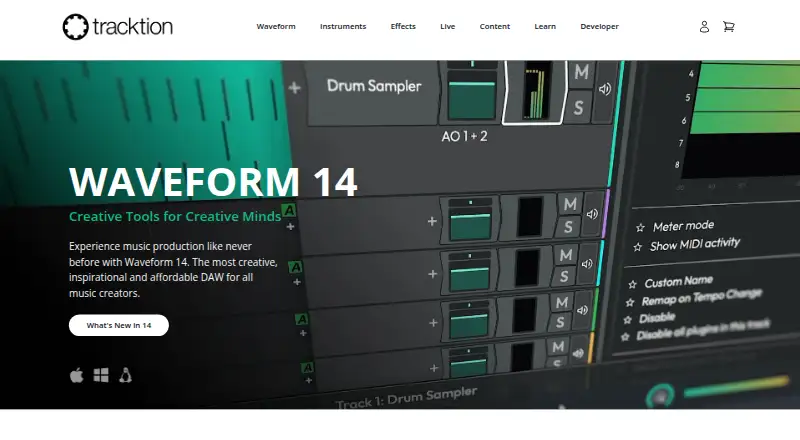
What Tracktion Waveform is
Tracktion Waveform is a digital audio workstation for music creators, available on Linux, macOS, and Windows. Waveform Free supports multitrack band recording, audio effects, and VST, VST3, and AU plugins. For electronic production, it includes inline MIDI and Step Clip access, a rack environment, and instruments including a 4OSC synth, Micro Drum Sampler, Micro Sampler, and Rompler. Listed use cases also include podcasting, singer-songwriting, and house of worship. Waveform Pro 14 supports multiple video clips in an edit and can extract audio from video clips. Pro can split a stereo mix into four components or extract elements such as vocals or drums. Waveform 14 supports listed launchpad-style controllers and Ableton Link, and includes a JavaScript API for additional controller configuration. Pro plugin sandboxing can deactivate a third-party plugin after a crash rather than close the host. Waveform Free is free; Waveform Pro costs $249.00 USD one-time and advertises a 30-day unlimited trial.
Who it suits
Waveform suits music creators recording bands or working with electronic production, podcasts, songwriting, or house of worship. Its free and Pro editions offer different production tools, and it runs on Linux, macOS, and Windows.
What it does well
- Free edition supports multitrack band recording.
- Supports VST, VST3, and AU plugins.
- Includes MIDI, Step Clip, rack, and built-in instruments.
- Pro can extract audio from video clips.
What to know first
- Stem separation and video editing features are listed for Pro.
- Waveform Pro costs $249.00 USD one-time.
- The 30-day unlimited trial is advertised for Pro.
Limits
Waveform Free includes 14 built-in audio effects, 8 MIDI effects, 11 utility plugins and 4 built-in instruments. Pro costs $249.00 USD one-time and lists 38 built-in audio effects, 10 MIDI effects, 11 utility plugins and 10 built-in instruments; its trial lasts 30 days.
Plans
| Plan | Billed and limits | Price |
|---|---|---|
| Waveform Free | 14 built-in audio effects · 8 MIDI effects · 11 utility plugins · 4 built-in instruments | Free |
| Waveform Pro | $249 /one-time · 38 built-in audio effects · 10 MIDI effects · 11 utility plugins · 10 built-in instruments · listed included content and plugins | $249, paid once |
| Recommended Bundle | $349 /one-time · Everything from Waveform Pro · F.'em · Dan Dean Essential Bass · Testa Imagina drum loop library · RetroMod FAT & LoFreq Modern | $349, paid once |
| Studio Content Bundle | $599 /one-time · Everything from Recommended Bundle · RetroMod Collection · MOK Waverazor · Abyss 2 · Hyperion · Modeler · SpaceCraft | $599, paid once |
| Everything Bundle | $999 /one-time · Everything from Studio Bundle · listed instruments, effects, StageBox, and sound packs | $999, paid once |
As tracktion.com lists them, read 4 Oct 2026. The maker's own page has the final word.
Getting started
- Visit the Tracktion website.
- Choose Waveform Free or review the paid plans.
- Select Linux, macOS or Windows.
- For the Pro trial, use the advertised 30-day unlimited trial.
- On Linux, start by installing Waveform Free 14; Pro features unlock automatically while running Waveform Linux 14.
Tracktion Waveform is a digital audio workstation for recording and producing music on Linux, macOS, and Windows. It is a strong fit for creators who want recording and electronic-production tools without an upfront cost. Pro is worth considering when video editing or stem separation is part of the job; otherwise, Free covers the core appeal.
Overview
Waveform Free is aimed at a broad mix of work, including band recording, electronic production, podcasting, singer-songwriting, and house of worship. Its plugin support and built-in production tools make it more than a basic recorder, while Pro is a more selective upgrade for editing and mixing tasks beyond that foundation.
Waveform 14 supports audio warping, launchpad-style controllers, and Ableton Link. A JavaScript API allows additional controller configuration, which may suit producers building a more customized setup.
Key features
Recording and electronic production
Free supports multitrack band recording, audio effects, and VST, VST3, and AU plugins. Inline MIDI and Step Clip access, a rack environment, and instruments including the 4OSC synth, Micro Drum Sampler, Micro Sampler, and Rompler give electronic producers a useful set of starting tools without requiring Pro.
Pro 14 supports multiple video clips in an edit and can extract audio from them, making it the relevant tier for music work that includes video. Its stem separation can split a stereo mix into four components or extract selected parts such as vocals or drums. Plugin sandboxing deactivates a third-party plugin after a crash rather than closing the host, a practical safeguard for sessions that depend on external plugins.
Pricing
Waveform Free costs nothing and includes 14 built-in audio effects, 8 MIDI effects, 11 utility plugins, and 4 built-in instruments. It is the sensible starting point for recording and production if those tools meet your needs.
Waveform Pro costs $249, paid once, billed $249 /one-time. It includes 38 built-in audio effects, 10 MIDI effects, 11 utility plugins, 10 built-in instruments, and listed included content and plugins. The 30 day unlimited trial gives prospective buyers a way to assess the Pro tier before paying. Pro’s added video, stem, and plugin-containment features justify the upgrade most clearly for users who will actually use them.
The Recommended Bundle costs $349, paid once, billed $349 /one-time, and adds F.'em, Dan Dean Essential Bass, Testa Imagina drum loop library, and RetroMod FAT & LoFreq Modern to Pro. The Studio Content Bundle costs $599, paid once, billed $599 /one-time, and adds RetroMod Collection, MOK Waverazor, Abyss 2, Hyperion, Modeler, and SpaceCraft to the Recommended Bundle. The Everything Bundle costs $999, paid once, billed $999 /one-time, and adds listed instruments, effects, StageBox, and sound packs to the Studio Bundle. These bundles are for buyers seeking the added content; Free and Pro have the clearer fit when the included DAW tools are the priority.
Platforms
Waveform runs on Linux, macOS, and Windows. Linux users have a distinctive Pro route: running Waveform Linux 14 unlocks Pro features automatically, starting from an installation of Waveform Free 14.
Who it's for
Choose Waveform Free for multitrack recording, electronic production, podcasts, songwriting, or house-of-worship work when its included tools are enough. Pro is the better fit for creators who need video clips in edits, stem extraction, or protection against plugin crashes. If those needs do not apply, paying for Pro or a content bundle is harder to justify.
Pros and cons
- Pros: Free includes multitrack recording, plugin support, MIDI tools, instruments, and effects, so creators can begin production without an upfront purchase.
- Pros: Pro adds video editing, stem separation, and plugin crash containment, addressing specific needs beyond core music production.
- Pros: Linux, macOS, and Windows support gives users across those desktop platforms an option.
- Cons: Pro’s $249 one-time price is a significant step from Free if video editing, stem separation, or sandboxing is not useful to your workflow.
- Cons: The broader bundles raise the one-time outlay substantially and make most sense when their additional instruments and sound content are wanted.
Alternatives
For other options, browse Digital Audio Workstations.
- n-Track Studio is worth comparing if you want a DAW that also lists Android and iOS support; it has a free plan and trial, with Standard at $69 a month and Extended at $139 a month.
- SunVox may suit someone looking for a modular synthesizer and tracker across desktop, mobile, and web platforms.
- Pro Tools is another free-plan option for macOS and Windows, with its Intro plans capped at up to 8 audio, 8 instrument, and 8 MIDI tracks.
- Zrythm is a Linux, macOS, and Windows alternative with a Basic plan capped at 25 tracks and a Snapshot plan at £14 a month.
- Cakewalk Next offers a free plan with unlimited tracks, virtual instruments, built-in effects, and VST and AU support on macOS and Windows.
- GarageBand is a free alternative for iOS and macOS, with up to 255 tracks on Mac and 32 on iPhone and iPad.
- LMMS is a free, open-source option for Linux, macOS, and Windows.
- LUNA is a macOS and Windows alternative with a free plan that includes unlimited tracks, smart features, UAD Explore Free plug-ins, and Oxide Tape.
Verdict
Waveform Free is the right choice for creators who want a capable starting point for recording or electronic production across Linux, macOS, and Windows. Choose Pro when its video, stem-separation, or plugin-sandboxing tools solve a real need; look elsewhere if those features do not justify the one-time price.
Verdict
Waveform Free covers recording and electronic production, while Pro adds video editing, stem separation, and plugin crash containment. Compare the included tools with the one-time Pro price before choosing.
Questions
Is Tracktion Waveform free?
Yes. Waveform Free costs nothing plan. Paid plans are also available.
How much does Waveform Pro cost?
Waveform Pro costs $249.00 USD one-time. A 30-day unlimited trial is advertised.
Which operating systems does Waveform support?
Waveform is listed for Linux, macOS and Windows.
Which plugins does Waveform Free support?
Waveform Free supports VST, VST3 and AU plugins.
What do the higher priced bundles include?
The $349.00 USD Recommended Bundle includes everything from Waveform Pro plus listed instruments and sound content. The $599.00 USD Studio Content Bundle and $999.00 USD Everything Bundle add further listed content, instruments and effects.
What support does Tracktion offer?
Tracktion offers a support bot, human-powered support, training videos and a knowledgebase.
Facts from Tracktion Waveform's own pages
- Controller and sync support
- Waveform 14 supports listed launchpad-style controllers and Ableton Link, and includes a JavaScript API for additional controller configuration. · tracktion.com, 4 Oct 2026
- Editing
- Waveform Pro 14 supports multiple video clips per edit and can extract audio from video clips. · tracktion.com, 4 Oct 2026
- Electronic production
- Waveform Free includes inline MIDI and Step Clip access, a rack environment, and instruments including a 4OSC synth, Micro Drum Sampler, Micro Sampler, and Rompler. · tracktion.com, 4 Oct 2026
- Intended users
- Waveform Free’s page presents use cases including band recording, electronic production, podcasting, singer-songwriting, and house of worship. · tracktion.com, 4 Oct 2026
- Linux edition
- The page says Waveform Pro features unlock automatically while running Waveform Linux 14, which starts by installing Waveform Free 14. · tracktion.com, 4 Oct 2026
- Platforms
- The product pages list macOS 13 or later, Windows 10 and 11, and Linux tested on Ubuntu 24.04 64-bit. · tracktion.com, 4 Oct 2026
- Plugin protection
- Waveform Pro plugin sandboxing contains third-party plugin crashes by deactivating the plugin instead of closing the host. · tracktion.com, 4 Oct 2026
- Product
- Waveform is a digital audio workstation for music creators. · tracktion.com, 4 Oct 2026
- Recording and production
- Waveform Free is described as suitable for multitrack band recording, with audio effects and support for VST, VST3, and AU plugins. · tracktion.com, 4 Oct 2026
- Stem separation
- Waveform Pro can split a stereo mix into four components or extract selected elements such as vocals or drums. · tracktion.com, 4 Oct 2026
- Support
- Tracktion offers a support bot, human-powered support, training videos, and a knowledgebase. · tracktion.com, 4 Oct 2026
- Trial
- The Waveform Pro page advertises a 30 day unlimited trial. · tracktion.com, 4 Oct 2026
Where Tracktion Waveform stands on Freedom251
- Digital Audio Workstations#14 of 39