Pro Tools
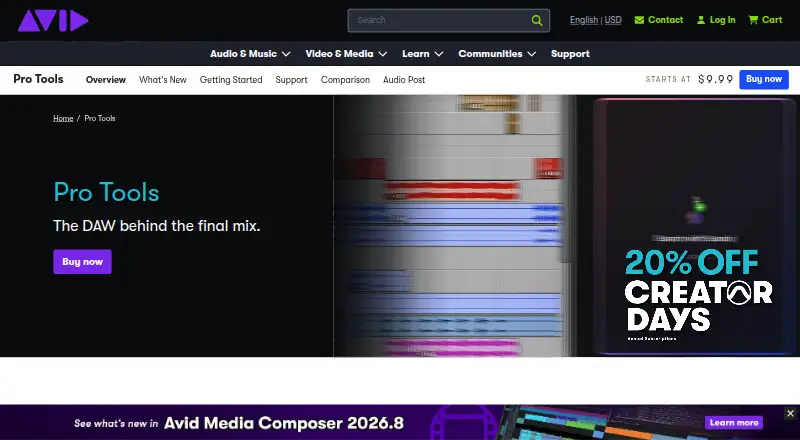
What Pro Tools is
Pro Tools is a digital audio workstation for recording, editing, and mixing audio on macOS and Windows. It also provides MIDI tools, virtual instruments, samples, and arrangement features for music production. Recording options include loop recording, playlist comping, punch-in recording, and support for up to 256 simultaneous audio inputs. Editing includes Slip, Grid, Shuffle, and Spot modes, Elastic Audio, clip gain, pitch manipulation, and audio-to-MIDI conversion. Mixing features include automation, routing, folder tracks, plugins, and spatial rendering for Dolby Atmos and Audio Vivid. Studio and Ultimate include video tracks and timecode for work such as scoring and dialogue editing to picture. Intro is free forever and lists up to eight audio, instrument, and MIDI tracks. Artist costs $9.99 a month, Studio costs $34.99 a month, and Ultimate costs $99 a month. Avid specifies 16 GB RAM, 15 GB of free installation space, and an internet connection for installation and activation. Community help is available; direct support cases or calls require an active support contract, subscription, or Avid Support Code.
Who it suits
Pro Tools suits music makers who need recording, MIDI, editing, and mixing tools, as well as audio post users working with video and timecode. The free Intro plan may suit casual creators with modest track needs.
What it does well
- Intro is free forever.
- Recording supports up to 256 simultaneous audio inputs.
- Studio and Ultimate include video tracks and timecode.
- Supports Dolby Atmos and Audio Vivid spatial rendering.
What to know first
- Requires 16 GB RAM.
- Installation and activation require an internet connection.
- Requires 15 GB of free installation space.
- Direct support cases or calls require qualifying support access.
Limits
Intro supports up to eight audio tracks, eight instrument tracks, and eight MIDI tracks. Artist costs $9.99 a month and includes 32 audio tracks and 64 MIDI tracks; the listed plan includes 110+ instruments and effects.
Plans
| Plan | Billed and limits | Price |
|---|---|---|
| Intro | Up to 8 audio tracks · Up to 8 instrument tracks · Up to 8 MIDI tracks | On request |
| Intro | Up to 8 audio tracks · Up to 8 instrument tracks · Up to 8 MIDI tracks | On request |
| Pro Tools Artist | billed monthly · 32 audio tracks · 64 MIDI tracks · 110+ instruments and effects | $9.99 a month |
| Pro Tools Studio | billed monthly · 512 audio tracks · 1,024 MIDI tracks · 130+ instruments and effects · Immersive mixing · 1 video track | $34.99 a month |
| Pro Tools Ultimate | billed monthly · 2,048 audio tracks · 1,024 MIDI tracks · 130+ instruments and effects · 64 video tracks and editing · Full audio post workflows | $99 a month |
| Pro Tools Intro | Free forever | Free |
| Pro Tools Studio Perpetual License Upgrade | For owners of Pro Tools 12 or later with an expired or soon-to-expire 1-Year Software Updates + Support Plan · Includes 1 year of software updates and Standard support | $199, paid once |
| Studio | USD/month · 512 audio tracks · 1,024 MIDI tracks · 130+ instruments and effects · immersive mixing · 1 video track | $34.99 a month |
The first 8 of 19 plans, as avid.com lists them, read 23 Sept 2026. The maker's own page has the final word. Every plan
Getting started
- Visit the Avid Pro Tools website.
- Choose Intro, Artist, Studio, or Ultimate.
- Use a macOS or Windows computer that meets Avid’s system requirements.
- Connect to the internet for installation and activation.
Pro Tools is a digital audio workstation for recording, editing, producing and mixing audio, with tools for music and audio post-production. It best suits producers, artists and studios that need detailed editing and high track counts, while Intro offers a smaller-scale starting point. Its strength is the breadth of its recording and mixing workflow; its cost and platform requirements make it a less compelling fit for casual editing.
Overview
Pro Tools brings MIDI sequencing, virtual instruments, samples and arrangement tools into the same workstation as multitrack recording and mixing. It supports up to 256 simultaneous audio inputs, useful for recording larger sessions, and includes loop and punch-in recording plus playlist comping. That combination gives music producers substantial control over both takes and arrangements.
Editing options include Slip, Grid, Shuffle and Spot modes, Elastic Audio, clip gain, pitch manipulation and audio-to-MIDI conversion. These tools make the software suited to detailed timing and pitch work as well as conventional editing. Mixing adds automation, flexible routing, folder tracks and plugins, with spatial rendering for Dolby Atmos and Audio Vivid.
Studio and Ultimate add video tracks and timecode for frame-accurate scoring, dialogue editing and other sound-to-picture work. That makes those tiers relevant to post-production; Intro and Artist do not publish the same video-track capabilities. Cloud collaboration, third-party plugins and ARA 2 integrations—including support for products from Acon Digital, Celemony, iZotope, Steinberg, Synchro Arts, Sound Radix and Waves—extend the available workflows.
Active subscribers and customers with active perpetual upgrade plans receive Melodyne essential, RX 11 Spectral Editor, Acoustica Essentials, DynAssist Lite, RePitch Elements, SpectraLayers Go and WaveLab Go. The software requires 16 GB of RAM, 15 GB of free installation space and an internet connection for installation and activation, so it is not a light setup for an older or resource-constrained computer.
Key features
- Recording and editing: Comping, loop and punch-in recording pair with several editing modes, Elastic Audio and audio-to-MIDI conversion. This is a substantial toolkit for shaping performances, though the range may be more than a casual creator needs.
- Production and mixing: MIDI sequencing, instruments, samples, automation, routing and spatial rendering support work from arrangement through mix.
- Audio post: Studio includes one video track; Ultimate adds 64 video tracks and editing. Both offer a route to timecode-based picture work, with Ultimate aimed at larger post-production sessions.
- Plugin workflows: Third-party plugins and ARA 2 integrations broaden the processing options. Active subscribers and covered perpetual licenses also receive the named additional tools.
Pricing
Pro Tools is freemium, with a free Intro tier and paid monthly subscriptions. The paid tiers are billed monthly at the prices below; annual and perpetual-upgrade prices are separate offers.
- Intro: Free forever for casual creators, with up to 8 audio, 8 instrument and 8 MIDI tracks. It is a limited entry point, not a substitute for larger sessions.
- Artist: $9.99 a month, with 32 audio tracks, 64 MIDI tracks and 110+ instruments and effects. It suits smaller music projects; the track ceiling and lack of a published video track limit its appeal for larger productions and post.
- Studio: $34.99 a month, with 512 audio tracks, 1,024 MIDI tracks, 130+ instruments and effects, immersive mixing and one video track. This is the more capable choice for demanding music sessions and some picture work.
- Ultimate: $99 a month, with 2,048 audio tracks, 1,024 MIDI tracks, 130+ instruments and effects, 64 video tracks and editing, and full audio post workflows. Its higher price is justified primarily for users who need the expanded post-production capacity.
Other published prices include Artist at 99 USD annually or 69 USD for a perpetual upgrade plan; Studio at 299 USD annually or 199 USD for a perpetual upgrade plan; and Ultimate at 599 USD annually or 499 USD for a perpetual upgrade plan. These perpetual upgrade plans renew or update existing perpetual licenses, rather than serving as a new perpetual purchase. Studio Education is 99 USD annually, 9.99 USD annual-paid-monthly or 99 USD for a perpetual upgrade; Ultimate Education is 299 USD for an annual-paid-annual subscription.
The 30-day trial offers a temporary way to evaluate a paid workflow. New annual-paid-monthly subscriptions have not been sold since January 1, 2023; existing Studio annual-paid-monthly subscriptions renew at 34.99 USD, and existing Ultimate annual-paid-monthly renewals are 99.99 USD. Regular paid-upfront annual renewal prices are unaffected by the cited price changes. The monthly prices make ongoing access clear, but buyers should distinguish subscriptions from perpetual-license upgrade coverage when comparing costs.
Platforms
Pro Tools runs on Windows and macOS. Avid specifies macOS Tahoe 26.3.x, Sequoia 15.7.x and Sonoma 14.8.x, as well as Windows 11 versions 25H2 or 24H2, in its minimum requirements. Users can seek help through community support; those with an active support contract, subscription or Avid Support Code can also create a support case or call Avid.
Who it's for
Pro Tools is a strong fit for producers, artists and studios that need deep audio editing, high track counts, plugin flexibility or a path from music production into audio post. Intro is better suited to casual creators testing a constrained session. Artist fits smaller music work, while Studio and Ultimate make more sense as track counts and picture workflows grow. Those who only need straightforward audio editing, or who need Linux, Android, iOS or web support, should look elsewhere.
Pros and cons
- Pros: Broad recording, editing and mixing tools support detailed music-production workflows.
- Pros: Studio and Ultimate include timecode and video features, with Ultimate supporting 64 video tracks and editing.
- Pros: Plugin and ARA 2 support, plus included tools for covered customers, extend processing choices.
- Cons: Intro's 8-track caps constrain larger projects, and Artist's 32 audio tracks are a significant step below Studio.
- Cons: The 16 GB RAM requirement and installation space make it a substantial software commitment.
- Cons: The more extensive picture and post-production features require the 34.99 USD or 99.00 USD monthly tier.
Alternatives
Soundtrap is a freemium option with a free account and support across mobile, desktop and web platforms; consider it if broad device access matters more than Pro Tools' specified track and post-production capabilities.
Ardour offers a free plan and runs on Linux as well as macOS and Windows, making it a relevant alternative for Linux users.
Audacity is a free, open-source desktop audio editor with no subscription, a sensible alternative when editing rather than a full production workstation is the priority.
GarageBand is free on Mac, iPhone and iPad, with up to 255 tracks on Mac and 32 on iPhone and iPad; it suits readers seeking a free Apple-platform option.
MixPad offers a free plan and a Master's Edition with unlimited tracks and full VST support, which may suit studios prioritizing those stated capabilities.
WavePad is a freemium audio editor whose Master's Edition annual plan is $99 a year and includes an SFX library and full VST support.
n-Track Studio is another freemium workstation with a free trial and support across mobile, desktop and Linux platforms; consider it if that platform breadth is important.
Riverside offers a free plan with two hours of multitrack recordings, video up to 720p and 44.1 kHz audio, making it a more bounded option for recording sessions.
Browse more Digital Audio Workstations, Audio Editing Software, Game Music Software or Game Audio Editors.
Verdict
Choose Pro Tools if you need a workstation that can carry detailed recording and editing through to complex mixing, with Studio and Ultimate extending that work to picture. The main reason to look elsewhere is the combination of monthly cost, system requirements and platform limits: casual editors and users outside Windows or macOS can find a better fit in a lighter or broader-platform alternative.
Verdict
Pro Tools combines recording, editing, music production, and mixing tools, with video and timecode features in Studio and Ultimate. Intro offers a free starting tier, while paid plans range from 9.99 USD to $99 a month.
Questions
Is Pro Tools free?
Yes. Pro Tools Intro is free forever and lists up to eight audio, instrument, and MIDI tracks.
How much do the paid plans cost?
Artist is $9.99 a month, Studio is $34.99 a month, and Ultimate is $99 a month.
Which platforms does Pro Tools support?
Pro Tools supports macOS and Windows.
Does Pro Tools support video work?
Studio and Ultimate include video tracks and timecode for sound-to-picture work. The listed Studio plan has one video track; Ultimate has 64 video tracks.
What computer requirements does Avid list?
Avid specifies 16 GB RAM, 15 GB of free installation space, and an internet connection for installation and activation.
What support is available?
Community support is available. Users with an active support contract, subscription, or Avid Support Code can create a support case or call Avid.
Facts from Pro Tools's own pages
- Affected Offerings
- Four Pro Tools offerings were identified as changing price. · kb.avid.com, 27 Sept 2026
- Annual Monthly Sales
- New annual-paid-monthly subscriptions have not been sold since January 1, 2023. · kb.avid.com, 27 Sept 2026
- ARA 2 integrations
- ARA 2 integrations include plugins from Acon Digital, Celemony, iZotope, Steinberg, Synchro Arts, Sound Radix, and Waves. · avid.com, 29 Sept 2026
- Artist Pricing
- Artist pricing is listed as $9.99 monthly, $99 annual, and $69 for a perpetual upgrade plan. · kb.avid.com, 27 Sept 2026
- Audio post
- Studio and Ultimate include video tracks and timecode for frame-accurate scoring, dialogue editing, and sound-to-picture work. · avid.com, 29 Sept 2026
- Cloud collaboration
- Yes · kb.avid.com, 23 Sept 2026
- Editing
- Editing tools include Slip, Grid, Shuffle, and Spot modes, Elastic Audio, clip gain, pitch manipulation, and audio-to-MIDI conversion. · avid.com, 29 Sept 2026
- Studio Education Pricing
- Studio Education pricing is listed as $99 annual, $9.99 annual-paid-monthly, and $99 perpetual upgrade. · kb.avid.com, 27 Sept 2026
- Ultimate Education Price
- Ultimate Education annual paid annual subscription pricing is listed as $299. · kb.avid.com, 27 Sept 2026
- Free plan
- Yes · kb.avid.com, 23 Sept 2026
- Included plugins
- Customers with active subscriptions and perpetual upgrade plans receive Melodyne essential, RX 11 Spectral Editor, Acoustica Essentials, DynAssist Lite, RePitch Elements, SpectraLayers Go, and WaveLab Go. · avid.com, 29 Sept 2026
- Intended users
- Avid describes Pro Tools as a workstation trusted by studios, producers, and artists, with workflows spanning music production and audio post. · avid.com, 29 Sept 2026
- MIDI sequencing
- Yes · kb.avid.com, 23 Sept 2026
- Mixing
- The workstation includes automation, flexible routing, folder tracks, mixing plugins, and spatial rendering for Dolby Atmos and Audio Vivid. · avid.com, 29 Sept 2026
- Multitrack editing
- Yes · kb.avid.com, 23 Sept 2026
- Music production
- It provides MIDI tools, virtual instruments, samples, and arrangement features for music production. · avid.com, 29 Sept 2026
- Noise reduction
- Yes · kb.avid.com, 23 Sept 2026
- Other Price Changes
- The page says no other Pro Tools subscription or perpetual license prices are changing. · kb.avid.com, 27 Sept 2026
- Upgrade Plan Use
- Perpetual Upgrade Plans renew existing perpetual licenses or update expired perpetual licenses. · kb.avid.com, 27 Sept 2026
- Price Change Date
- The listed Pro Tools price adjustments took effect May 2, 2024. · kb.avid.com, 27 Sept 2026
- Purpose
- Pro Tools is a digital audio workstation for recording, editing, and mixing audio. · avid.com, 29 Sept 2026
- Recording
- Recording features include loop recording, playlist comping, punch-in recording, and support for up to 256 simultaneous audio inputs. · avid.com, 29 Sept 2026
- Annual Renewal Pricing
- Regular paid-upfront annual subscription renewal prices are not affected by these changes. · kb.avid.com, 27 Sept 2026
- Paid from
- 9.99 · kb.avid.com, 23 Sept 2026
Where Pro Tools stands on Freedom251
- Audio editors#2 of 31
- Audio Editing Software#11 of 131
- Game Audio Editors#7 of 31
- Digital Audio Workstations#11 of 39
- Game Music Software#12 of 27