Freedom251 › Audio Editing Software
WavePad
by WavePad
What WavePad is
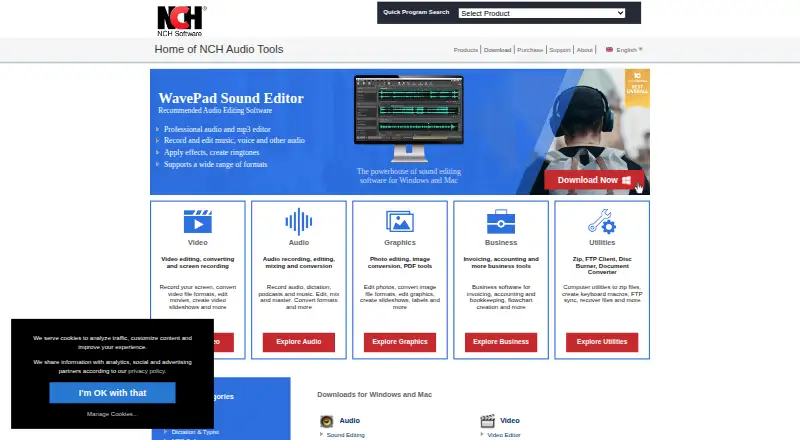
WavePad records and edits music, voice, and other audio on Windows, macOS, iOS, and Android. Its tools cover cutting, copying, pasting, trimming, compression, and pitch shifting; effects include echo, amplification, and equalization. Restoration tools reduce noise and remove clicks and pops. It supports more than 50 audio formats, including MP3, WAV, FLAC, OGG, AAC, and M4A, and can process effects or convert thousands of files in one batch. WavePad supports DirectX and VST plugins, though the Standard Edition excludes VST support and the SFX Library. It integrates with NCH's MixPad Multi-Track Audio Mixer. The free version is for non-commercial use and does not expire; a 14-day trial enables additional Master's Edition features after installation. Paid plans include the Standard Edition Annual Plan at $60 a year, Master's Edition Annual Plan at $99 a year, and Master's Edition Quarterly Plan at $16.50 a month. Listed uses include podcast and radio editing, voiceovers, ringtone creation, and audio restoration.
Who it suits
WavePad suits people who need to record or edit voice, music, podcasts, radio, or other audio, including users working on supported desktop or mobile platforms. Its free version is limited to non-commercial use.
What it does well
- Works on Windows, macOS, iOS, and Android
- Supports more than 50 audio formats
- Batch-processes or converts thousands of files
- Noise reduction and click removal tools
- Integrates with NCH's MixPad mixer
What to know first
- Free version is for non-commercial use only
- Standard Edition excludes VST support and SFX Library
Limits
The free version is for non-commercial use, though it does not expire. Additional Master's Edition features are enabled for a 14-day trial after installation. The Standard Edition excludes VST plugin support and the SFX Library.
Plans
| Plan | Billed and limits | Price |
|---|---|---|
| Free version | Non-commercial use only · does not expire · many Master's Edition features | Free |
| WavePad Free Version | Non-commercial use only · standard features remain after trial | Free |
| Master's Edition Quarterly Plan | $21.48 quarterly · Unlimited ongoing professional features and upgrades | $21.48 a month |
| Standard Edition Annual Plan | $39.95+VAT/year; $43.95 including GST · Master's features without VST plugins or SFX Library · single license | $39.95 a year |
| Master's Edition Annual Plan | $69.95+VAT/year; $76.95 including GST · All Master's features · SFX Library · full VST support · single license | $69.95 a year |
As nch.com.au lists them, read 3 Oct 2026. The maker's own page has the final word.
Getting started
- Visit the WavePad product page.
- Choose a download for Windows, macOS, iOS, or Android.
- Install WavePad on the selected platform.
- Use the free version for non-commercial work, or start the 14-day Master's Edition features trial after installation.
- Choose a paid plan if you want the listed paid edition options.
- Use the video tutorials, manual, FAQ, forum, or technical support contact for help.
Overview
WavePad is software for recording and editing music, voice and other audio on desktop and mobile devices. It is best suited to people who need to clean up or process recordings, not to those choosing a tool primarily for multitrack production. Its broad file support and high-volume batch processing stand out, but commercial users need a paid edition.
Key features
WavePad combines familiar edits—cut, copy, paste and trim—with compression and pitch shifting. Echo, amplification and equalization add ways to shape sound, while noise reduction and click-and-pop removal address common recording problems. That makes it a practical fit for voiceovers, podcast and radio edits, ringtone creation and restoration. Its integration with NCH's MixPad offers a route to a separate multitrack mixer when a project calls for that workflow.
Support for more than 50 formats, including MP3, WAV, FLAC, OGG, AAC and M4A, helps when recordings come from varied sources. Batch processing can apply effects or convert thousands of files in one operation, which is particularly useful for repetitive library work. Sample rates range from 6 to 192 kHz, in mono or stereo and at 8, 16, 24 or 32 bits.
DirectX and VST plugins are supported, but not in the Standard Edition; that edition also omits the SFX Library. Buyers who rely on VST plugins should compare editions before committing. WavePad is available for Windows, macOS, iOS and Android, with the product page also listing Kindle downloads. Windows support covers versions 7 to 11, and macOS support starts at 10.5. NCH provides video tutorials, a help manual, an FAQ, a forum and a technical support contact.
Pricing
The free version costs nothing and does not expire, but it is restricted to non-commercial use. It includes many Master's Edition features, and installation starts a 14-day trial that enables additional Master's Edition features. This is a sensible way to evaluate the software or handle personal projects; it is not the right edition for paid work.
| Plan | Price | What it includes |
|---|---|---|
| Free version | free | Non-commercial use; does not expire; many Master's Edition features |
| Standard Edition Annual Plan | $60 a year | Master's Edition features without VST plugin support or the SFX Library |
| Master's Edition Annual Plan | $99 a year | SFX Library and full VST support |
| Master's Edition Quarterly Plan | $16.50 a month | Unlimited ongoing use of professional-version features and all upgrades; billed $16.50 quarterly |
Standard is the lower-cost paid choice for users who do not need VST plugins or the SFX Library. The annual Master's plan adds both; the quarterly Master's plan offers ongoing professional-version use and all upgrades, but its stated monthly price is billed quarterly. Choose between them based on billing preference and the features required.
Platforms
WavePad runs on Windows, macOS, iOS and Android. The listed desktop requirements are Windows 7 to 11 and macOS 10.5 or above; mobile downloads are listed for iPhone, iPad, Android and Kindle. The range suits people who want to work across desktop and mobile, though the platform list alone does not establish feature parity between editions or devices.
Who it's for
Choose WavePad for editing individual recordings, restoring noisy audio, applying effects, or converting and processing large groups of files. Its range of formats and batch tools are especially useful when a workflow involves many existing recordings. Look elsewhere if your central need is multitrack arranging, or if you need commercial use without paying for an edition.
Pros and cons
- Pro: Batch processing can handle effects or conversion across thousands of files in one operation, cutting repetitive work for large collections.
- Pro: More than 50 supported formats and sample rates from 6 to 192 kHz cover a broad range of audio files and settings.
- Pro: Noise reduction and click-and-pop removal pair with editing and effects for cleanup as well as shaping sound.
- Con: The free edition is limited to non-commercial use, so professional use requires a paid plan.
- Con: Standard excludes VST support and the SFX Library, so buyers needing either must select a Master's Edition plan.
Alternatives
Audacity is a free, open-source desktop audio editor with no subscription required; choose it if those terms and its Linux support better fit your needs. Ocenaudio is another free downloadable desktop audio editor, for Linux, macOS and Windows.
Tenacity is a free option for Linux, macOS and Windows. Pro Tools has a free Intro plan with limits of up to 8 audio tracks, 8 instrument tracks and 8 MIDI tracks; consider it if those track-based limits match your project.
Ardour supports Linux, macOS and Windows and offers a Developing World plan at $1 a month, billed monthly, which supports development and includes unlimited updates while subscribed. SADiE has a free Windows edition described as separate from fully licensed SADiE 6 systems and intended for new computers.
PhotoDirector is a macOS and Windows freemium option with a free tier described as having limited features and requiring no payment information. Audio Editing Software and Game Audio Editors are category lists for comparing more options.
Verdict
WavePad is a strong fit for editors who need recording cleanup, flexible format support and batch work across desktop or mobile. Its non-expiring free edition makes personal use accessible, and paid Master's plans supply VST support and the SFX Library. Choose another tool if you need a free commercial-use option or a workflow built around multitrack production.
Verdict
WavePad combines audio editing, effects, restoration, and batch processing across desktop and mobile platforms. Check the edition limits and non-commercial restriction before choosing the free version.
Questions
Is WavePad free?
Yes. Its free version costs nothing, is for non-commercial use, and does not expire. Additional Master's Edition features are enabled for a 14-day trial after installation.
What are the paid plan prices?
The Standard Edition Annual Plan is $60 a year, and the Master's Edition Annual Plan is $99 a year. The Master's Edition Quarterly Plan is $16.50 a month, billed $16.50 quarterly.
Which platforms does WavePad support?
It supports Windows, macOS, iOS, and Android. The product page lists Windows 7 to 11, macOS 10.5 or above, iPhone, iPad, Android, and Kindle downloads.
Does WavePad support plugins?
WavePad supports DirectX and VST plugins. The Standard Edition excludes VST support and the SFX Library.
What audio formats does it support?
WavePad supports more than 50 audio formats, including MP3, WAV, FLAC, OGG, AAC, and M4A.
Who makes WavePad, and where is the maker based?
WavePad is made by NCH, founded in 1993 and headquartered in Canberra, Australian Capital Territory, Australia.
Facts from WavePad's own pages
- Analysis tools
- Advanced tools include FFT spectral analysis, TFFT and beat detection. · nch.com.au, 15 Oct 2026
- API and SDK
- The official feature and help pages document plug-ins and MixPad integration but list no public WavePad API or SDK. · nch.com.au, 15 Oct 2026
- Audio quality
- Supported sample rates range from 6 to 192 kHz, with mono or stereo and 8-, 16-, 24- or 32-bit audio. · nch.com.au, 15 Oct 2026
- Audio restoration
- A noise-removal wizard and click/pop removal tools target hiss, hum, static, echo and other unwanted sounds. · nch.com.au, 15 Oct 2026
- Batch processing
- Batch tools apply effects or convert thousands of files in one operation. · nch.com.au, 15 Oct 2026
- Changelog
- Version 24.57 is identified as a Windows maintenance release uploaded on October 9, 2026. · nch.com.au, 15 Oct 2026
- Company facts
- LinkedIn lists NCH Software as privately held, founded in 1993, headquartered in Greenwood Village, Colorado, with 51–200 employees. · linkedin.com, 15 Oct 2026
- Company founder
- Crunchbase identifies Peter Lupton as NCH Software's founder and chief executive officer. · crunchbase.com, 15 Oct 2026
- Deployment
- GetApp classifies WavePad as on-premise software for Windows, Mac, iOS and Android. · getapp.com, 15 Oct 2026
- Documentation and support
- NCH provides FAQs, a searchable help manual, tutorials, videos, forums and optional email or phone support plans. · getapp.com, 15 Oct 2026
- Editing
- Editing tools include cut, copy, paste, trim, compression and pitch shifting. · nch.com.au, 3 Oct 2026
- Editing tools
- Core editing includes cut, copy, paste, delete, insert, silence, auto-trim, compression and pitch shifting. · nch.com.au, 15 Oct 2026
- Effects
- Built-in effects include echo, amplification, equalization, normalization, envelope, reverb and reverse. · nch.com.au, 15 Oct 2026
- Effects and restoration
- Effects include echo, amplification and equalization, while restoration tools reduce noise and remove clicks and pops. · nch.com.au, 3 Oct 2026
- Formats
- WavePad supports more than 50 audio formats, including MP3, WAV, FLAC, OGG, AAC and M4A. · nch.com.au, 3 Oct 2026
- Format support
- The product advertises support for more than 50 formats including MP3, WAV, FLAC, OGG, AAC, M4A, MIDI, VOX and GSM. · nch.com.au, 15 Oct 2026
- Founded
- 1993 · nch.com.au, 28 Sept 2026
- Free plan
- Yes · secure.nch.com.au, 21 Sept 2026
- Free use and trial
- The free version is for non-commercial use, does not expire, and enables additional Master's Edition features for a 14-day trial after installation. · nch.com.au, 3 Oct 2026
- Headquarters
- Canberra, Australian Capital Territory, Australia · nch.com.au, 28 Sept 2026
- Integration
- The product page says WavePad integrates with NCH's MixPad Multi-Track Audio Mixer. · nch.com.au, 3 Oct 2026
- Integrations
- Official pages describe MixPad integration and DirectX and VST DLL plug-in support. · nch.com.au, 15 Oct 2026
- Licence
- NCH's EULA reserves copyright to NCH and licenses installation and use, making WavePad proprietary rather than open source. · nch.com.au, 15 Oct 2026
- Limit: mobile reliability
- Google Play reviewers report recording stopping when the phone sleeps, save-folder problems and purchases remaining labeled as the free version. · play.google.com, 15 Oct 2026
Where WavePad stands on Freedom251
- Audio Editing Software#5 of 131
- Audio editors#6 of 31
- Game Audio Editors#8 of 31
- Audio editors for voice#6 of 13