Freedom251 › Audio Editing Software
n-Track Studio
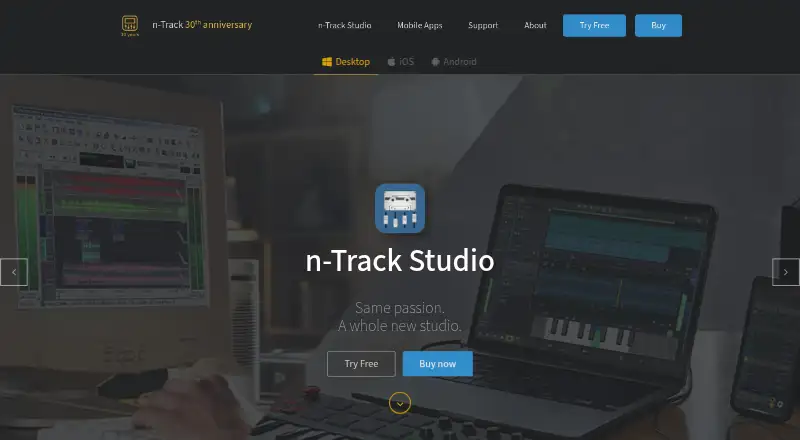
What n-Track Studio is
n-Track Studio is a digital audio workstation for recording, editing and mixing music. It runs on Windows, macOS, Linux, Android and iOS, with recordings transferable between desktop and mobile versions for continued work. The software can record and play back a virtually unlimited number of audio and MIDI tracks. Its Piano Roll is for editing MIDI data, while the Step Sequencer makes beats, sequences and arpeggios. AI MixSplit separates songs into individual tracks. Desktop versions support VST, VST3, CLAP and ReWire effects, plus DirectX on Windows and AU on Mac. The program also imports and exports DAWproject files for sharing work between digital audio workstations. The free edition permits up to 24 tracks, limits AI MixSplit to 15 seconds and caps WAV/MP3 mixdown at 16-bit, with other feature limits. Paid plans are listed, including Suite+ at $109 a year with a 7-day trial. The maker is based in Rome, Italy, and offers a manual, tutorials, forum and customer support.
Who it suits
It suits music makers who want to record and edit on desktop systems or smartphones. The free edition provides a way to work with up to 24 tracks, while the listed paid options include additional features.
What it does well
- Records and plays back virtually unlimited audio and MIDI tracks
- Piano Roll and Step Sequencer support MIDI work
- Transfers recordings between desktop and mobile versions
- Imports and exports DAWproject files
- Available for Windows, macOS, Linux, Android and iOS
What to know first
- Free edition is limited to 24 tracks
- Free AI MixSplit is limited to 15 seconds
- Free WAV/MP3 mixdown is limited to 16-bit
Limits
The free edition allows up to 24 tracks, limits AI MixSplit to 15 seconds, and limits WAV and MP3 mixdown to 16-bit; other feature limits also apply.
Plans
| Plan | Billed and limits | Price |
|---|---|---|
| Suite+ | $109/year; page also shows $65/year coupon price and from $14.95/month · Mac · Windows · Linux · iOS · Android · future-version upgrades during subscription · 5 computers | $109 a year |
| Free edition | 24 tracks · offline mixdown included · 16-bit mixdown · AI MixSplit limited to 15 seconds · other feature limits apply | Free |
| Extended | 3 years of free upgrades · All effects plugins · 64-bit processing · surround mixing · control-surface support · 5 computers | $139, paid once |
| Suite | 3 years of free upgrades · 400+ sample instruments · 15GB+ royalty-free loops and editable sessions · Extended features · 5 computers | $229, paid once |
| Standard | 3 years of free upgrades · Windows/macOS desktop · 2 computers | $69, paid once |
As ntrack.com lists them, read 15 Oct 2026. The maker's own page has the final word.
Getting started
- Visit the n-Track Studio website.
- Choose a version for Windows, macOS, Linux, Android, or iOS.
- Start with the free edition or select a paid plan.
- For Suite+, use the listed seven-day free trial.
Overview
n-Track Studio is a digital audio workstation for recording, editing and mixing music, aimed at musicians who want to work on both a computer and a mobile device. Its broad audio, MIDI and project-exchange capabilities make it a flexible production hub, but the free edition's caps matter if you need full-length AI separation or higher-resolution mixdowns.
It supports recording and playback of audio and MIDI tracks, with no stated track ceiling for the software as a whole; the free edition allows up to 24. Desktop and mobile versions can exchange recordings for continued editing and mixing, while DAWproject import and export support sharing projects with other DAWs. Browse our Digital Audio Workstations and Audio Editing Software directories for more choices.
Key features
The Piano Roll edits MIDI data, and the Step Sequencer creates beats, sequences and arpeggios. That gives composers a way to build and edit MIDI parts alongside recorded audio rather than treating the software as a recorder alone. AI MixSplit separates full songs into individual tracks, but its 15-second free-edition limit makes the feature more of a preview than a practical full-song tool on that tier.
Desktop editions support VST, VST3, CLAP and ReWire effects, plus DirectX on Windows and AU on Mac. That breadth suits users bringing existing plug-in workflows into n-Track; DirectX and AU support are platform-specific. The free edition also limits WAV and MP3 mixdown to 16-bit, which may be restrictive for users who need higher-resolution output.
Audio warping is supported, adding flexibility for audio editing. Users can also exchange projects with other DAWs through DAWproject files, and move recordings between desktop and mobile editions to continue work across devices.
Pricing
n-Track Studio uses a freemium model, with a free edition and paid options. The free edition costs nothing and includes offline mixdown, up to 24 tracks and 16-bit mixdown; AI MixSplit is limited to 15 seconds, and other features also have limits. It suits basic recording and production, but the track ceiling and mixdown restriction may prompt serious or growing projects to consider a paid plan.
Standard costs $69 a month and includes the Windows and macOS edition with three years of free upgrades. It is the entry paid option for desktop users who do not need the extra effects, surround mixing or control-surface support in Extended. Extended costs $139 a month and adds all n-Track effects plug-ins, 64-bit processing, surround mixing and control-surface support, making it the more capable fit for users who need those mixing and hardware features.
Suite costs $229 a month and includes Extended features, more than 400 sample instruments, and over 15GB of royalty-free loops and editable sessions. It is best suited to producers who will use that expanded content library; otherwise, the lower tiers avoid paying for it. Suite+ costs $109 a year, billed annually, and provides access on Mac, Windows, Linux, iOS and Android, free upgrades for the subscription duration, and a 7-day free trial. It is the clearest fit for users who need cross-platform access. Eligible purchases include 36 months of free updates and upgrades and 60 months of download and reinstallation assistance.
Platforms
n-Track Studio is available for Windows, macOS, Linux, Android and iOS. The desktop editions support plug-ins, while the ability to exchange recordings between desktop and mobile makes it suitable for moving from mobile capture to computer-based editing and mixing. Its privacy policy says personal data is not transferred outside the European Economic Area and describes security measures and anti-fraud processing. Support includes customer service, a user manual, video tutorials and a user forum.
Who it's for
n-Track Studio suits musicians who want audio recording, MIDI composition and mixing in one workstation, especially those who move between desktop and mobile devices. Its plug-in format coverage and DAWproject exchange also make it a reasonable choice for users who need to incorporate desktop effects or share projects with other DAWs. It is less suitable for anyone who needs unrestricted AI MixSplit or higher-than-16-bit mixdown while staying on the free edition.
Pros and cons
- Pro: Audio and MIDI recording and playback, Piano Roll editing and Step Sequencing cover both recorded and programmed material in one workstation.
- Pro: Desktop and mobile project exchange supports continuing edits across devices, and DAWproject support enables project sharing with other DAWs.
- Pro: Desktop plug-in support spans several formats, including VST3, CLAP, and platform-specific AU and DirectX.
- Con: The free edition stops at 24 tracks and limits AI MixSplit to 15 seconds, which can constrain larger projects and full-song separation.
- Con: Free-edition WAV and MP3 mixdown is limited to 16-bit, so users needing higher-resolution output must look beyond that tier.
Alternatives
Ardour is an alternative for Linux, macOS and Windows users who want a freemium workstation; its listed Developing World plan costs $1 a month and supports development with unlimited updates while subscribed.
Pro Tools is another freemium option for macOS and Windows, with a free Intro offering caps of eight audio, instrument and MIDI tracks.
SunVox is a freemium option across mobile and desktop platforms for readers comparing another cross-platform music tool.
GarageBand is a free choice for Mac, iPhone and iPad users; its listed Mac plan allows up to 255 tracks, while the iPhone and iPad version allows 32.
LUNA is a freemium option on macOS and Windows whose free tier includes unlimited tracks and UAD Explore Free plug-ins.
Zrythm is a freemium Linux, macOS and Windows alternative with a Basic plan capped at 25 tracks.
LMMS is a free, open-source option for Windows, macOS and Linux.
MAGIX Music Maker is a Windows freemium alternative whose free plan includes six Soundpools, three virtual instruments and nine professional effects.
Verdict
Choose n-Track Studio if you want a workstation that combines audio and MIDI production with desktop plug-ins and the flexibility to continue work across desktop and mobile. Its broad platform coverage and project exchange are the main reasons to choose it. Look elsewhere if the free edition's 24-track cap, 15-second AI MixSplit limit or 16-bit mixdown ceiling would get in the way, or if the paid plan terms do not suit your budget.
Verdict
n-Track Studio combines recording, MIDI editing, mixing and project exchange across desktop and mobile platforms. Check the free edition's track, AI MixSplit and mixdown limits against your needs.
Questions
Is there a free plan?
Yes. The Free edition is listed as free.
What are the listed paid prices?
Standard is $69 a month, Extended is $139 a month, Suite is $229 a month, and Suite+ is $109 a year.
Does n-Track Studio have a free trial?
Yes. Suite+ includes a seven-day free trial.
Which platforms are supported?
The listed platforms are Windows, macOS, Linux, Android, and iOS.
Can projects move between desktop and mobile?
Recordings can be exchanged between desktop and mobile versions for later editing and mixing.
Who makes n-Track Studio?
The maker is n-Track Studio, headquartered in Rome, Italy.
Facts from n-Track Studio's own pages
- AI feature
- AI MixSplit separates full songs into individual tracks. · ntrack.com, 30 Sept 2026
- AI stem separation
- AI MixSplit separates a mixed song into vocal and instrument stems or removes vocals. · ntrack.com, 15 Oct 2026
- API and SDKs
- Official developer material describes extensibility through audio plug-in standards and custom audio-app licensing, but does not document a public REST API or SDK. · ntrack.com, 15 Oct 2026
- Audio and MIDI tracks
- The software records and plays back a virtually unlimited number of audio and MIDI tracks, subject to computer performance. · ntrack.com, 15 Oct 2026
- Audio-to-MIDI
- Version 10.3.0 added AI-powered conversion of recordings into editable MIDI instrument tracks. · download.ntrack.com, 15 Oct 2026
- Company founder
- The about page names Flavio Antonioli as founder and CEO. · ntrack.com, 15 Oct 2026
- Company history
- The company timeline dates n-Track 1.0 to 1995, Mac support to 2009, iOS and Android Studio releases to 2010 and 2013, Songtree to 2015 and Studio 10 to 2023. · ntrack.com, 15 Oct 2026
- Company legal entity
- The website footer identifies the maker as n-Track S.r.l. with Italian VAT ID IT15290211000. · ntrack.com, 15 Oct 2026
- Company location
- n-Track says it is located in Rome, Italy. · ntrack.com, 15 Oct 2026
- Compatibility
- The site lists Windows, macOS, Linux, Android and iOS versions. · ntrack.com, 30 Sept 2026
- DAWproject exchange
- n-Track can import and export DAWproject files for sharing projects between DAWs. · ntrack.com, 15 Oct 2026
- File formats
- Supported imports and exports include WAV, MP3, WMA, MIDI, OGG, FLAC, AIFF, CDA, SNG, SGW and EDL files. · ntrack.com, 15 Oct 2026
- Founded
- 1995 · ntrack.com, 28 Sept 2026
- Free edition limits
- The free edition caps projects at 24 tracks, restricts mixdown to offline 16-bit output, limits AI MixSplit to 15 seconds and disables or restricts several effects and export functions. · ntrack.com, 15 Oct 2026
- Free plan
- Yes · ntrack.com, 19 Sept 2026
- Headquarters
- Rome, Italy · ntrack.com, 28 Sept 2026
- Latest version
- The support page identifies n-Track Studio 10.3.1 build 11027 as the current version. · ntrack.com, 15 Oct 2026
- Licence
- The user guide states that copyrights are owned by Flavio Antonioli and grants a non-exclusive proprietary licence; it is not open-source software. · ntrack.com, 15 Oct 2026
- Limit: Android usability complaints
- A Google Play reviewer reported severe unresponsiveness, confusing menus, poor free instruments and frequent purchase prompts. · play.google.com, 15 Oct 2026
- Limit: confusing interface
- An Apple App Store reviewer said a redesign became less intuitive and that loop and auto-song features interfered with a conventional record-and-build workflow. · apps.apple.com, 15 Oct 2026
- Limit: free-edition feature gating
- The free edition disables online mixdown, DAWproject export, routed-track recording and virtual audio cable, and restricts several effects and stem processing. · ntrack.com, 15 Oct 2026
- LinkedIn company size
- LinkedIn lists n-Track as a privately held software-development company with 2–10 employees, headquartered in Rome, Latium, and founded in 1995. · linkedin.com, 15 Oct 2026
- Linux distribution
- Linux builds are offered as DEB and Snap packages; DEB supports Ubuntu 24+ and Debian 13+ on amd64 and arm64, while arm64 also runs on Raspberry Pi. · ntrack.com, 15 Oct 2026
- MIDI editing
- Its piano-roll editor lets users write and edit MIDI data for virtual instruments. · ntrack.com, 15 Oct 2026
Where n-Track Studio stands on Freedom251
- Audio Editing Software#7 of 131
- Digital Audio Workstations#4 of 39