Freedom251 › AI Backing Track Generators

Moises
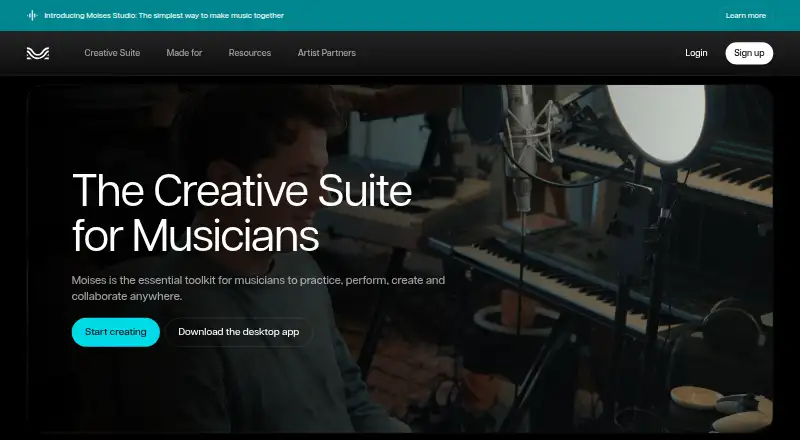
What Moises is
Moises is a music toolset for musicians who want to practice, perform, produce, and collaborate. Its audio tools include stem separation, chord finding, speed changing, and lyric transcription. Stem separation can isolate vocals, drums, bass, guitar, keys, and other parts; the homepage describes 27 stem types, including lead and backing vocals, guitars, piano, percussion, strings, brass, and woodwind. Moises Studio gives bandmates, producers, and co-writers a shared browser session where they can arrange, record, and edit together in real time.
The Free plan costs nothing and allows up to five monthly uploads, files up to five minutes long, and limited stem-separation options. Premium allows unlimited uploads, files up to 20 minutes, additional separation options, and priority processing. Pro includes Hi-Fi stem-separation models and premium features, with uploads up to 20 minutes; prices for both paid plans are not provided here. Moises is available on Android, iOS, macOS, web, Windows, and as an extension, with a desktop app. Exports include MP3, WAV, FLAC, M4A, and OGG; batch processing and API access are supported. It also integrates with Fender Studio Pro 8.1, requiring an internet connection. Moises says it does not train models on users’ data.
Who it suits
Moises suits musicians who need to separate parts from audio, work on practice or production tasks, or collaborate on a shared session. Its browser-based studio is aimed at bandmates, producers, and co-writers, while its desktop and mobile platforms serve users working across devices.
What it does well
- Separates vocals, drums, bass, guitars, keys, and other parts.
- Moises Studio supports real-time collaboration in a browser.
- Exports audio in five listed formats.
- Available on mobile, desktop, web, and as an extension.
- Supports batch processing and API access.
What to know first
- Free plan allows up to five uploads per month.
- Free uploads are limited to five minutes per file.
- Free plan has limited stem-separation options.
- Premium and Pro prices are not provided here.
Limits
The Free plan allows up to five uploads per month, files up to five minutes long, and limited stem-separation options. Premium and Pro support uploads up to 20 minutes; Premium allows unlimited uploads, while Pro includes Hi-Fi stem-separation models and premium features.
Plans
| Plan | Billed and limits | Price |
|---|---|---|
| Free | Up to 5 uploads per month · Files up to 5 minutes long · Limited stem-separation options | Free |
| Premium | Unlimited uploads · Files up to 20 minutes long · Additional separation options · Priority processing | On request |
| Pro | Hi-Fi stem-separation models · Premium features · Up to 20-minute uploads | On request |
As moises.ai lists them, read 19 Sept 2026. The maker's own page has the final word.
Getting started
- Open the Moises website or use an available platform: Android, iOS, macOS, web, Windows, or extension.
- Choose the Free plan or review Premium and Pro.
- Upload audio within the limits of your plan.
- Use the music tools, including stem separation, chord finding, speed changing, or lyric transcription.
- For Fender Studio Pro 8.1 integration, use an internet connection.
Overview
Moises is a music toolkit for working with recordings, from practice and production to real-time collaboration. Its broad mix of stem tools, song-learning features and shared sessions makes it a strong fit for musicians with varied workflows, though regular processing quickly outgrows the free plan’s tight upload and length caps.
Key features
Moises separates vocals, drums, bass, guitar, keys and other parts; its homepage describes 27 stem types, including distinctions such as lead and backing vocals, acoustic and electric guitar, and individual drum components. That range is useful for isolating a part to learn or preparing elements for production. Chord finding, speed changing and lyric transcription further support practice, although these capabilities do not remove the free plan’s processing limits.
Moises Studio lets bandmates, producers and co-writers arrange, record and edit a shared session in a browser in real time. It gives collaborators a common workspace without requiring them to be in the same room, but is less compelling for musicians who prefer to keep collaboration inside a desktop workflow.
The Fender Studio Pro 8.1 integration adds stem separation, stem generation and voice conversion inside the DAW. It requires an internet connection. Free users receive 10 audio separations, 120 stem-generation credits (60 minutes) and 5 voice conversions per month, a useful allowance for occasional experiments rather than sustained production.
Batch processing, API access, a desktop app and exports in MP3, WAV, FLAC, M4A and OGG broaden its use beyond one-off browser uploads. Moises says it trains on licensed material and not on users’ data, and that it will not train models on user uploads. Its privacy policy also says it collects usage data that may include upload history, processed files, library activity and uploaded media. Users may request deletion or anonymization of personal data, subject to legal and business exceptions; musicians with sensitive recordings should weigh that policy before uploading.
Pricing
Moises uses a freemium model. The Free plan costs nothing and allows up to 5 uploads per month, files up to 5 minutes long, and limited stem-separation options. It is suited to trying the workflow or occasional short tracks, but the monthly quota and brief file cap are restrictive for regular practice or production.
Premium has custom pricing and includes unlimited uploads, files up to 20 minutes, additional separation options and priority processing. It is the more practical choice for frequent users who need longer files and fewer upload constraints. Pro also has custom pricing and adds Hi-Fi stem-separation models alongside Premium features, with uploads up to 20 minutes; it suits users prioritizing separation quality. Both paid plans retain the 20-minute file limit, so they are not a fit for longer recordings.
Platforms
Moises is available on Android, iOS, macOS, Windows and the web, with an extension also offered. The broad platform coverage suits musicians moving between mobile, desktop and browser use; the Studio collaboration feature specifically runs in a browser.
Who it's for
Choose Moises if you need several music tools in one service: stem separation for learning or production, song-practice aids, and a browser studio for collaborators. The free plan makes sense for sampling the workflow or processing a few short files each month. Regular users should consider Premium, while Pro is aimed at those who need its Hi-Fi separation models. Look elsewhere if your recordings exceed 20 minutes or if the privacy policy’s collection of uploaded-media activity is unsuitable for your work.
Pros and cons
- Pro: Its many stem categories and practice tools make it useful for both learning songs and preparing tracks.
- Pro: Real-time browser collaboration gives bandmates and co-writers a shared place to arrange, record and edit.
- Pro: Batch processing, multiple export formats and API access support workflows beyond single manual exports.
- Con: Free users are limited to 5 monthly uploads, 5-minute files and selected separation options.
- Con: Even Premium and Pro cap uploads at 20 minutes, which rules out longer recordings.
- Con: The Fender Studio Pro integration depends on an internet connection, and the free monthly allowance is finite.
- Con: The privacy policy includes collection of activity that may involve uploaded and processed media, despite Moises’ stated limits on model training.
Alternatives
AI Stem Splitters and Stem Separation Software are broader directories for comparing tools in those categories; Audio Editing Software is the wider category to browse when editing matters more than separation.
LALAL.AI is worth considering if its 10-minute Relaxed Queue allowance and 200 MB file limit suit your needs; its free plan offers previews but not full downloads. Pymss is the alternative to consider if you want free, open-source software that runs locally.
Fadr may suit users who want its free vocals, melodies, drums and bass tools alongside MP3 downloads, MIDI detection and Remix Maker. MVSEP is an option for users who value a broad model selection: its unregistered plan offers 100+ AI models and up to 50 daily separations, with a 10-minute, 100 MB cap and low queue priority.
BandLab Splitter may be a better fit for unlimited uploads of files under 15 minutes when four stems are enough. Sonura is an alternative for people seeking a music-creation service with daily loops, one-shots and track allowances. StemRoller is worth a look if you want a free, open-source desktop app for vocals, drums, bass, other instrumental stems and an instrumental track. Suno is another music app to consider.
Verdict
Moises is a strong choice for musicians who need stem separation alongside practice tools and browser-based collaboration. Its breadth is the main reason to choose it; the free plan’s low monthly upload count and short file cap, the 20-minute ceiling on paid plans, and the privacy policy’s treatment of uploaded activity are reasons to look elsewhere. Start with Free for occasional short files, and choose a paid tier only if its longer limit and separation options match your workflow.
Verdict
Choose Moises if you need music tools for stem separation, practice, production, or browser-based collaboration. The free plan has monthly upload and file-length limits; Premium and Pro raise the file limit to 20 minutes, but their prices are not provided here.
Questions
Is there a free plan?
Yes. Free costs nothing and includes up to five uploads per month, files up to five minutes long, and limited stem-separation options.
What do the paid plans include?
Premium includes unlimited uploads, files up to 20 minutes, additional separation options, and priority processing. Pro includes Hi-Fi stem-separation models and premium features, with uploads up to 20 minutes. Prices are not provided here.
Which platforms can I use?
Moises lists Android, iOS, macOS, web, Windows, and an extension. A desktop app is also listed.
What audio formats can I export?
Exports include MP3, WAV, FLAC, M4A, and OGG.
Does Moises work with a DAW?
It integrates with Fender Studio Pro 8.1 for stem separation, stem generation, and voice conversion. The integration requires an internet connection.
Does Moises train on uploaded music or user data?
Moises says it trains models on licensed materials and does not train on music without the owner’s approval. It also says it will not train models on users’ data.
Facts from Moises's own pages
- AI training data
- Moises says it trains its models on licensed materials and does not train on music without the owner's approval. · moises.ai, 29 Sept 2026
- Collaborative studio
- Moises Studio lets bandmates, producers, and co-writers arrange, record, and edit the same session together in a browser in real time. · moises.ai, 29 Sept 2026
- Company identity
- The website identifies the service operator as Moises Systems, Inc. · help.moises.ai, 29 Sept 2026
- Creative suite
- Moises offers tools for musicians to practice, perform, produce, and collaborate, including stem separation, chord finding, speed changing, and lyric transcription. · moises.ai, 29 Sept 2026
- DAW integration
- Moises integrates with Fender Studio Pro 8.1, providing stem separation, stem generation, and voice conversion inside the DAW; an internet connection is required. · moises.ai, 29 Sept 2026
- Free integration allowance
- The Fender Studio Pro integration includes 10 audio separations, 120 stem-generation credits (60 minutes), and 5 voice conversions per month on the free plan. · moises.ai, 29 Sept 2026
- Free plan
- Yes · moises.ai, 19 Sept 2026
- Free tier
- Moises offers a free tier with a limited number of monthly uploads and access to selected features; full pricing and feature details require logging in. · moises.ai, 29 Sept 2026
- Headquarters
- A Moises newsroom announcement is datelined Salt Lake City, Utah. · moises.ai, 29 Sept 2026
- Platforms
- Moises is available as a web app and as desktop, iPhone, iPad, and Android apps; its Help Center specifies macOS and Windows desktop apps. · moises.ai, 29 Sept 2026
- Privacy and deletion
- The privacy policy says users may request deletion or anonymization of personal data, subject to stated legal and business exceptions. · help.moises.ai, 29 Sept 2026
- Privacy policy
- Moises' privacy policy says it collects usage data that may include upload history, processed files, library activity, and media files users choose to upload. · help.moises.ai, 29 Sept 2026
- Stem separation
- Moises can separate vocals, drums, bass, guitar, keys, and other parts from audio; its homepage describes 27 stem types. · moises.ai, 29 Sept 2026
- Uploaded data
- Moises says it will not train its models on users' data. · moises.ai, 29 Sept 2026
Where Moises stands on Freedom251
- AI Backing Track Generators#1 of 16
- Audio Editing Software#9 of 131
- AI Instrument Generators#2 of 28
- AI Music Plugins#2 of 27
- AI Stem Splitters#6 of 26
- Stem Separation Software#6 of 21