Freedom251 › AI Game Music Generators
Sonura
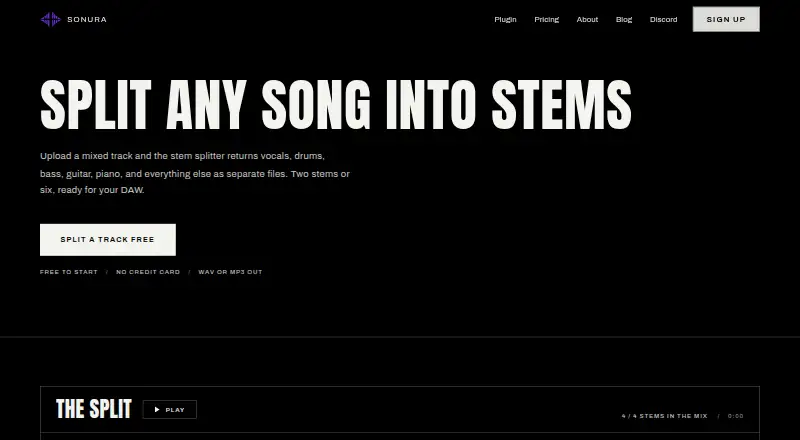
What Sonura is
Sonura is an artist-led AI music studio for making loops, vocals, one-shots, stems and full tracks in a browser or DAW. Its Sonura Split tool separates a mixed recording into vocals and instrumental, or into six parts: vocals, drums, bass, guitar, piano and other. Upload a WAV or MP3 and the resulting stems are available in WAV or MP3. Sonura says most tracks finish in under a minute; longer files and six-stem splits may take a few minutes, with processing done on its machines.
For work inside a DAW, Sonura Flow is a VST3 and AU plugin for Ableton Live, Logic Pro, FL Studio, Studio One, Bitwig, Cubase, Reaper and GarageBand. It is downloadable for macOS 12 Monterey or later and 64-bit Windows 10 or 11, and needs an internet connection while creating sounds. Sonura says stem splitting is cleared for commercial use if users own or have permission to use the recording. The free plan includes daily creation allowances, with public domain (CC0) creations. Paid plans add monthly quotas and commercial-use rights. Sonura is based in London, United Kingdom.
Who it suits
Sonura suits producers, DJs, remixers, musicians and learners who want to separate tracks or create music in a browser or DAW. Mix and post engineers, plus video and content creators, are also among the intended users.
What it does well
- Separates tracks into two or six stem types.
- Accepts WAV and MP3 uploads and returns either format.
- Sonura Flow supports VST3 and AU DAW workflows.
- Commercial use rights are included in paid plans.
- Sonura says models use licensed music, not scraped catalogs.
What to know first
- Free-plan creations are public domain (CC0).
- Sonura Flow requires an internet connection while creating sounds.
- The Flow plugin requires macOS 12 or later or 64-bit Windows 10 or 11.
Limits
The free plan provides 20 credits plus daily credits, 10 loops daily, 20 one-shots and FX daily, and up to four full tracks daily; creations are public domain (CC0). The paid Starter plan is listed at $10 a month and includes 200 loops, 400 one-shots and FX, up to 80 full tracks, commercial-use rights and stem splitting.
Plans
| Plan | Billed and limits | Price |
|---|---|---|
| Free | 20 credits plus daily credits · 10 loops daily · 20 one-shots & FX daily · up to 4 full tracks daily · creations public domain (CC0) | Free |
| Starter | $20 $10/mo · 200 loops / month · 400 one-shots & FX · up to 80 full tracks · commercial use rights · stem splitting | $10 a month |
| Pro | $40 $20/mo · 500 loops / month · 1,000 one-shots & FX · up to 200 full tracks · high quality downloads · commercial use rights · priority 24/7 support | $20 a month |
| Max | $90 $45/mo · 1,250 loops / month · 2,500 one-shots & FX · up to 500 full tracks · one-to-one support calls · early feature access · custom feature requests | $45 a month |
As sonurastudio.com lists them, read 5 Oct 2026. The maker's own page has the final word.
Getting started
- Visit the Sonura stem separator website.
- Use Sonura Split in a browser to upload a WAV or MP3 recording.
- Choose two-stem vocals and instrumental separation or a six-stem split.
- For DAW use, download Sonura Flow for a supported macOS or Windows system.
- Choose a plan based on its creation quotas and commercial-use terms.
Sonura is an artist-led AI music studio that combines browser creation tools, stem separation and a DAW plugin. It suits producers, remixers, musicians and creators who want separation alongside loop and track generation. Its broad workflow is appealing, but commercial users must choose a paid plan and clear the source recording themselves.
Overview
Sonura Split accepts WAV or MP3 uploads and returns WAV or MP3 stems. You can choose a simple two-stem split of vocals and instrumental, or a six-stem result covering vocals, drums, bass, guitar, piano and other. Sonura says most tracks finish in under a minute; longer files and six-stem jobs can take a few minutes because processing runs on its machines. The current upload-size limit must be checked inside the app, so it is not possible to plan around a published maximum.
Sonura positions the service as a complete browser-and-DAW environment for making loops, vocals, one-shots, stems and full tracks. Its models are built on licensed music rather than scraped catalogs. The company says it does not sell personal information and uses HTTPS, access-controlled storage, regular security assessments and need-based employee access. Account data remains until deletion, private content is deleted when the account is deleted, and usage logs are typically kept for 12 months.
Key features
Stem separation
The two-stem mode is practical for quick vocal removal or instrumental extraction, while six-stem mode gives mixers and remixers more control over individual parts. Commercial clearance applies only when you own or have permission to use the underlying recording; Sonura does not replace that responsibility.
DAW workflow
Sonura Flow is a VST3 and AU plugin for Ableton Live, Logic Pro, FL Studio, Studio One, Bitwig, Cubase, Reaper and GarageBand. It runs on macOS 12 Monterey or later and 64-bit Windows 10 or 11. An internet connection is required while creating sounds, making it less suitable for offline production.
Pricing
The Free plan costs nothing and includes 20 credits plus daily credits, 10 loops daily, 20 one-shots and effects daily, and up to four full tracks daily. Creations are public domain under CC0, so this tier is best for experimentation, learning and non-exclusive material rather than commercial releases.
Starter costs $10 a month, shown as billed $20 $10/mo. It provides 200 loops monthly, 400 one-shots and effects, up to 80 full tracks, commercial-use rights and stem splitting. This is the entry point for creators who need commercial rights without the larger production quotas.
Pro costs $20 a month, shown as billed $40 $20/mo. It raises allowances to 500 loops, 1,000 one-shots and effects and up to 200 full tracks, adding high-quality downloads and priority 24/7 support. Max costs $45 a month, shown as billed $90 $45/mo, with 1,250 loops, 2,500 one-shots and effects and up to 500 full tracks, plus one-to-one support calls, early feature access and custom feature requests. Pro suits heavier independent production; Max is aimed at teams or professionals who value support and influence over the roadmap.
Platforms
Sonura is available on the web, macOS and Windows. There is no standalone desktop app; desktop creation is delivered through the Sonura Flow plugin.
Who it's for
Producers and remixers get both separated stems and generation tools in one service. DJs can isolate vocals or instrumentals, while musicians and learners can work within generous daily free allowances. Mix and post engineers benefit from six-part exports, and video or content creators can build audio in a browser. Users needing offline operation, a stated upload cap or commercial rights at no cost should look elsewhere.
Pros and cons
Pros
- Two- and six-stem modes cover quick extraction and more detailed editing.
- WAV and MP3 import and export fit common production workflows.
- Flow supports major DAWs on current macOS and 64-bit Windows systems.
- Paid tiers combine commercial rights with substantial creation quotas.
- Priority support, calls and custom requests scale with higher plans.
Cons
- Free creations are CC0 public domain, ruling out many commercial uses.
- Commercial stem splitting still requires rights to the source recording.
- The upload-size limit is not published on the page.
- Flow needs an internet connection while generating sounds.
- Starter and higher prices are presented with billed figures that require careful checking at checkout.
Alternatives
LALAL.AI is a better fit when you need mobile, Linux or API access, though its free Starter offering limits relaxed-queue time, file size and full downloads.
Moises suits users who prefer a mobile and browser service with a free tier, but its free plan allows up to five uploads monthly and files up to five minutes.
Pymss is the choice for open-source, locally run separation across a wide range of platforms.
Fadr is preferable when MIDI detection and a remix maker matter alongside vocals, melodies, drums and bass.
MVSEP offers many AI models and a large daily separation allowance, with limits such as 10-minute, 100 MB files and low queue priority on its unregistered tier.
BandLab Splitter fits users wanting unlimited uploads under 15 minutes and four stems in a web or mobile service.
StemRoller is a free, open-source desktop alternative for vocal, drum, bass and other-instrumental stems.
Suno is aimed more directly at AI song creation, with mobile apps and a free daily credit allowance.
For broader comparisons, see AI Stem Splitters and Stem Separation Software.
Verdict
Choose Sonura if you want browser-based stem separation alongside loop, sound and full-track creation, with a plugin for a mainstream DAW. Paid plans make the service more practical for commercial work and heavier output, while the free tier is useful for learning and experimentation. Look elsewhere if you need offline generation, a clearly published upload limit or unrestricted commercial rights without paying.
Verdict
Choose Sonura if you need browser-based stem separation alongside music creation tools and a DAW plugin. The free plan’s creations are public domain, so users needing commercial rights should consider a paid plan. Stem splitting for commercial use still requires ownership of, or permission to use, the recording.
Questions
Is Sonura free?
Yes. Its Free plan costs nothing and includes daily creation allowances. Free-plan creations are public domain (CC0).
What do paid plans cost?
The listed plans are Starter at $10 a month, Pro at $20 a month and Max at $45 a month.
Which audio formats does Sonura Split support?
It accepts WAV or MP3 uploads and returns stems as WAV or MP3.
Which platforms does Sonura support?
Sonura offers browser access. Sonura Flow is downloadable for macOS 12 Monterey or later and 64-bit Windows 10 or 11.
Which DAWs work with Sonura Flow?
The VST3 and AU plugin is listed for Ableton Live, Logic Pro, FL Studio, Studio One, Bitwig, Cubase, Reaper and GarageBand.
Can stems be used commercially?
Sonura says stem splitting is cleared for commercial use, provided users own or have permission to use the underlying recording. Commercial-use rights are included in its paid plans.
Facts from Sonura's own pages
- Audio formats
- The stem separator accepts WAV or MP3 uploads and returns stems as WAV or MP3. · sonurastudio.com, 5 Oct 2026
- Commercial rights
- Sonura says stem splitting is cleared for commercial use, but users must own or have permission to use the underlying recording. · sonurastudio.com, 5 Oct 2026
- Company location
- Sonura says its small team is in London, and its company key facts list London, UK as its base. · sonurastudio.com, 5 Oct 2026
- Data retention
- The privacy policy says account data is retained until account deletion, private content is deleted upon account deletion, and usage logs are typically retained for 12 months. · sonurastudio.com, 5 Oct 2026
- DAW integrations
- Sonura Flow is a VST3 and AU plugin for DAWs including Ableton Live, Logic Pro, FL Studio, Studio One, Bitwig, Cubase, Reaper and GarageBand. · sonurastudio.com, 5 Oct 2026
- File limit
- The page directs users to check the app for the current file-size limit and does not state the limit itself. · sonurastudio.com, 5 Oct 2026
- Headquarters
- United Kingdom · sonurastudio.com, 28 Sept 2026
- Plugin platforms
- Sonura Flow is downloadable for macOS 12 Monterey or later and Windows 10 or 11 (64-bit), and requires an internet connection while creating sounds. · sonurastudio.com, 5 Oct 2026
- Privacy
- The privacy policy says Sonura does not sell personal information and lists HTTPS encryption, access-controlled storage, regular security assessments and need-based employee access as safeguards. · sonurastudio.com, 5 Oct 2026
- Processing
- Sonura says most tracks finish in under a minute, while longer files and six-stem splits can take a few minutes; processing runs on its machines. · sonurastudio.com, 5 Oct 2026
- Stem separation
- Sonura Split separates a mixed track into two stems (vocals and instrumental) or six (vocals, drums, bass, guitar, piano and other). · sonurastudio.com, 5 Oct 2026
- Support
- Sonura lists support by email or Discord; its pricing page includes priority 24/7 support on Pro and Max, plus one-to-one support calls on Max. · sonurastudio.com, 5 Oct 2026
- Training data
- Sonura says its models are built on licensed music rather than scraped catalogs. · sonurastudio.com, 5 Oct 2026
- What it does
- Sonura describes itself as an artist-led AI music studio for creating loops, vocals, one-shots, stems and full tracks in a browser or DAW. · sonurastudio.com, 5 Oct 2026
- Who it serves
- The stem separator page lists producers, DJs, remixers, musicians and learners, mix and post engineers, and video and content creators as intended users. · sonurastudio.com, 5 Oct 2026
Where Sonura stands on Freedom251
- AI Game Music Generators#11 of 31
- AI Cinematic Music Generators#9 of 25
- AI Jazz Music Generators#10 of 25
- AI Stem Splitters#11 of 26
- AI Lo-fi Music Generators#12 of 27
- AI Podcast Music Generators#18 of 36
- Stem Separation Software#12 of 21