Freedom251 › AI Stem Splitters

Pymss
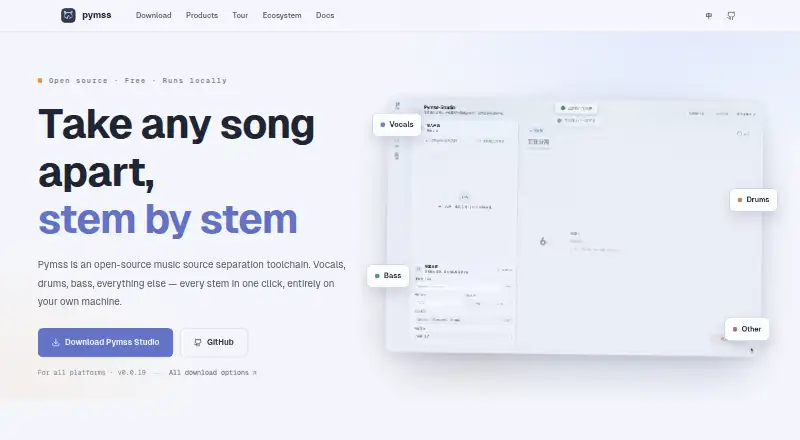
What Pymss is
Pymss is a free, open-source toolchain for separating music into vocals, drums, bass, and other stems on your own machine. Its Studio desktop app brings together model management, batch processing, and stem editing. Import audio files or folders, choose a downloaded model, configure inference, and queue jobs. Studio can also browse and download models, resume interrupted downloads, remove model files, and manage storage. For reviewing results, it offers waveform previews, mix controls, saved projects, and stem export. Pymss can chain models, passing one step’s output into the next. The inference package lists WAV, FLAC, MP3, M4A, AAC, Opus, Vorbis, and Ogg output. Other ways to use it include ComfyUI custom nodes, a browser interface bundled with the server, and a VST3 ARA plugin for compatible DAWs. The plugin has per-stem mute and solo controls; its README names Reaper and Studio One as example hosts. The project says processing stays on your machine. Studio is early in development, and changes between versions may break compatibility.
Who it suits
Pymss suits people who want local music stem separation with batch jobs and editing tools. It may also suit DAW users who want ARA integration or people building workflows with ComfyUI.
What it does well
- Free and open source; separation runs locally.
- Studio supports batch jobs and stem editing.
- Can chain models into processing workflows.
- Lists eight output audio formats.
- ARA plugin provides per-stem mute and solo.
What to know first
- Studio is at an early development stage.
- Breaking changes may occur between versions.
- Each repository has its own license.
Plans
| Plan | Billed and limits | Price |
|---|---|---|
| Pymss | Free · open source · runs locally | Free |
As pymss.net lists them, read 30 Sept 2026. The maker's own page has the final word.
Getting started
- Visit the Pymss website.
- Install or use a listed platform: Android, iOS, Linux, macOS, web or Windows.
- Import audio files or folders in Pymss Studio.
- Select a downloaded model, configure inference and queue jobs.
- Export stems in a supported format, or use the ComfyUI nodes or ARA plugin.
Overview
Pymss is a free, open-source toolchain for separating music into vocals, drums, bass, and other stems on your own machine. It suits audio producers who want control over models and processing workflows more than a ready-made online service. Studio brings batch work and stem editing together, but its early development makes it a less reassuring choice for workflows that depend on a stable interface.
Key features
Batch processing and model management
Studio can import files or folders, select a downloaded model, configure inference, and queue jobs. That makes it useful for working through a collection without treating every track as a separate manual task. Its model library can browse, download, resume, and delete model files, and clean up storage; these controls matter when downloaded models begin to accumulate.
Editing and chained workflows
Waveform previews, mix controls, project persistence, and stem export let users review and adjust results in Studio. Pymss can also chain models so that each stage processes the preceding stage's output. This flexibility will appeal to users building multi-step separation workflows, but it is more involved than a service designed around a quick upload and download.
Formats and integrations
The inference package supports WAV, FLAC, MP3, M4A, AAC, Opus, Vorbis, and Ogg output. ComfyUI custom nodes offer another integration route, while the VST3 ARA plugin separates tracks inside an ARA-capable DAW and provides per-stem mute and solo controls. Reaper and Studio One are named as example hosts, so this is a practical fit for users already working in compatible DAWs, not a universal plug-in option.
A browser interface is bundled with the server and shipped with the pip package, and the project also provides API access. The official site says processing runs entirely on the user's machine, which favors local workflows over services centered on remote processing. Support is routed through GitHub documentation and an issue tracker; the Studio README also names a QQ group for Chinese beta testing, bug reports, and discussion.
Pricing
Pymss is free: its plan costs nothing and is open source, with local operation. There is no free trial because the free plan is the product's offering. No paid tier is needed to access the toolchain, so the trade-off is not a reduced quota or a paid upgrade path; users instead take on the setup and workflow choices that come with a local tool.
Licensing varies by repository: Studio is under AGPL-3.0, while the inference package is under MIT. Anyone incorporating or redistributing components should consider the applicable repository license rather than assuming one license covers the whole project.
Platforms
Pymss lists Android, iOS, Linux, macOS, web, Windows, and API support. Its desktop Studio, browser interface, and API provide different ways into the toolchain; the ARA plugin further targets compatible DAWs. Local processing is a central advantage for users who want their audio to stay on their own machine, though the Studio README warns that the app is at an early stage of feature development and breaking changes may occur between versions.
Who it's for
Pymss is best for producers and technically comfortable users who want local stem separation, batch jobs, model management, and options to integrate with a DAW or ComfyUI. It is less suited to someone seeking a polished, stable, low-effort upload service, or to anyone whose setup depends on Studio behavior remaining unchanged across releases.
Pros and cons
- Pro: Local processing keeps separation on the user's machine, a clear fit for users who prefer not to rely on remote processing.
- Pro: Batch queues, model-library controls, project persistence, and stem editing support a fuller production workflow than a one-step split.
- Pro: Multiple output formats, API access, ComfyUI nodes, and an ARA plugin give users several ways to fit separation into existing work.
- Con: Studio is still early in development and may have breaking changes, making it a riskier foundation for workflows that require consistency.
- Con: The ARA plugin depends on an ARA-capable DAW, so it will not serve users working in incompatible hosts.
Alternatives
LALAL.AI is worth considering for a freemium option with a Relaxed Queue offering 10 minutes and a 200 MB per-file upload limit, though its free plan does not allow full downloads. Moises may suit users who prefer a cross-platform freemium service; its free tier caps uploads at five per month, limits files to five minutes, and offers limited stem-separation options.
Fadr is a fit for users who want free MP3 downloads alongside MIDI detection and a remix maker; its Basic plan includes vocals, melodies, drums, and bass. MVSEP is another free choice for users who want access to more than 100 AI models, with the unregistered tier limited to 10 minutes, 100 MB, 50 daily separations, and one concurrent job.
BandLab Splitter suits users looking for browser or mobile access and a free four-stem plan for files under 15 minutes; it also offers a free trial. Sonura is an alternative for users interested in daily credits and limits for loops, one-shots, effects, and full tracks, with free creations released to the public domain under CC0.
StemRoller is another free, open-source option for macOS and Windows that produces vocals, drums, bass, other instrumental stems, and an instrumental track. Suno is aimed at a different choice: its free plan provides 50 credits per day and allows an eight-minute audio upload.
For broader comparisons, see AI Stem Splitters and Stem Separation Software.
Verdict
Choose Pymss if local processing, batch control, and model flexibility matter more to you than a turnkey service. Its free, open-source toolchain combines those strengths with useful editing and integration options. Look elsewhere if Studio's early development and potential breaking changes make a dependable, consistent workflow essential.
Verdict
Pymss combines local separation with model management, batch processing, and several integration options. Its early development status and possibility of breaking changes are worth considering before relying on Studio.
Questions
Is Pymss free?
Yes. The Pymss plan is listed as free, and the project describes itself as open source.
Does Pymss process audio locally?
Yes. The official site says separation runs entirely on the user's own machine.
Which platforms are listed?
Android, API, iOS, Linux, macOS, web and Windows.
Which audio formats can it export?
The inference package lists WAV, FLAC, MP3, M4A, AAC, Opus, Vorbis and Ogg.
What licenses apply?
Each repository has its own license. GitHub lists Studio under AGPL-3.0 and the inference package under MIT.
Is Pymss Studio stable?
Its README describes the app as being at an early stage of feature development and says breaking changes may occur between versions.
Facts from Pymss's own pages
- ARA integration
- The ARA VST3 plugin separates DAW tracks into stems in a background worker and supports per-stem mute and solo monitoring. · github.com, 14 Oct 2026
- ARA plugin
- The ARA plugin separates tracks inside an ARA-capable DAW and provides per-stem mute and solo controls; its README names Reaper and Studio One as example hosts. · github.com, 30 Sept 2026
- Audio utilities
- Included tools cover conversion, inspection, SDR and SI-SDR evaluation, speech recognition, vocal-to-MIDI, silence slicing and audio merging. · github.com, 14 Oct 2026
- Browser interface
- The WebUI is described as a browser interface bundled with the server and shipped with the pip package. · pymss.net, 30 Sept 2026
- CLI
- The command line supports inference, workflows, ComfyUI JSON execution, ensembles, model registration and server startup. · github.com, 14 Oct 2026
- ComfyUI integration
- Comfy-MSS provides nodes for catalog, custom-model and VR/UVR separation inside ComfyUI. · github.com, 14 Oct 2026
- Custom models
- Users can import weights and configurations for supported model architectures. · github.com, 14 Oct 2026
- Development status
- The Studio README says the app is at an early stage of feature development and breaking changes may occur between versions. · github.com, 30 Sept 2026
- Editing and export
- Studio provides waveform preview, mix controls, project persistence, and stem export. · github.com, 30 Sept 2026
- External usage
- The RVC project describes its PyMSS integration as providing model cataloging, downloading, audio I/O and ensemble utilities. · codeassuranceindex.info, 14 Oct 2026
- Formats
- The inference package lists WAV, FLAC, MP3, M4A, AAC, Opus, Vorbis, and Ogg as supported output formats. · github.com, 30 Sept 2026
- HTTP API
- The optional server extra provides a self-hostable HTTP service with dynamic model loading, catalog browsing, downloads and an optional WebUI. · github.com, 14 Oct 2026
- Import and batch
- Studio can import audio files or folders, select a downloaded model, configure inference, and queue jobs. · github.com, 30 Sept 2026
- Integrations
- The project provides ComfyUI custom nodes and a VST3 ARA plugin for use in DAWs. · pymss.net, 30 Sept 2026
- Licensing
- The main Python package is MIT licensed according to PyPI. · pypi.org, 14 Oct 2026
- Limit: Intel Mac
- There is no dedicated Intel Mac package; source builds require checking inference dependency compatibility. · github.com, 14 Oct 2026
- Limit: Linux packaging
- The current release workflow does not provide Linux installers. · github.com, 14 Oct 2026
- Limit: mobile
- iOS and Android GPU or NPU support is described as future research, with no mobile application release currently provided. · github.com, 14 Oct 2026
- Limit: model terms
- The project warns that repositories and model weights can have separate licences and usage terms. · pymss.net, 14 Oct 2026
- Limit: online preview
- The online workspace uses included audio and preset stems, so processing personal audio requires downloading Studio or deploying PyMSS with WebUI. · pymss.net, 14 Oct 2026
- Limit: prerelease
- The Studio README warns that releases include prereleases and may contain breaking changes. · github.com, 14 Oct 2026
- Local processing
- Studio and local PyMSS installations process audio on the user’s device; runtime and model downloads need internet access. · pymss.net, 14 Oct 2026
- Maintainers
- PyPI lists two maintainers, baicai1145 and KitsuneX07. · pypi.org, 14 Oct 2026
- Maturity
- PyPI classifies PyMSS as Alpha software. · pypi.org, 14 Oct 2026
Where Pymss stands on Freedom251
- AI Stem Splitters#1 of 26
- Stem Separation Software#1 of 21