Freedom251 › Audio Editing Software

GarageBand
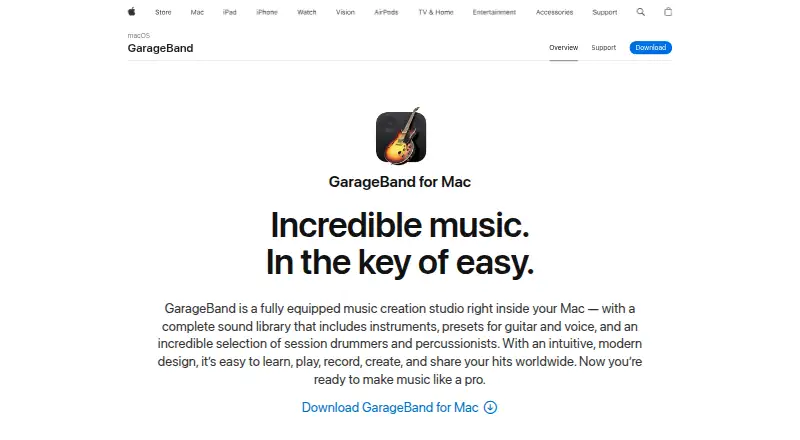
What GarageBand is
GarageBand is a free music creation studio for playing, recording, editing, mixing, and sharing music on Mac, iPhone, and iPad. On Mac, its sound library includes instruments, guitar and voice presets, session drummers, and percussionists. The Mac version offers 28 drummers and three percussionists across six genres, and can create and mix up to 255 audio tracks. Its recording tools include Flex Time, Groove Track, multi-take recording, audio effect plug-ins, compression, and visual EQ. Guitar and piano learners can use 40 genre-based lessons with real-time feedback. On iPad, Logic Remote can control GarageBand on Mac, play software instruments, adjust Smart Controls, and manage recording. iCloud can bring tracks to Mac songs from iPhone or iPad, and import song ideas from iOS devices to Mac. GarageBand for iOS supports up to 32 tracks and Audio Unit Extensions for compatible third-party instruments and effects. Sharing options include email and social networks; iOS also supports AirDrop. Mac users can save tracks as ringtones or export them to the Music app library.
Who it suits
GarageBand suits people making, recording, and editing music on Mac, iPhone, or iPad. Its lessons may also suit guitar and piano learners, while Mac users can work with larger projects of up to 255 audio tracks.
What it does well
- Free on Mac, iPhone, and iPad
- Mac projects support up to 255 audio tracks
- iOS supports up to 32 tracks
- Includes 40 guitar and piano lessons
- Supports MIDI sequencing and third-party plugins
What to know first
- Does not support video synchronization
- iOS projects support fewer tracks than Mac projects
Limits
GarageBand is free. The listed free plan supports up to 255 tracks on Mac and 32 on iPhone and iPad; the listed Mac plan requires macOS 15.6 or later.
Plans
| Plan | Billed and limits | Price |
|---|---|---|
| Free | 255 tracks on Mac · 32 tracks on iPhone and iPad | Free |
| GarageBand | Mac · macOS 15.6 or later · up to 255 tracks | Free |
As apple.com lists them, read 21 Sept 2026. The maker's own page has the final word.
Getting started
- Visit the GarageBand website.
- Choose Mac, iPhone, or iPad as your platform.
- Use the free GarageBand plan; the listed Mac plan requires macOS 15.6 or later.
- Create or bring in a song, then record and edit tracks.
GarageBand is a music-creation app for recording, editing, mixing and sharing songs on Mac, iPhone and iPad. It suits Apple-device users who want songwriting tools and instrument lessons without paying for the software. The Mac version offers the broader production setup; the iPhone and iPad editions have a lower track ceiling.
Overview
GarageBand brings playing, recording, editing, mixing and sharing into one music-making workspace. Multitrack editing and MIDI sequencing cover different ways to build arrangements, while third-party plugins and noise reduction add options for shaping recordings. It does not synchronize music to video, so it is a poor fit for a workflow centered on scoring picture.
Key features
Production and editing
On Mac, the sound library includes instruments, guitar and voice presets, and session drummers and percussionists. The 28 drummers and three percussionists span six genres, giving songwriters rhythm options without needing to record a drummer. Flex Time, Groove Track and multi-take recording help refine performances; effect plug-ins, compression and visual EQ provide further mix control. Together, these tools give songwriters meaningful room to develop an arrangement, though the mobile version is limited to 32 tracks.
Lessons and device workflow
Mac includes 40 genre-based guitar and piano lessons with real-time feedback, a useful addition for players learning either instrument as well as producing songs. The focus is narrow: these lessons are not a general music curriculum. With Logic Remote on iPad, users can control GarageBand on Mac, play software instruments, adjust Smart Controls and control recording. Apple’s iCloud workflow also lets users add tracks to Mac songs from iPhone or iPad and bring song ideas from iOS devices to Mac.
Sharing and privacy
Mac projects can be shared by email or social networks, saved as ringtones, or exported to the Music app library. iPhone and iPad support email, social media and AirDrop sharing, along with custom ringtones. The Mac App Store privacy label says the app may collect a user ID for app functionality and that this data is not linked to the user. Apple provides support by phone or chat and online answers through Apple Support.
Pricing
GarageBand is free. The Free plan costs nothing and covers up to 255 tracks on Mac and 32 on iPhone and iPad. The GarageBand plan is also free, for Mac on macOS 15.6 or later, with up to 255 tracks. There is no paid tier to weigh against these capabilities; the practical trade-off is platform access and the lower mobile track limit.
Platforms
GarageBand supports macOS, iPhone and iPad. Mac is the choice for projects that need more tracks and the full set of described recording tools; iPhone and iPad offer a more portable way to create, add to and share music, with support for up to 32 tracks. Audio Unit Extensions on iOS support compatible third-party instruments and effects.
Who it's for
GarageBand is a strong starting point for Apple users writing songs, recording instruments or vocals, learning guitar or piano, and moving ideas between Mac and iOS devices. It is less suitable for video synchronization, and creators who need more than 32 tracks on a mobile project will need to work on Mac.
Pros and cons
Pros
- Free on supported Apple devices, with Mac projects supporting up to 255 tracks.
- A broad Mac sound library and editing toolkit support songwriting, performance refinement and mixing.
- Forty guitar and piano lessons with real-time feedback add structured practice to the music-making workflow.
- iCloud and Logic Remote connect Mac work with iPhone and iPad in useful ways.
Cons
- The iPhone and iPad track ceiling is 32, far below Mac’s 255-track limit.
- It does not synchronize music to video, ruling it out for picture-scoring workflows.
- The included lessons cover guitar and piano, not a wider range of instruments.
Alternatives
For a different music-making workflow, these alternatives may fit better:
- SunVox is a freemium option with a free plan across platforms including Android, iOS, Linux, macOS, web and Windows; its described plans include a modular synthesizer and tracker.
- DefleMask is a freemium choice with a 14.99 USD one-time plan and a free legacy demo; choose it if that paid plan suits your needs.
- Pro Tools offers a free Intro option with up to eight audio, instrument and MIDI tracks, making its stated free tier much smaller than GarageBand for track-heavy work.
- Furnace is a free, open-source chiptune tracker for Linux, macOS and Windows.
- LMMS is a free, open-source, community-driven option for Windows, macOS and Linux.
- LSDJ is free for personal and educational use; commercial users should seek permission.
- MilkyTracker is free, with optional donations.
- OpenMPT is free software for Windows 7 SP 1 or newer, or Wine 1.8 or newer, and requires an SSE2-capable CPU or ARM/ARM64.
Browse Game Music Software, Audio Editing Software or Digital Audio Workstations for more options by category.
Verdict
Choose GarageBand if you use Apple devices and want a free route from song ideas to recording, editing and sharing, with lessons and cross-device workflows included. Its Mac track capacity and production tools are the main reasons to choose it; look elsewhere if you need video synchronization or a mobile project beyond 32 tracks.
Verdict
GarageBand offers music creation, lessons, and sharing at no cost across Apple devices. Mac supports up to 255 tracks, while the iOS version supports up to 32.
Questions
How much does GarageBand cost?
The listed plans are free.
Which platforms does GarageBand support?
It supports macOS, iPhone, and iPad.
How many tracks can a project have?
The Mac version supports up to 255 audio tracks, while the iOS version supports up to 32.
Does GarageBand support third-party plugins?
Yes. It supports third-party plugins, and GarageBand for iOS supports Audio Unit Extensions for compatible third-party instruments and effects.
Can GarageBand synchronize music with video?
No. Video synchronization is not supported.
How can users share songs?
Mac users can share tracks by email or social networks, save them as ringtones, or export them to the Music app library. iOS users can also share by AirDrop and save custom ringtones.
Facts from GarageBand's own pages
- Cloud projects
- Apple says iCloud lets users add tracks to Mac songs from iPhone or iPad and import song ideas from iOS devices to Mac. · apple.com, 3 Oct 2026
- Editing tools
- Mac recording tools include Flex Time, Groove Track, multi-take recording, audio effect plug-ins, compression, and visual EQ. · apple.com, 3 Oct 2026
- Free plan
- Yes · apps.apple.com, 21 Sept 2026
- Integrations
- Logic Remote on iPad can control GarageBand on Mac, play software instruments, adjust Smart Controls, and control recording. · apple.com, 3 Oct 2026
- iOS features
- GarageBand for iOS supports up to 32 tracks and Audio Unit Extensions for compatible third-party instruments and effects. · apple.com, 3 Oct 2026
- iOS sharing
- GarageBand for iOS supports sharing by email, social media, and AirDrop, as well as saving custom ringtones. · apple.com, 3 Oct 2026
- Lessons
- GarageBand for Mac includes 40 genre-based lessons for guitar and piano and offers real-time feedback during lessons. · apple.com, 3 Oct 2026
- MIDI sequencing
- Yes · apps.apple.com, 21 Sept 2026
- Multitrack editing
- Yes · apps.apple.com, 21 Sept 2026
- Noise reduction
- Yes · apps.apple.com, 21 Sept 2026
- Privacy
- The Mac App Store listing says the app may collect a user ID for app functionality and that this data is not linked to the user. · apps.apple.com, 3 Oct 2026
- Purpose
- GarageBand is a music creation studio for playing, recording, editing, mixing, and sharing music. · apple.com, 3 Oct 2026
- Recording limit
- GarageBand for Mac can create and mix up to 255 audio tracks. · apple.com, 3 Oct 2026
- Sharing
- GarageBand for Mac can share tracks by email or social networks, save them as ringtones, and export them to the Music app library. · apple.com, 3 Oct 2026
- Sound library
- The Mac version includes a sound library with instruments, guitar and voice presets, and session drummers and percussionists. · apple.com, 3 Oct 2026
- Support
- Apple offers support by phone or chat and provides online answers through Apple Support. · apple.com, 3 Oct 2026
- Supported platforms
- macOS, iPhone, iPad · apps.apple.com, 21 Sept 2026
- Third-party plugins
- Yes · apps.apple.com, 21 Sept 2026
- Video synchronization
- No · apps.apple.com, 21 Sept 2026
- Virtual drummers
- GarageBand for Mac includes 28 drummers and three percussionists across six genres. · apple.com, 3 Oct 2026
Where GarageBand stands on Freedom251
- Audio Editing Software#16 of 131
- Digital Audio Workstations#5 of 39
- Game Music Software#8 of 27
- Content Creation tools#18 of 31