Freedom251 › Game Music Software
MilkyTracker
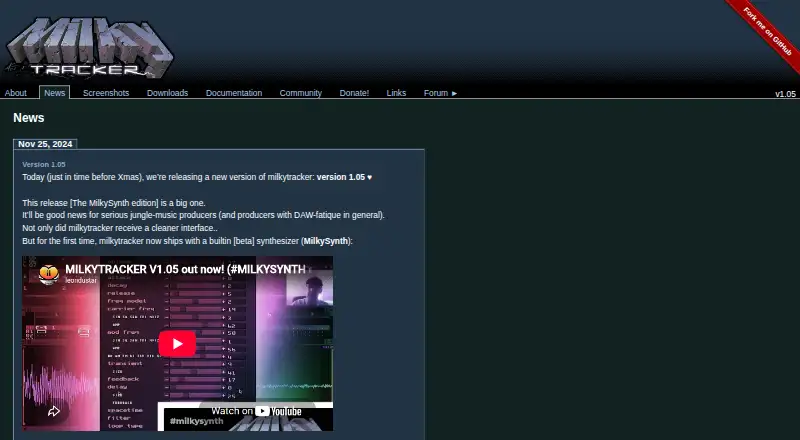
What MilkyTracker is
MilkyTracker is a free, open-source music application for creating .MOD and .XM module files. It runs on Windows, macOS, and Linux, with additional platforms and builds from source also supported. Its tracker workflow aims to recreate Fasttracker II playback and user experience, and .MOD files can use ProTracker 2/3 playback modes. The editor supports up to 128 channels and allows playing and editing at the same time; live mode enables pattern changes during playback. The sample editor includes waveform generators and effects, plus a beta synthesizer for creating looped or single- and multi-cycle waveforms. MilkyTracker imports over 30 module formats and can load zipped, powerpacked, and UMX modules directly. It exports .MOD, .WAV, and .XM files, and renders songs or patterns to disk or directly to a sample. MIDI In is supported, but MIDI sequencing, third-party plugins, and cloud collaboration are not. Downloads include Linux AppImage and ZIP builds, Windows ZIP builds, and macOS DMG builds. The project says the application will always be free, with donations optional, and its manual advises using it at your own risk because it remains under development.
Who it suits
MilkyTracker suits people creating module-based music who want tracker-style editing across desktop platforms. It may also fit users who need to import many module formats or export .MOD, .WAV, and .XM files.
What it does well
- Free and open source
- Supports up to 128 channels
- Imports over 30 module formats
- Exports .MOD, .WAV, and .XM files
- MIDI In is supported
What to know first
- MIDI sequencing is not supported
- Third-party plugins are not supported
- Cloud collaboration is not supported
- Manual advises using it at your own risk
Limits
MilkyTracker is free, and donations are optional. Its manual says the application is under development and advises users to use it at their own risk.
Plans
| Plan | Billed and limits | Price |
|---|---|---|
| MilkyTracker | Donations are optional | Free |
As milkytracker.org lists them, read 7 Oct 2026. The maker's own page has the final word.
Getting started
- Visit the MilkyTracker website.
- Choose a build for Windows, macOS, or Linux, or use another supported platform or source build.
- Install or run the downloaded build.
- Use the editor to create or work with module files.
- Visit the project forum or a community channel for help or bug reports.
MilkyTracker is an open-source music application for making .MOD and .XM modules, aimed at musicians who prefer tracker-based composition and playback. Its broad module support and zero-cost price make it a compelling specialist tool, but it is not a fit for MIDI sequencing, plugin-based production, or cloud collaboration.
Overview
MilkyTracker aims to recreate Fasttracker II’s playback and user experience, with ProTracker 2 and 3 playback modes for .MOD files. That gives tracker musicians a focused environment for creating modules and revisiting material in established formats. Its scope is deliberately narrower than a general-purpose music studio: it does not provide MIDI sequencing or third-party plugins.
The project says MilkyTracker will always be free, and donations are optional. The manual also says the software remains under development and advises using it at the user's own risk. That caveat may give pause to anyone relying on a settled production environment.
Key features
Import support covers more than 30 module formats, including zipped, powerpacked, and UMX modules that can be loaded directly. That is useful for working with a varied module library without converting files first. MilkyTracker exports .MOD, .WAV, and .XM, and can render songs or patterns to disk or directly to a sample.
Editing and playback can run simultaneously across as many as 128 channels. Live mode enables seamless pattern changes, which suits composers who want to alter an arrangement while it plays. The sample editor includes waveform generators and effects, plus a beta synthesizer for generating looped or single- and multi-cycle waveforms; the beta label makes this a less certain part of the workflow than the core editing and playback features.
MIDI In support is included, but that is not MIDI sequencing. Readers seeking a sequencing workflow, plugin instruments, or collaborative cloud features should choose software built for those needs instead.
Pricing
MilkyTracker costs nothing. The free plan includes the application, and the project says it will remain free; donations are optional. There are no paid tiers to weigh against a capped free plan.
| Plan | Price | What it includes |
|---|---|---|
| MilkyTracker | free | Free use of the application; donations are optional. |
Platforms
MilkyTracker supports Windows, macOS, and Linux, with additional platforms and source builds also supported. Downloads include Linux AppImage and ZIP builds, Windows ZIP builds, and macOS DMG builds; the project also welcomes additional Mac builds. Packages or ports are available through distributions including Debian, Arch Linux, FreeBSD, Gentoo, and Ubuntu.
For help and bug reports, the project points users to its forum and also offers Matrix, Discord, and IRC community channels.
Who it's for
MilkyTracker is a good match for composers who want a free tracker workflow, need to import a range of module formats, or want to create and export .MOD and .XM files. Its channel count, pattern rendering, and live pattern changes give module-focused work meaningful room to grow.
It is a poor fit for producers who depend on MIDI sequencing, third-party plugins, or cloud collaboration. The ongoing-development warning is also relevant for anyone who needs a production tool without an explicit use-at-your-own-risk caveat.
Pros and cons
- Pros: Imports over 30 module formats and directly loads zipped, powerpacked, and UMX modules, reducing friction when working with varied module collections.
- Pros: Supports up to 128 channels, simultaneous editing and playback, and live pattern changes, giving tracker composers room to build and adjust arrangements.
- Pros: Exports .MOD, .WAV, and .XM, with rendering to disk or directly to a sample.
- Pros: Free to use, with optional donations rather than paid tiers.
- Cons: No MIDI sequencing, third-party plugins, or cloud collaboration, excluding common studio workflows.
- Cons: The manual warns that development is ongoing and advises users to proceed at their own risk.
- Cons: The sample editor's synthesizer is beta, so it is a less established option for waveform generation.
Alternatives
For a different beat-making approach, Koala Sampler is a freemium option with a free plan and free trial, and desktop builds for Mac, Windows, Linux, and Raspberry Pi. Giada is another free option for Linux, macOS, and Windows; its maker describes it as 100% open-source GPL software.
On Apple platforms, Auxy Studio offers a free plan with a selection of demo sounds, as well as a free trial. Serato Studio may suit readers who want a free, feature-limited option with one audio track, four decks, four scenes, selected sound packs, and limited recording; it also offers a free trial.
For mobile beat making, Drum Pads 24 is free to download and use on Android and iOS, though some sound packs or advanced features may require in-app purchases or subscriptions. MPC Beats is free beat-making software for macOS and Windows. DAWG is a $5.00 USD or more one-time option for Android, Linux, macOS, and Windows. Endlesss is a paid option for iOS, macOS, web, and Windows.
Browse Beat Making Software, Game Music Software, and Audio Editing Software for more options by category.
Verdict
Choose MilkyTracker if you want a free, open-source tracker for creating modules, importing older formats, and rendering work to common module and audio files. Its focused workflow and generous format support are the main reasons to choose it; look elsewhere if you need MIDI sequencing, plugin support, cloud collaboration, or a project that does not carry an ongoing-development warning.
Verdict
MilkyTracker offers module editing, playback, and file conversion at no cost. Note that MIDI In does not mean MIDI sequencing, and the project says the software remains under development.
Questions
How much does MilkyTracker cost?
The maker says MilkyTracker will always be free. Donations are optional.
Which platforms does MilkyTracker support?
Windows, macOS, and Linux are supported, along with additional platforms and builds from source.
What file formats can it create and export?
It creates .MOD and .XM module files and exports .MOD, .WAV, and .XM files.
Can MilkyTracker import other module formats?
Yes. It imports more than 30 module formats and can directly load zipped, powerpacked, and UMX modules.
Does it support MIDI?
MIDI In is supported. MIDI sequencing is not.
Is MilkyTracker open source?
Yes. MilkyTracker is described as open source.
Facts from MilkyTracker's own pages
- Cloud collaboration
- No · milkytracker.org, 20 Sept 2026
- Development status
- The manual says MilkyTracker is under development and advises users to use it at their own risk. · milkytracker.org, 7 Oct 2026
- Distribution
- The downloads page lists packages or ports in distributions including Debian, Arch Linux, FreeBSD, Gentoo, and Ubuntu. · milkytracker.org, 7 Oct 2026
- Download platforms
- The downloads page lists Linux AppImage and ZIP builds, Windows ZIP builds, and macOS DMG builds; it notes that extra Mac builds are welcome. · milkytracker.org, 7 Oct 2026
- Editing and playback
- It supports up to 128 channels, playing and editing simultaneously, and live mode for seamless pattern changes. · milkytracker.org, 7 Oct 2026
- Exports
- It can export .MOD, .WAV, and .XM files and render songs or patterns to disk or directly to a sample. · milkytracker.org, 7 Oct 2026
- Free plan
- Yes · milkytracker.org, 20 Sept 2026
- MIDI
- The feature list includes MIDI In support. · milkytracker.org, 7 Oct 2026
- MIDI sequencing
- No · milkytracker.org, 20 Sept 2026
- Module formats
- MilkyTracker imports over 30 module formats and can load zipped, powerpacked, and UMX modules directly. · milkytracker.org, 7 Oct 2026
- Multitrack editing
- Yes · milkytracker.org, 20 Sept 2026
- Pricing
- The maker says MilkyTracker will always be free and invites users to donate to support development. · milkytracker.org, 7 Oct 2026
- Sample editor and synth
- The sample editor includes waveform generators, effects, and a beta synthesizer that generates looped or single- and multi-cycle waveforms. · milkytracker.org, 7 Oct 2026
- Support
- The project directs users to its forum for help and bug reports, and provides Matrix, Discord, and IRC community channels. · milkytracker.org, 7 Oct 2026
- Supported platforms
- Windows, macOS, Linux; also supports additional platforms and builds from source · milkytracker.org, 20 Sept 2026
- Third-party plugins
- No · milkytracker.org, 20 Sept 2026
- Tracker compatibility
- It aims to recreate Fasttracker II’s module playback and user experience, with ProTracker 2/3 playback modes for .MOD files. · milkytracker.org, 7 Oct 2026
- What it does
- MilkyTracker is an open source, multi-platform music application for creating .MOD and .XM module files. · milkytracker.org, 7 Oct 2026
Where MilkyTracker stands on Freedom251
- Game Music Software#9 of 27
- Beat Making Software#13 of 32
- Audio Editing Software#59 of 131