Freedom251 › Software Update Tools
Topgrade
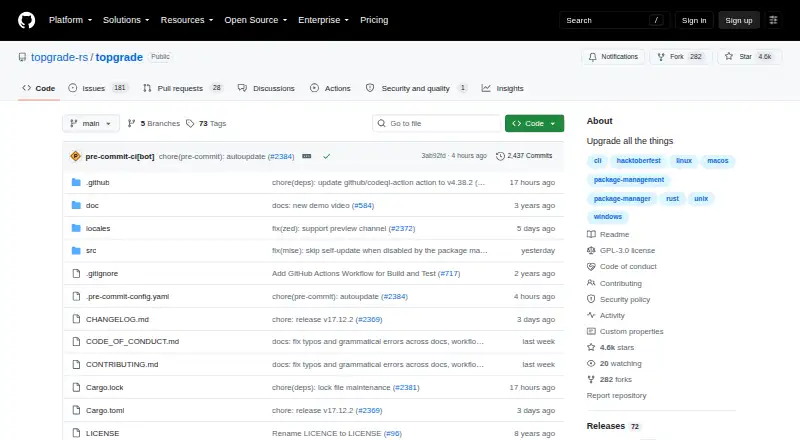
What Topgrade is
Topgrade is a free command-line tool that finds tools on your system and runs their update commands. Start it with the `topgrade` command. It supports Linux, macOS, Windows, and FreeBSD, with installation options including self-updating binaries, source installation, and package managers. Its example configuration covers Arch package managers, DNF, Nix, Homebrew, Flatpak, and Winget. Topgrade can pull or fetch selected Git repositories and run custom commands before, during, or after its built-in commands. It can also use SSH to run Topgrade on configured remote hosts before working locally. On first run, it creates a configuration file if needed and loads and merges files from `topgrade.d`. The project is a fork of r-darwish's Topgrade that aims to remain maintained. Its example configuration advises against running it as root on Unix because it invokes sudo or an equivalent when needed. The security policy supports only the latest version, with no fixes backported.
Who it suits
Topgrade suits people who want to update multiple tools through a command-line workflow, including users who configure package managers, Git repositories, or remote hosts.
What it does well
- Free plan; self-updating binaries and source installation.
- Supports Linux, macOS, Windows, and FreeBSD.
- Can update configured Git repositories.
- Custom commands can run around built-in commands.
- Can run remotely over SSH.
What to know first
- Command-line workflow uses the `topgrade` command.
- Only the latest version is supported.
- Fixes are not backported.
- Example configuration advises against running as root on Unix.
Limits
Only the latest Topgrade version is supported, and fixes are not backported. The example configuration advises against running it as root on Unix.
Plans
| Plan | Billed and limits | Price |
|---|---|---|
| Topgrade | Open-source CLI · self-updating binary or install from source · package-manager installation options | Free |
As github.com lists them, read 30 Sept 2026. The maker's own page has the final word.
Getting started
- Open the Topgrade project website.
- Choose a self-updating binary, source installation, or a package-manager option for your platform.
- Run Topgrade with the `topgrade` command.
- On first run, let it create a configuration file if one is not already present.
- Adjust configuration for repositories, custom commands, or remote hosts as needed.
Topgrade is a free command-line updater for people who maintain software through package managers, Git repositories, and terminal commands. Its broad, configurable update routine is useful for technically comfortable users; those who want a graphical app catalog should look elsewhere.
Overview
Run topgrade to have Topgrade detect tools in use and invoke their update commands. It can bring package updates together with repository maintenance, custom commands, and SSH sessions on configured remote hosts. That makes it a flexible fit for people who already manage a varied system from the terminal, rather than a simple point-and-click updater. The project is a fork of r-darwish’s Topgrade that aims to keep the software maintained.
For a broader category comparison, see Software Update Tools.
Key features
Updates across package ecosystems
Topgrade’s example configuration covers Arch package managers, DNF, Nix, Homebrew, Flatpak, and Winget. The range is useful when a system relies on more than one package ecosystem, but Topgrade’s approach is to run update commands for tools it detects or users configure—not to present a single app catalog.
Repositories and custom steps
Topgrade can pull or fetch predefined and user-configured Git repositories, with a setting to fetch instead of pull. Users can also place custom commands before, during, or after its built-in commands. These options make the update sequence adaptable to a personal setup, though they also mean the value of the workflow depends on configuring it to match that setup.
Remote hosts and configuration
Topgrade can use SSH to run Topgrade on configured remote hosts before working locally, which suits users maintaining more than one machine. On first run it creates a configuration file if needed, and it also loads and merges files from topgrade.d. This gives users a way to organize settings across files without changing the command-line nature of the tool.
Pricing
Topgrade is free: its free plan is an open-source CLI with self-updating binary, source, and package-manager installation options. There is no trial or paid tier to weigh against it. The trade-off is not a feature quota but the command-line workflow and the need to work with its configuration and update commands.
Platforms
Topgrade supports Linux, macOS, and Windows, and its release page also provides binaries for FreeBSD. Installation choices include self-updating binaries, building from source, and package managers. The example configuration’s package integrations span several of these ecosystems, making the cross-platform scope especially relevant to users with mixed environments.
On Unix, the example configuration advises against running Topgrade as root because it invokes sudo or an equivalent when needed. Users should follow that guidance rather than elevate the whole process.
Who it's for
Topgrade is best for terminal-comfortable users who want one command to coordinate updates across supported tools, repositories, custom tasks, and remote hosts. It is less suited to people who prefer a graphical interface or want a curated application catalog. The project supports questions through issues and discussions, and also provides a Discord server; vulnerability reports go through the repository’s Security tab.
There is an important maintenance constraint: only the latest Topgrade version is supported, and fixes are not backported. Users who need continued support for older versions should factor that policy into their choice.
Pros and cons
- Pros: A free, open-source CLI coordinates multiple package ecosystems and can include repositories, custom commands, and remote hosts, reducing the need to run each configured update routine separately.
- Pros: Linux, macOS, and Windows support, plus FreeBSD binaries and several installation routes, make it practical for varied setups.
- Cons: The terminal-first workflow and configuration options are a poor fit for users who want graphical app discovery and updates.
- Cons: Only the latest version is supported and fixes are not backported, limiting the appeal for users who stay on older releases.
- Cons: Unix users must heed the instruction not to run it as root; the tool invokes sudo or an equivalent when required.
Alternatives
Patch My PC is worth considering for Windows desktop and server use when a free, non-commercial Home Updater or a paid Enterprise Plus plan is a better fit; it also offers a free trial.
UniGetUI is another free, open-source option across Linux, macOS, and Windows for readers comparing platform coverage.
IObit Uninstaller is a Windows alternative when batch app removal and automatic leftover cleanup matter more than a cross-platform update workflow.
AppGeek is a free Windows option for readers seeking software that has no Pro tier or ads and can be used at home or work.
Avira Phantom VPN Free is another Windows free-plan option, though its listed product is a VPN rather than an updater.
Avira Software Updater is a Windows alternative, with a free plan offering manual update links and a Pro monthly plan.
Glarysoft Software Update is a Windows choice if manual downloads on its free plan or automatic software updates on its paid Pro plan suit your needs.
Karate is a free Windows alternative for readers comparing software-update tools.
Verdict
Choose Topgrade if you are comfortable in a terminal and want a free, configurable command to coordinate updates across package tools, repositories, custom commands, and remote hosts. Its central advantage is that breadth in one workflow; look elsewhere if you need a graphical catalog, or if staying on a supported older release matters.
Verdict
Topgrade brings updates for configured tools into one command-line workflow, with options for repositories, custom commands, and remote hosts. Users should note its Unix root guidance and latest-version-only support policy.
Questions
How much does Topgrade cost?
The listed plan is free.
Which operating systems does Topgrade support?
It supports Linux, macOS, Windows, and FreeBSD.
How do I install Topgrade?
The project lists self-updating binaries, source installation, and package-manager options.
Can Topgrade update software beyond package managers?
It can pull or fetch configured Git repositories and run custom commands before, during, or after its built-in commands.
Can it run on remote machines?
Yes. It can use SSH to run Topgrade on configured remote hosts before acting locally.
Which versions are supported?
The security policy supports only the latest version; fixes are not backported.
Facts from Topgrade's own pages
- CLI workflow
- The project README says to run Topgrade with the `topgrade` command. · github.com, 30 Sept 2026
- Configuration
- On first run, Topgrade creates a configuration file if one does not already exist, and it also loads and merges files from `topgrade.d`. · github.com, 30 Sept 2026
- Custom commands
- Custom commands can be configured to run before, during, or after Topgrade's built-in commands. · github.com, 30 Sept 2026
- Git repositories
- Topgrade can pull or fetch predefined and user-configured Git repositories, with a setting to choose fetch instead of pull. · github.com, 30 Sept 2026
- Install options
- The project lists self-updating binaries and source installation for all platforms, plus package-manager installation options. · github.com, 30 Sept 2026
- Package integrations
- The example configuration includes settings for Arch package managers, DNF, Nix, Homebrew, Flatpak, and Winget. · github.com, 30 Sept 2026
- Privilege guidance
- The example configuration says Topgrade should not be run as root on Unix because it invokes sudo or an equivalent where needed. · github.com, 30 Sept 2026
- Project history
- The repository describes this project as a fork of r-darwish's Topgrade that aims to keep it maintained. · github.com, 30 Sept 2026
- Purpose
- Topgrade detects the tools you use and runs the appropriate commands to update them. · github.com, 30 Sept 2026
- Remote execution
- Topgrade can use SSH to run Topgrade on configured remote hosts before acting locally. · github.com, 30 Sept 2026
- Security reporting
- The security policy directs vulnerability reports to the repository's Security tab. · github.com, 30 Sept 2026
- Support and community
- The project invites users to open an issue or discussion for questions and provides a Discord server for discussion. · github.com, 30 Sept 2026
- Supported operating systems
- The release page provides binaries for Apple macOS, Windows, Linux, and FreeBSD. · github.com, 30 Sept 2026
- Supported versions
- The security policy says only the latest Topgrade version is supported and fixes are not backported. · github.com, 30 Sept 2026
Where Topgrade stands on Freedom251
- Software Update Tools#11 of 29