Freedom251 › Software Update Tools

AppGeek
What AppGeek is
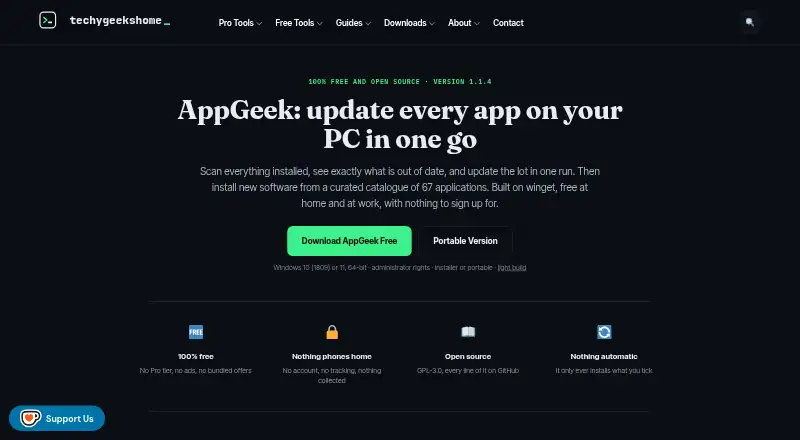
AppGeek is a free Windows utility that checks installed programs and Windows Store packages against Microsoft's winget package manager to identify available updates. Its curated catalogue contains 67 applications verified against the live winget repository. AppGeek does not install updates on its own: users select which updates to run, and can pin an application version so it is no longer offered as an update. It can export installed-software inventories as CSV or HTML. The program uses winget to match updates and download requested installers, and offers installer, portable, and light builds. The light build requires the .NET 8 Desktop Runtime. AppGeek requires 64-bit Windows 10 version 1809 or later, or Windows 11, plus administrator rights. The maker says it has no telemetry or account and keeps the installed-software list on the user's PC. AppGeek is open source under GPL-3.0, including for commercial use. Releases publish SHA-256 checksums, but the program is not code signed, so Windows may warn on first run.
Who it suits
AppGeek may suit home PC users, people setting up or rebuilding computers, and IT pros or technicians managing Windows applications. Its inventory export may also help users who want a record of installed software.
What it does well
- Free at home and at work, with no ads.
- Portable build is available.
- Exports inventories as CSV or HTML.
- Open source under GPL-3.0, including for commercial use.
What to know first
- Works on Windows only.
- Requires administrator rights.
- Not code signed, so Windows may warn on first run.
- Light build requires the .NET 8 Desktop Runtime.
Limits
The free plan has no Pro tier and is available at home and at work. The light build requires the .NET 8 Desktop Runtime, and AppGeek requires administrator rights on supported 64-bit Windows versions.
Plans
| Plan | Billed and limits | Price |
|---|---|---|
| Free | No Pro tier · no ads or bundled offers · free at home and at work · GPL-3.0 | Free |
As techygeekshome.info lists them, read 4 Oct 2026. The maker's own page has the final word.
Getting started
- Visit the AppGeek website.
- Choose the installer, portable, or light build for Windows.
- Use the light build only if the .NET 8 Desktop Runtime is available.
- Run AppGeek with administrator rights on a supported 64-bit Windows system.
- Review available updates and choose which ones to run.
AppGeek is a Windows utility for finding updates to installed programs and Windows Store packages. It best suits home users, technicians and IT pros who want to review updates before applying them. Its selective controls and inventory exports are useful; its narrow platform support and unsigned releases call for care.
Overview
AppGeek compares installed software with Microsoft’s winget package manager and identifies applications with updates available. Its curated catalogue contains 67 applications verified against the live winget repository, so it offers a defined range rather than universal coverage. It is most useful when the programs you need to maintain are represented in that catalogue.
AppGeek does not install updates automatically. Users choose which updates to run, while winget matches packages and downloads the requested installers. That keeps update decisions in the user's hands, but makes AppGeek a poor fit for people seeking unattended patching.
Key features
Selective updates and version pinning
Users can choose which updates to apply and pin an application version so AppGeek stops offering that update. Pinning helps when a particular version needs to remain in place; users must decide when it is appropriate to resume updating.
Inventory exports and build options
Installed application inventories can be exported as CSV or HTML, which gives home users and technicians a record to keep or share when setting up or rebuilding machines. Installer, portable and light builds provide different ways to use the utility. The light build requires the .NET 8 Desktop Runtime, an extra prerequisite some users may need to install.
Privacy and security
The maker says AppGeek has no telemetry or account and that the installed-software list stays on the PC. It says AppGeek's own network traffic is limited to winget downloading requested installers and an optional update check started by the user. Releases publish SHA-256 checksums, but the app is not code signed, so Windows may show a warning on first run. Users should weigh that warning against their comfort with installing unsigned software.
Pricing
AppGeek's Free plan costs nothing. It has no Pro tier, ads or bundled offers, and is free for home and work use under the GPL-3.0 licence. There is no paid upgrade to unlock; its limits are its Windows-only support and focused catalogue, rather than a stated plan cap. Open-source availability, including commercial use, makes it a straightforward option for individual users and workplace technicians who can work within those boundaries.
Platforms
AppGeek is Windows-only. It requires 64-bit Windows 10 version 1809 or later, or Windows 11, and administrator rights. The portable build may suit users who prefer not to use the installer, while users choosing the light build need the .NET 8 Desktop Runtime.
Who it's for
Home PC users can use AppGeek to identify updates and decide which to apply. Its exports and portable build also suit people setting up or rebuilding machines, while the maker identifies IT pros and technicians as intended users. It is less suitable for anyone who needs macOS or Linux support, broad coverage beyond its 67-app catalogue, or updates applied without manual selection.
Pros and cons
- Pro: Users control which updates to run and can pin versions, useful when updates should not be applied automatically.
- Pro: CSV and HTML inventory exports give users a portable record of installed applications.
- Pro: The free GPL-3.0 plan allows home and work use without ads or bundled offers.
- Con: Windows-only support rules out users maintaining software on other platforms.
- Con: The 67-app catalogue is a defined scope, so it may not cover every installed program.
- Con: The unsigned release can prompt a Windows warning on first run, which may deter users who prefer signed software.
- Con: Administrator rights are required, and the light build also depends on the .NET 8 Desktop Runtime.
Alternatives
For a wider choice of tools, browse Software Update Tools.
Patch My PC is worth considering if you want an updater with Windows and server support as well as macOS and web platforms; its Home Updater is free for non-commercial use, while Enterprise Plus is $3.50 a year.
UniGetUI is a free, open-source alternative for users who need Linux or macOS support alongside Windows; it is MIT licensed.
IObit Uninstaller is a better match if removing Windows apps is the priority: its free version includes batch uninstall, Windows app removal, drag-and-drop uninstall and automatic leftover cleanup.
Topgrade may suit users who prefer an open-source CLI updater that supports Linux, macOS and Windows and can be installed from source, as a self-updating binary or through package-manager options.
Avira Phantom VPN Free is another listed option.
Avira Software Updater offers a Windows free plan with manual update links; it is a fit for users who want links rather than AppGeek's winget-based installer downloads.
Glarysoft Software Update offers a free Windows plan with manual software downloads, while its Pro plan costs $12.95 a year and adds automatic software updates.
Karate is a free, open-source Windows alternative under the MIT licence for users comparing another no-cost option.
Verdict
Choose AppGeek if you use Windows and want a free way to identify updates, select them yourself and export an installed-software inventory. Its version pinning and absence of ads or bundled offers strengthen that case. Look elsewhere if you need another operating system, wider catalogue coverage or automatic updating, and consider the unsigned-release warning before installing.
Verdict
AppGeek gives Windows users control over identifying and applying application updates, with portable and inventory-export options. Check its Windows requirements and unsigned-release warning before installing.
Questions
Is AppGeek free?
Yes. Its Free plan costs nothing, with no Pro tier, ads, or bundled offers. It is free at home and at work.
Which Windows versions does AppGeek require?
It requires 64-bit Windows 10 version 1809 or later, or Windows 11, and administrator rights.
Does AppGeek install updates automatically?
No. AppGeek shows available updates, and users choose which updates to run. They can pin an application version so that update is no longer offered.
Is AppGeek open source?
Yes. It is licensed under GPL-3.0, including for commercial use.
What build options are available?
The maker offers installer, portable, and light builds. The light build requires the .NET 8 Desktop Runtime.
Does AppGeek have an account or telemetry?
The maker says AppGeek has no account or telemetry and keeps the installed software list on the user's PC.
Facts from AppGeek's own pages
- App catalogue
- It includes a curated catalogue of 67 applications verified against the live winget repository. · techygeekshome.info, 4 Oct 2026
- Builds
- The maker offers installer, portable, and light builds; the light build requires the .NET 8 Desktop Runtime. · techygeekshome.info, 4 Oct 2026
- Founded
- 2010 · techygeekshome.info, 28 Sept 2026
- Headquarters
- United Kingdom · techygeekshome.info, 28 Sept 2026
- Integration
- AppGeek uses Microsoft's winget package manager to match available updates and download requested installers. · techygeekshome.info, 4 Oct 2026
- Intended users
- The maker describes AppGeek for home PC users, people setting up or rebuilding machines, and IT pros and technicians. · techygeekshome.info, 4 Oct 2026
- Inventory
- AppGeek exports installed application inventories as CSV or HTML. · techygeekshome.info, 4 Oct 2026
- Licence
- AppGeek is open source under GPL-3.0, including for commercial use. · techygeekshome.info, 4 Oct 2026
- Network activity
- The maker says AppGeek's own network traffic is limited to winget downloading requested installers and an optional update check initiated by the user. · techygeekshome.info, 4 Oct 2026
- Privacy
- The maker says AppGeek has no telemetry or account and that the installed software list stays on the user's PC. · techygeekshome.info, 4 Oct 2026
- Purpose
- AppGeek scans installed programs and Windows Store packages, compares them with winget, and shows which applications are out of date. · techygeekshome.info, 4 Oct 2026
- Requirements
- AppGeek requires 64-bit Windows 10 version 1809 or later, or Windows 11, and administrator rights. · techygeekshome.info, 4 Oct 2026
- Security
- The maker says releases publish SHA-256 checksums and that AppGeek is not code signed, so Windows may warn on first run. · techygeekshome.info, 4 Oct 2026
- Support
- Bug reports and feature requests can be submitted through the AppGeek GitHub issue tracker. · techygeekshome.info, 4 Oct 2026
- User control
- AppGeek does not install updates automatically; users choose which updates to run. · techygeekshome.info, 4 Oct 2026
- Version pinning
- Users can pin an application version so AppGeek no longer offers that update. · techygeekshome.info, 4 Oct 2026
Where AppGeek stands on Freedom251
- Software Update Tools#1 of 29