Freedom251 › Software Update Tools

Glarysoft Software Update
What Glarysoft Software Update is
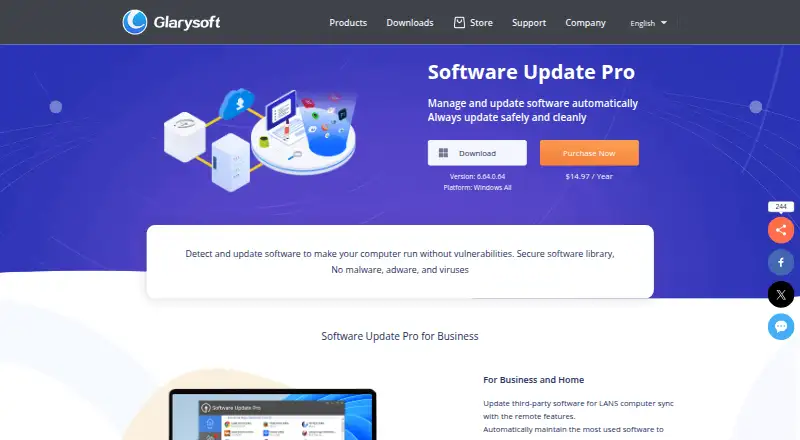
Glarysoft Software Update scans applications installed on a Windows PC and checks Glarysoft’s software library for available versions. Its free edition reports update notifications and information, but users download the updates manually. Software Update Pro can update software after the user clicks Install, and its guide describes silent installation without user intervention. Pro also includes Remote Manager, which lets network administrators manage software installation and updates on LAN-connected PCs. The Software Update Pro home page organizes its library into categories such as Browsers & Plugins, Utilities, Security, Communications, Video, and Photos. Users can ignore beta versions, customize which versions appear or are ignored, and turn startup at boot on or off. Glarysoft says the free updater connects to its library and lists “No personal information leakage” as a feature. The download page also lists integration into Glarysoft Community. The product page advertises a 30-day money-back guarantee, and Glarysoft says it usually responds to email inquiries within one or two business days. Plans include a free option, an annual Pro plan, and a one-time three-PC code.
Who it suits
The free edition suits Windows users who want update notifications and are comfortable downloading updates themselves. Pro is aimed at home and business users who want assisted updates or LAN administration, including administrators at internet cafes, schools, and companies.
What it does well
- Scans installed applications against Glarysoft’s software library.
- Pro can update software after the user selects Install.
- Remote Manager supports software management on LAN-connected PCs.
- Pro guide describes silent installation.
- Users can ignore beta versions and customize displayed versions.
What to know first
- The free edition requires manual software downloads.
- The listed platform is Windows only.
- Automatic updating and remote management are Pro features.
Limits
The free plan provides update notices and information but requires manual downloads. Automatic upgrades and remote management are listed with Pro.
Plans
| Plan | Billed and limits | Price |
|---|---|---|
| Software Update Free | Free · Manual software downloads · Windows | Free |
| Software Update Pro | Only $12.95 ~~$25.9~~ per year · Automatic software upgrade · Remote management | $12.95 a year |
| Software Update Pro (3 PC) | $14.97 / 3 PC · One code for three PC · Automatic software update | $14.97, paid once |
As glarysoft.com lists them, read 7 Oct 2026. The maker's own page has the final word.
Getting started
- Open the Software Update website.
- Choose the free Windows plan or a listed Pro plan.
- Install Software Update on a Windows PC.
- For free use, review update notices and download updates manually.
- For Pro, select Install to update software or use Remote Manager for LAN-connected PCs.
Verdict
Choose Software Update if you use Windows and want update notices from Glarysoft’s software library, or need Pro’s update and LAN management capabilities. The free edition leaves downloads to you, and its listed platform coverage is Windows only.
Questions
How much does Glarysoft Software Update cost?
The listed Software Update Free plan costs nothing. Software Update Pro is $12.95 a year, and Software Update Pro (3 PC) is 14.97 USD once.
Is there a free plan?
Yes. The free Windows plan provides notifications and information about available updates; users download updates manually.
Which operating system does it support?
The listed platform is Windows.
What does Software Update Pro add?
Pro lists automatic software upgrades and remote management. Its guide also describes silent installation without user intervention.
Can administrators manage updates on a network?
Yes. Remote Manager lets network administrators manage software installation and updates on LAN-connected PCs.
Does the product offer a refund?
The Software Update product page advertises a 30-day money-back guarantee.
Facts from Glarysoft Software Update's own pages
- Company focus
- Glarysoft says it specializes in developing utility software for Windows systems. · glarysoft.com, 7 Oct 2026
- Customization
- Users can ignore beta versions, customize displayed or ignored versions, and enable or disable startup at boot. · glarysoft.com, 7 Oct 2026
- Free update process
- The free version requires users to download software updates manually. · glarysoft.com, 7 Oct 2026
- Integration
- The download page lists integration into Glarysoft Community as a feature. · glarysoft.com, 7 Oct 2026
- Intended users
- Glarysoft describes Software Update Pro for business and home, and highlights LAN administration for internet cafes, schools, and companies. · glarysoft.com, 7 Oct 2026
- Privacy claim
- Glarysoft says the free updater connects to its software library and lists “No personal information leakage” as a feature. · glarysoft.com, 7 Oct 2026
- Pro automation
- Software Update Pro can automatically update software after the user clicks Install. · glarysoft.com, 7 Oct 2026
- Purpose
- The product scans installed applications and checks Glarysoft’s software library for available versions. · glarysoft.com, 7 Oct 2026
- Refund
- The Software Update product page advertises a 30-day money-back guarantee. · glarysoft.com, 7 Oct 2026
- Remote management
- Remote Manager lets network administrators manage software installation and updates on LAN-connected PCs. · glarysoft.com, 7 Oct 2026
- Silent installation
- The Pro guide says software in Software Update Pro can be installed silently without user intervention. · glarysoft.com, 7 Oct 2026
- Software library
- The Pro home page organizes its library into categories including Browsers & Plugins, Utilities, Security, Communications, Video, and Photos. · glarysoft.com, 7 Oct 2026
- Support
- Glarysoft says it usually responds to email inquiries within one or two business days. · glarysoft.com, 7 Oct 2026
- Update alerts
- The free version provides notifications and information about available software updates. · glarysoft.com, 7 Oct 2026
Where Glarysoft Software Update stands on Freedom251
- Software Update Tools#5 of 29