Freedom251 › Bootable USB Software
TFLint
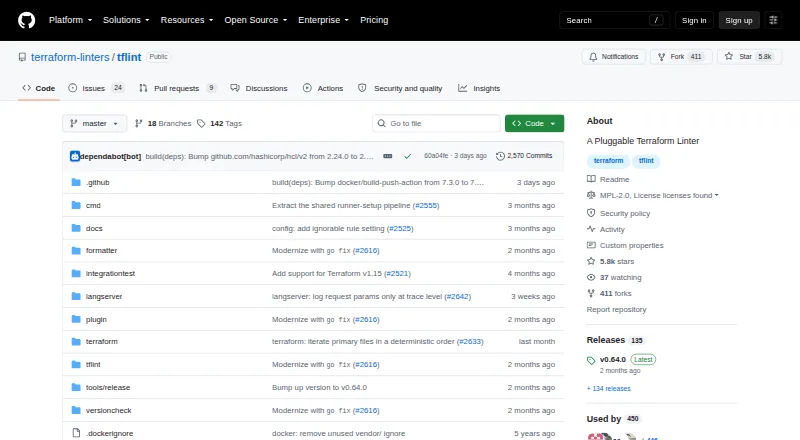
What TFLint is
TFLint is a free, pluggable command-line linter for Terraform that checks configurations for possible errors and rule violations. Its Terraform rules can flag deprecated syntax and unused declarations, while cloud-specific checks cover AWS, Azure, and GCP, including possible invalid instance types. It can also enforce best practices and naming conventions. Users can add plugins, create their own, or write policies in Rego. The command-line interface includes a --fix option for automatic issue correction, and reports can be produced in default, JSON, Checkstyle, JUnit, compact, or SARIF formats. The project supplies a GitHub Action and Docker image, and supports installation through Homebrew, WinGet, or Go. TFLint runs locally on Linux, macOS, and Windows. Most project files use MPL 2.0, some files in the terraform package use BUSL 1.1, and release binaries are bound by both licenses. The project recommends checksum verification with GitHub CLI artifact attestations and marks Cosign signatures as deprecated.
Who it suits
TFLint suits Terraform users who want local checks for language issues, cloud-specific errors, or naming conventions. Its plugin and Rego options also suit teams that need to extend checks.
What it does well
- Flags deprecated syntax and unused declarations.
- Checks possible errors for AWS, Azure, and GCP.
- Supports plugins and policies written in Rego.
- Offers multiple report formats, including SARIF.
What to know first
- It is limited to Terraform.
- Most project files use MPL 2.0; some use BUSL 1.1.
- Release binaries are bound by both licenses.
Plans
| Plan | Billed and limits | Price |
|---|---|---|
| TFLint | Open-source command-line Terraform linter | Free |
As github.com lists them, read 29 Sept 2026. The maker's own page has the final word.
Getting started
- Open the TFLint project at https://github.com/terraform-linters/tflint.
- Install it using Homebrew, WinGet, or Go.
- Use the command-line tool locally on Linux, macOS, or Windows.
- Consult the User Guide for usage details or the Developer Guide for development information.
Overview
TFLint is a pluggable command-line linter for Terraform, aimed at people who want to catch configuration problems before deployment. Its local checks cover Terraform rules and cloud-specific concerns for AWS, Azure, and GCP, with plugins for extending what it can inspect.
It is a focused choice for Terraform teams that want free, automatable checks without a hosted service. Its main trade-off is scope: TFLint analyzes Terraform configuration, but it does not provide configuration compliance, provisioning tests, or checks against deployed infrastructure.
Key features
Terraform and cloud checks
The bundled Terraform ruleset can flag deprecated syntax and unused declarations, while cloud checks can catch potential provider-specific errors such as invalid instance types. That combination is useful for catching both language-level issues and common cloud configuration mistakes early; it is not a substitute for testing deployed resources.
TFLint can also enforce best practices and naming conventions. Because the project is plugin-based, users can add plugins, build their own, or express policies in Rego. That flexibility suits organizations with rules beyond the bundled checks, though it also means the checks available depend on the plugins and policies a team chooses to use.
Automation and output
The command-line interface includes a --fix option for automatically correcting issues. Supported output formats include default, JSON, Checkstyle, JUnit, compact, and SARIF, giving teams options for human-readable use and integration with automated workflows.
The project provides a GitHub Action and Docker image, and supports installation through Homebrew, WinGet, or Go. These distribution and integration choices make it practical to incorporate TFLint into existing local or CI workflows without changing its local execution model.
Release and licensing considerations
The project recommends verifying release checksums with GitHub CLI artifact attestations and marks Cosign signatures as deprecated. Teams distributing release binaries should account for the project's licensing terms: most files use MPL 2.0, some files in the terraform package use BUSL 1.1, and release binaries are bound by both licenses.
The README directs users to the User Guide for usage and the Developer Guide for development. The releases page lists v0.64.0, dated July 17, 2026, as the latest release.
Pricing
TFLint is free: the TFLint plan costs free and is an open-source command-line Terraform linter. There is no paid tier or free-trial decision to weigh in the supplied plan; the practical cost is adopting and maintaining the checks and plugins needed for a team's workflow.
The free plan includes the core linter and its Terraform and cloud-check capabilities. It does not turn TFLint into a broader infrastructure testing or deployed-checks platform: provisioning tests, configuration compliance, and deployed checks are not part of the offering.
Platforms
TFLint supports Linux, macOS, and Windows, and runs locally. The self-hosted platform option fits teams that prefer to keep checks in their own environment rather than depend on a hosted execution service.
Who it's for
TFLint is best suited to Terraform practitioners who want a no-cost way to lint configuration, identify some AWS, Azure, or GCP mistakes, and enforce project-specific conventions. Its extensibility makes it particularly relevant where teams can select or author plugins and policies in Rego.
Look elsewhere if the primary need is testing provisioning behavior, checking policy compliance through a dedicated compliance product, or validating deployed infrastructure. TFLint's strength is local Terraform linting, not end-to-end infrastructure assurance.
Pros and cons
- Pros: Free access to a focused Terraform linter means teams can add configuration checks without a software subscription.
- Pros: Terraform language rules and AWS, Azure, and GCP checks address both deprecated or unused code and potential cloud-specific errors.
- Pros: Plugins, custom plugins, and Rego policies let teams extend checks beyond the bundled rules.
- Pros: Multiple output formats, a GitHub Action, Docker image, and several installation routes support varied automation setups.
- Cons: Local linting does not cover provisioning tests or deployed infrastructure checks, so it cannot by itself validate runtime behavior.
- Cons: Release binaries are bound by both MPL 2.0 and BUSL 1.1, a licensing point teams should review before distributing them.
- Cons: The project deprecates Cosign signatures and recommends checksum verification through GitHub CLI artifact attestations, which affects release-verification procedures.
Alternatives
For Terraform-focused infrastructure evaluation, browse Infrastructure Testing Tools. For bootable USB creation rather than infrastructure linting, see Bootable USB Software.
The other alternatives in this directory serve different jobs: balenaEtcher, Buddi, Fedora Media Writer, Raspberry Pi Imager, SARDU MultiBoot Creator, UNetbootin, USBImager, and Ventoy are listed as alternatives, but their stated purposes do not make them direct substitutes for Terraform linting.
Verdict
Choose TFLint if you work with Terraform and want free, local linting that combines language rules with cloud checks and can grow through plugins or Rego policies. Choose a broader infrastructure testing tool instead when your priority is provisioning tests, compliance workflows, or checks on deployed systems; TFLint is valuable precisely as a focused configuration linter, not as a complete infrastructure validation suite.
Verdict
TFLint provides local Terraform linting with cloud checks, extensible rules, and several output formats. Review its licensing details and checksum guidance when selecting and distributing release binaries.
Questions
Does TFLint cost anything?
TFLint is free, with a 0.00 USD free plan and no free trial.
Which platforms does TFLint support?
It is available for Linux, macOS, and Windows, and runs locally.
What does TFLint check?
Its Terraform rules can warn about deprecated syntax and unused declarations. Cloud checks for AWS, Azure, and GCP can find possible errors such as invalid instance types.
Can I extend TFLint with custom checks?
Yes. Users can add plugins, build their own plugins, or write policies in Rego.
What licenses apply to TFLint?
Most files use MPL 2.0, while some files in the terraform package use BUSL 1.1. Release binaries are bound by both licenses.
How can I install TFLint?
The project supports installation through Homebrew, WinGet, or Go, and also provides a Docker image and GitHub Action.
Facts from TFLint's own pages
- Automated fixes
- The command-line interface has a --fix option to fix issues automatically. · github.com, 29 Sept 2026
- Best practices
- TFLint can enforce best practices and naming conventions. · github.com, 29 Sept 2026
- Cloud checks
- Its key features include finding possible errors for AWS, Azure, and GCP, such as invalid instance types. · github.com, 29 Sept 2026
- Extensibility
- Users can add plugins, build their own plugins, or write policies in Rego. · github.com, 29 Sept 2026
- Integrations
- The project provides a GitHub Action and a Docker image, and supports installation with Homebrew, WinGet, or Go. · github.com, 29 Sept 2026
- License
- The project says most of its files use MPL 2.0, some files in the terraform package use BUSL 1.1, and release binaries are bound by both licenses. · github.com, 29 Sept 2026
- Outputs
- Supported output formats include default, JSON, Checkstyle, JUnit, compact, and SARIF. · github.com, 29 Sept 2026
- Purpose
- TFLint is a pluggable Terraform linter whose features are provided by plugins. · github.com, 29 Sept 2026
- Release availability
- The releases page lists v0.64.0 as the latest release, dated July 17, 2026. · github.com, 29 Sept 2026
- Release verification
- The project recommends verifying release checksums with GitHub CLI artifact attestations and marks Cosign signatures as deprecated. · github.com, 29 Sept 2026
- Support
- The README directs users to the User Guide for usage details and the Developer Guide for development information. · github.com, 29 Sept 2026
- Terraform rules
- The bundled Terraform language ruleset can warn about deprecated syntax and unused declarations. · github.com, 29 Sept 2026
Where TFLint stands on Freedom251
- Bootable USB Software#7 of 38
- IaC Security Scanners#9 of 16
- Infrastructure Testing Tools#17 of 28