Freedom251 › Bootable USB Software
USBImager
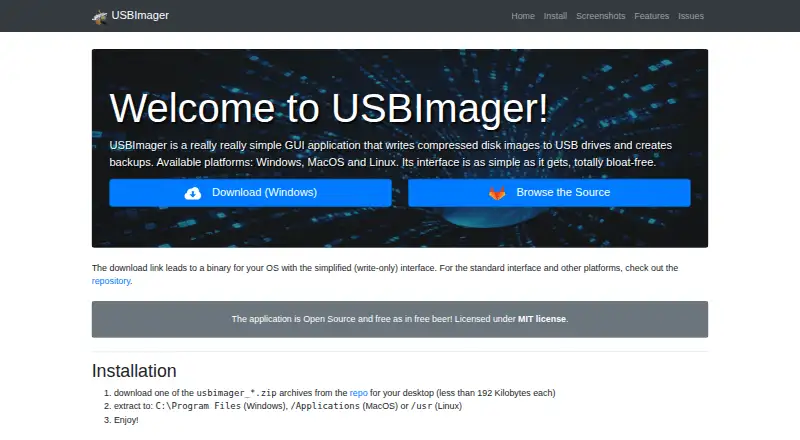
What USBImager is
USBImager writes disk images to USB drives and creates backups. It can read raw images, compressed files such as .gz, .bz2, .xz and .zst, and archives including .zip, .tar, .cpio and .pax. After writing, it can compare drive contents with the image to verify the result. Backups can be saved in raw or ZStandard compressed format, and images can be sent to microcontrollers over a serial line. USBImager is available for Linux, macOS and Windows, with builds listed for Windows, macOS, Ubuntu LTS, Raspberry Pi OS, Arch/Manjaro and Linux PC. It has a minimalist native interface in 18 languages and is intended for people who may be uncomfortable with command-line tools. The maker says it tries to avoid overwriting the system disk and that synchronized writes ensure data is on disk when progress reaches 100%. The executable can be used alone or with the archive’s desktop integration files. The software is open source under the MIT license and costs nothing.
Who it suits
USBImager suits people who want to write USB disk images or make backups without relying on command-line tools. It is available on Linux, macOS and Windows.
What it does well
- Reads raw, compressed and archived images.
- Verifies writes by comparing disk contents.
- Creates raw or ZStandard compressed backups.
- Supports Linux, macOS and Windows.
- Open source under the MIT license.
What to know first
- XZ dictionaries larger than 1 gigabyte are unsupported.
Limits
USBImager does not support xz compression dictionaries larger than 1 gigabyte.
Plans
| Plan | Billed and limits | Price |
|---|---|---|
| Free | free · Open-source desktop utility · no paid tiers stated | Free |
As bztsrc.gitlab.io lists them, read 15 Oct 2026. The maker's own page has the final word.
Getting started
- Visit the USBImager website.
- Download the build for Windows, macOS, Ubuntu LTS, Raspberry Pi OS, Arch/Manjaro, or Linux PC.
- Use the archive's desktop integration files, or run the executable by itself.
- Write an image to a USB drive, or create a raw or ZStandard compressed backup.
- Report problems through the GitLab issue tracker.
Verdict
USBImager combines image writing, write verification, backups and serial transfers in a free utility. Its stated limitation is that it does not support xz compression dictionaries larger than 1 gigabyte.
Questions
How much does USBImager cost?
The Free plan costs nothing.
Which platforms can run USBImager?
It is available for Linux, macOS, and Windows. Listed builds include Windows, macOS, Ubuntu LTS, Raspberry Pi OS, Arch/Manjaro, and Linux PC.
Is USBImager open source?
Yes. Its Free plan is open source and MIT licensed.
What image formats can it read?
It reads raw disk images, compressed images such as .gz, .bz2, .xz, and .zst, and archives including .zip, .tar, .cpio, and .pax.
Can USBImager verify a write?
Yes. It can compare the disk contents with the image after writing.
Where can users report problems?
The README directs users to the GitLab issue tracker.
Facts from USBImager's own pages
- Archive input
- Archive input includes ZIP and ZIP64, ZZZip, TAR, CPIO, and PAX, with the first archive file used when multiple files exist. · gitlab.com, 15 Oct 2026
- Audience
- The maker says the app is intended for non-expert users who may be uncomfortable with the command line. · gitlab.com, 7 Oct 2026
- Backup creation
- It can read a removable device into a raw DD image or a zstd-compressed backup. · bztsrc.gitlab.io, 15 Oct 2026
- Backups
- It can create backups in raw or ZStandard compressed format. · bztsrc.gitlab.io, 7 Oct 2026
- Build process
- Developers can compile on Windows with MinGW, on macOS with Apple command-line tools, and on Linux with libc, libX11, and the GNU toolchain. · gitlab.com, 15 Oct 2026
- Compressed input
- Compressed images can be read on the fly from gzip, bzip2, xz, and zstd files. · bztsrc.gitlab.io, 15 Oct 2026
- Compression limitation
- XZ dictionaries larger than 1 GB are unsupported, while the default supported dictionary size is 64 MB. · gitlab.com, 15 Oct 2026
- Desktop integration
- The archive's additional files provide desktop integration such as icons; the executable can also be used by itself. · bztsrc.gitlab.io, 7 Oct 2026
- Developer identity
- The associated GitHub account identifies the developer as Zoltan Baldaszti under the username bztsrc. · github.com, 15 Oct 2026
- Device safety
- The interface filters out the system disk by default and provides separate flags to list all devices or force writing. · gitlab.com, 15 Oct 2026
- Distribution through Homebrew
- Homebrew lists USBImager cask version 1.0.10 for Intel and Apple Silicon macOS, although the cask is marked disabled. · formulae.brew.sh, 15 Oct 2026
- Documentation
- The repository supplies a manual PDF, README installation and usage instructions, command-line flag reference, compilation guidance, and an issue tracker. · gitlab.com, 15 Oct 2026
- Downloads
- The maker's repository lists builds for Windows, macOS, Ubuntu LTS, Raspberry Pi OS, Arch/Manjaro and Linux PC. · gitlab.com, 7 Oct 2026
- Extensibility
- The source is separated into stream, disk, user-interface, and language layers, and supports debug builds and test-device compilation switches. · github.com, 15 Oct 2026
- Founded
- 2020 · bztsrc.gitlab.io, 28 Sept 2026
- Image formats
- The program reads raw image formats including IMG, BIN, RAW, ISO, and DD. · bztsrc.gitlab.io, 15 Oct 2026
- Interface and languages
- It provides a minimalist native interface and is available in 18 languages. · bztsrc.gitlab.io, 7 Oct 2026
- Languages
- The application includes dictionaries for 18 languages and detects the operating system language automatically. · bztsrc.gitlab.io, 15 Oct 2026
- Licence
- The project is open source under the MIT license, whose text permits use, modification, distribution, sublicensing, and sale with the notice retained. · gitlab.com, 15 Oct 2026
- Limit
- The README says xz compression dictionaries larger than 1 gigabyte are not supported. · gitlab.com, 7 Oct 2026
- Limit: missing advanced boot features
- An AlternativeTo reviewer says Rufus and Ventoy are preferable when multi-boot creation or more options are needed. · alternativeto.net, 15 Oct 2026
- Limit: permissions and fonts
- The documentation requires elevated permissions or device-group configuration on some systems, and X11 builds may need Unifont or fontconfig fixes. · gitlab.com, 15 Oct 2026
- Limit: Raspberry Pi launch problem
- A GitLab issue reports that a user could not run the AArch64 archive on Raspberry Pi OS Bullseye and requested Flatpak or AppImage packaging. · gitlab.com, 15 Oct 2026
- Linux support
- Linux distributions are supported through X11, GTK+, Ubuntu Debian packages, Arch AUR packages, and Raspberry Pi builds. · gitlab.com, 15 Oct 2026
Where USBImager stands on Freedom251
- Bootable USB Software#2 of 38