Freedom251 › Integration Testing Tools

Testcontainers Desktop
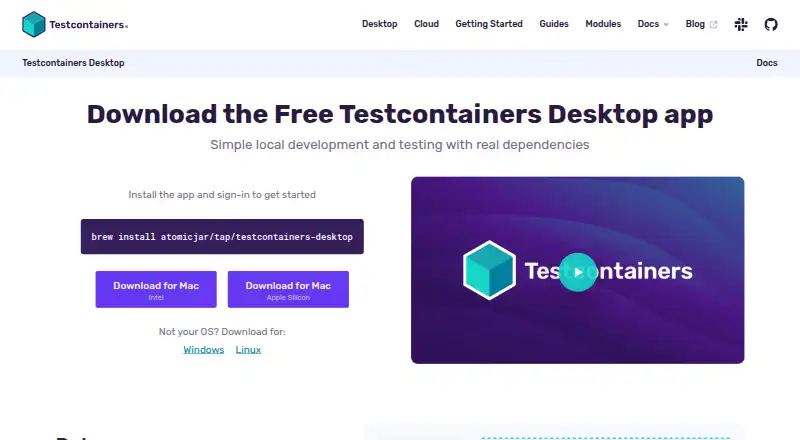
What Testcontainers Desktop is
Testcontainers Desktop is a companion app for the open source Testcontainers libraries, for local development and testing with real dependencies. It runs in the system tray and lets you switch between local container runtimes, including Podman and Colima. It also supports Compose workflows and IDE integration. You can expose container services on fixed ports for debugging tools such as IDE plugins or k9s, review container logs, and open a shell for a configured service. Its beta freeze feature can halt container shutdown after tests finish, allowing you to inspect containers. For cloud runs, it can start containers through Testcontainers Cloud on demand without using local resources or requiring a local Docker daemon.
The app tracks test sessions and provides collaborative dashboards with data from desktop and CI users in an organization. It includes more than 15 example service configuration files for technologies such as PostgreSQL and Kafka. Testcontainers libraries cover Java, Go, .NET, Node.js, Python, Rust, Ruby, PHP, Haskell, Clojure, Elixir, Scala, and Native. Testcontainers Desktop is closed-source and requires Docker account sign-in. Its free plan includes 300 minutes of cloud runtime per month; Turbo mode requires a paid account. The embedded runtime is in beta and available on macOS 11 or later.
Who it suits
It suits developers using Testcontainers libraries who want to manage container runtimes, inspect services, or connect debugging tools during local testing. Teams can also use its shared dashboards to view session data from desktop and CI users.
What it does well
- Switch between local runtimes such as Podman and Colima.
- Connect debugging tools through fixed service ports.
- Review container logs and open a service shell.
- Cloud runs do not require local resources or a local Docker daemon.
- Shared dashboards combine desktop and CI session data.
What to know first
- Docker account sign-in is required.
- Embedded runtime is beta and limited to macOS 11 or later.
- Turbo mode requires a paid account.
- Reusable-container beta support has language-specific limitations.
Limits
The free plan includes 300 minutes of cloud runtime per month. Turbo mode requires a paid account. The embedded runtime is beta and available on macOS 11 or later.
Plans
| Plan | Billed and limits | Price |
|---|---|---|
| Free plan for individual developers | 300 minutes of cloud runtime per month · Turbo mode requires a paid account | Free |
| Free individual developer plan | 300 cloud-runtime minutes per month · local runtimes unrestricted | Free |
As testcontainers.com lists them, read 7 Oct 2026. The maker's own page has the final word.
Getting started
- Open the Testcontainers Desktop website.
- Choose the desktop version for macOS, Windows, or Linux.
- Sign in with a Docker account.
- Select a local runtime or use Testcontainers Cloud for on-demand container runs.
- Use the app’s service actions or fixed ports to inspect and debug containers.
Testcontainers Desktop is a lightweight system-tray companion for the open-source Testcontainers libraries, built for developers who run tests against real service dependencies. It is strongest when you need runtime switching, container inspection, and local-to-cloud test workflows in one desktop control layer. Mandatory Docker sign-in and several beta capabilities narrow its appeal.
Overview
The closed-source app works with Testcontainers libraries for Java, Go, .NET, Node.js, Python, Rust, Ruby, PHP, Haskell, Clojure, Elixir, Scala, and Native. Compose workflows and IDE integration let it fit into existing development setups rather than requiring a separate way to launch services. Its system-tray design keeps controls close to the desktop without presenting a full container-management workspace.
A Docker account is required, and unauthenticated use is not supported. That is a significant drawback for developers who want an independent local utility or cannot use account-based tooling.
Key features
Runtime and cloud control
You can switch Testcontainers between local runtimes, including Podman and Colima. This suits projects that need different engines across machines or teams, and avoids tying every workflow to one runtime. The embedded runtime is still in beta and works on macOS 11 or later, so it is not a mature cross-platform replacement for an installed engine.
On-demand runs through Testcontainers Cloud can use remote containers without consuming local resources or requiring a local Docker daemon. That is useful on constrained development machines and for workflows that need cloud execution, although the free allowance is limited to 300 cloud-runtime minutes per month.
Debugging and inspection
Services can be exposed on fixed ports, allowing debugging tools such as IDE plugins or k9s to connect predictably. Menu actions for container logs and a shell for a configured service make failures easier to investigate without leaving the tray app. The beta freeze feature can stop containers from shutting down when tests finish, preserving their state for post-test inspection; its beta status makes it better for targeted debugging than as a guaranteed lifecycle policy.
Sessions and configurations
Session analytics records test sessions and provides collaborative dashboards combining data from desktop and CI users in an organization. That gives teams a shared view of test activity rather than limiting visibility to one developer's machine. More than 15 example service configuration files, including PostgreSQL and Kafka, provide useful starting points for common dependencies.
The browser terminal is restricted to localhost and protected with a unique hash, adding a defined boundary for terminal access. Reusable containers remain beta and have language-specific limitations, including unsupported reuse in some Testcontainers languages. Embedded-runtime problems are directed to the public Testcontainers Slack channel, so support for that beta path is community-based.
Pricing
Free plan for individual developers
The individual free plan costs nothing and includes 300 minutes of cloud runtime per month. It is a sensible entry point for developers who mainly run local containers and use cloud execution occasionally. Turbo mode requires a paid account, so the free tier does not provide that capability. The published plan is for individual developers; teams considering shared analytics should confirm that their intended organization setup is covered before relying on it.
Platforms
The desktop app runs on macOS, Windows, and Linux, with web access also listed. The embedded runtime specifically requires macOS 11 or later. Broad library coverage, Compose support, and IDE integration make it adaptable across common development environments, while the macOS-only embedded option limits where its beta runtime can be used.
Who it's for
Choose it for Testcontainers-based development teams that need to change local engines, inspect services after tests, or shift selected runs to Testcontainers Cloud. It is also a good fit for organizations that can use session dashboards to compare desktop and CI activity. Developers who avoid Docker accounts, need a fully mature embedded runtime, or depend on reusable containers in a language with unsupported reuse should look elsewhere.
Pros and cons
Pros
- Switches among local runtimes such as Podman and Colima, useful for varied project setups.
- Cloud runs avoid local resource use and a local Docker daemon.
- Fixed ports, logs, shells, and test freezing support practical post-failure debugging.
- Session dashboards combine desktop and CI data for organizational visibility.
- Works across a wide range of Testcontainers languages, with Compose and IDE integration.
Cons
- Docker-account sign-in is mandatory, excluding unauthenticated use.
- The embedded runtime and reusable-container feature are beta, with macOS and language-specific limitations.
- The free plan caps cloud runtime at 300 minutes monthly and excludes Turbo mode.
- Embedded-runtime support points users to a public Slack channel rather than a dedicated support path.
Alternatives
Docker Desktop is the broader choice if you want a familiar container desktop with Docker Engine, Kubernetes, Docker Hub, Docker Scout, and Docker Debug; its Personal plan is free, while Pro costs $9 a month.
Kool suits teams wanting a BYOC setup with a free plan limited to one cluster, node, environment, and app, or a Managed Cloud Micro plan at $5 a month.
Devilbox is a free option for a self-hosted development environment.
Garden is better suited to teams seeking build and cache controls, with a free tier and an enterprise plan covering secrets management, RBAC, and self-hosting.
kind is a free open-source tool for running Kubernetes clusters in Docker.
Tilt is a free Apache-2.0 open-source choice for development workflows.
Tokaido is a free, fully open-source Docker-based local development option.
Coasts is a free, local open-source alternative for self-hosted environments.
For broader browsing, see Container Development Environments and Integration Testing Tools.
Verdict
Testcontainers Desktop is a strong companion for developers already using Testcontainers who value runtime choice, practical service debugging, and optional cloud execution. Its main reasons to look elsewhere are the required Docker account, the 300-minute free cloud quota, and beta features that are either macOS-only or incomplete across languages.
Verdict
Choose Testcontainers Desktop if you use Testcontainers libraries and want runtime selection, service inspection, or cloud container runs in a system tray app. Look elsewhere if you need unauthenticated use, or if the embedded runtime is central to your workflow and you are not on macOS 11 or later.
Questions
Is Testcontainers Desktop free?
Yes. The individual developer free plan costs nothing and includes 300 minutes of cloud runtime per month.
What platforms does it support?
Desktop platforms are macOS, Windows, and Linux. The embedded runtime is beta and available on macOS 11 or later.
Do I need an account to use it?
Yes. Users must sign in with a Docker account; unauthenticated use is not supported.
Is Testcontainers Desktop open source?
No. The app is closed-source; it is a companion to the open source Testcontainers libraries.
Can it use cloud containers?
Yes. It can run containers through Testcontainers Cloud on demand without local resources or a local Docker daemon.
Does the free plan include Turbo mode?
No. Turbo mode requires a paid account.
Facts from Testcontainers Desktop's own pages
- Application licence
- The desktop application is closed source, while the Testcontainers libraries are open source. · testcontainers.com, 15 Oct 2026
- App type
- The app is closed-source, lightweight, and runs in the system tray. · testcontainers.com, 7 Oct 2026
- Authentication requirement
- Unauthenticated use is not supported; first launch requires a Docker account sign-in. · testcontainers.com, 15 Oct 2026
- Cloud architecture
- The Cloud agent opens an SSH tunnel to a remote Docker daemon and deletes allocated resources after tests finish. · testcontainers.com, 15 Oct 2026
- Cloud execution
- Testcontainers Cloud runs containers remotely, avoiding a local Docker daemon and providing Linux x86 workers. · testcontainers.com, 15 Oct 2026
- Cloud filesystem limitation
- Mounting the local filesystem into cloud containers is not implemented; file-copy methods are the documented workaround. · testcontainers.com, 15 Oct 2026
- Cloud memory limit
- Each Testcontainers Cloud session receives 8 GB of RAM and the session limit cannot currently be changed. · testcontainers.com, 15 Oct 2026
- Cloud pricing model
- Docker Pro, Team and Business include 100, 500 and 1,500 Testcontainers Cloud runtime minutes per month respectively. · testcontainers.com, 15 Oct 2026
- Cloud registry security
- Private-registry credentials are visible to the Testcontainers library and Cloud during proxying but are not stored. · testcontainers.com, 15 Oct 2026
- Cloud runtime
- Testcontainers Desktop can run containers through Testcontainers Cloud on demand without using local resources or requiring a local Docker daemon. · testcontainers.com, 7 Oct 2026
- Company acquisition
- Docker announced on December 11, 2023 that it acquired New York-based AtomicJar, the company behind Testcontainers. · docker.com, 15 Oct 2026
- Company founding
- LinkedIn lists Testcontainers as founded in 2015 and describes the organization as a 2–10 employee nonprofit. · linkedin.com, 15 Oct 2026
- Container inspection
- The app provides menu actions to review container logs and open a shell for a configured service. · testcontainers.com, 7 Oct 2026
- Container lifecycle
- The beta freeze feature can halt container shutdown so users can inspect containers after tests finish. · testcontainers.com, 7 Oct 2026
- Container logs and shell
- Configured services expose one-click actions for viewing logs and opening a shell. · testcontainers.com, 15 Oct 2026
- Container termination
- A terminate command removes running Testcontainers-managed containers while leaving ordinary containers alone. · testcontainers.com, 15 Oct 2026
- Developer support
- Support routes include a knowledge base, issue reporting and a public Slack channel for Testcontainers Desktop. · testcontainers.com, 15 Oct 2026
- Docker context
- The app creates a dynamic tcc or tcd Docker context, but does not automatically change the user's active Docker context. · testcontainers.com, 15 Oct 2026
- Documentation depth
- Documentation includes installation, runtime selection, debugging, lifecycle management, dashboards, account administration and troubleshooting. · testcontainers.com, 15 Oct 2026
- Embedded runtime
- The embedded runtime is beta and requires macOS 11 or later. · testcontainers.com, 15 Oct 2026
- Fixed-port debugging
- Users can map container ports to fixed host ports for database IDE plugins, k9s and other debugging tools. · testcontainers.com, 15 Oct 2026
- Freeze feature
- Freeze mode pauses managed container shutdown so developers can inspect test state before cleanup. · testcontainers.com, 15 Oct 2026
- Freeze limitation
- Freeze mode does not currently support long-lived unmanaged containers such as singleton or reusable containers. · testcontainers.com, 15 Oct 2026
- Funding
- Crunchbase lists AtomicJar's January 2023 Series A as its latest funding round and says the company was funded by 13 investors. · crunchbase.com, 15 Oct 2026
Where Testcontainers Desktop stands on Freedom251
- Integration Testing Tools#16 of 26
- Container Development Environments#28 of 40