Freedom251 › School Scheduling Software

Tes Timetable
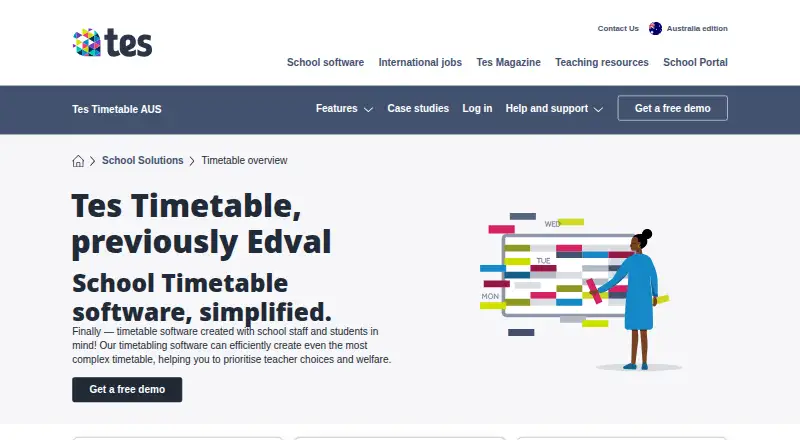
What Tes Timetable is
Tes Timetable is school scheduling software for creating and adjusting schedules, including complex timetables. Schools can use automated scheduling or manual allocation, identify teacher and room clashes, adapt to staffing changes, and assign student subject choices. The software also supports flexible working requests and supplementary timetables for student groups whose requirements sit outside regular activities. Premium and Premium Plus include Choice, an online class-selection portal for students that supports prerequisites and multiple streams, using room and staffing data to balance lines. Those packages also include Daily, which provides temporary timetabling for staff absences, automated communications, and SMS and email notifications. Tes says the product integrates with more than 70 systems, including Compass, Sentral, Arbor, and iSams. It is available on web and Windows. The E10 desktop application requires a native PC with 64-bit Windows 10 or later; macOS is not supported for E10, and Tes does not support running it in virtual environments. Pricing is on request, though the Australian product page offers a free demo. Tes lists ticket support during published weekday hours of 8am–5pm AEST and is headquartered in Sheffield, England.
Who it suits
Tes Timetable is intended for schools that need to build or adjust schedules and manage student subject choices. Schools using E10 need a native 64-bit Windows 10 or later PC.
What it does well
- Supports automated schedules and manual allocations.
- Can identify teacher and room clashes.
- Choice supports prerequisites and multiple elective streams.
- Daily handles temporary schedules for staff absences.
- Integrates with more than 70 systems.
What to know first
- Pricing is available on request.
- E10 does not support macOS.
- E10 is not supported in virtual environments.
- Ticket support hours are Monday to Friday, 8am–5pm AEST.
Limits
Pricing is on request. Daily and Choice are included in Premium and Premium Plus; E10 requires 64-bit Windows 10 or later and is not supported on macOS or in virtual environments.
Getting started
- Visit the Tes Timetable website.
- Request a free demo from the Australian product page.
- Ask Tes for package pricing and choose a package.
- For E10, use a native PC with 64-bit Windows 10 or later.
- Download or update E10 or Edval Staff through the updates website or within the software using a Tes username and password.
Tes Timetable is a school scheduling system for building complex timetables, balancing constraints, and assigning student subjects. It suits schools whose schedules change frequently or span multiple campuses, particularly those that need both automated optimisation and manual control. Its strongest case is a configurable, school-wide workflow; the main cautions are custom pricing and the Windows-only E10 desktop requirement.
Overview
Tes Timetable combines automatic schedule generation with manual allocations, letting staff fine-tune results to local requirements. It can identify and help resolve teacher and room clashes, account for teacher constraints, schedule student groups, and adapt when staffing changes. Tes says its algorithm can examine up to 30,000 alternative timetables per second, which is useful when a school has many competing requirements rather than a simple weekly grid.
The system also supports supplementary timetables for student subsets whose activities fall outside regular lessons, and multi-campus scheduling. Schools can manage flexible-working requests through customised schedules. Integration with more than 70 systems, including Compass, Sentral, Arbor and iSams, can reduce duplicate administration where a school already relies on those platforms.
Key features
Core scheduling
Automated scheduling is the headline strength, but manual allocation remains available for cases where staff judgment matters. Conflict detection across teachers and rooms gives timetable managers a way to find practical collisions before publishing, while room and staffing data can feed more complex elective arrangements.
Daily absence cover
Daily is included with Premium and Premium Plus. It provides temporary timetabling for staff absences, automated communications, and SMS and email notifications. That makes the higher packages more relevant to schools that need to manage day-to-day disruption, not just create a term timetable.
Choice and electives
Choice, also included in Premium and Premium Plus, gives students an online class-selection portal connected to Timetable. It accommodates sport, clubs and other options, while complex prerequisites, multiple streams and balanced line generation use room and staffing data. Schools with substantial elective programmes have a clearer reason to choose these packages than schools needing only core scheduling.
Additional help
A Timetabler in Residence can be added to any package for a dedicated Tes timetabler for a year. This is a significant service option for schools that need specialist capacity during implementation or a particularly demanding scheduling cycle.
Pricing
Tes Timetable uses paid, custom pricing, so schools must request a quote. The Australian product page offers a free demo and identifies Premium and Premium Plus packages, but does not publish package prices, seat counts, quotas, trial duration, renewal terms or free-plan limits.
Premium and Premium Plus are the packages that include Daily and Choice. A lower or differently configured package may suit a school focused on timetable construction alone, but it gives up those named absence-management and student-selection tools. Because pricing is on request, budget comparisons require a direct conversation with Tes.
Platforms
Tes lists web and Windows support. Daily, Interviews and Choice run in systems that support web browsers, with Google Chrome and Safari recommended. The E10 desktop application requires a native 64-bit Windows 10 or later PC; macOS is not supported. Tes does not test E10 in virtual environments and does not support attempts to run it that way.
E10 and Edval Staff downloads or updates are handled through Tes's updates website or within the software and require a Tes username and password. Tes recommends storing Timetable software and files on the school's local network. Product support is ticket-based, with published hours Monday to Friday, 8am–5pm AEST.
Who it's for
Tes Timetable is aimed at schools and was created with school staff and students in mind. It is a strong fit for complex secondary or multi-campus operations, schools coordinating electives and prerequisites, and teams that need to react to absences or changing staffing. Schools standardised on macOS, or those planning to run E10 in a virtual environment, should look elsewhere for a supported desktop workflow.
Pros and cons
- Pros: Automated and manual scheduling support handles both optimisation and local exceptions.
- Pros: Teacher, room and student-group constraints, conflict detection, and multi-campus support address complex school operations.
- Pros: Premium packages add absence cover, notifications and a connected student choice portal.
- Pros: More than 70 integrations can connect timetable data with existing school systems.
- Cons: Custom pricing makes it difficult to compare costs without contacting Tes.
- Cons: E10 requires native 64-bit Windows 10 or later and is unsupported on macOS and virtual environments.
- Cons: Choice and Daily are reserved for Premium and Premium Plus, so basic scheduling needs may not justify the higher tiers.
Alternatives
For a broader shortlist, see School Scheduling Software.
- Peñalara GHC is the better starting point if you want freemium access, a free plan and free trial across Android, iOS, web and Windows.
- Prime Timetable suits evaluation across more operating systems, with a free plan, free trial and a 30-day evaluation period.
- FET is the straightforward choice for free, open scheduling software on Linux, macOS or Windows with no stated usage limits.
- UniTime fits organisations seeking free open-source software with self-hosting and optional commercial support.
- GC Education Analytics K–12 Master Scheduler offers a free web-based beta for elementary, middle and high school use.
- SchoolGrid is worth considering for a web-based freemium service with a free annual plan and a 30-day scheduling and publishing evaluation.
- Ad Astra is a paid alternative available through web and API platforms.
- Cardonex Schedule is another paid, web-based option.
Verdict
Choose Tes Timetable if your school needs constraint-heavy scheduling, conflict resolution, elective selection and optional absence-management tools in one ecosystem. Its integrations and dedicated timetabler service strengthen the case for larger or more complex schools. Look elsewhere if you need transparent pricing, a free tier, macOS support for the desktop application, or a supported virtualised E10 deployment.
Verdict
Tes Timetable covers schedule creation, conflict detection, and student subject selection, with additional Daily and Choice tools in Premium packages. Confirm package needs and E10's Windows requirements before proceeding.
Questions
How is Tes Timetable priced?
Pricing is available on request. The Australian product page offers a free demo and names Premium and Premium Plus packages.
Which platforms can I use?
The product is available on web and Windows. E10 requires a native PC with 64-bit Windows 10 or later; macOS is not supported for E10.
What do Premium and Premium Plus include?
Both packages include Daily for temporary timetabling during staff absences, automated communications, and SMS and email notifications. They also include Choice, the online class-selection portal.
Can students choose classes through Tes Timetable?
Yes. Choice gives students an online class-selection portal and supports options such as sports and clubs, as well as prerequisites and multiple streams.
Can Tes Timetable integrate with other systems?
Tes says it integrates with more than 70 systems, including Compass, Sentral, Arbor, and iSams.
Facts from Tes Timetable's own pages
- Additional timetable support
- Schools can add a Timetabler in Residence to any package for access to a dedicated Tes timetabler for the year. · tes.com, 4 Oct 2026
- Choice
- Choice provides an online student portal for submitting subject preferences and supports rules, prerequisites, multiple streams, sports selections, prefect voting, and permissions. · tes.com, 5 Oct 2026
- Cloud requirements
- Tes Daily, Interviews, and Choice work on systems that support web browsers, with Google Chrome and Safari listed as recommended browsers. · help.tes.com, 5 Oct 2026
- Daily
- Daily supports temporary timetabling for staff absences and automated communications, including SMS and email notifications; it is included in Premium and Premium Plus packages. · tes.com, 5 Oct 2026
- Data storage
- Tes recommends storing Timetable software and files on the school's local network. · help.tes.com, 5 Oct 2026
- Downloads and updates
- Tes support says the E10 and Edval Staff applications are downloaded or updated through its updates website or within the software, and require a Tes username and password. · help.tes.com, 4 Oct 2026
- Elective scheduling
- Choice supports complex prerequisites, multiple streams, and balanced line generation using room and staffing data. · tes.com, 4 Oct 2026
- Headquarters
- Sheffield, England, United Kingdom · tes.com, 28 Sept 2026
- Integrations
- Tes says Timetable integrates with over 70 systems, including Compass, Sentral, Arbor, and iSams. · tes.com, 5 Oct 2026
- Intended users
- The product is designed for schools and says it was created with school staff and students in mind. · tes.com, 4 Oct 2026
- Limit
- Tes says it does not test E10 in virtual environments and does not support users who attempt to run it that way. · help.tes.com, 5 Oct 2026
- Maker
- Tes says it acquired Edval, the school timetabling software provider, in 2019. · tes.com, 4 Oct 2026
- Maker history
- Tes's corporate history says it acquired Edval, a school timetabling software provider, in 2019. · tes.com, 5 Oct 2026
- Package inclusion
- Choice is included in Premium and Premium Plus packages. · tes.com, 5 Oct 2026
- Pricing information
- The Australian product page offers a free demo and names Premium and Premium Plus packages, but shows no prices. · tes.com, 4 Oct 2026
- Purpose
- Tes Timetable creates customised school timetables, including complex schedules, with automated scheduling features. · tes.com, 5 Oct 2026
- Scheduling
- The software can create automated schedules or manual allocations, identify and fix teacher and room clashes, adapt to staffing changes, and assign student subject choices. · tes.com, 5 Oct 2026
- Security
- Choice provides a secure online student interface, and students use webcodes to view timetables or access subject choice forms. · tes.com, 5 Oct 2026
- Supplementary timetables
- The product can create dedicated timetables for specific student subsets with requirements outside regular activities. · tes.com, 4 Oct 2026
- Support
- Tes provides a help and support portal and a ticket submission option for product support. · tes.com, 5 Oct 2026
- Timetable flexibility
- Schools can create and fine-tune timetables to their requirements and manage flexible working requests with customised schedules. · tes.com, 4 Oct 2026
- Timetable options
- Tes says its algorithm can explore up to 30,000 alternate timetables per second. · tes.com, 5 Oct 2026
- Windows requirements
- The E10 desktop application is designed for native Windows PCs and requires Windows 10 64-bit or later; Tes says macOS is not supported for E10. · help.tes.com, 5 Oct 2026
Where Tes Timetable stands on Freedom251
- School Scheduling Software#25 of 29